Kling has the most generous free tier in AI video; Higgsfield leans on credits, many models and control features. An honest, spec-based comparison to help you pick.
This post contains affiliate links. If you buy through them, Aliteq may earn a commission — at no extra cost to you. Prices verified at publish time.
Share
Higgsfield and Kling are two of the most-compared AI video tools of 2026, and they pull in different directions: Kling is famous for the most generous free tier in the category, while Higgsfield leans on credits, many models, and creator features like motion control and consistent characters. Here's an honest, spec-based comparison — based on published pricing and documented features as of 24 Sep 2026, not side-by-side testing — to help you pick.
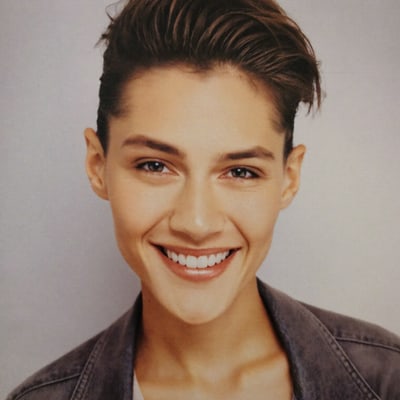
A still from a Higgsfield generation — prompt below.
The practical read: if you want to try AI video for free or make plain clips as cheaply as possible, Kling's free tier is hard to beat — start there. If you want many models plus control features (motion control, a reusable character, a talking-avatar presenter) under one subscription, Higgsfield is built for that. Many creators use Kling to learn, then move to Higgsfield when they need the control features regularly.
HiggsfieldSponsored
Want the multi-model, control-feature route? That's Higgsfield.
Motion control, consistent characters and a talking-avatar presenter across many models — Ultra is 3,000 credits/mo ($99/mo billed annually, 24 Sep 2026). Try it and see if the control features fit your work.
Kling is cheaper to start because of its generous free tier — you can experiment at no cost. Higgsfield is credit-based (Ultra is $129/mo, or $99/mo annually, for 3,000 credits) with a free tier (limited models). For occasional plain clips, Kling wins on cost; for regular multi-model, control-feature use, Higgsfield's subscription can be better value. Prices per each tool's pricing page, 24 Sep 2026.
What does Higgsfield do that Kling doesn't?
Higgsfield bundles many image and video models in one place and leans on creator-control features — motion control, consistent characters via a reusable identity, and a talking-avatar presenter. Kling's strengths are its free tier, multi-shot storyboarding and voice binding. They overlap on core text-to-video but differ on control and model breadth. Based on documented features, not testing.
Which should I start with?
Start with Kling's free tier if you just want to try AI video or make budget clips — it costs nothing to learn on. Move to (or add) Higgsfield when you need its control features and multi-model access regularly. Trying both before committing is sensible, since each has a low-cost way in.
Higgsfield
Sponsored
Motion control, a reusable character, and a talking-avatar presenter — the free tier lets you test it before you pick a plan.