Enhanced food photos, generated promo visuals, and a month of seasonal-campaign content — no photographer required. The real workflow independent restaurants and cafés are using, and the one line you should never cross with it.
This post contains affiliate links. If you buy through them, Aliteq may earn a commission — at no extra cost to you. Prices verified at publish time.
Share
Every independent restaurant and café owner I've talked to has the same problem: they know they need to post on Instagram and TikTok constantly to stay visible, but they're running a kitchen, not a content studio. Hiring a food photographer for a shoot runs $300–800 a session, and that gets you maybe 20 photos — not the daily drip of posts, stories, and promo graphics a local audience actually expects to see. So the account goes quiet for three weeks, then a blurry phone photo goes up right before close, and the feed looks like nobody's home.
What's changed is that AI image tools can now generate genuinely appetizing food and café imagery for the marketing layer — the mood shots, the seasonal promos, the "come in and try this" posts — in minutes, for the cost of a subscription instead of a day rate. This is the actual workflow local restaurants are using, plus the one line you should never cross with it.
1. Enhance the food photos you already have
Start here, not with pure generation — it's the least risky and the fastest win. Most restaurants already have a phone full of decent-but-flat photos taken in kitchen fluorescent light. AI image tools can relight a photo, deepen the color of a sauce, sharpen the steam and texture, and clean up a messy background, while the dish itself stays exactly what it is. This is the digital equivalent of what a food stylist and a photographer's lighting kit used to do — you're not inventing a different dish, you're making the real one look as good on screen as it does on the plate.
The workflow: take the photo in good natural light if you can (near a window, midday), then run it through an enhancement pass for color, contrast, and background cleanup. Keep a folder of your best 10–15 real dish photos enhanced this way — that's your evergreen menu-and-feed library, and it's the one place I'd never substitute a pure AI-generated plate for the real thing.
2. Promo & social visuals: the mood, not the menu
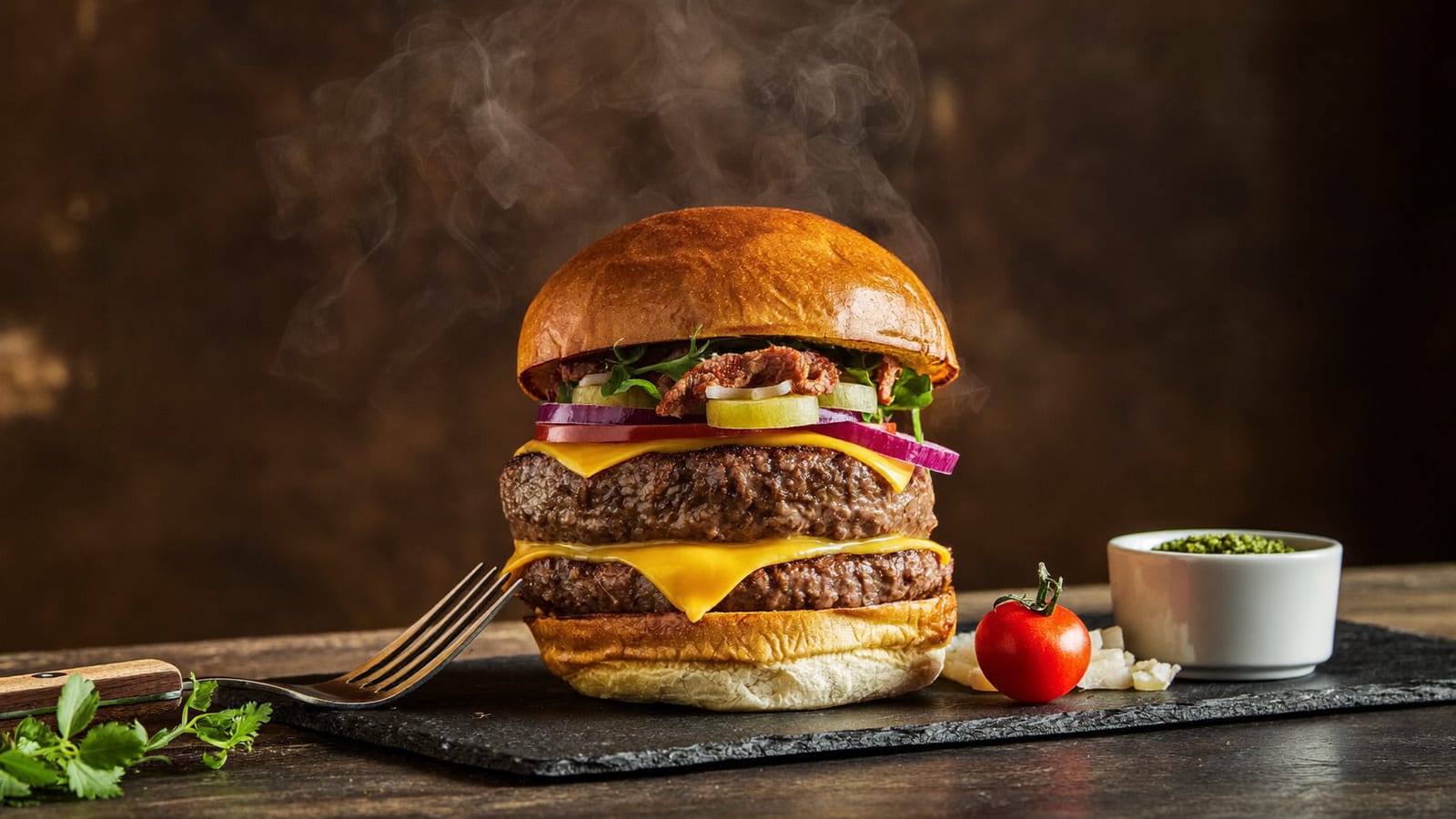
This is where full AI generation earns its keep, because the job here isn't "show exactly what's on the plate" — it's "make someone want to walk in." A steaming latte with perfect light, a burger caught mid-drip under warm bulbs, a table set for two at golden hour — these are mood pieces. They go on your "we're open today," your happy-hour countdown, your generic "treat yourself" story graphic, or a paid social ad promoting the vibe of your café rather than a specific dish. Nobody orders a specific plate because of a mood shot; they order because the vibe made them want to be there.
A generated promo-style hero shot — used for ads and mood posts, never as the literal menu photo. · Generated with Higgsfield
Higgsfield · Promo & social visuals
Sponsored
Higgsfield generates photoreal food and café mood shots from a text prompt — steaming drinks, plated dishes, cozy interiors — ready for stories, ads, and posts. Free tier to test before you commit.
3. Seasonal campaigns: a month of content in an afternoon
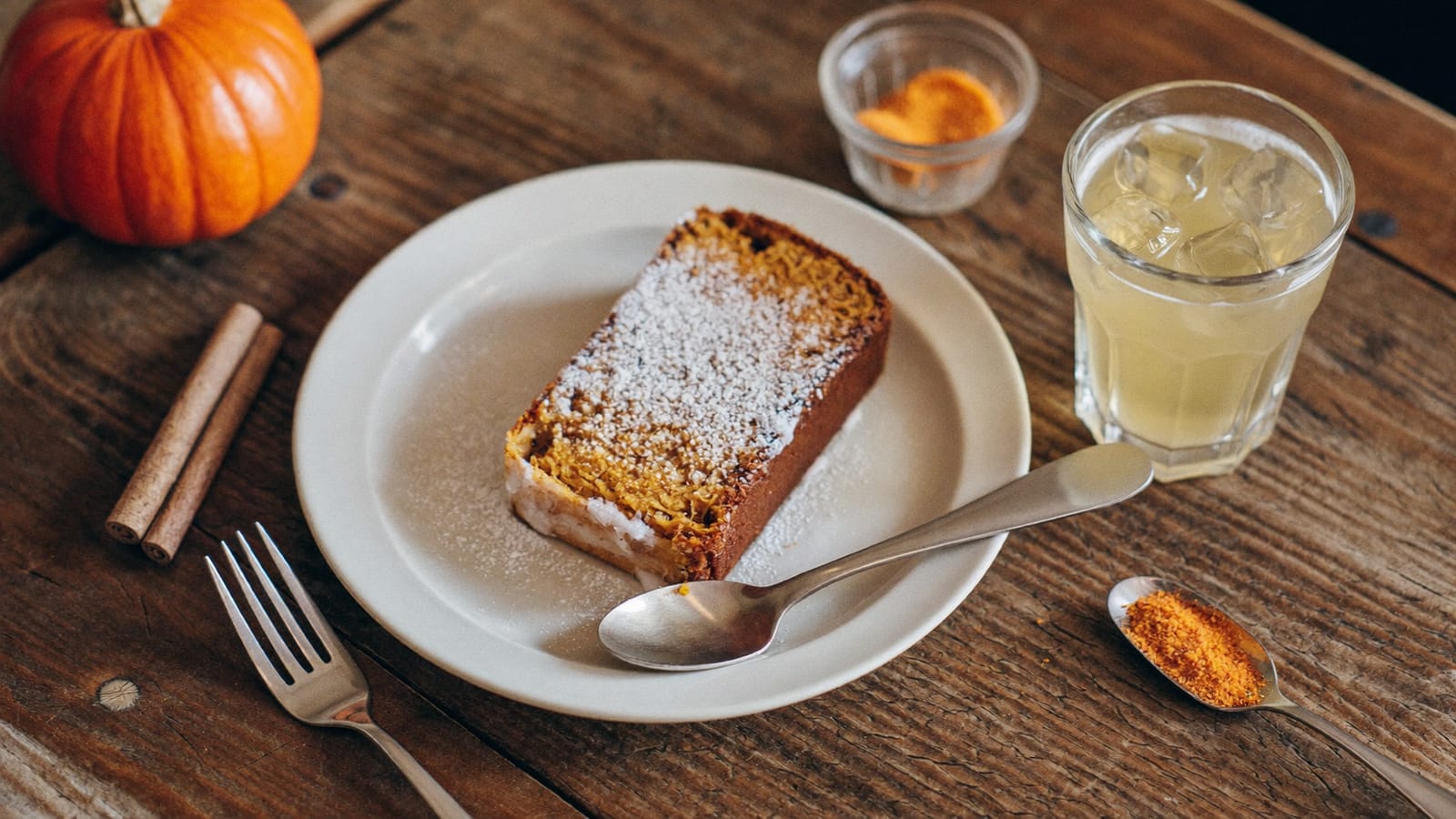
Seasonal pushes are exactly where a small team runs out of time — you know pumpkin-spice season, Valentine's specials, and summer patio weather are coming, but there's no budget for four separate shoots a year. This is the highest-leverage use of generation: describe the seasonal mood (warm spiced tones for autumn, bright citrus and patio light for summer, cozy candlelight for a Valentine's promo) and generate a batch of on-theme visuals in one sitting. Pair them with your real dish photos from step one — a generated cozy-autumn table setting as the campaign's cover art, your actual enhanced pumpkin dish photo as the specific menu callout.
Seasonal campaign mood art — generated once, reused across posts, stories, and table-tent graphics. · Generated with Higgsfield
4. Copy-paste prompts to start today
These are structured to swap in your own dish, drink, and café style. Keep the lighting and "no text, no logos" language — it's what keeps the output clean enough to actually post, and text/logos are still the thing AI image models render worst.
Copy-paste food-content prompts
Steaming drink hero shot
a steaming [your drink] in [your café's mood: rustic wooden / marble / industrial] setting, warm natural light, shallow depth of field, photorealistic, cozy inviting mood, no text, no logos
Signature dish close-up
an appetizing close-up of [your dish], warm dramatic lighting, glistening fresh texture, steam or garnish detail, photorealistic food-magazine style, no text, no logos
Seasonal promo mood board
a [season/holiday] table setting featuring [your seasonal item], warm seasonal color palette, cozy atmosphere, soft natural light, photorealistic, no text, no logos
Café interior ambiance
a warm, inviting interior of a [style: cozy / minimalist / industrial] café, soft afternoon light through the windows, empty tables set for guests, photorealistic, no people, no text, no logos
Flat-lay social post
an overhead flat-lay of [your dish] on a wooden or marble surface, natural light, minimal styling with a napkin and cutlery, photorealistic, Instagram-ready composition, no text, no logos
Pros
+ A month of scroll-stopping content without booking a single photo shoot
+ Consistent, professional-looking feed makes a small restaurant read as credible as a chain
+ Seasonal campaigns can be produced in an afternoon instead of a rushed one-off shoot
+ Real dish photos still get the enhancement treatment — no reshoot needed for the menu
+ Frees up staff time — nobody on a restaurant team wants to be the part-time photographer
Cons
− **Never use a pure AI-generated image as the literal menu photo** — if a customer orders based on it and the real plate looks different, that's a trust problem you don't come back from
− Text and logos in-frame still render badly — keep generated shots clean and add your branding afterward
− A feed that's 100% generated mood shots with zero real food starts to feel hollow — mix in real photos of real dishes and real customers
− Some platforms and local review sites expect disclosure of AI-generated marketing imagery — check current policy where you're posting
Quick answers
Is it dishonest to use AI images for a restaurant's marketing?
Not for mood and promo content — food ads have used stylized, styled, and touched-up photography for decades, and a generated "cozy café" mood shot isn't a claim about a specific plate. The line is the menu itself: the photo a customer uses to decide what to order should show the real dish, because that's a factual claim about what they'll be served.
Can I generate the actual dish photo for my menu?
Don't. Use AI to enhance a real photo of the real dish — better light, color, background — but the dish in the frame should be the one that comes out of your kitchen. Generating a fictional, better-looking version of a specific menu item and presenting it as that item is the kind of misrepresentation that erodes trust fast in a local business, where regulars notice.
Do I need design or photography skills to do this?
No. The skill is describing the mood you want clearly — lighting, setting, season — the same way you'd brief a photographer. If you can describe your café's vibe in a sentence, you can prompt for it.
What's the cheapest way to start?
Start with enhancing photos you already have — it's the fastest, lowest-risk win and directly improves your existing menu and feed. Add generated promo/mood shots next for ads and seasonal pushes once you've got the enhancement habit down.
This is one local-business playbook — the same AI tools open up content for salons, gyms, boutiques, and any small business that needs to look present online without a content team. I track the workflows that actually hold up in AI Studio.
HiggsfieldSponsored
Make this week's social content today
Enhance a real dish photo, generate a promo mood shot, and draft your next seasonal campaign — all in one place. Free tier to try it before you pay.