Virtual staging, sky and twilight photo fixes, scored listing videos, and AI voiceover walkthroughs — the real workflow agents are running now, plus the MLS disclosure rules most guides leave out.
This post contains affiliate links. If you buy through them, Aliteq may earn a commission — at no extra cost to you. Prices verified at publish time.
Share
Every agent knows the two things that sell a listing before a single showing: the hero photo that stops the thumb-scroll on Zillow, and the video tour that makes someone imagine living there. Both used to mean booking a photographer, waiting days for the edit, and paying $150–400 a listing for staging alone if the house was empty. I've watched agents lose the first-weekend momentum on a listing just waiting on photo delivery. That's the part AI has actually fixed — not by replacing the photographer, but by collapsing the two slowest, most expensive steps: staging and post-production.
I make images and video for a living, so this isn't a listicle of buzzwords — it's the real workflow agents are running right now: virtually staging an empty room, enhancing the shots you already have, cutting a listing video, and adding an AI voiceover walkthrough. And because this is real estate, not a TikTok filter, I'm also going to walk through the rule most 'AI real estate photo' content conveniently skips: a growing number of MLSs now legally require you to disclose when a photo has been digitally altered.
1. Virtual staging: empty room in, furnished room out
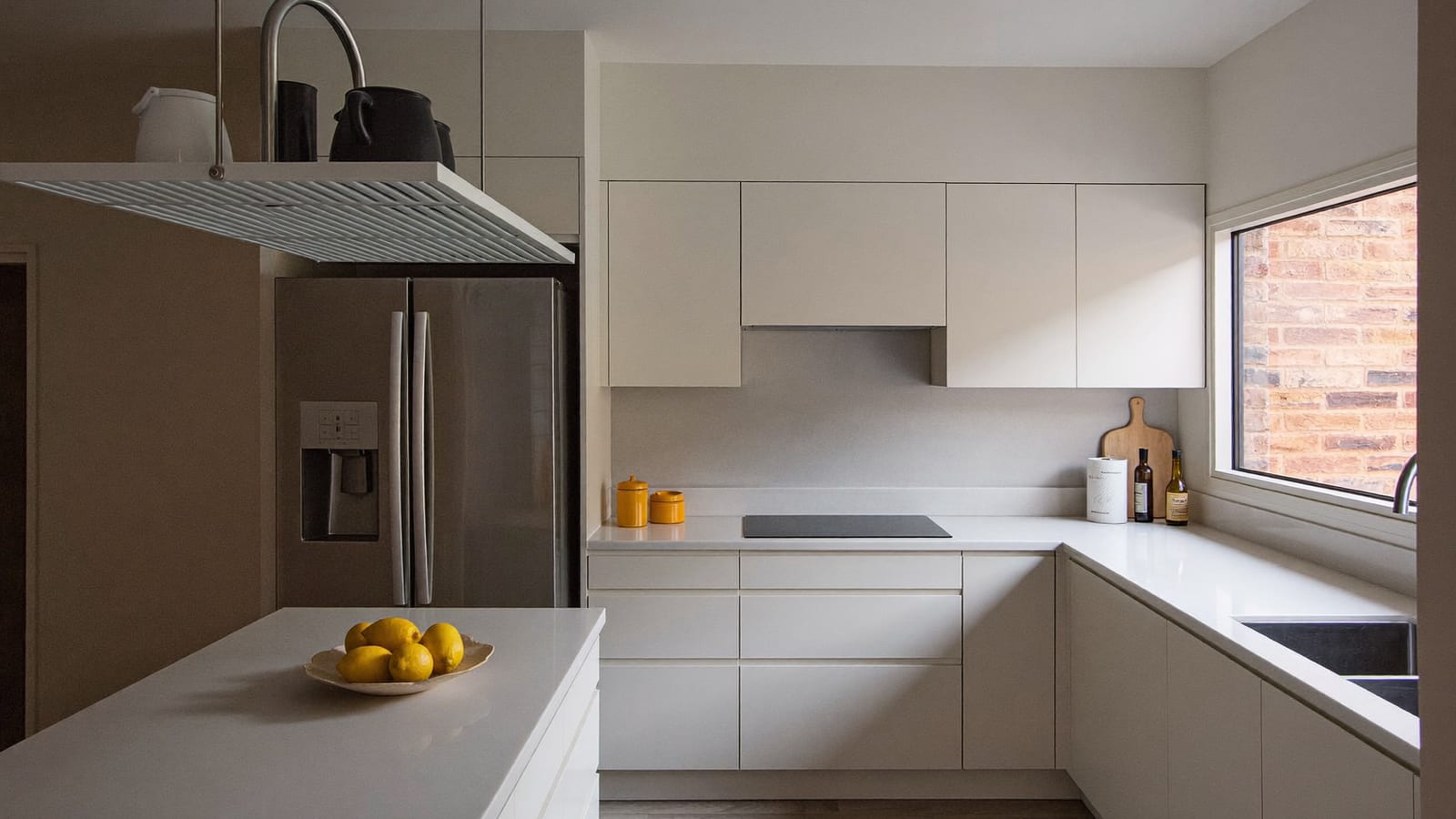
This is where AI earns its keep fastest. A vacant listing photographs cold — empty rooms read smaller and colder than they are, and buyers struggle to picture furniture placement. Physical staging fixes that but costs real money (often $300–600 a room, more for a whole house) and takes days to schedule movers and furniture rental. Virtual staging does the same job from a single photo: you feed in the empty-room shot, describe the style (modern, farmhouse, Scandinavian, whatever matches the buyer profile), and get back a furnished version in minutes, not days.
The realistic workflow: shoot the empty room properly first — good light, level horizon, wide angle, the fundamentals still matter because the AI is staging your photo, not inventing the room. Then generate two or three furniture styles and pick whichever reads best for the buyer pool. Keep the unaltered original on file; you'll need it for disclosure and for any buyer who asks.
Generated with Higgsfield · Generated with Higgsfield
Higgsfield · Virtual staging
Sponsored
Higgsfield's image models can furnish an empty room from one photo in a couple of minutes, and you can try a few styles side by side before picking one. Free tier to test before you commit.
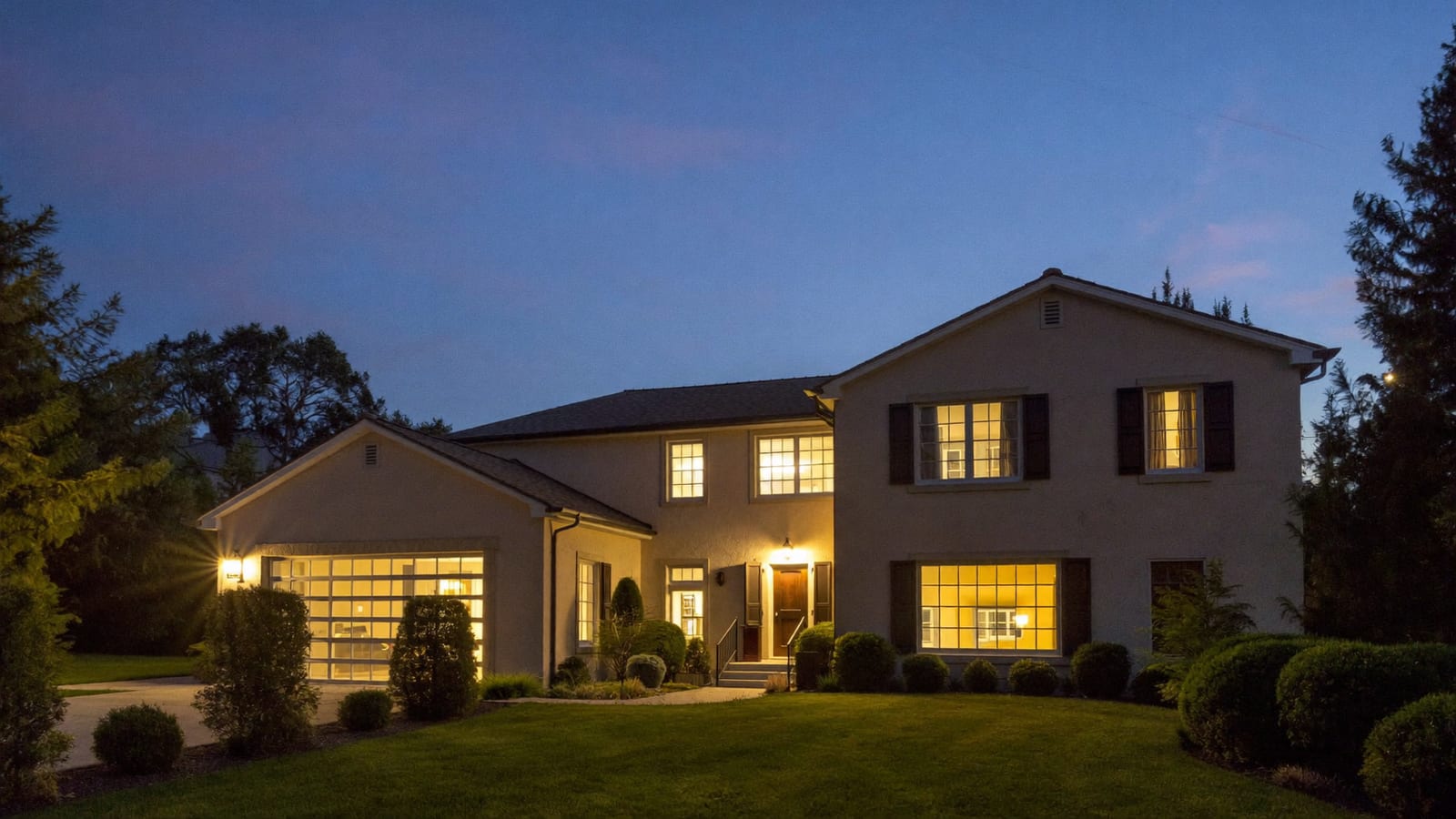
Not every fix needs a reshoot. A flat white sky, a driveway with someone's trash bins still out, a cluttered kitchen counter — these used to mean either living with a mediocre shot or paying for a re-shoot. Now they're a generation away: replace a dull sky with a clear blue one, convert a daytime exterior into a warm twilight shot (the single most requested upgrade for higher-end listings — it reliably outperforms daylight exteriors on click-through), or digitally clear counters and floors of clutter that was there on shoot day.
The honest limit: this is enhancement, not fabrication. Swapping a sky or clearing a stray box is broadly accepted as normal photo editing. Removing a fence, adding a pool, or making a room look bigger than it is crosses into misrepresenting the property — and that's exactly the line MLS rules and fair-housing/advertising standards care about. If the edit changes what a buyer thinks they're getting, don't make it.
Generated with Higgsfield · Generated with Higgsfield
Pros
+ Twilight and sky-replacement shots consistently get more clicks than flat daytime originals
+ Fixes a mediocre shoot without rescheduling a photographer
+ Decluttering AI-side means less pre-shoot staging labor for the seller
+ Costs pennies per image compared to a re-shoot or a stager
Cons
− Editing that changes the property itself (removing a fence, adding a pool) can cross into misrepresentation — stay in the 'lighting and clutter' lane
− Many MLSs now require an explicit AI/digital-alteration disclosure — check your board's current rule before you upload
− Keep the unaltered original; some MLS policies require it on file
3. Listing video and AI voiceover walkthroughs
Video is where a listing goes from 'photos I scrolled past' to 'a place I could see myself in.' You don't need a videographer for this anymore: feed your still photos (real or AI-enhanced) into a video tool and it stitches a scored, transition-timed walkthrough sized correctly for Zillow's video slot, an Instagram Reel, and a TikTok — three different aspect ratios from one export instead of three separate edits.
Add an AI voiceover and you get a fully narrated walkthrough — "Welcome to 214 Maple, a beautifully updated three-bedroom..." — without hiring a voice actor, without you standing in an empty living room narrating into your phone eight times because you kept stumbling on the square footage. Write the script once, generate the voice, sync it to the video. It's the single most time-consuming part of listing marketing turned into a 20-minute job.
Copy-paste staging and video prompts
Virtual staging (living room)
Furnish this empty living room in a modern minimalist style: neutral linen sofa, low wood coffee table, a jute rug, one piece of abstract wall art. Keep the existing windows, flooring, and wall color exactly as shown. Photoreal, real estate listing photo lighting.
Virtual staging (bedroom)
Furnish this empty bedroom in a warm, neutral, move-in-ready style: a queen bed with light linen bedding, two matching nightstands, simple curtains that let in natural light. Keep the room's proportions, windows, and flooring unchanged. Photoreal, listing-photo lighting.
Twilight exterior
Convert this daytime exterior photo into a twilight real estate shot: warm golden light glowing from every window, deep blue-purple dusk sky, keep the house structure, landscaping, and driveway exactly as shown — no additions or removals.
Sky replacement
Replace the flat white sky in this exterior photo with a clear blue sky with soft white clouds. Do not alter the house, landscaping, or any other element of the photo.
Declutter counter
Remove loose countertop clutter (mail, small appliances, dish rack) from this kitchen photo. Keep the cabinets, countertops, appliances, and layout exactly as shown — do not add or move any fixtures.
30-second voiceover script starter
Write a warm, professional 30-second real estate voiceover script for a listing video. Property: [beds/baths, sq ft, key feature]. Tone: inviting, not salesy. End with a soft call to action to schedule a showing.
Turn your listing photos into a scored walkthrough videoSponsored
The rule most 'AI real estate photo' guides skip: disclosure
Here's the part that actually matters if you're a licensed agent and not just a hobbyist: virtual staging and AI photo edits are not a legal gray area you can quietly ignore. NorthstarMLS's 2026 guidance on virtual staging and AI-enhanced listing photos says these images should be identified as such in the caption, on the photo itself, or in the remarks — and paired with an unaltered original. ARMLS requires a formal Disclosure of Digitally Altered Images for any virtually staged or digitally altered media added to its system. Other boards are following the same pattern, and California's AB 723 goes further, making non-disclosure of digitally altered real estate photos a legal violation, not just an MLS rule breach.
The practical fix costs you nothing: label it. "Virtually staged" or "Photo digitally enhanced" in the caption or on the image itself, and keep the original unaltered shot on file. It takes ten seconds and it's the difference between a smart use of a new tool and a compliance headache. Check your specific MLS's current policy before you upload — the rules move fast and vary by board.
Quick answers
Is virtual staging legal to use on MLS listings?
Yes, virtual staging itself is widely accepted and common — the requirement is disclosure. Label the photo as virtually staged or digitally altered, in the caption or on the image, and check your specific MLS's current rule, since the exact format requirement varies by board.
Can AI make a room look bigger than it is?
Don't do this even if the tool technically can. Enhancement (lighting, sky, clutter, furniture) is broadly accepted; changing the actual dimensions or structure of a space misrepresents the property and can violate advertising standards and fair-housing rules, not just MLS policy.
Do I still need a real photographer?
For the base shots, yes — a level, well-lit, properly composed photo is still the foundation AI staging and enhancement work from. What AI replaces is the second appointment: the stager, the sky-replacement editor, and the video editor, not the first photo shoot.
What's the cheapest place to start?
Virtual staging on vacant listings has the fastest, most obvious ROI — it's the direct replacement for a $300-600 physical staging job. Add sky/twilight enhancement next since it's nearly free per image, then move to video once you have a library of strong photos to stitch together.
This is one money-making workflow among several the same AI tools unlock — I collect the ones that actually hold up in AI Studio. If you sell products instead of properties, the equivalent playbook for shots and ads is AI for e-commerce.
HiggsfieldSponsored
Stage, enhance, and narrate your next listing this week
Virtually furnish an empty room, fix the sky and clutter in shots you already have, and stitch a narrated walkthrough video — all in one place. Free tier to try it before you pay.