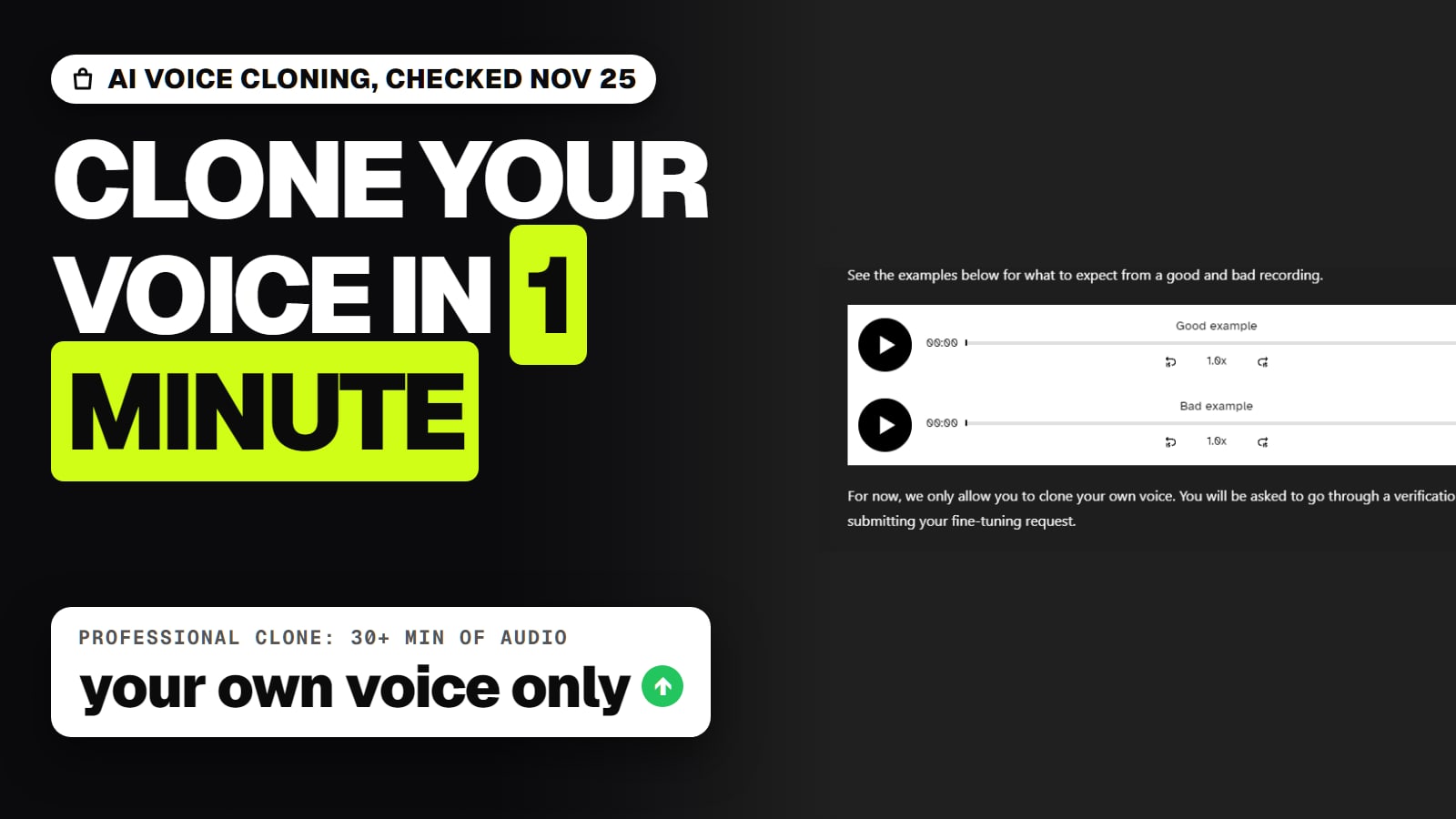
Cloning your voice takes one clean minute of audio for an instant clone, or half an hour to three hours for a professional one that sounds "virtually indistinguishable" from you. Which plan each needs, whose voice you're allowed to clone, and how to record so the clone actually sounds like you. From the vendor's own docs, checked Nov 25, 2026.
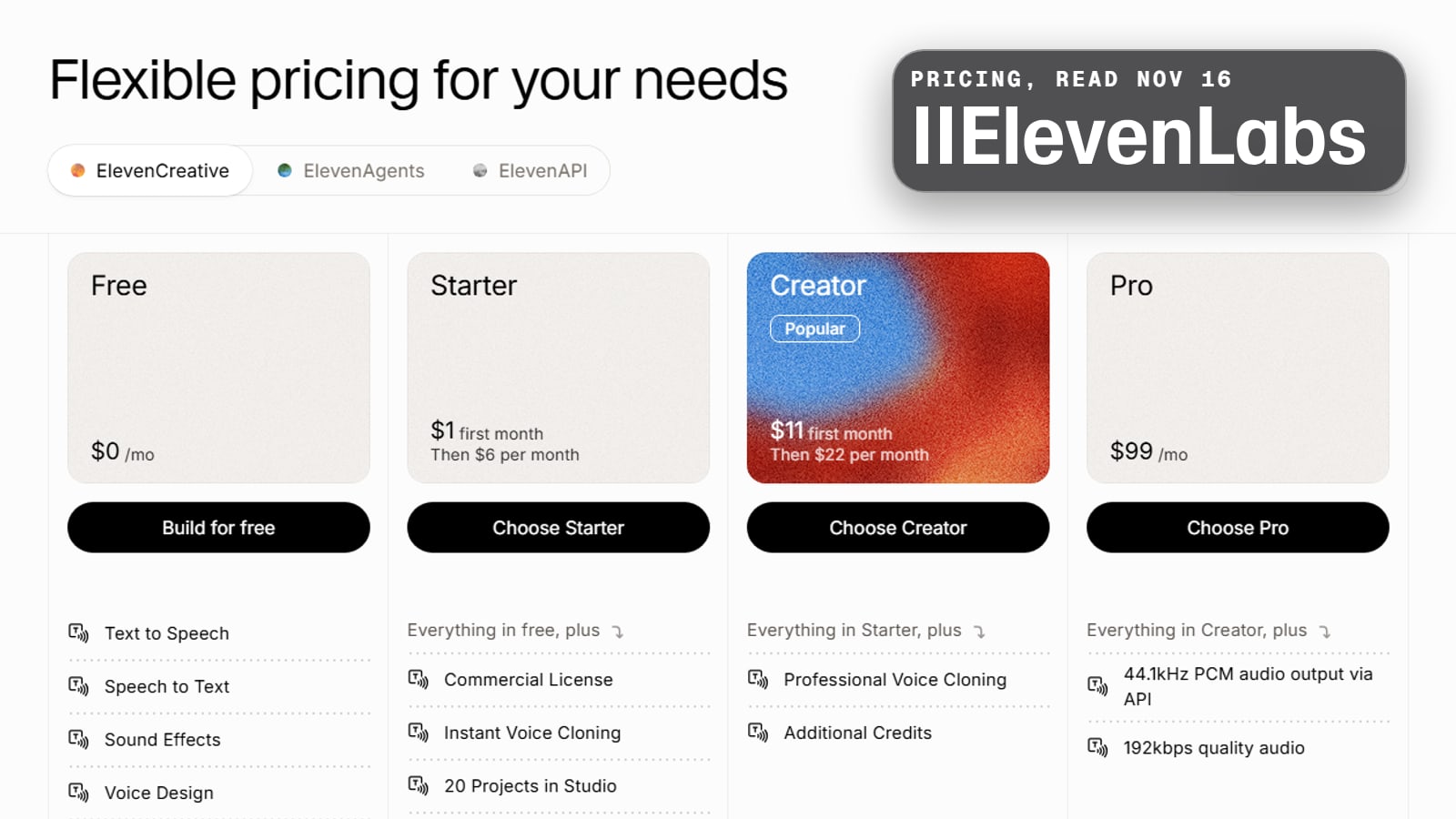
You can clone your own voice in about a minute, but the good version takes an hour or more of audio. ElevenLabs offers two kinds of voice clone. An Instant Voice Clone needs 1 to 2 minutes of clean recording and is usable as soon as you save it. A Professional Voice Clone trains a dedicated model on at least 30 minutes, ideally 2 to 3 hours, of your voice, and ElevenLabs says the result is "virtually indistinguishable" from you. Instant clones start on the $6-a-month Starter plan; professional ones need Creator at $22 a month and work only for your own voice. From ElevenLabs' docs and pricing page, read November 25, 2026.
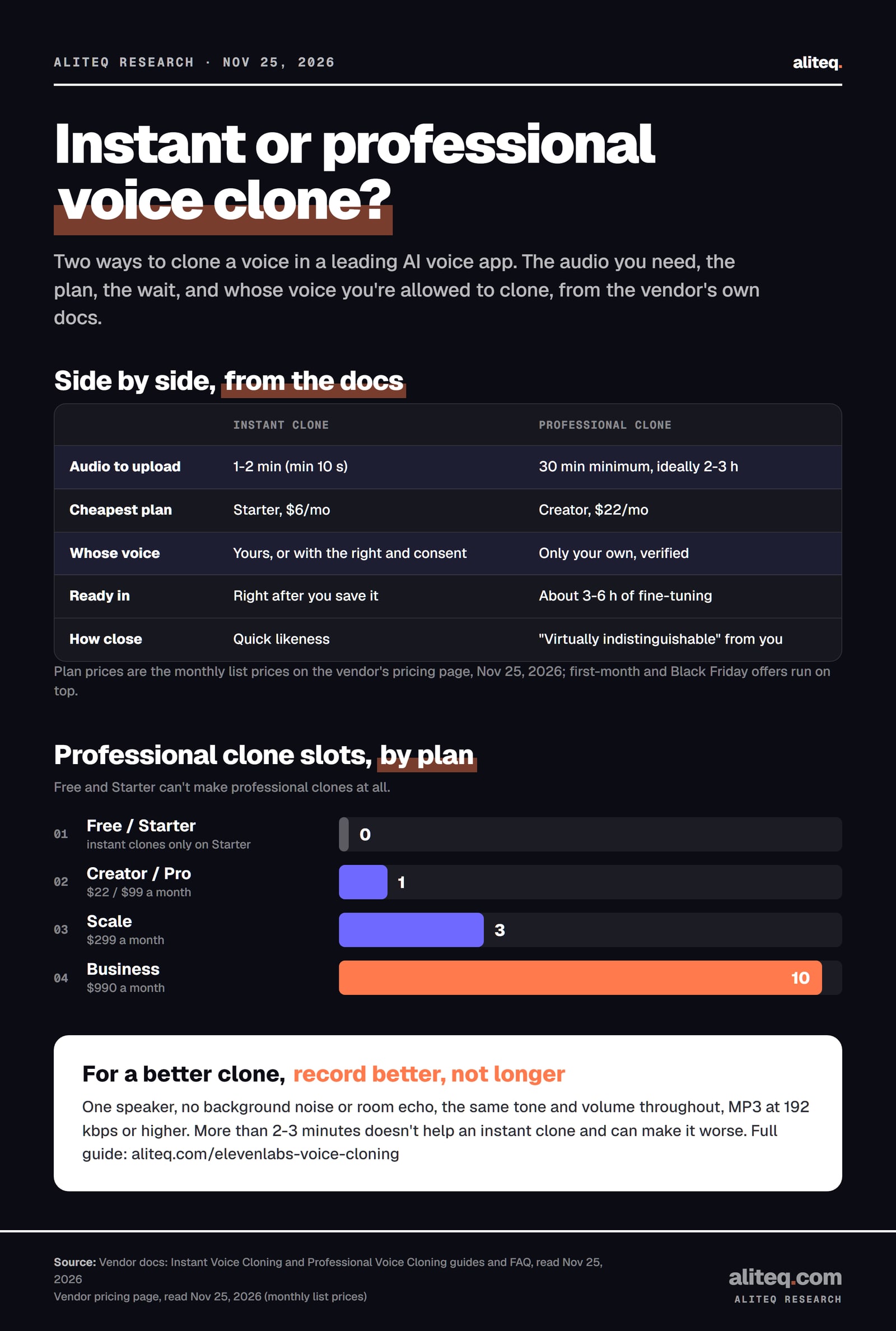
Instant vs professional voice clones on one image, free to share with a link back. From the vendor's docs and pricing page, read Nov 25, 2026. · aliteq research
Instant or professional: which voice clone should you make?
Instant vs Professional Voice Cloning (ElevenLabs docs and pricing, Nov 25, 2026)
Audio to upload
Instant Voice Clone
1-2 minutes (at least 10 seconds in total)
Professional Voice Clone
At least 30 minutes, ideally 2-3 hours
Cheapest plan
Instant Voice Clone
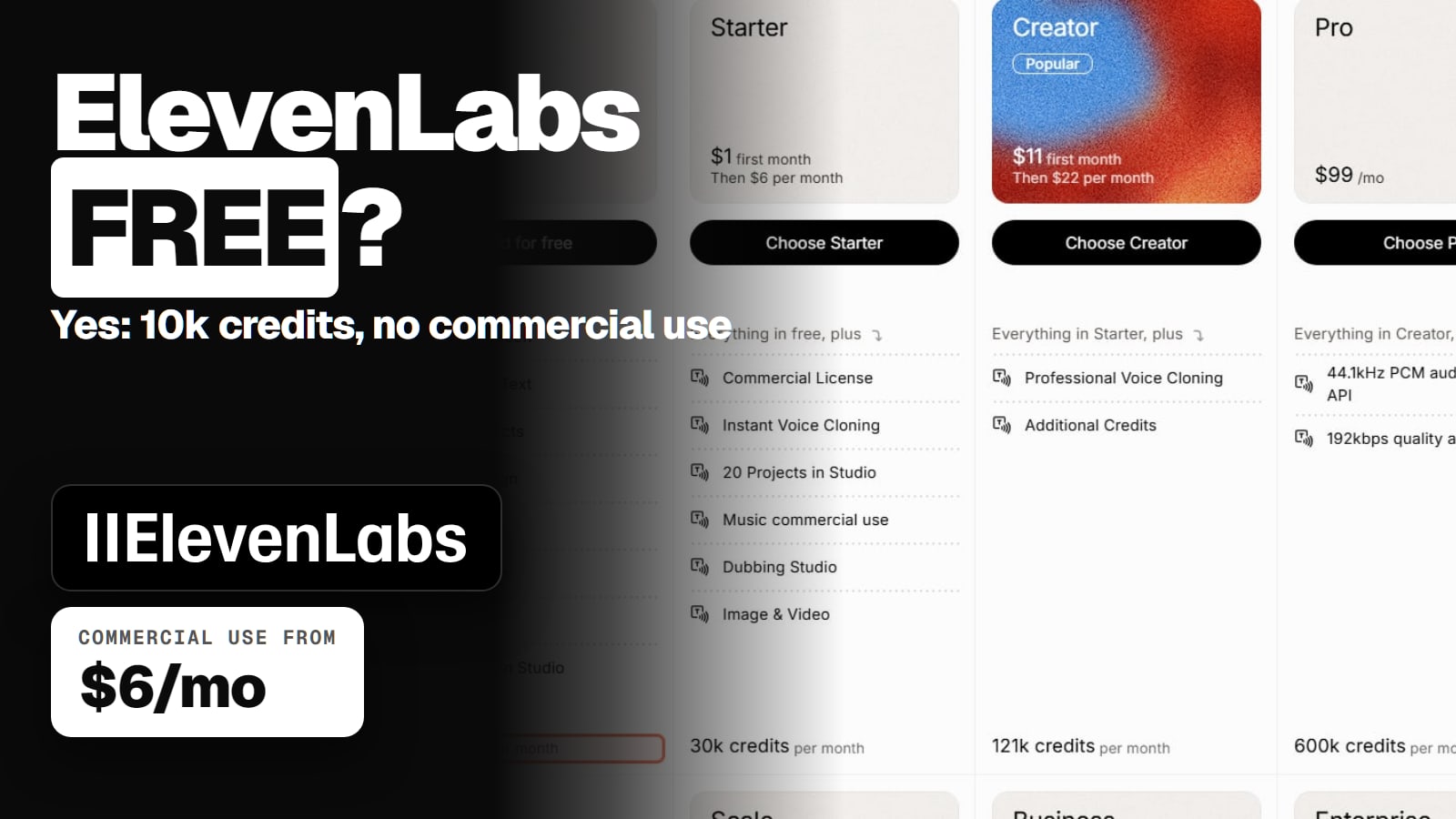
Starter, $6 a month
Professional Voice Clone
Creator, $22 a month
Whose voice
Instant Voice Clone
Yours, or one you have the right and consent to clone
Professional Voice Clone
Only your own, after verification
Ready
Instant Voice Clone
Right after you save it
Professional Voice Clone
After fine-tuning, about 3-6 hours
Quality
Instant Voice Clone
A quick likeness
Professional Voice Clone
"Virtually indistinguishable from your original voice"
Instant Voice Clone
Professional Voice Clone
Audio to upload
1-2 minutes (at least 10 seconds in total)
At least 30 minutes, ideally 2-3 hours
Cheapest plan
Starter, $6 a month
Creator, $22 a month
Whose voice
Yours, or one you have the right and consent to clone
Only your own, after verification
Ready
Right after you save it
After fine-tuning, about 3-6 hours
Quality
A quick likeness
"Virtually indistinguishable from your original voice"
Start with an instant clone. It costs nothing extra on Starter, it's ready immediately, and for YouTube narration or short voiceovers it's often enough. Move to a professional clone if you'll use the voice every week, need it to hold up in long audiobooks or courses, or want people who know you to not notice.
During ElevenLabs' Black Friday sale, which its pricing page shows until December 1, 2026, Creator billed yearly is $99 for the first year instead of $220, so the plan with professional cloning costs about $8.25 a month for that year.
Open Voices in the ElevenLabs dashboard, click the plus icon and choose Instant Voice Clone.
Upload or record your audio, 1 to 2 minutes is the sweet spot.
Name the voice, confirm you have the right and consent to clone it, and click Save voice.
Find it under My Voices and click Use voice.
ElevenLabs warns that more is not better here: "Avoid recording more than 3 minutes, this will yield little improvement and can, in some cases, even be detrimental to the clone."
Upload at least 30 minutes of your voice; ElevenLabs recommends "at least an hour", ideally close to three.
Verify your voice by reading lines it shows you, ideally with the same microphone and tone as your samples. Read each line once, then press Stop.
Wait for fine-tuning. The FAQ says usually 3 to 6 hours, and you get an email when it's ready.
If verification fails on every attempt, ElevenLabs says you can retry after 24 hours or email support to reset it.
Professional clone slots by plan
The FAQ lists how many professional clones each plan holds: Free and Starter none, Creator and Pro one, Scale three, Business ten, Enterprise custom. If you drop below Creator, your professional clone stays on the account but can't be used until you upgrade again. Full prices are on our ElevenLabs pricing page.
Can you clone someone else's voice?
For a professional clone, no. ElevenLabs' FAQ is explicit: "You can only create a Professional Voice Clone of your own voice. Even with their consent, you cannot clone someone else's voice." If a friend wants you to use their voice, they create and verify their own professional clone and share it with you.
For an instant clone, you have to confirm you have "the right and consent to clone the voice" before saving. ElevenLabs points to its Prohibited Use Policy, and its FAQ says "All audio generated by our models can be instantly traced back to the user responsible for the generation." Cloning a celebrity or a stranger without permission breaks those rules.
How to record so the clone sounds like you
The docs repeat one message: "good consistent input = good consistent output." What helps most:
One speaker, a quiet room. No background noise, no room echo, no music.
Steady delivery. The clone copies your pace, emotion and even mouth clicks. Read the way you want the clone to sound.
Even volume. ElevenLabs suggests between -23 dB and -18 dB RMS, with peaks no higher than -3 dB.
MP3 at 192 kbps or higher. WAV usually doesn't help and can cause upload problems.
Your main language. Record in the language you'll mostly generate; for professional clones, samples in unsupported languages are rejected.
For an instant clone, 1 to 2 minutes of clean audio (at least 10 seconds in total). For a professional clone, at least 30 minutes, ideally 2 to 3 hours, per the vendor's docs on Nov 25, 2026.
Can I clone my voice on the free plan?
No. Instant cloning starts on the Starter plan ($6 a month) and professional cloning on Creator ($22 a month), per the pricing page on Nov 25, 2026.
How long does a professional voice clone take?
After you upload and verify, fine-tuning usually takes about 3 to 6 hours, and you get an email when it's ready.
Can I clone someone else's voice?
Not with a professional clone, even with their consent; it must be your own verified voice. An instant clone requires you to confirm you have the right and consent to clone the voice.
Why does my voice clone sound wrong?
Usually the recording: background noise, echo, several speakers, or changing tone and volume. For an instant clone, more than 2 to 3 minutes of audio can also make it worse.
What file format is best for voice cloning?
MP3 at 192 kbps or higher. Uncompressed WAV usually doesn't improve the clone and can cause upload problems.
Get an email when an AI creator tool cuts its price
Sales and plan changes on the AI video, voice and editing tools we cover (Higgsfield, ElevenLabs, invideo, Filmora and others), read on each vendor's own pricing page.
Written and sent by hand. One-click unsubscribe in every email. Emails may contain referral links.