Your VRAM picks the model before you do. What fits on 8, 12, 16, 24 and 32GB cards, worked out on our VRAM engine and checked against each model card and Ollama's download sizes on Nov 6, 2026, plus why NVIDIA's "24GB" Nemotron wants a 32GB card in llama.cpp.
Some links on this page are referral links: we may earn a commission, at no cost to you.
Share
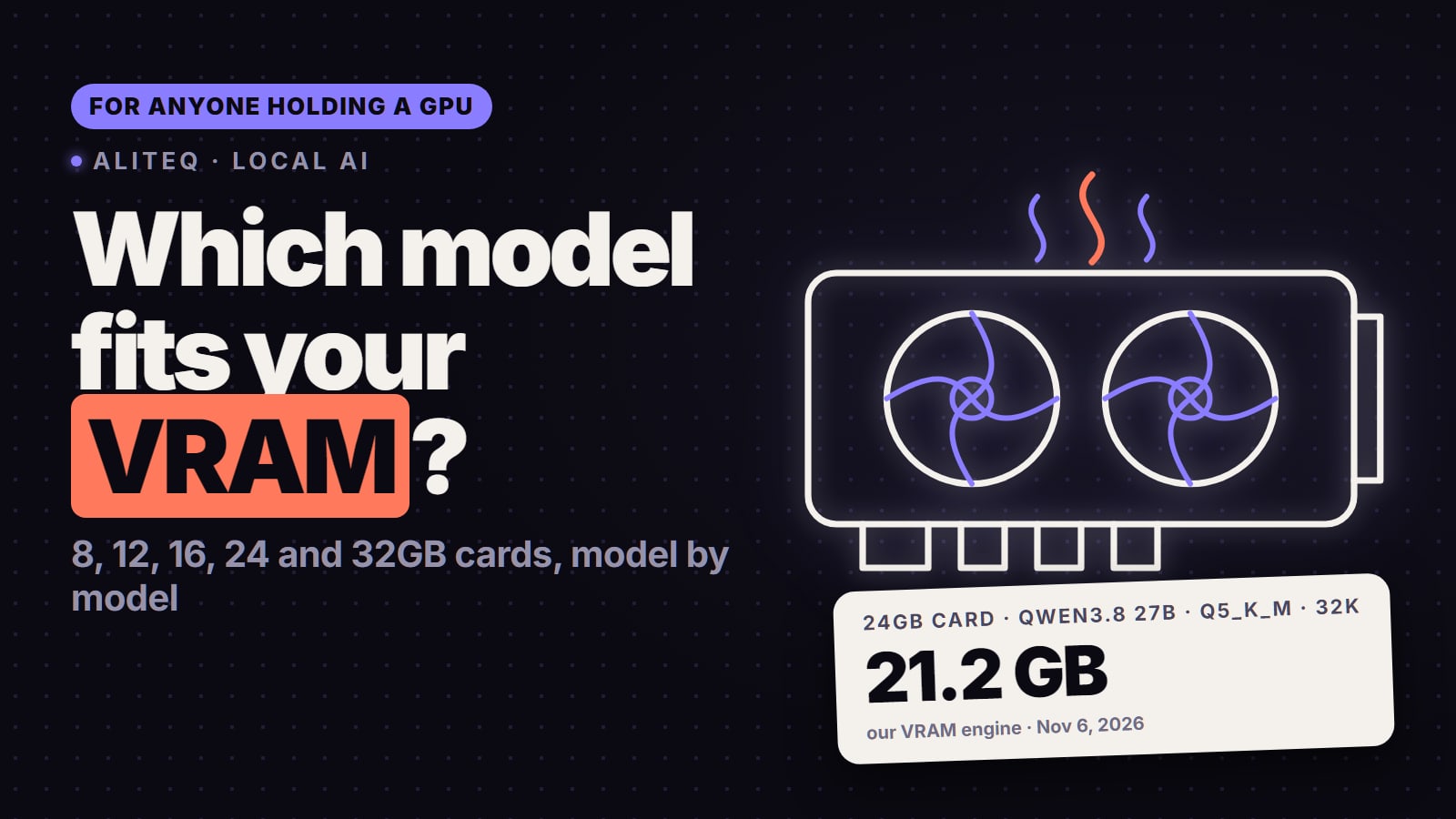
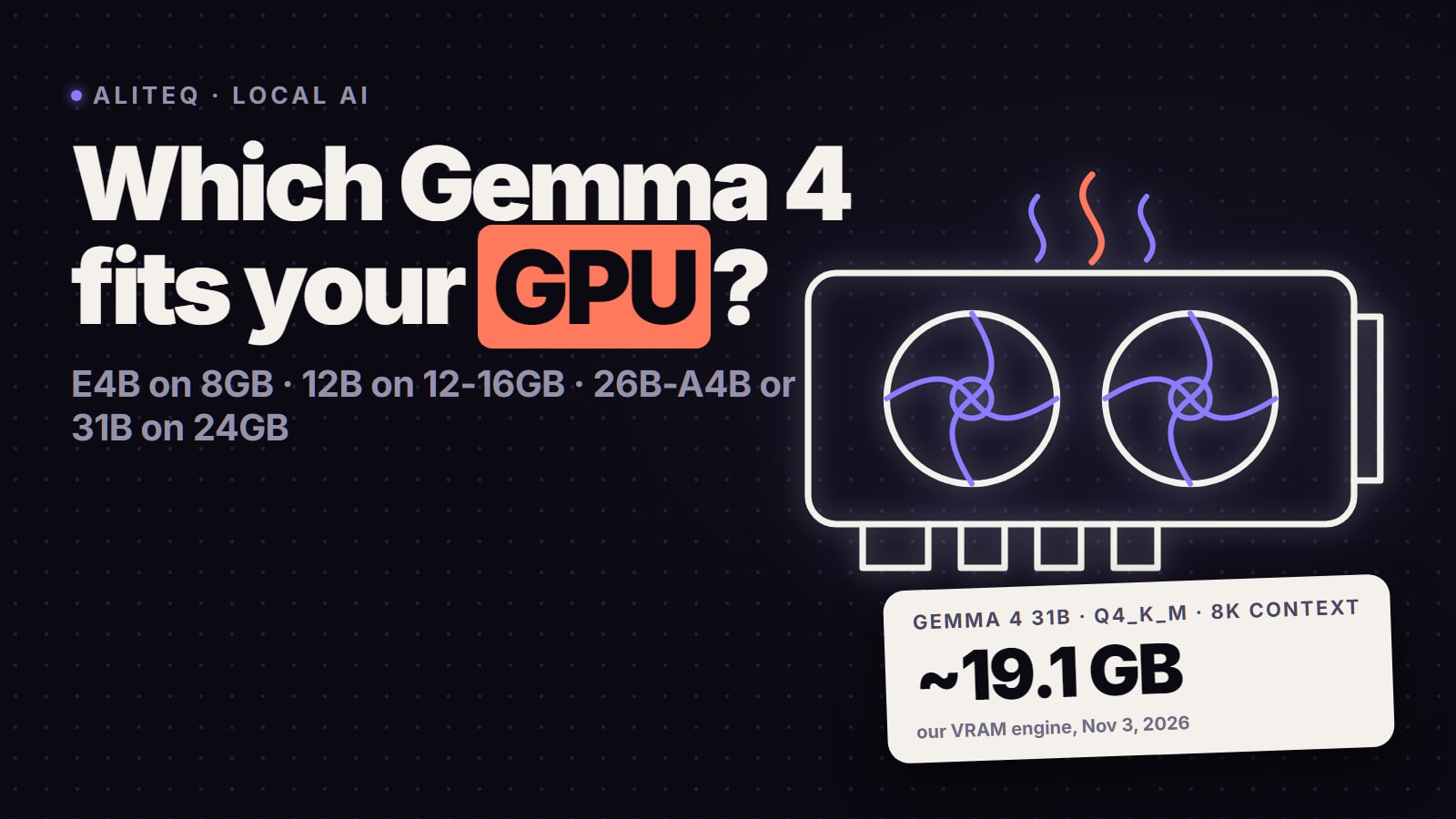
Which local AI model fits your GPU? Match it to your VRAM. On our VRAM engine (weights, KV cache and runtime overhead, checked Nov 6, 2026): an 8GB card runs Qwen3.5 9B or Gemma 4 E4B, 12GB runs Gemma 4 12B at Q6_K with 32K context, 16GB runs gpt-oss-20b with 32K context, 24GB runs Qwen3.8 27B at Q5_K_M with 32K context (about 21.2 GB), and 32GB runs Qwen3.8 27B at Q8_0 or Qwen3.6 35B-A3B at Q5_K_M with 128K context. The big mixture-of-experts models, Qwen3.8 Flash Next and DeepSeek V4.1 Flash, fit no gaming GPU on their own: they run only with a lot of system RAM, and slower.
Qwen3.5 9B
8GB
Q5_K_M at 8K, ~7.4 GB (tight)
Gemma 4 12B
12GB
Q6_K at 32K, ~10.4 GB
gpt-oss-20b
16GB
4-bit at 32K, ~14.1 GB
Qwen3.8 27B
24GB
Q5_K_M at 32K, ~21.2 GB
Which model fits my GPU? The chart
Each row is the best quant that fits fully in VRAM at 8K and at 32K tokens of context, on our VRAM engine. "Tight" means more than 90% of the card is used, so a browser or a game on the same GPU can push it over. The last column is the download size Ollama lists for the first pick (a range where Ollama shows one), read on Nov 6, 2026.
8GB
Example cards
RTX 4060, RTX 5060
First pick
Qwen3.5 9B
Fit at 8K
Q5_K_M, ~7.4 GB (tight)
Fit at 32K
Q4_K_M, ~7.2 GB (tight)
Ollama default download
qwen3.5:9b, 6.6 to 7.6 GB
12GB
Example cards
RTX 3060, RTX 5070
First pick
Gemma 4 12B
Fit at 8K
Q6_K, ~10.0 GB
Fit at 32K
Q6_K, ~10.4 GB
Ollama default download
gemma4:12b, 7.7 to 8.0 GB
16GB
Example cards
RTX 5060 Ti 16GB, RTX 5070 Ti
First pick
gpt-oss-20b
Fit at 8K
4-bit, ~13.0 GB
Fit at 32K
4-bit, ~14.1 GB
Ollama default download
gpt-oss:20b, 14 GB
24GB
Example cards
RTX 3090, RTX 4090
First pick
Qwen3.8 27B
Fit at 8K
Q6_K, ~22.5 GB (tight)
Fit at 32K
Q5_K_M, ~21.2 GB
Ollama default download
qwen3.8:27b, 18 GB
32GB
Example cards
RTX 5090
First pick
Qwen3.8 27B
Fit at 8K
Q8_0, ~28.8 GB
Fit at 32K
Q6_K, ~24.0 GB
Ollama default download
qwen3.8:27b-mtp-q8_0, 30 GB
Example cards
First pick
Fit at 8K
Fit at 32K
Ollama default download
8GB
RTX 4060, RTX 5060
Qwen3.5 9B
Q5_K_M, ~7.4 GB (tight)
Q4_K_M, ~7.2 GB (tight)
qwen3.5:9b, 6.6 to 7.6 GB
12GB
RTX 3060, RTX 5070
Gemma 4 12B
Q6_K, ~10.0 GB
Q6_K, ~10.4 GB
gemma4:12b, 7.7 to 8.0 GB
16GB
RTX 5060 Ti 16GB, RTX 5070 Ti
gpt-oss-20b
4-bit, ~13.0 GB
4-bit, ~14.1 GB
gpt-oss:20b, 14 GB
24GB
RTX 3090, RTX 4090
Qwen3.8 27B
Q6_K, ~22.5 GB (tight)
Q5_K_M, ~21.2 GB
qwen3.8:27b, 18 GB
32GB
RTX 5090
Qwen3.8 27B
Q8_0, ~28.8 GB
Q6_K, ~24.0 GB
qwen3.8:27b-mtp-q8_0, 30 GB
Card memory sizes are from NVIDIA's own spec pages (read Nov 6, 2026): the RTX 5090 has 32 GB, the RTX 4090 24 GB, the RTX 5070 Ti 16 GB and the RTX 5070 12 GB; the RTX 5060 Ti comes in 16 GB and 8 GB versions and the RTX 5060 has 8 GB. Check which RTX 5060 Ti you own before you pick from the 16GB row.
For any other model, quant or context length, the VRAM calculator runs the same math. The full reasoning for each tier is in its own guide: 8GB, 12GB, 16GB, 24GB and 32GB.
What can I run on an 8GB GPU?
Qwen3.5 9B or Gemma 4 E4B. Qwen3.5 9B fits at Q5_K_M with 8K context (about 7.4 GB) or Q4_K_M with 32K (about 7.2 GB), both tight. Gemma 4 E4B fits at Q6_K with 8K context in about 7.0 GB, with a little more room. These are also what Ollama pulls by default: its bare qwen3.5 tag is the 9B (listed at 6.6 to 7.6 GB) and its bare gemma4 tag is E4B (listed at 6.6 to 9.5 GB), per Ollama's tag pages on Nov 6, 2026. Gemma 4 12B squeezes in at Q4_K_M with short context only. gpt-oss-20b and any 27B model do not fit an 8GB card on their own. More in the 8GB guide.
What can I run on a 12GB GPU?
Gemma 4 12B at Q6_K, about 10.0 GB with 8K context and 10.4 GB with 32K. Its sliding-window layers keep long chats cheap, so you get a near-lossless quant and long context at the same time. Qwen3.5 9B runs at Q8_0 here. Qwen3.8 27B only fits at IQ3_XS with 8K context (about 12.0 GB, tight), which is a stretch, not a daily driver. More in the 12GB guide.
What can I run on a 16GB GPU?
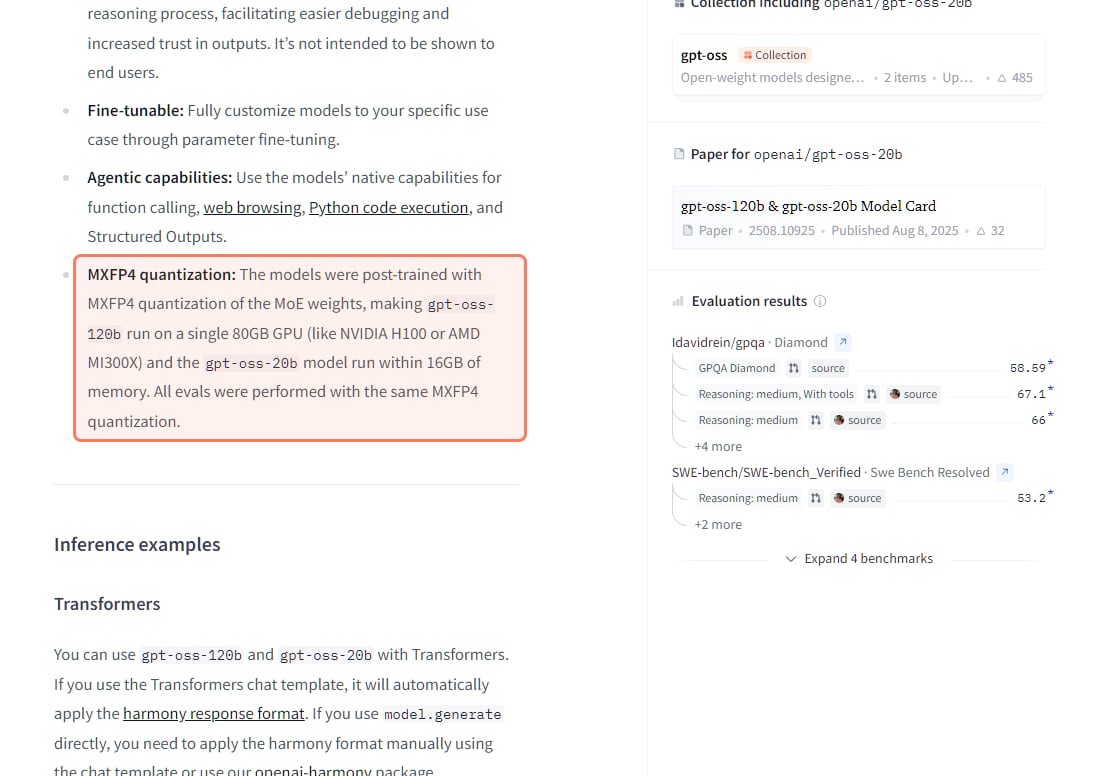
gpt-oss-20b, the model this tier was made for. OpenAI's model card says its MXFP4 quantization makes "the gpt-oss-20b model run within 16GB of memory". On our engine a 4-bit build needs about 13.0 GB with 8K context and 14.1 GB with 32K, and Ollama's default gpt-oss:20b is a 14 GB download (read Nov 6, 2026). It ships in OpenAI's own 4-bit format, so don't hunt for an 8-bit build. If you want a dense model instead, Gemma 4 12B runs at Q8_0, and Qwen3.8 27B fits at Q3_K_M with 8K context (about 13.9 GB). More in the 16GB guide and can you run gpt-oss-20b locally.
OpenAI's gpt-oss-20b card on Hugging Face (huggingface.co/openai/gpt-oss-20b), read November 6, 2026. · Screenshot of huggingface.co by aliteq
What can I run on a 24GB GPU?
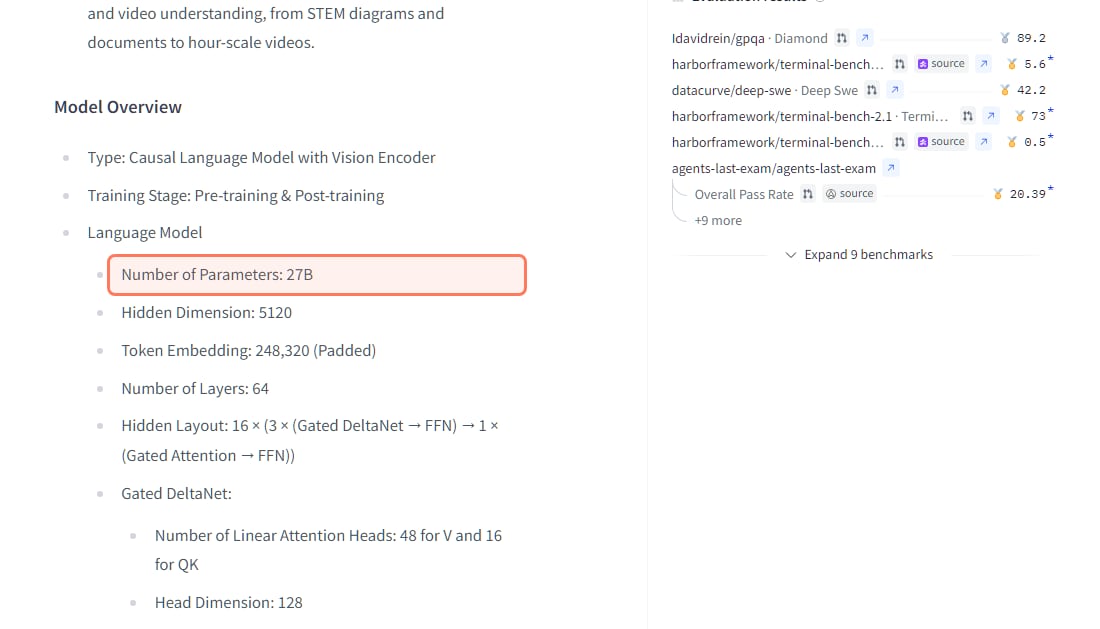
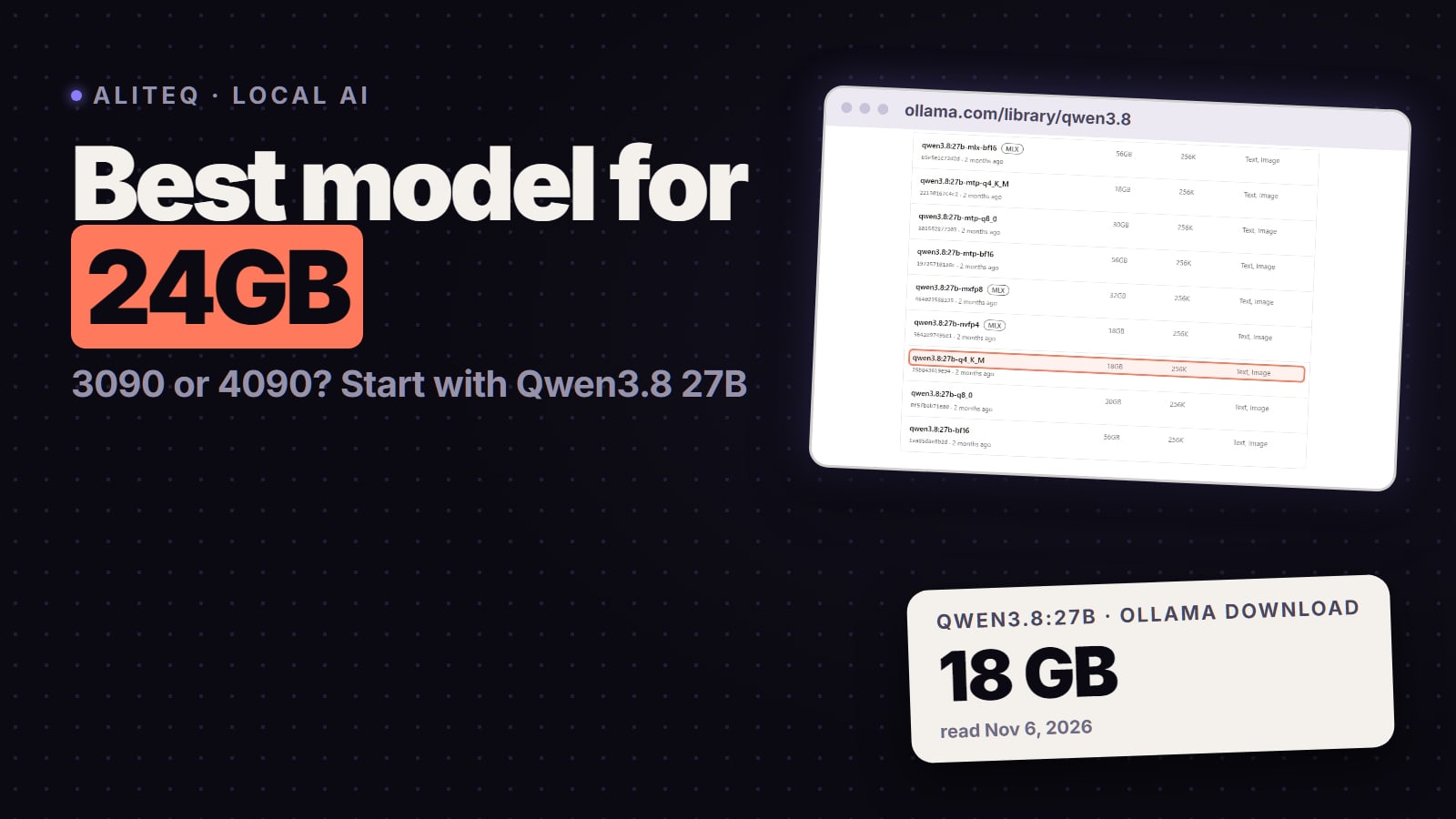
Qwen3.8 27B, at Q5_K_M with 32K context in about 21.2 GB, or Q6_K with 8K context in about 22.5 GB (tight). Qwen's model card lists 27B parameters, 64 layers, image input, a 262,144-token native context and an Apache-2.0 licence (read Nov 6, 2026). Only 16 of its 64 layers are full attention with a growing KV cache; the rest are Gated DeltaNet linear-attention layers with a small fixed state, so long context costs it far less memory than older 27B to 32B models. Ollama's default qwen3.8:27b is an 18 GB download.
Qwen's own Qwen3.8-27B card (huggingface.co/Qwen/Qwen3.8-27B), read November 6, 2026: one in four layers keeps a growing KV cache, which is why 32K context fits on 24GB. · Screenshot of huggingface.co by aliteq
The faster alternatives on 24GB are mixture-of-experts models: Qwen3.6 35B-A3B at Q4_K_M (about 21.2 GB with 8K context) and Gemma 4 26B-A4B at Q6_K (about 21.1 GB with 32K). A 3090 and a 4090 fit the same models; the 4090 generates faster. More in the 24GB guide.
What can I run on a 32GB RTX 5090?
Qwen3.8 27B at Q8_0, effectively lossless, in about 28.8 GB with 8K context (30.3 GB with 32K is tight, so drop to Q6_K at about 24.0 GB for long chats). Or Qwen3.6 35B-A3B at Q5_K_M with the 128K context Qwen recommends, about 27.1 GB. Gemma 4 31B fits at Q6_K with 32K (about 27.2 GB). 70B dense models still don't fit a single 32GB card at a sane quant. More in the 32GB guide.
Does NVIDIA's "24GB" Nemotron fit a 24GB card?
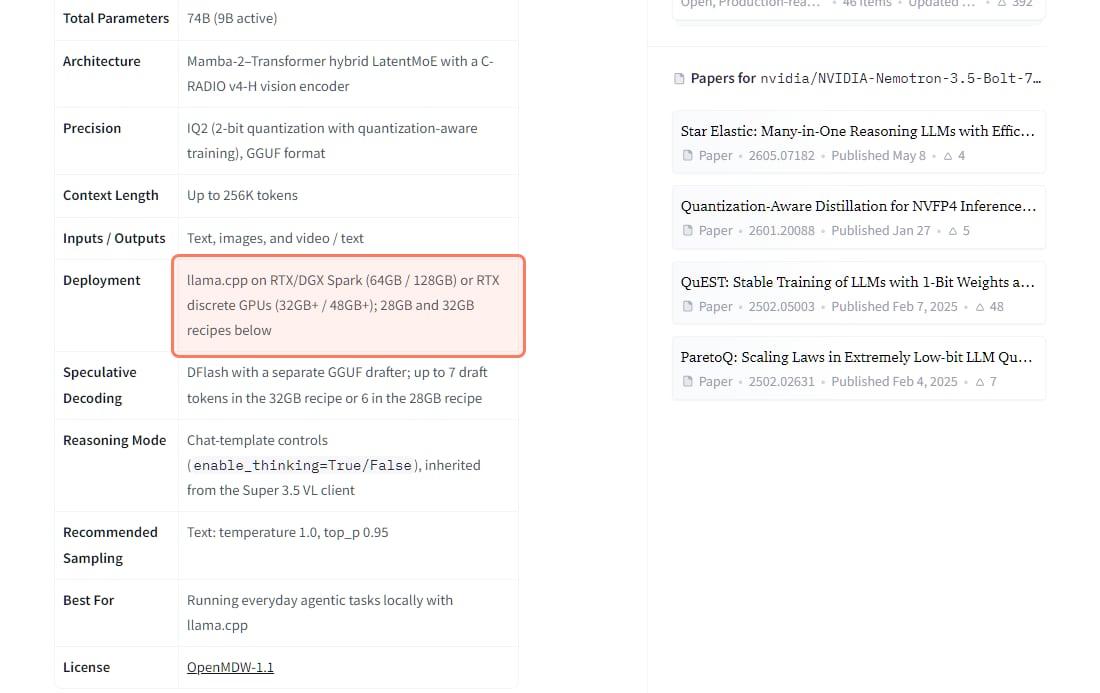
Not by NVIDIA's own llama.cpp recipes. Nemotron 3.5 Bolt 74B-A9B 24GB (released Oct 15, 2026, OpenMDW-1.1 licence) has 74B parameters with 9B active and uses 2-bit quantization-aware training "to fit in 24GB of memory", per its model card. But the GGUF version's card lists deployment as "llama.cpp on RTX/DGX Spark (64GB / 128GB) or RTX discrete GPUs (32GB+ / 48GB+)", and its smallest recipe, the 28GB one, is for "RTX dGPU 32GB+" with a 65,536-token context (read Nov 6, 2026). The main GGUF file is 22.02 GB before the 1.73 GB vision file, so there is little room left for context on a 24GB card. The main card's vLLM route lists Blackwell SM120 and SM121 under supported hardware, and the RTX 5090 is among NVIDIA's test GPUs; NVIDIA does not document an RTX 3090 or 4090 setup.
NVIDIA's own GGUF card for the "24GB" Nemotron (huggingface.co/nvidia/NVIDIA-Nemotron-3.5-Bolt-74B-A9B-24GB-GGUF), read November 6, 2026. · Screenshot of huggingface.co by aliteq
So if this model is the reason you're buying, budget for a 32GB card. On a 24GB card, Qwen3.8 27B is the predictable choice.
Can I run Qwen3.8 Flash Next or DeepSeek V4.1 Flash on a gaming GPU?
Only with a lot of system RAM, a low quant and an engine that keeps experts in RAM. Neither fits any single gaming GPU:
Qwen3.8 Flash Next. Qwen's card lists "125B with 6B activated, plus 51B n-gram embedding and 4B MTP" under the qwen-community-1.0 licence, not Apache (read Nov 6, 2026). At Q4_K_M the whole thing is about 102 GB on our numbers.
DeepSeek V4.1 Flash. DeepSeek's card lists 552B backbone parameters and 8B / 16B activated, MIT licence, with a global KV cache of 890 bytes per token. The full repository is about 763B parameters. That is a server model.
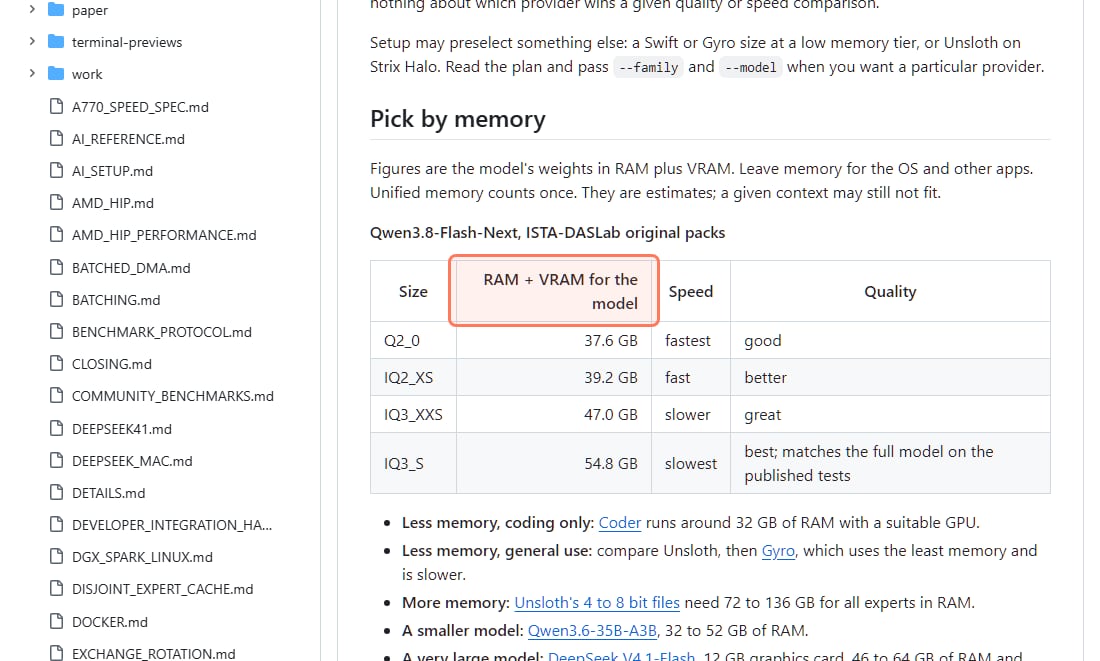
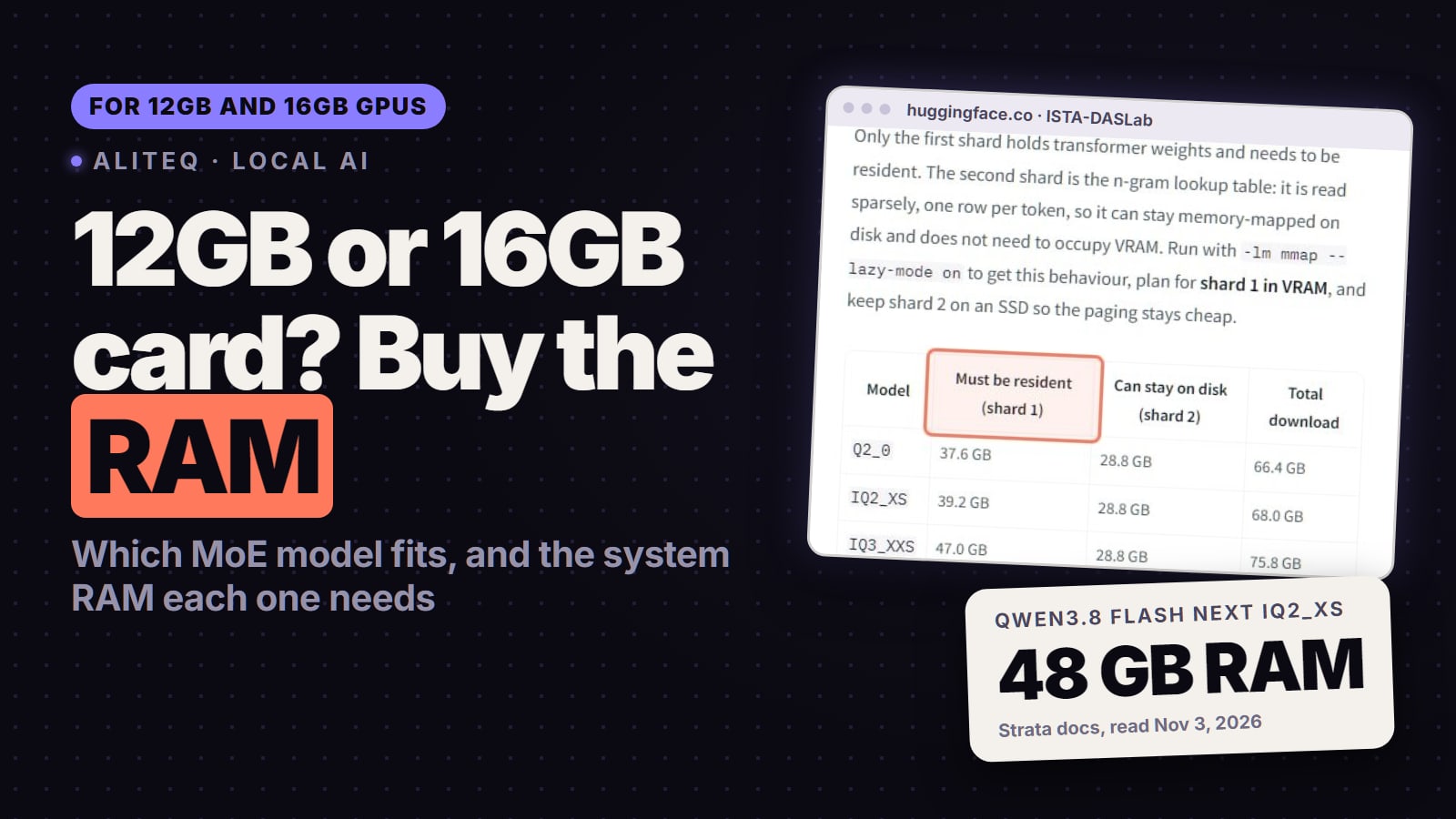
Mixture-of-experts models use only a few experts per token, so engines can keep the hot parts on the GPU and the rest in system RAM. llama.cpp does it with `--n-cpu-moe`, and the newer Strata engine is built around it. Strata's model notes (read Nov 6, 2026; latest release v0.2.11, Nov 5) list what Flash Next needs in RAM plus VRAM:
Strata's own memory table for Qwen3.8 Flash Next (github.com/Niko1221/Strata, docs/MODELS.md), read November 6, 2026. · Screenshot of github.com by aliteq
Low quants. From 37.6 GB of RAM plus VRAM at Q2_0 to 54.8 GB at IQ3_S. Strata says the model fits when "RAM is at least the experts plus about 10 GB", and that with 64 GB of RAM every size fits.
Spills are slow. If RAM is short, Strata reads experts from the SSD, which it says "works and is much slower".
DeepSeek V4.1 Flash is listed in the same notes with a "12 GB graphics card, 46 to 64 GB of RAM and 257 GB of disk".
Reported speeds vary a lot. When we read them on Nov 1, a r/LocalLLaMA user reported Flash Next at up to 30 tokens per second of generation on 8GB of VRAM and 32GB of RAM with a Q2 quant in Strata, and a r/ollama user with 24GB of VRAM and 64GB of RAM reported 80 to 100 tokens per second. One person's setup each, not benchmarks. Whether Flash Next at 2 or 3 bits beats Qwen3.8 27B at Q8 is argued both ways.
The rule we'd use: a dense model that fits fully in VRAM is the predictable choice. A big MoE model with RAM offload is worth trying if you have 64GB or more of RAM and can accept a 2-bit or 3-bit quant. Strata is a 0.x project, so pin a version that works.
How much VRAM does context use?
It depends on the model, and it's the part people forget. Our engine adds the KV cache at fp16 on top of the weights: Qwen3.8 27B grows from about 19.7 GB at 8K to 21.2 GB at 32K at Q5_K_M, while gpt-oss-20b grows from 13.0 GB to 14.1 GB. Hybrid-attention models (Qwen3.5, Qwen3.6, Qwen3.8, Gemma 4) keep long context cheap because only some layers cache every token. Older full-attention models grow much faster. Leave about 10% of the card free for the desktop and the runtime, and check your exact setup in the VRAM calculator.
Should I buy a bigger GPU or rent one first?
Rent first if you're not sure the bigger model is worth it. An hour on a rented 24GB or 32GB card tells you whether Qwen3.8 27B or a 35B MoE model beats what you run now, before you spend on hardware. Our price tracker read Nov 6, 2026 at 21:20 UTC: on Vast.ai an RTX 3090 listed from $0.10/hr on-demand, an RTX 4090 from $0.27/hr and an RTX 5090 from $0.44/hr; on Runpod an RTX 4090 listed at $0.89/hr and an RTX 5090 at $1.19/hr. Prices move hourly; today's are on our cloud GPU page.
Which local AI model fits my GPU's VRAM?
On our VRAM engine (Nov 6, 2026): Qwen3.5 9B or Gemma 4 E4B for 8GB, Gemma 4 12B at Q6_K for 12GB, gpt-oss-20b for 16GB, Qwen3.8 27B at Q5_K_M with 32K context for 24GB, and Qwen3.8 27B at Q8_0 or Qwen3.6 35B-A3B at Q5_K_M for a 32GB RTX 5090.
What is the best local LLM for 8GB of VRAM?
Qwen3.5 9B at Q4_K_M to Q5_K_M (about 7.2 to 7.4 GB on our engine, tight) or Gemma 4 E4B at Q6_K (about 7.0 GB). Both are Ollama's defaults for their families; its tag pages list them from 6.6 GB (Nov 6, 2026).
Can gpt-oss-20b run on a 16GB GPU?
Yes. OpenAI's model card says gpt-oss-20b runs within 16GB of memory thanks to MXFP4 quantization, and our engine puts it at about 14.1 GB with 32K context. Ollama's default build is a 14 GB download.
Does Nemotron 3.5 Bolt 24GB run on an RTX 3090 or 4090?
NVIDIA doesn't document it. The GGUF card's llama.cpp recipes target RTX discrete GPUs with 32GB or more, the main file is 22.02 GB plus a 1.73 GB vision file, and the vLLM route lists Blackwell GPUs. Treat it as a 32GB-card model.
Can I run Qwen3.8 Flash Next on an 8GB GPU?
Only with a lot of system RAM and a 2-bit or 3-bit quant, in an engine that keeps experts in RAM. Strata's notes list 37.6 GB of RAM plus VRAM at Q2_0 and say it fits when RAM is at least the experts plus about 10 GB; reading experts from the SSD is much slower.
Does a mixture-of-experts model need less VRAM?
No. VRAM is set by total parameters, because every expert has to be stored somewhere. Active parameters set speed. That is why offloading experts to system RAM works better for MoE models than for dense ones.
How much context can I use?
Whatever is left after the weights and about 10% headroom. Hybrid-attention models like Qwen3.5, Qwen3.8 and Gemma 4 keep long context cheap. Check your exact model and context length in the VRAM calculator.
New models arrive monthly, so this chart will move again. When it does, we update the numbers here first and the tier guides after.