Google gives 50 Flow credits a day, but its own help pages disagree on whether you need a plan, and the Gemini app has swapped Veo for Gemini Omni. The real free and paid routes to Veo 3.1, and the look-alike sites to skip.
Some links on this page are referral links: we may earn a commission, at no cost to you.
Share
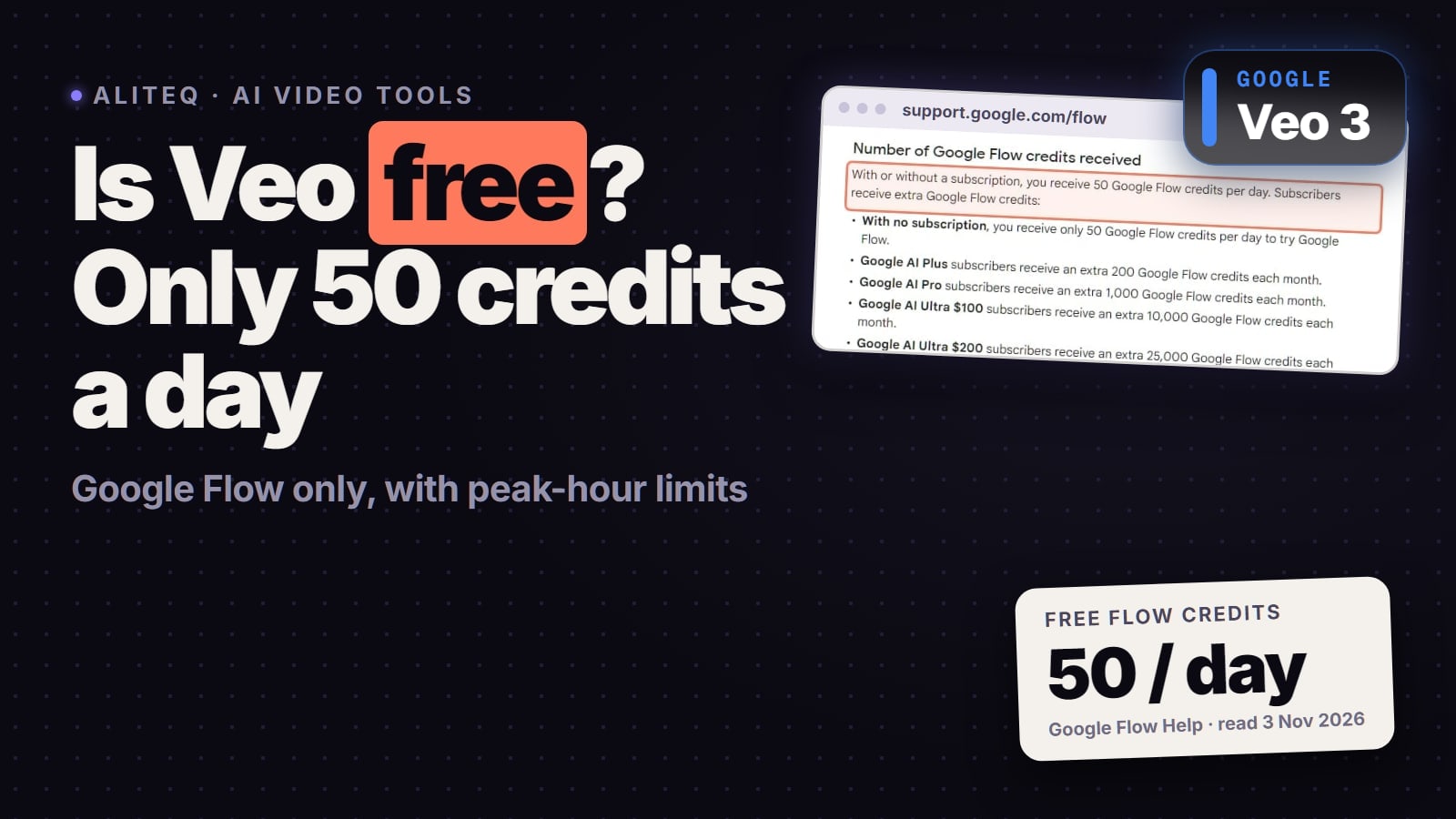
Is Veo 3 free? Only just, and only in one place. Google's Flow help page says every account gets 50 Flow credits a day "with or without a subscription", and Veo 3.1 runs in Flow. The catch: another Google help page lists a paid Google AI plan as a requirement for Flow, free users may be blocked from making videos at peak hours, and the top Veo 3.1 Quality setting costs 100 credits, more than a day's free allowance. Checked 29 October and re-checked November 3, 2026 on Google's own pages.
At a glance (checked Nov 3, 2026)
Free route
Answer
Google Flow: 50 credits a day; unused credits don't roll over
Is a paid plan needed?
Answer
Google's pages disagree: the credits page says "with or without a subscription", the getting-started page lists Google AI Plus, Pro or Ultra
Credits per clip
Answer
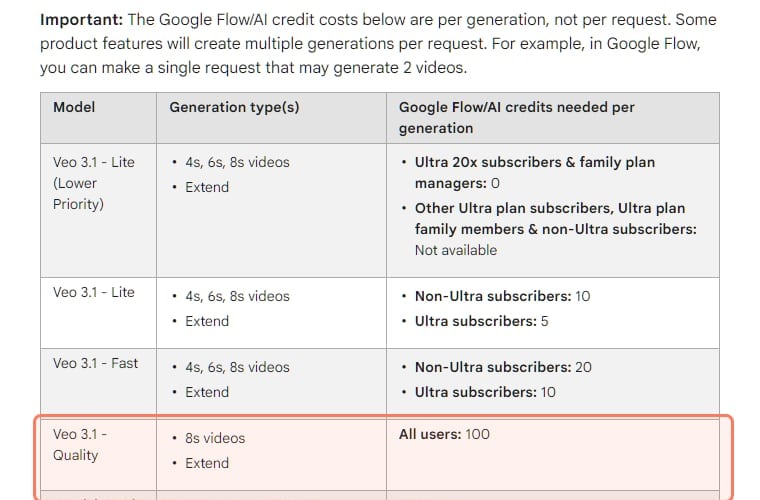
Veo 3.1 Lite 10, Fast 20 (Google's figures for non-Ultra subscribers); Quality 100, twice the daily allowance
Peak hours
Answer
Non-subscribers may not be able to generate videos from roughly 2 PM to 5 PM UTC
Watermark
Answer
Invisible SynthID on everything; a visible watermark is automatic in India, South Korea and Vietnam
Gemini app
Answer
Gemini Omni has replaced Veo there; it needs a paid Google AI plan
Paid Google AI plans (US)
Answer
Plus $4.99, Pro $19.99, Ultra from $99.99 a month
Answer
Free route
Google Flow: 50 credits a day; unused credits don't roll over
Is a paid plan needed?
Google's pages disagree: the credits page says "with or without a subscription", the getting-started page lists Google AI Plus, Pro or Ultra
Credits per clip
Veo 3.1 Lite 10, Fast 20 (Google's figures for non-Ultra subscribers); Quality 100, twice the daily allowance
Peak hours
Non-subscribers may not be able to generate videos from roughly 2 PM to 5 PM UTC
Watermark
Invisible SynthID on everything; a visible watermark is automatic in India, South Korea and Vietnam
Gemini app
Gemini Omni has replaced Veo there; it needs a paid Google AI plan
Paid Google AI plans (US)
Plus $4.99, Pro $19.99, Ultra from $99.99 a month
Free Veo in Google Flow, in four numbers (Google Flow Help, Nov 3, 2026)
50
Free Flow credits a day
With or without a subscription
10
Credits per Veo 3.1 Lite clip
Google's non-Ultra subscriber price
20
Credits per Veo 3.1 Fast clip
Google's non-Ultra subscriber price
100
Credits per Veo 3.1 Quality clip
All users; twice the free day
How can you use Veo 3 for free?
Only through Google Flow's 50 free credits a day, which cover a few short Veo 3.1 Lite or Fast clips and no Quality clip. People search "Veo 3", but Google DeepMind's Veo page names Veo 3.1 as its current model, so that's what the official routes run. Here's what's free, from Google's own help pages.
How many free Veo credits does Google Flow give?
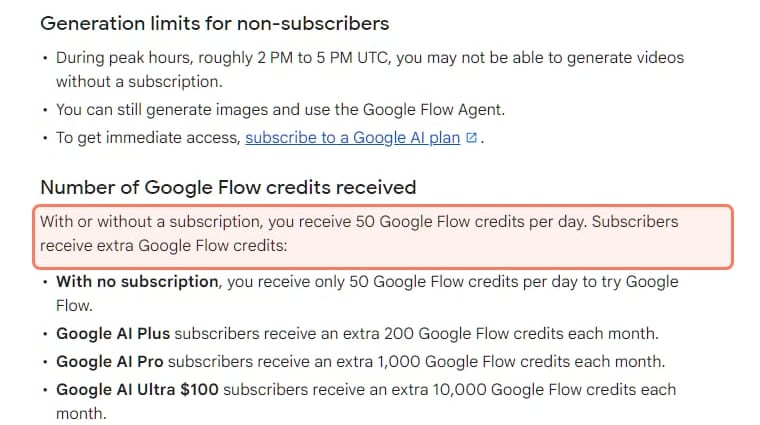
Fifty a day, whether or not you pay. Google's Flow credits page says: "With or without a subscription, you receive 50 Google Flow credits per day." Unused daily credits "don't roll over", and the daily refresh is triggered by your first generation.
Google Flow Help, Manage your Google Flow credits, read November 3, 2026. The 50-a-day line is outlined; the peak-hours rule sits just above it. · Screenshot of support.google.com by aliteq
What 50 credits buys, per the cost table on the same page (read 29 October, re-checked November 3, 2026):
Veo 3.1 Lite (4, 6 or 8 s)
Credits per generation
10 for non-Ultra subscribers
Fits in 50 free credits?
Google lists no separate figure for non-subscribers
Veo 3.1 Fast (4, 6 or 8 s)
Credits per generation
20 for non-Ultra subscribers
Fits in 50 free credits?
Same
Veo 3.1 Quality (8 s)
Credits per generation
100 for all users
Fits in 50 free credits?
No, it costs twice the daily allowance
Gemini Omni Flash, 720p (4, 6, 8 or 10 s)
Credits per generation
7, 10, 12 or 15 for all users
Fits in 50 free credits?
Yes, three or four short clips, but it's Omni, not Veo
1080p upscaling
Credits per generation
Not available to non-subscribers
Fits in 50 free credits?
No
Credits per generation
Fits in 50 free credits?
Veo 3.1 Lite (4, 6 or 8 s)
10 for non-Ultra subscribers
Google lists no separate figure for non-subscribers
Veo 3.1 Fast (4, 6 or 8 s)
20 for non-Ultra subscribers
Same
Veo 3.1 Quality (8 s)
100 for all users
No, it costs twice the daily allowance
Gemini Omni Flash, 720p (4, 6, 8 or 10 s)
7, 10, 12 or 15 for all users
Yes, three or four short clips, but it's Omni, not Veo
1080p upscaling
Not available to non-subscribers
No
The per-generation cost table on Google's Flow credits page, read November 3, 2026. The Veo 3.1 Quality row, 100 credits for all users, is outlined. · Screenshot of support.google.com by aliteq
What 50 free Flow credits buy in one day (our arithmetic from Google's table, Nov 3, 2026)
Gemini Omni Flash, 720p, 8 s (12 credits)4 clips
Omni, not Veo
Veo 3.1 Lite (10 credits)5 clips
If the non-Ultra subscriber price applies to you
Veo 3.1 Fast (20 credits)2 clips
Same caveat
Veo 3.1 Quality (100 credits)0 clips
One clip costs two free days, and credits don't roll over
Google lists the Lite and Fast prices for "non-Ultra subscribers" and gives no separate figure for people without a plan, so treat those clip counts as the best case. A request that makes two videos costs twice.
The catches, all from Google:
Peak hours. The credits page says: "During peak hours, roughly 2 PM to 5 PM UTC, you may not be able to generate videos without a subscription."
Google's pages disagree on whether you need a plan. Flow's getting-started page lists, among the requirements, "Be subscribed to Google AI Plus, Google AI Pro, or Google AI Ultra", plus being 18 or older and in a supported region. If Flow asks you to subscribe, that's why.
One request can be two generations. Google warns that "a single request that may generate 2 videos" costs per generation, so a free day can go in one click.
Failed clips come back. "If the generation fails or hits a safety filter, those credits are returned to you within one hour."
Watermarks. "All outputs generated in Google Flow using Veo, Omni, or Nano Banana include invisible SynthID watermarks." And: "A visible watermark will be applied automatically for users in India, South Korea, and Vietnam who are not on the Google One AI Ultra 20x Plan."
Work or school accounts get Flow free. Google's getting-started page says users on qualifying Workspace plans, including Business Starter, Standard and Plus and the Education plans, "get access at no extra charge to Google Flow with 50 daily credits."
How to use Veo 3.1 free in Google Flow
Open Google Flow
On labs.google, in a Chromium browser
Check you qualify
18 or older and in a supported region
Avoid 2 PM to 5 PM UTC
Non-subscribers may be blocked from video then
Pick Veo 3.1 Lite or Fast
Check the credit cost in the prompt box settings
Stop at 50 credits
The next 50 arrive the day after your first generation
Open Google Flow
On labs.google, in a Chromium browser
Check you qualify
18 or older and in a supported region
Avoid 2 PM to 5 PM UTC
Non-subscribers may be blocked from video then
Pick Veo 3.1 Lite or Fast
Check the credit cost in the prompt box settings
Stop at 50 credits
The next 50 arrive the day after your first generation
From Google Flow's help pages on credits and getting started, read November 3, 2026. Quality clips cost 100 credits, so they never fit a free day.
Does Google Vids give free Veo clips?
Not any more: Vids now uses Gemini Omni, with a small free allowance. You may have read that Google Vids gives "10 free Veo 3.1 clips a month". That was true in April: Google's blog post of April 2, 2026 said "All personal accounts now get 10 video generations every month at no cost". It has changed since. On 16 July Google said it was "bringing Gemini Omni to Vids", and on November 3, 2026 Google's Vids availability page listed personal accounts at "60 seconds/month" of AI video clips. Google's current Vids clip help names Omni, not Veo, and also says the feature "requires an eligible Google Workspace subscription". So treat Vids as a small, changing free allowance of Omni video, not a Veo route.
Is Veo free in the Gemini app?
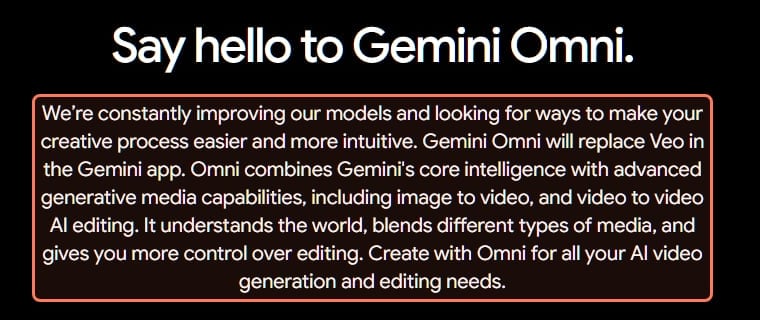
No. The Gemini app has swapped Veo for Gemini Omni, and video there needs a paid plan. If you're used to making Veo clips in Gemini, that changed. Google's Gemini Omni page says "Gemini Omni will replace Veo in the Gemini app", and the Gemini help center says that to make videos with a personal account "you must have a Google AI plan" and that the feature "isn't available to users under 18." So the free Gemini app isn't a Veo route.
Google's Gemini Omni video-generation page (gemini.google, US), read November 3, 2026. · Screenshot of gemini.google by aliteq
Google's US plans page says Google AI Pro includes "a limited trial of Veo 3.1 Lite", and Google's Omni page says "College students can unlock access to Omni with a free Pro plan for one year." Google doesn't give dates for that student offer on the page, so check eligibility before you count on it.
Can you still get Veo free through Jio in India?
Probably not for new claims, though we couldn't confirm it on Jio's or Google's pages. Many readers in India got Gemini Pro, and Veo with it, through Jio's 18-month offer. Reddit users reported that new claims closed on October 29, 2026; we couldn't find a Jio or Google page confirming the date, so check the MyJio app before you count on it.
Is Veo free in Google AI Studio or the API?
No. The Veo 3.1 Preview API was shut down, and its replacement has no free tier. Developers used to try Veo through the Gemini API. Google's video docs now say "The Veo 3.1 Preview in the Gemini API has been shut down", give the date as October 22, 2026, and point developers to Gemini Omni Flash or to the GA models on Google's Gemini Enterprise Agent Platform. On the Gemini API pricing page, Gemini Omni Flash shows "Not available" on the free tier. There's no free Veo route for developers there today.
What does Veo 3.1 cost if you pay?
A Google AI plan from $4.99 a month in the US, or a multi-model platform like Higgsfield. Prices are dated and change often.
Google's own plans
From Google's US plans page, read October 29, 2026:
Free
Price (US, monthly)
$0
Flow credits a month
None extra (the 50 daily applies)
Video in the plan
No video in the Gemini app
Plus
Price (US, monthly)
$4.99
Flow credits a month
200
Video in the plan
"access to more features like video generation"
Pro
Price (US, monthly)
$19.99
Flow credits a month
1,000
Video in the plan
Same, plus "a limited trial of Veo 3.1 Lite"
Ultra
Price (US, monthly)
From $99.99
Flow credits a month
10,000 or 25,000
Video in the plan
"video generation with Veo 3.1"
Price (US, monthly)
Flow credits a month
Video in the plan
Free
$0
None extra (the 50 daily applies)
No video in the Gemini app
Plus
$4.99
200
"access to more features like video generation"
Pro
$19.99
1,000
Same, plus "a limited trial of Veo 3.1 Lite"
Ultra
From $99.99
10,000 or 25,000
"video generation with Veo 3.1"
Plan credits refresh at the start of each billing cycle and "do not roll over to the next month", per Google's credits page. Google says Flow features vary by plan, platform and region.
Veo inside Higgsfield
Higgsfield is a separate platform that licenses models from several companies under one credit plan. Its video model list on October 29, 2026 included Google Veo 3.1, Veo 3.1 Lite and Gemini Omni Flash 1.1, next to Kling 4.0, Seedance 2.5 and others. Higgsfield shows the exact credit cost of each Veo setting on its Generate button before you spend anything; we haven't recorded Veo's figures there yet, so we don't quote them. For comparison, on November 3, 2026 the same button priced a 5-second Seedance 2.5 clip at 35 credits at 720p and a 5-second Kling 3.0 clip at 7.5 credits at 720p without sound.
Which to pick: if you live in Google's tools and want storage and Gemini with it, a Google AI plan is the direct route, and Plus is a cheap way to get 200 Flow credits a month. If you want Veo next to Kling, Seedance and Higgsfield's own camera and character tools, one Higgsfield plan covers them. Neither is the best for everyone. Our Higgsfield vs Sora vs Veo comparison goes deeper, and Higgsfield credits explained shows how its credits work.
Is veo3ai.io Google's official Veo site?
No. Search "veo 3 free" or "veo ai free" and many top results aren't Google. On November 3, 2026 Bing's top results included veo3ai.io, veo3flow.ai, tryveo3.ai, veo-3.app and freecreate.app. A search for "veo 3.1 free" also returned Veo, an unrelated company that makes sports cameras. Neither is a Google domain, so neither is Google's official Veo site. We aren't saying what those sites do; we're saying they aren't Google.
How to spot the real one:
Google runs Veo on Google domains. Flow lives at labs.google, the Gemini app at gemini.google.com, and the model page at deepmind.google. Google's help pages are on support.google.com.
"Veo" plus "Flow" in a domain name isn't Google Flow. Google's Flow sits under labs.google, not on its own .ai domain.
Free unlimited Veo isn't on offer from Google. Google's own free route is 50 credits a day, which covers no Veo 3.1 Quality clip.
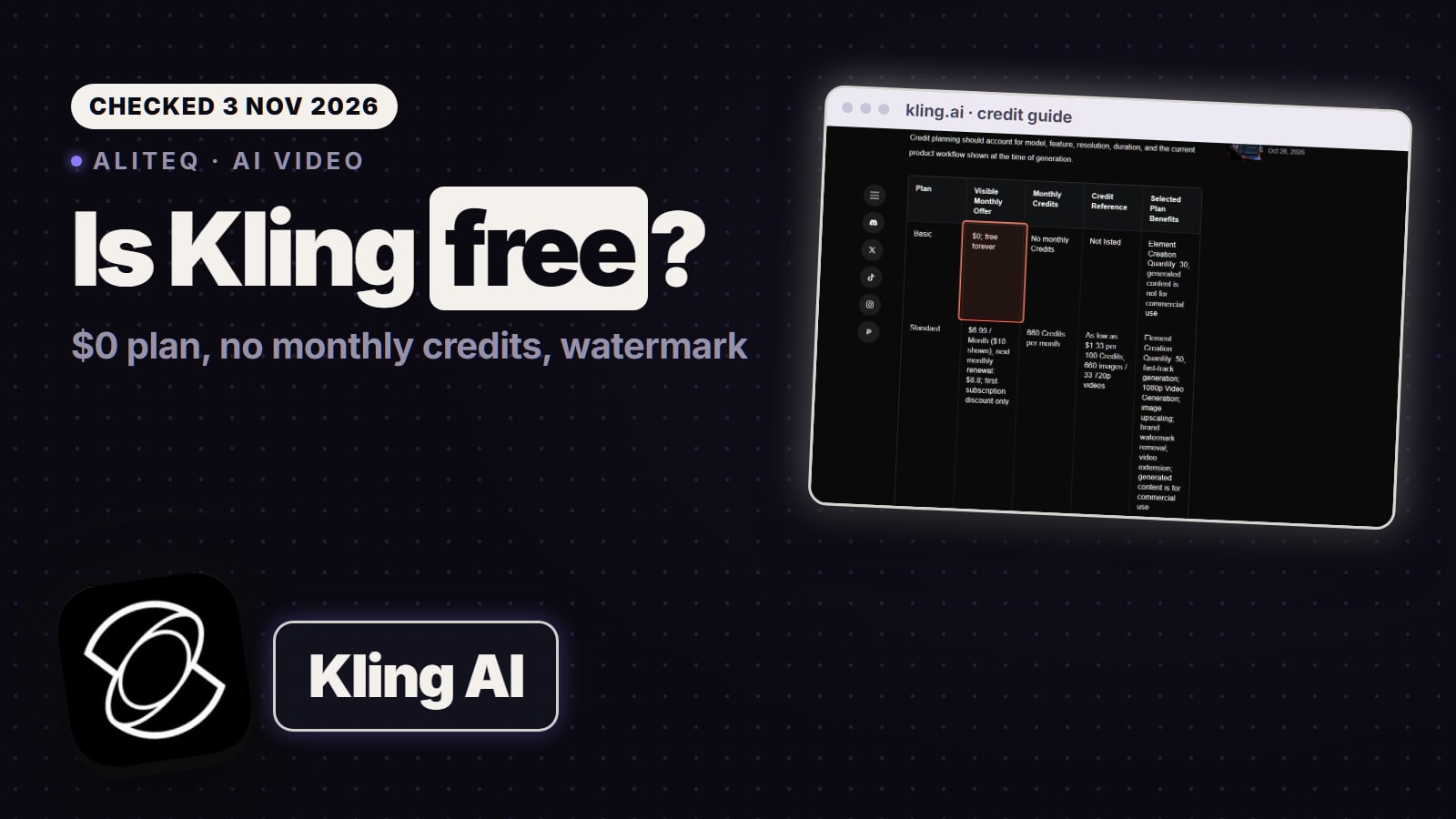
For a free plan that isn't Google's, is Kling AI free covers Kling's Basic plan, its watermark and what paid plans add.
Looking for Sora instead? Is Sora 2 free explains OpenAI's shutdown and what to use now.
5/ 10
Verdict
A daily taste, not a free plan
Google Flow's 50 free credits a day buy a few short Veo 3.1 Lite or Fast clips, never a Quality clip, and free accounts can be blocked at peak hours. The Gemini app has moved to Omni behind a paid plan, and the developer preview is gone. Use the free credits to learn prompts; pay for a Google AI plan or a multi-model platform when you need Quality clips, 1080p or steady volume.
Best for: Anyone deciding whether Veo is worth paying for, or where
How does Flow's free allowance compare with the others? The best free AI video generator converts every free plan into seconds of video.
Veo's built-in sound is the reason many people try it. The best AI video generator with audio compares which models generate sound and dialogue, and what sound adds to the price.
Only in a limited way. Google's Flow help page (checked Oct 29, 2026) says every account gets 50 Flow credits a day, and Veo 3.1 runs in Flow. But non-subscribers may be blocked from making videos from about 2 PM to 5 PM UTC, Veo 3.1 Quality costs 100 credits per clip, and another Google page lists a paid plan as a Flow requirement.
Is Veo 3.1 free in the Gemini app?
No. Google says Gemini Omni has replaced Veo in the Gemini app, and making videos there with a personal account needs a Google AI plan. Users under 18 can't use it. Google AI Pro includes a limited trial of Veo 3.1 Lite.
How much does Veo 3.1 cost?
In Flow, Google's table charges 10 credits for Veo 3.1 Lite, 20 for Fast and 100 for an 8-second Quality clip (non-Ultra subscribers). Google AI Plus is $4.99 a month for 200 Flow credits, Pro $19.99 for 1,000 and Ultra from $99.99 for 10,000 or more (US prices, Oct 29, 2026).
Can I use Veo for free in Google AI Studio?
Not today. Google's developer docs say the Veo 3.1 Preview in the Gemini API was shut down on October 22, 2026, and the replacement, Gemini Omni Flash, shows no free tier on the Gemini API pricing page.
Is veo3ai.io the official Veo site?
No. Veo is Google's model, and Google runs it on its own domains: labs.google for Flow, gemini.google.com and deepmind.google. Domains like veo3ai.io and veo3flow.ai aren't Google domains, so they aren't Google's official Veo site.
The short version: Google gives a small daily taste of Veo 3.1 in Flow, the Gemini app has moved to Omni, and real Veo use means a Google AI plan or a multi-model platform. If you're comparing free tiers, see is Higgsfield free too.
Higgsfield sales like 11.11 and Black Friday change prices for a few days at a time. When one starts, we read the real prices on Higgsfield's own page and email you what changed.
Written and sent by hand. One-click unsubscribe in every email. Emails may contain referral links.