Qwen ships a model for every card, from a 9B that fits 8GB to a 2.4-trillion-parameter giant no PC can hold. Which Qwen fits your VRAM, the quant to pick, the NVFP4 shortcut on RTX 50 cards, and the Ollama and LM Studio commands, from our VRAM engine and the model cards.
Some links on this page are referral links: we may earn a commission, at no cost to you.
Share
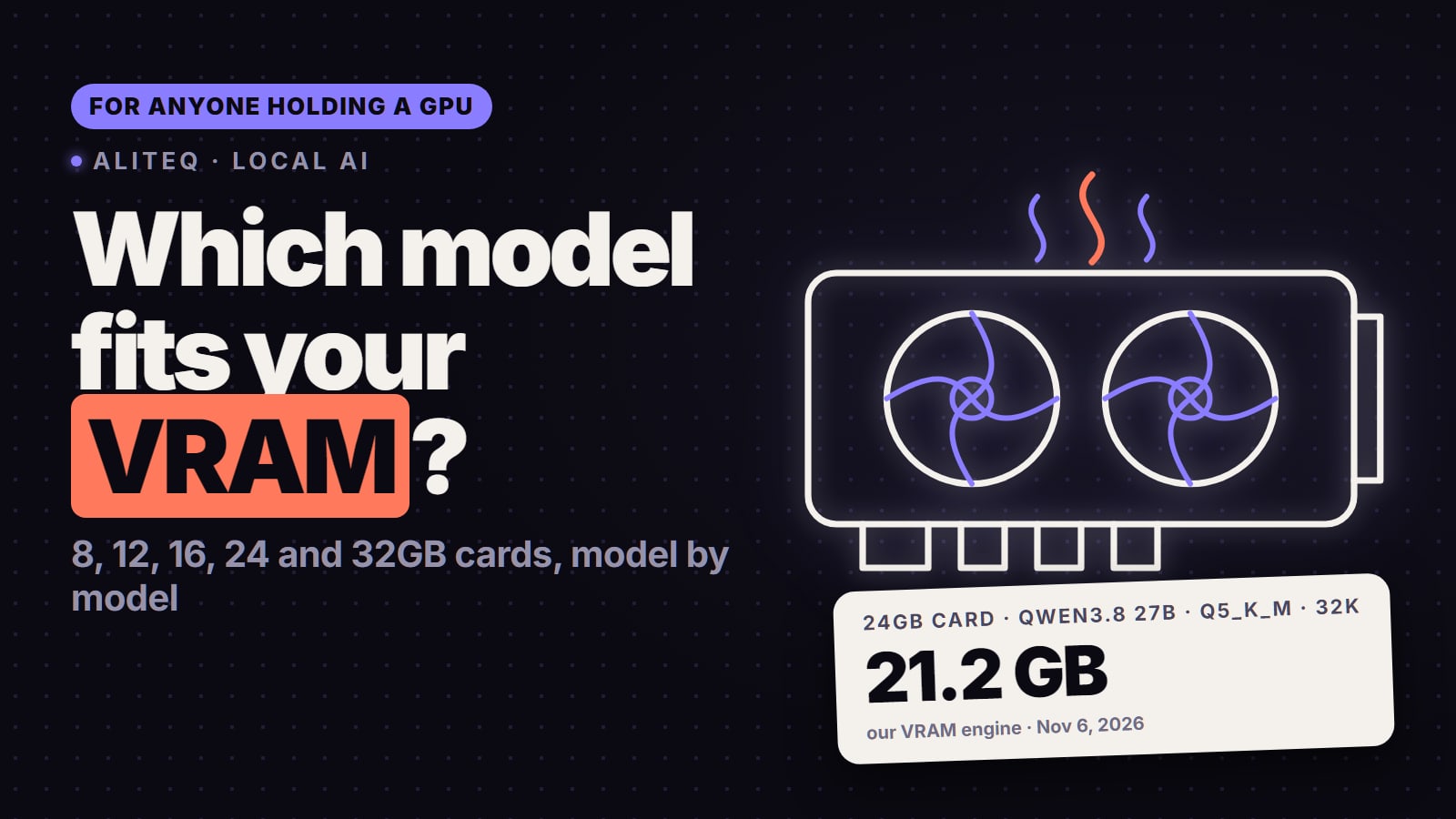
Which Qwen model can you run locally? The one your VRAM holds. On our VRAM engine an 8GB card runs Qwen3.5 9B (about 6.7 GB at Q4_K_M), a 24GB card runs Qwen3.8 27B (about 18.5 GB at Q4_K_M with 32K context) or the faster Qwen3.6 35B-A3B, a 32GB RTX 5090 runs the 27B at Q6 or as NVIDIA's NVFP4 build, and 48GB runs Qwen3-Next 80B-A3B. Qwen3.8 Flash Next fits no gaming GPU on its own: it runs on a small card only with 48 to 64GB of system RAM.
Every Qwen model, the memory it needs and the card that holds it
Each row is the size we'd start with. The VRAM figure is our engine's estimate at Q4_K_M (weights, KV cache and runtime overhead), and the download is what Ollama or Hugging Face listed on the date in the linked guide. The full math for any quant or context is in the VRAM calculator.
Qwen3.5 9B
Type
Dense, image input
Memory at Q4_K_M
about 6.7 GB (16K context)
Card that holds it
8GB, comfortable on 12GB
Run it with
ollama run qwen3.5:9b
Qwen3.6 27B
Type
Dense
Memory at Q4_K_M
about 17.5 GB (16K context)
Card that holds it
24GB
Run it with
ollama run qwen3.6:27b
Qwen3.8 27B
Type
Dense, hybrid attention, image input
Memory at Q4_K_M
about 18.5 GB (32K context)
Card that holds it
24GB, or 16GB at 3-bit
Run it with
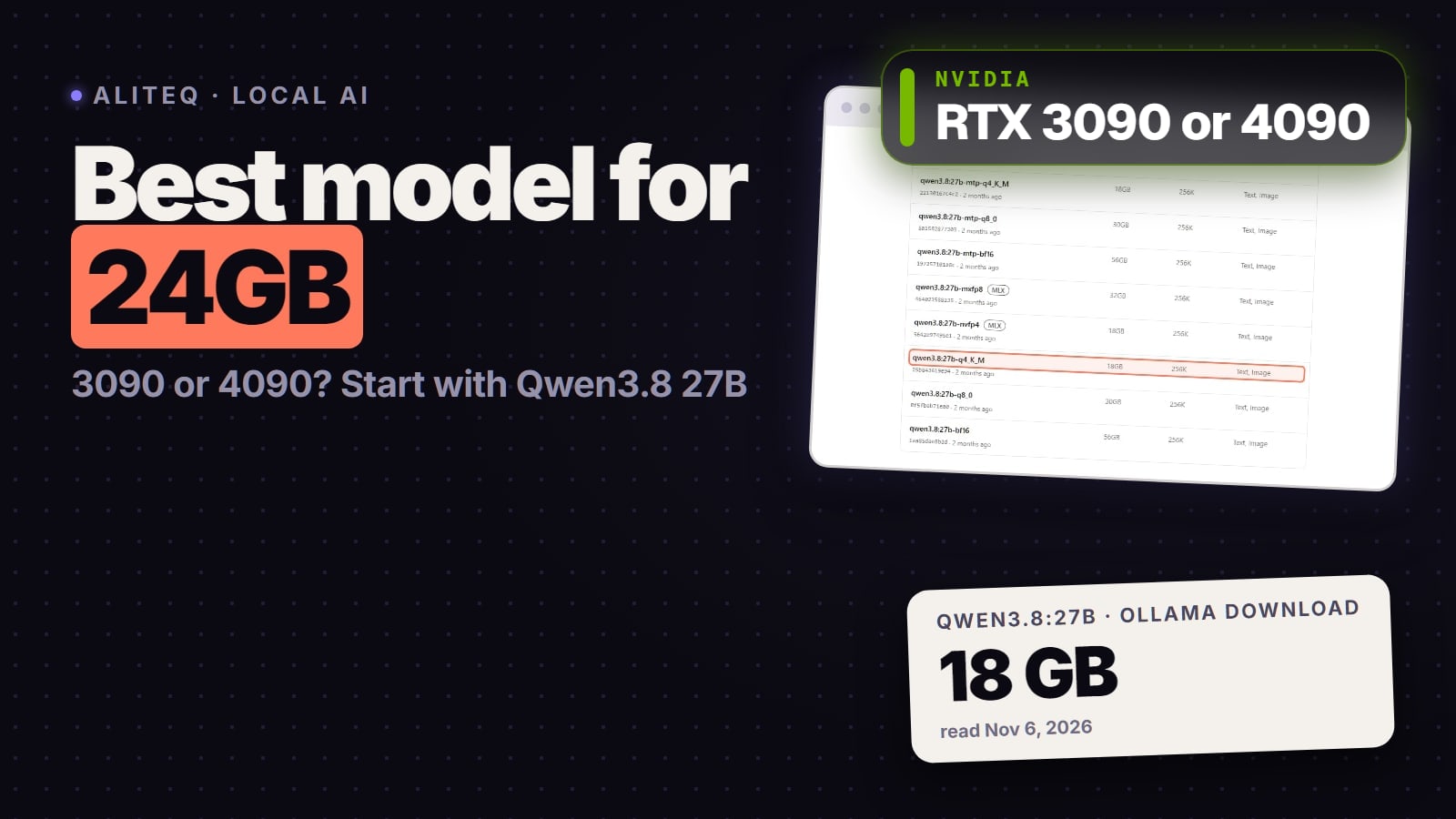
ollama run qwen3.8:27b (18 GB)
Qwen3.6 35B-A3B
Type
MoE, about 3B active
Memory at Q4_K_M
about 21.4 GB (16K context)
Card that holds it
24GB, or 16GB with offload
Run it with
ollama run qwen3.6
Qwen3-Coder 30B-A3B
Type
MoE coder
Memory at Q4_K_M
19 GB download
Card that holds it
24GB
Run it with
Ollama or LM Studio
Qwen2.5-Coder 32B
Type
Dense coder
Memory at Q4_K_M
about 23.3 GB (16K context)
Card that holds it
24GB, tight
Run it with
ollama run qwen2.5-coder:32b
Qwen3-Next 80B-A3B
Type
MoE, about 3B active
Memory at Q4_K_M
about 47.5 GB (16K context)
Card that holds it
48GB, or 24GB plus RAM
Run it with
ollama run qwen3-next:80b
Qwen3-Coder-Next
Type
MoE, 80B total, 3B active
Memory at Q4_K_M
52 GB download
Card that holds it
48GB, or a 64GB+ Mac
Run it with
Ollama qwen3-coder-next
Qwen3.8 Flash Next
Type
MoE, 125B total, 6B active
Memory at Q4_K_M
about 102 GB
Card that holds it
Small GPU plus 48 to 64GB RAM
Run it with
llama.cpp or Strata, 2 to 3-bit
Qwen3-Coder 480B-A35B
Type
MoE coder
Memory at Q4_K_M
290 GB download
Card that holds it
Multi-GPU server
Run it with
Rent a server
Qwen3.8-Max (2.4T-A95B)
Type
MoE
Memory at Q4_K_M
397 GB at its smallest quant
Card that holds it
Datacenter only
Run it with
Not a home model
Type
Memory at Q4_K_M
Card that holds it
Run it with
Qwen3.5 9B
Dense, image input
about 6.7 GB (16K context)
8GB, comfortable on 12GB
ollama run qwen3.5:9b
Qwen3.6 27B
Dense
about 17.5 GB (16K context)
24GB
ollama run qwen3.6:27b
Qwen3.8 27B
Dense, hybrid attention, image input
about 18.5 GB (32K context)
24GB, or 16GB at 3-bit
ollama run qwen3.8:27b (18 GB)
Qwen3.6 35B-A3B
MoE, about 3B active
about 21.4 GB (16K context)
24GB, or 16GB with offload
ollama run qwen3.6
Qwen3-Coder 30B-A3B
MoE coder
19 GB download
24GB
Ollama or LM Studio
Qwen2.5-Coder 32B
Dense coder
about 23.3 GB (16K context)
24GB, tight
ollama run qwen2.5-coder:32b
Qwen3-Next 80B-A3B
MoE, about 3B active
about 47.5 GB (16K context)
48GB, or 24GB plus RAM
ollama run qwen3-next:80b
Qwen3-Coder-Next
MoE, 80B total, 3B active
52 GB download
48GB, or a 64GB+ Mac
Ollama qwen3-coder-next
Qwen3.8 Flash Next
MoE, 125B total, 6B active
about 102 GB
Small GPU plus 48 to 64GB RAM
llama.cpp or Strata, 2 to 3-bit
Qwen3-Coder 480B-A35B
MoE coder
290 GB download
Multi-GPU server
Rent a server
Qwen3.8-Max (2.4T-A95B)
MoE
397 GB at its smallest quant
Datacenter only
Not a home model
Two things the table hides. The bare Ollama tags differ by family: qwen3.5 pulls the 9B, qwen3.6 pulls the 35B-A3B MoE, and qwen3.8 pulls the 27B, so type the size you want. And the "A3B" or "A6B" in a name is speed, not memory: a mixture-of-experts model still has to store every expert somewhere.
Which Qwen should you run on your GPU?
8 to 12GB, Qwen3.5 9B
Qwen3.5 9B is a dense 9B model with a 256K context and image input, Apache-2.0, and it's what ollama run qwen3.5 gives you by default. At Q4_K_M it needs about 6.7 GB on our engine, so it runs on an 8GB card and has room for a better quant on 12GB (Q8_0 is about 10.8 GB). Details in Qwen3.5 9B is what 'ollama run qwen3.5' actually gives you. Older 8B to 14B Qwens still have their GPU pages: Qwen2.5 7B and Qwen3 14B.
16GB, Qwen3.8 27B at 3-bit or a smaller Qwen
At Q4_K_M the 27B's weights alone are 15.7 GB, so a 16GB card can't hold Q4. It runs at 3-bit: Q3_K_M with about 8K context (about 13.9 GB) or IQ3_XS with 32K (about 13.5 GB). One r/LocalLLaMA user reported about 110K context at about 55 tokens a second on a 16GB RTX 5070 Ti, with a custom 3-bit file, a 5-bit KV cache and the desktop moved to integrated graphics. That's one person's setup, not a benchmark, and replies warned that the model's linear-attention layers suffer below 4-bit. The full story is in how much VRAM Qwen3.8 27B needs. The other option on 16GB is Qwen3.6 35B-A3B with llama.cpp's MoE offload, which keeps some experts in system RAM.
24GB, Qwen3.8 27B
This is the card Qwen3.8 27B was made for. It's a dense, 64-layer model with 27.78 billion parameters, image and video input, a 262,144-token native context and an Apache-2.0 licence, per Qwen's model card. Only 16 of its 64 layers keep a growing KV cache, so long context is cheap: about 2 GB at 32K tokens and 8 GB at 128K at fp16. On a 24GB RTX 3090 or RTX 4090, Q4_K_M leaves room for about 82K tokens and Q5_K_M for about 39K. Our best model for a 24GB card guide compares it with the faster MoE picks.
The 24GB alternatives:
Qwen3.6 35B-A3B for speed. About 3B parameters work per token, so it generates faster than a dense 27B, at about 21.4 GB at Q4_K_M. It's last generation now; see whether to keep it or switch to Qwen3.8.
Qwen3.6 27B, the plain dense sibling, about 17.5 GB at Q4_K_M with a genuine 256K context. See Qwen3.6 27B on a 24GB card.
Qwen3-Coder 30B-A3B for code, a 19 GB download that fits with about 32K tokens of context. See how much VRAM Qwen3-Coder needs.
32GB, Qwen3.8 27B at Q6 or NVFP4
An RTX 5090 holds Qwen3.8 27B at Q6_K with about 108K tokens of context, or at Q8_0 with only about 8K. RTX 50 cards also have a faster route: NVIDIA's NVFP4 build of the 27B is about 22 GB of weights and needs about 22 GB at 32K tokens with an 8-bit cache, so it fits 32GB. NVFP4 runs natively only on Blackwell GPUs (RTX 50 series, RTX PRO 6000 Blackwell, DGX Spark, B200); one test measured 68.5 tokens a second for a single chat in vLLM on an RTX 5090. A 3090 or 4090 has no FP4 hardware, so stay on the Q4_K_M GGUF there. See Qwen3.8 27B NVFP4 and what NVFP4 is.
Note that Ollama's qwen3.8:27b-nvfp4 tag (18 GB) is an MLX build made for Apple silicon, not the NVIDIA checkpoint.
48GB and up, the 80B MoE Qwens
Qwen3-Next 80B-A3B has 80B parameters with about 3B active per token, so it's quick, but at Q4_K_M the full weights need about 47.5 GB. That means a 48GB card such as an RTX A6000, or a 24GB card with most experts offloaded to RAM, more slowly. Qwen3-Coder-Next has the same 80B-A3B shape and a 52 GB Ollama download, so it wants 48GB or a Mac with 64GB or more. See Qwen3-Next 80B-A3B at home.
Small card plus lots of RAM, Qwen3.8 Flash Next
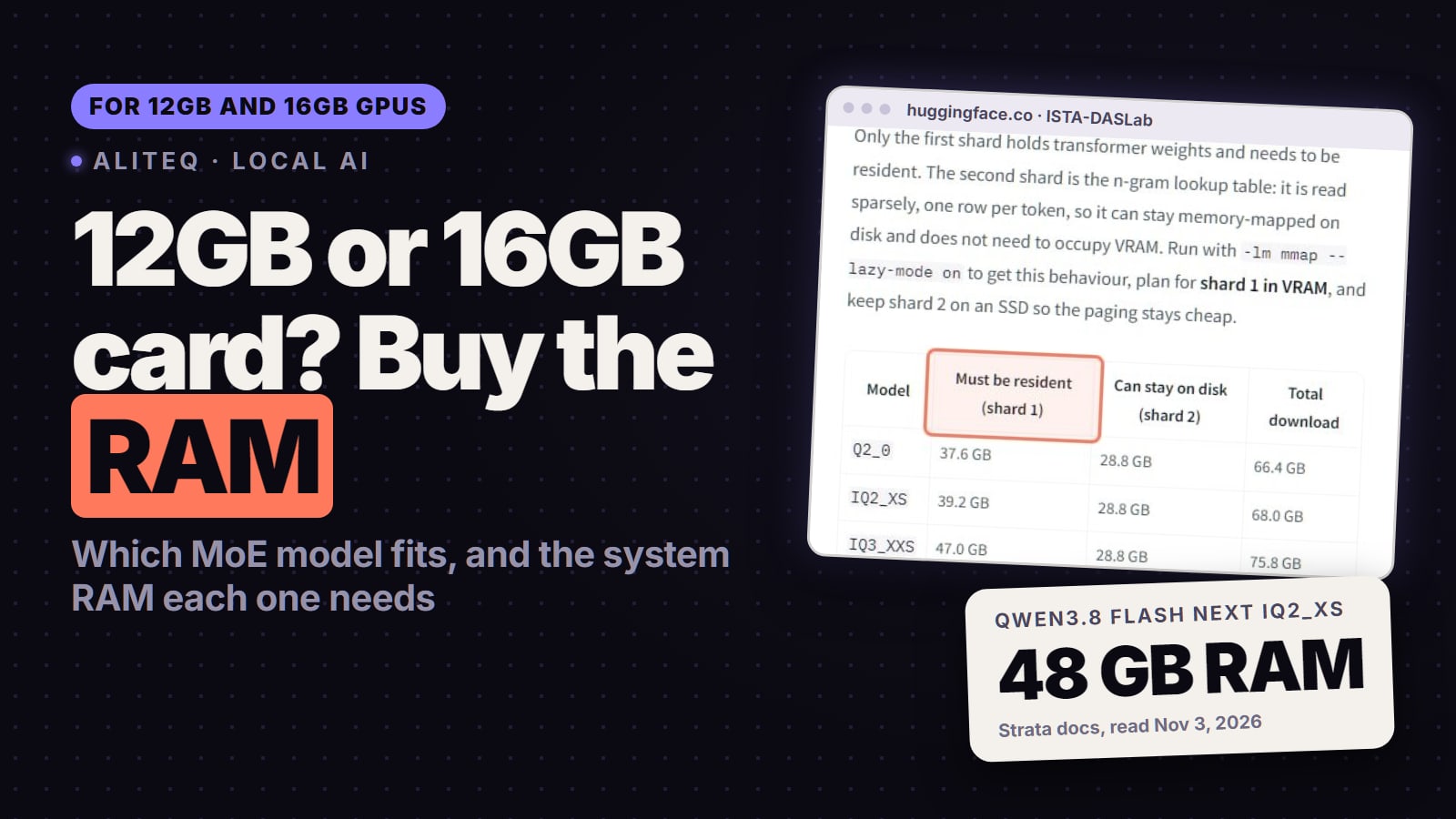
Qwen3.8 Flash Next has 125B parameters with 6B active, plus a 51B n-gram embedding and 4B for multi-token prediction, under a custom qwen-community-1.0 licence (not Apache), per its model card. At Q4_K_M it's about 102 GB on our numbers. Engines that keep the experts in system RAM make it usable on an 8 to 16GB card: Strata's notes list 37.6 GB of RAM plus VRAM at its Q2_0 pack and 54.8 GB at IQ3_S, and say every size fits with 64 GB of RAM. Ollama's smallest tag is a 120 GB download and LM Studio states a 96 GB minimum, so those apps are for 128GB machines. Owners argue whether a 2-bit Flash Next beats a Q8 27B. See what setup runs Qwen3.8 Flash Next.
No graphics card
Qwen3.8 27B runs on AMD's Ryzen AI Max+ 395 with no discrete GPU. AMD's day-zero figures (Aug 14, 2026) were 24.5 tokens a second on that chip against 51.8 on its 32GB Radeon AI PRO R9700 card, through LM Studio or AMD's Lemonade. See Qwen3.8 27B with no graphics card.
How to run Qwen in Ollama or LM Studio without the bad defaults
Most "Qwen is bad" reports trace to settings, not the model. Check these before you judge it:
Pull the size you mean.ollama run qwen3.8:27b, qwen3.6:27b or qwen3.5:9b. The bare tags pull different sizes per family.
Raise the context. Ollama's docs say it sets 4K tokens on cards under 24 GiB and 32K on 24 to 48 GiB cards, while coding tools should have at least 64,000. In a session, /set parameter num_ctx 65536 does it. Then ollama ps should show 100% GPU.
Keep it on the card. Qwen3.8 27B at Q4_K_M with 128K context is about 24.5 GB with an fp16 cache, over a 24GB card, so something spills and slows down. Around 64K is the comfortable ceiling there.
Use Qwen's sampling. Qwen's card gives temperature 1.0, top_p 0.95 and top_k 20 for thinking mode, and temperature 0.7, top_p 0.80, top_k 20 with presence_penalty 1.5 for non-thinking mode.
Pick the engine for the job. Ollama and LM Studio for a desk chat; llama.cpp for 3-bit quants and MoE offload; vLLM or SGLang to serve it to apps, and for NVFP4.
Renting is the cheap way to find out if the next tier is worth buying. On our price feed (Nov 17, 2026), a 24GB RTX 4090 started at $0.27 an hour on Vast.ai and a 32GB RTX 5090 at $0.38; Runpod listed them at $0.89 and $1.39 an hour. Prices move hourly, so today's are on our cloud GPU page, and rent vs buy shows when owning wins.
On our VRAM engine (Nov 17, 2026): Qwen3.5 9B on 8 to 12GB, Qwen3.8 27B at 3-bit on 16GB, Qwen3.8 27B at Q4_K_M or Q5_K_M on 24GB, the 27B at Q6_K or NVFP4 on a 32GB RTX 5090, and Qwen3-Next 80B-A3B on 48GB. Qwen3.8 Flash Next needs a small card plus 48 to 64GB of system RAM.
How much VRAM does Qwen3.8 27B need?
About 18.5 GB at Q4_K_M and 30.3 GB at Q8_0 with 32K tokens of context, by our formula. A 24GB card runs Q4 or Q5; a 16GB card only a 3-bit quant.
What does ollama run qwen3.5 or qwen3.6 actually download?
The bare qwen3.5 tag pulls the 9B, the bare qwen3.6 tag pulls the 35B-A3B MoE, and qwen3.8 pulls the 27B (an 18 GB download). Add the size, for example qwen3.6:27b, to get a different one.
Is NVFP4 worth it for Qwen on an RTX 5090?
Yes if you serve it with vLLM, SGLang or TensorRT-LLM. NVIDIA's NVFP4 Qwen3.8 27B is about 22 GB of weights and one test measured 68.5 tokens a second for one chat in vLLM on an RTX 5090. On a 3090 or 4090 there is no FP4 hardware, so use the Q4_K_M GGUF.
Can I run Qwen3.8 Flash Next on an 8GB GPU?
Only with a lot of system RAM, a 2-bit or 3-bit quant and an engine that keeps experts in RAM, such as llama.cpp's MoE offload or Strata. Strata lists 37.6 GB of RAM plus VRAM at its smallest pack and says 64 GB of RAM fits every size.
Which Qwen is best for coding locally?
Qwen3-Coder 30B-A3B on a 24GB card (a 19 GB download), Qwen3-Coder-Next on 48GB or a 64GB+ Mac, or Qwen3.8 27B with at least 64K context and Qwen's recommended sampling.