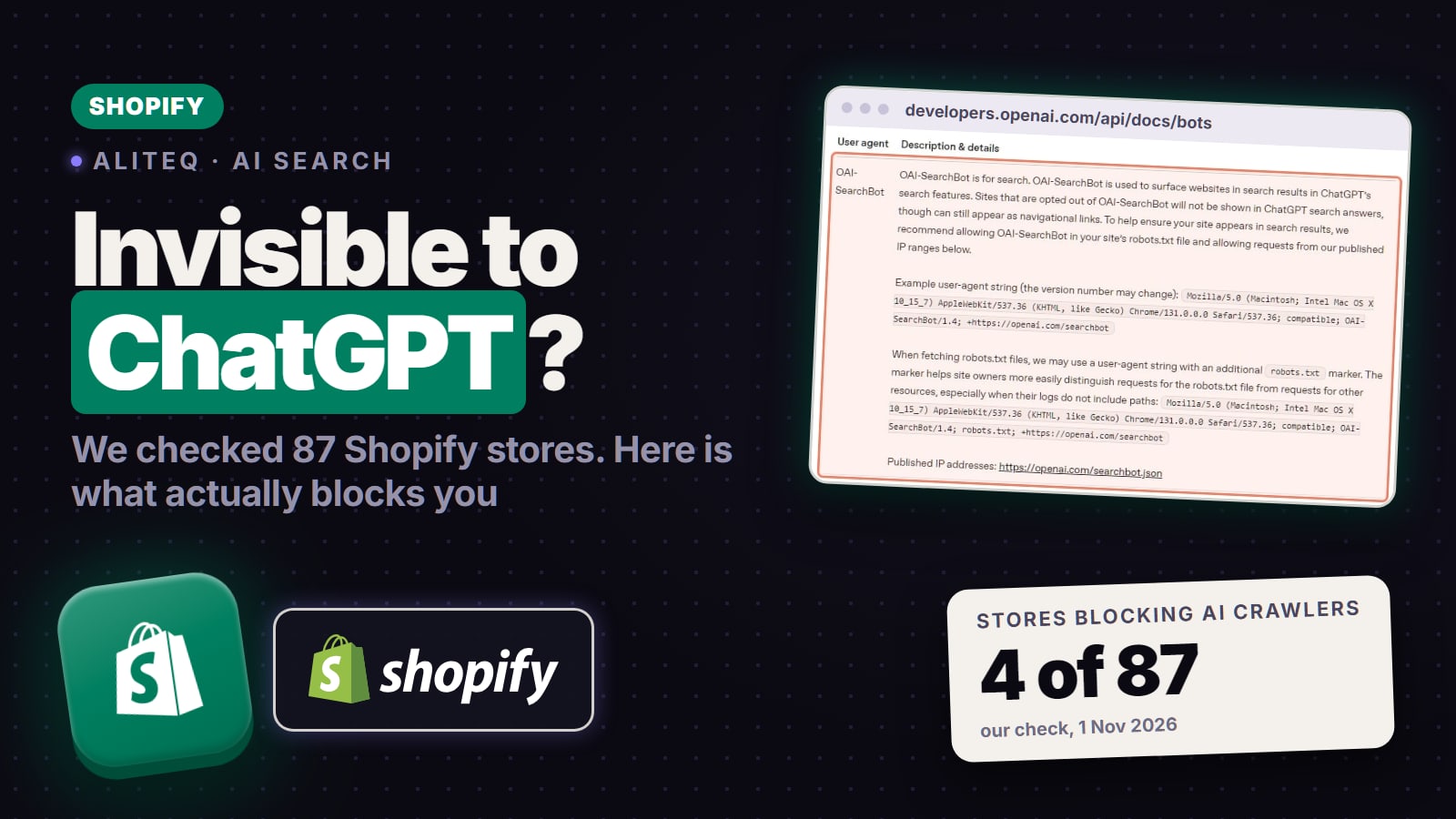
A Reddit post said 65% of Shopify stores block AI crawlers without knowing it. We read the robots.txt files of 87 real Shopify stores: 4 blocked any AI crawler, and none blocked ChatGPT search with an AI-specific rule. The gaps we did find were thin product descriptions and missing product data. How to check your own store in 10 minutes.
This post contains affiliate links. If you buy through them, Aliteq may earn a commission — at no extra cost to you. Prices change; check the retailer for today’s price.
Share
Your Shopify store is very probably not blocking ChatGPT. On 1 November 2026 we read the robots.txt files of 87 real Shopify stores, big brands and small shops. 4 of them block any AI crawler at all, and not one blocks OAI-SearchBot, the crawler that decides whether a site can appear in ChatGPT search, with a rule aimed at AI. Shopify's default robots.txt doesn't mention AI crawlers. What we did find were content gaps: descriptions too short to quote, and product pages without price data in their structured data. Here's what we found, and how to check your own store in about 10 minutes.
Where the worry comes from
On 28 October a user on r/ecommerce said they had run 150 food and beverage Shopify stores "through what ChatGPT actually sees" and reported that 65% block AI crawlers in robots.txt "almost certainly without knowing it", that 70% have product descriptions under 30 words, and that 40% have no Product schema. Those are their numbers, not ours, and the post doesn't publish the store list or the method.
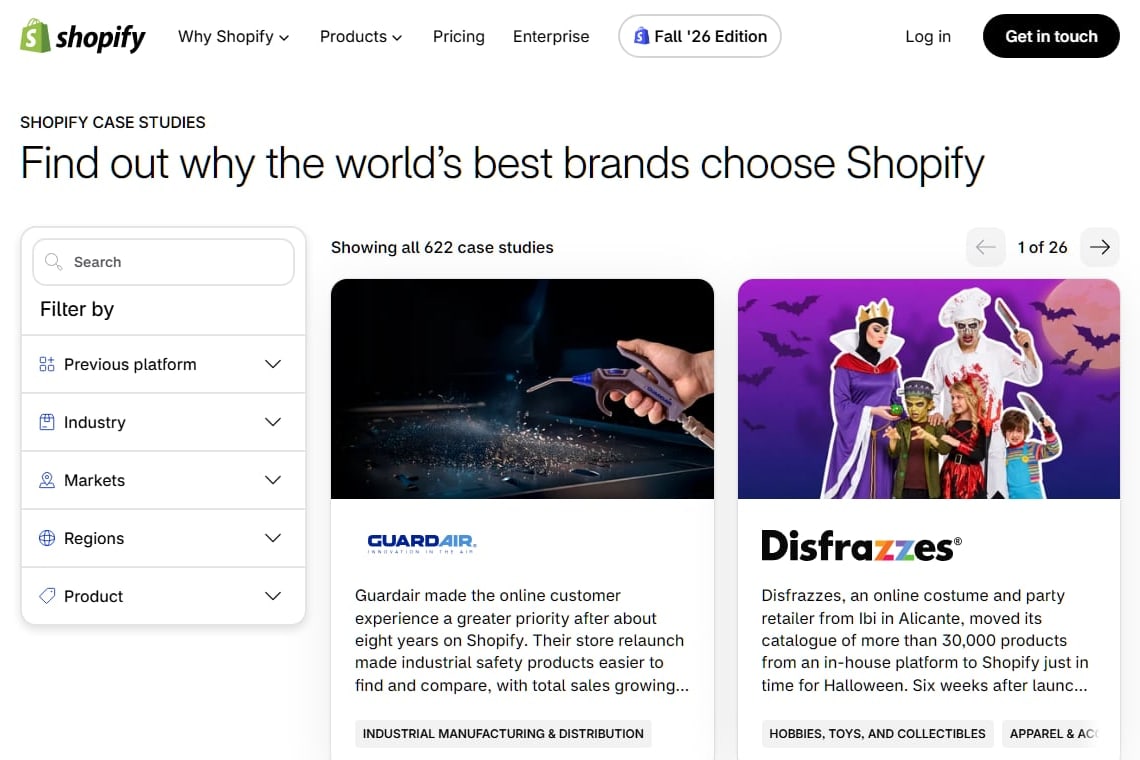
We took the stores named on Shopify's own customer stories and store examples pages: 46 brands from the case studies (sportswear, furniture, cosmetics, food, B2B) and 41 smaller shops from the examples page (coffee, snacks, stationery, apparel). We kept a store only if its site loads Shopify's CDN (cdn.shopify.com) or answers Shopify's public /products.json endpoint. That gave 87 confirmed Shopify stores. These are stores Shopify chose to show off, so they are probably better looked after than the average store, and the Reddit sample was food and beverage only. Treat our numbers as a snapshot of one day, not a census.
Shopify's own case studies page, where our store list came from, captured 1 Nov 2026. · Shopify
For each store we checked three things that don't depend on opinion:
robots.txt. For GPTBot, OAI-SearchBot, ChatGPT-User, PerplexityBot, ClaudeBot, Claude-SearchBot, Google-Extended and CCBot, we applied the file's rules the way the robots.txt standard says (the group naming that crawler, otherwise the * group; the longest matching rule wins) and recorded whether the crawler is blocked from the whole site and from a real product page.
Product structured data. On one product page per store, we looked for JSON-LD with @type Product in the HTML the server sends, and whether it includes a price and availability.
Description length. The word count of that product's description field, read from the store's own /products.json.
We did not send requests pretending to be GPTBot or any other crawler. Real AI crawlers are identified by their published IP ranges (OpenAI lists them for each of its bots), and Shopify says bot management on its stores happens at the network layer. A fake "GPTBot" request from a laptop can be refused when the real one would be let in, so a test like that tells you nothing about what ChatGPT sees.
One more thing we learned the hard way: our first run, using a scripting language's built-in HTTP client, got "429 Too Many Requests" from most stores, while the same pages loaded normally with an ordinary client. A checker that reads a refusal like that as "blocked" would report blocks that aren't in any robots.txt. We can't say that's what happened in the Reddit post, only that it's an easy mistake to make.
What we found
Block any AI crawler in robots.txt
Stores
4 of 87
Share
5%
Block OAI-SearchBot (ChatGPT search) with an AI-specific rule
Stores
0 of 87
Share
0%
Block OAI-SearchBot from product pages at all
Stores
1 of 87
Share
1%
Block GPTBot (OpenAI training)
Stores
3 of 87
Share
3%
Block ClaudeBot, Google-Extended or CCBot
Stores
4 of 87
Share
5%
Block PerplexityBot
Stores
2 of 87
Share
2%
Name any AI crawler in robots.txt at all
Stores
9 of 87
Share
10%
Product page with Product JSON-LD in the HTML
Stores
75 of 85
Share
88%
Product JSON-LD that includes a price
Stores
70 of 85
Share
82%
Product JSON-LD that includes availability
Stores
74 of 85
Share
87%
Description field under 30 words
Stores
16 of 84
Share
19%
Description field empty
Stores
8 of 84
Share
10%
Median description length
Stores
69 words
Share
Stores
Share
Block any AI crawler in robots.txt
4 of 87
5%
Block OAI-SearchBot (ChatGPT search) with an AI-specific rule
0 of 87
0%
Block OAI-SearchBot from product pages at all
1 of 87
1%
Block GPTBot (OpenAI training)
3 of 87
3%
Block ClaudeBot, Google-Extended or CCBot
4 of 87
5%
Block PerplexityBot
2 of 87
2%
Name any AI crawler in robots.txt at all
9 of 87
10%
Product page with Product JSON-LD in the HTML
75 of 85
88%
Product JSON-LD that includes a price
70 of 85
82%
Product JSON-LD that includes availability
74 of 85
87%
Description field under 30 words
16 of 84
19%
Description field empty
8 of 84
10%
Median description length
69 words
Set against the Reddit post: it reported 65% of stores blocking AI crawlers, we found 5%; it reported 70% of descriptions under 30 words, we found 19%; it reported 40% without Product schema, we found 12% without Product JSON-LD. Different samples, so the gap on content could partly be the stores; the robots.txt gap is too big for that. 78 of the 87 stores don't mention a single AI crawler in robots.txt, which means they run Shopify's default rules. Of the 9 that do name AI crawlers, six name them to let them in (several list OAI-SearchBot, GPTBot, ClaudeBot and PerplexityBot with Allow: /), and three block some of them.
The blocks we found looked deliberate, not accidental. Two stores block GPTBot, ClaudeBot, Google-Extended and CCBot site-wide, the crawlers that collect training data, while leaving OAI-SearchBot alone. One home-furnishing brand blocks PerplexityBot, ClaudeBot, Google-Extended and CCBot alongside a long list of SEO-tool crawlers such as AhrefsBot and SemrushBot. And the one store that keeps OAI-SearchBot off its product pages, a restaurant chain, keeps every crawler off them, Googlebot included, with a single Disallow: /products/ line.
The content numbers are where stores fall short. 10 of 85 product pages had no Product JSON-LD in the HTML (5 of them used the older microdata format instead), and on 5 more the structured data left out the price. And 16 of the 84 description fields we measured held under 30 words. 8 were empty, which on some big-brand stores means the theme pulls the text from elsewhere, not that the page is blank.
Which crawler actually decides whether ChatGPT shows you
OpenAI runs three. A top reply in the r/ecommerce thread put it as "gptbot is training, oai-searchbot feeds search citations, and chatgpt-user is the live fetch", and OpenAI's crawler page (read 1 November 2026) agrees:
OAI-SearchBot "is used to surface websites in search results in ChatGPT's search features. Sites that are opted out of OAI-SearchBot will not be shown in ChatGPT search answers, though can still appear as navigational links." This is the one to keep open.
GPTBot crawls content that "may be used in training our generative AI foundation models". Blocking it opts you out of training, not out of ChatGPT search. OpenAI: "Each setting is independent of the others."
ChatGPT-User fetches a page when a user asks ChatGPT something. OpenAI: "Because these actions are initiated by a user, robots.txt rules may not apply. ChatGPT-User is not used to determine whether content may appear in Search."
So a store can block GPTBot and still be cited in ChatGPT search, or block OAI-SearchBot and drop out of it. Google works the same way with Google-Extended: Google says it "does not impact a site's inclusion in Google Search nor is it used as a ranking signal in Google Search".
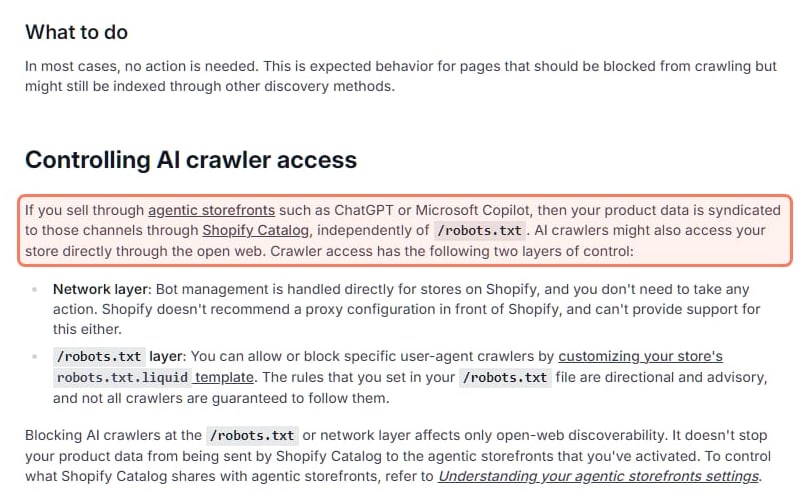
There's a second route in, too. Shopify's help page on robots.txt says that if you sell through agentic storefronts such as ChatGPT or Microsoft Copilot, "your product data is syndicated to those channels through Shopify Catalog, independently of /robots.txt."
Shopify's own Help Center page on editing robots.txt.liquid, captured 1 Nov 2026. · Shopify
Check your own store in 10 minutes
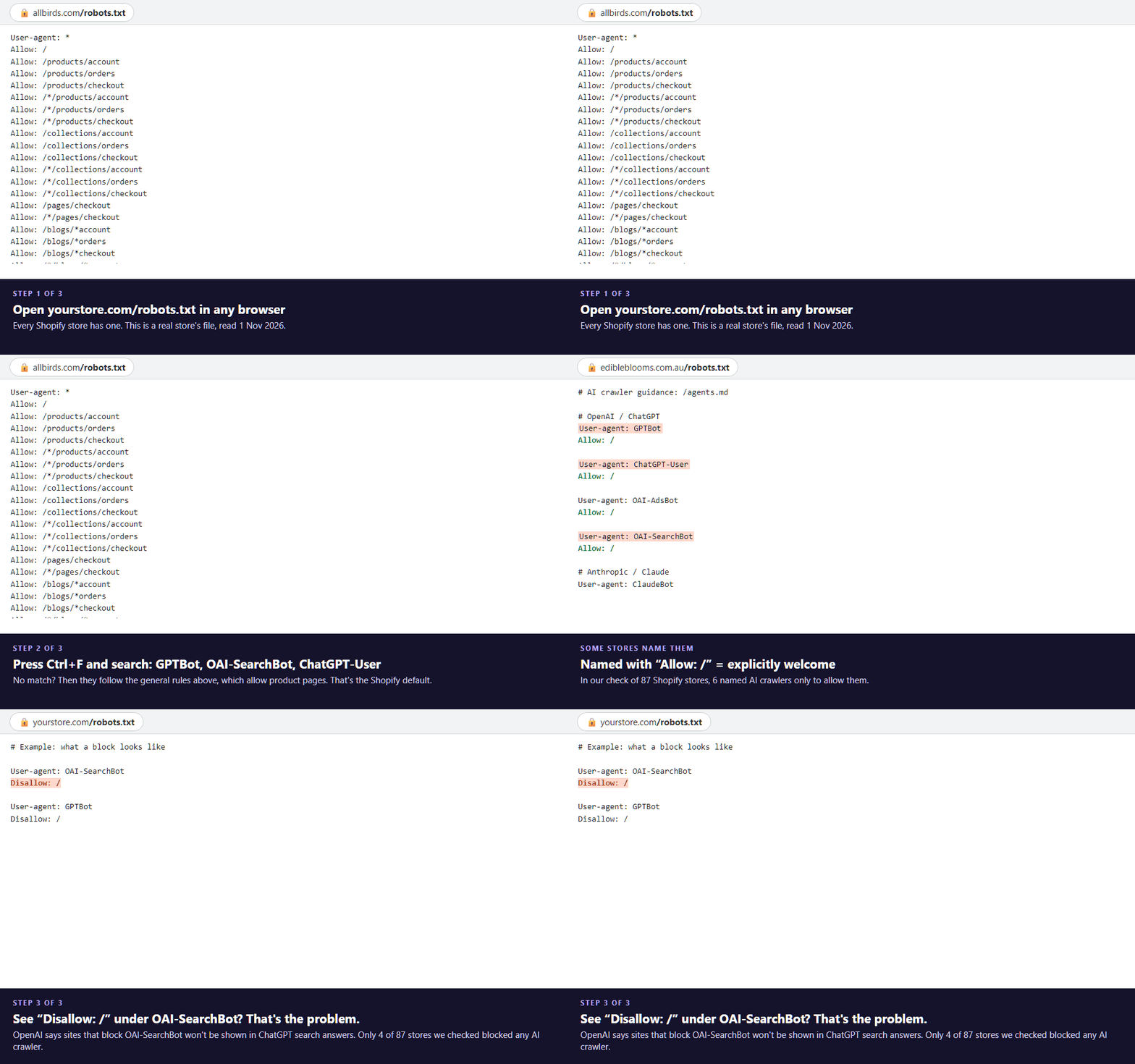
1. Read your robots.txt, crawler by crawler (2 minutes)
Open yourstore.com/robots.txt in a browser. Search the page (Ctrl+F) for each of these names: OAI-SearchBot, GPTBot, ChatGPT-User, PerplexityBot, ClaudeBot, Claude-SearchBot, Bingbot.
The 2-minute check, on real robots.txt files read 1 Nov 2026. The last frame is an example, not a store. · aliteq
No match for any of them: you're on the default rules and nothing is blocking AI search. Shopify's default file starts with User-agent: * and Allow: /, then keeps crawlers out of the cart, checkout, account, admin and filtered-listing pages.
A match followed by Disallow: /: that crawler is blocked from your whole store. If it's OAI-SearchBot, you're out of ChatGPT search.
*Disallow: /products/ under `User-agent: `:** every crawler, Google included, is kept off your product pages.
2. Test one product page for Product data (3 minutes)
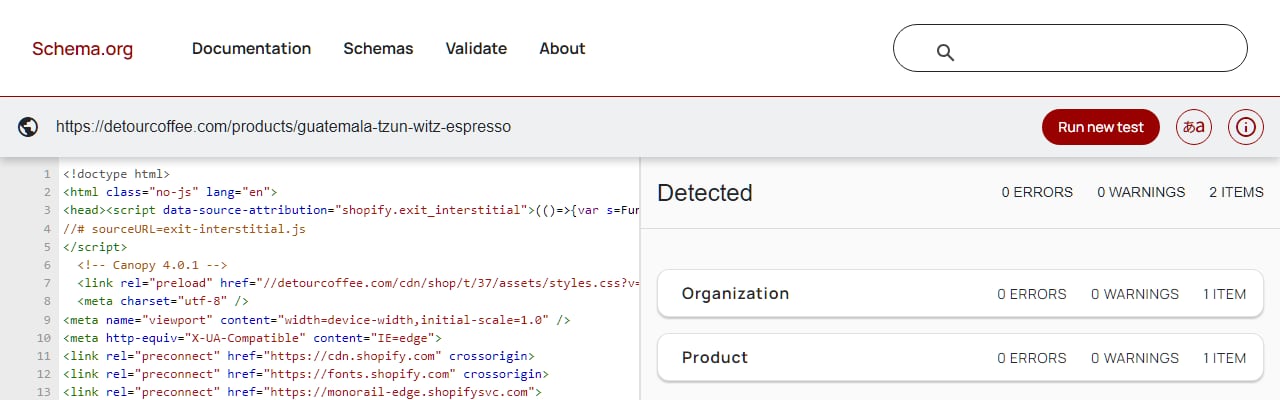
Paste a product URL into Google's Rich Results Test (search.google.com/test/rich-results) or the Schema Markup Validator (validator.schema.org). You want to see a Product item with an Offer that has a price and availability. If the Rich Results Test only finds it after rendering but the page source (Ctrl+U, then search for "@type":"Product") doesn't contain it, the data is being added by a script, and crawlers that don't run scripts won't see it.
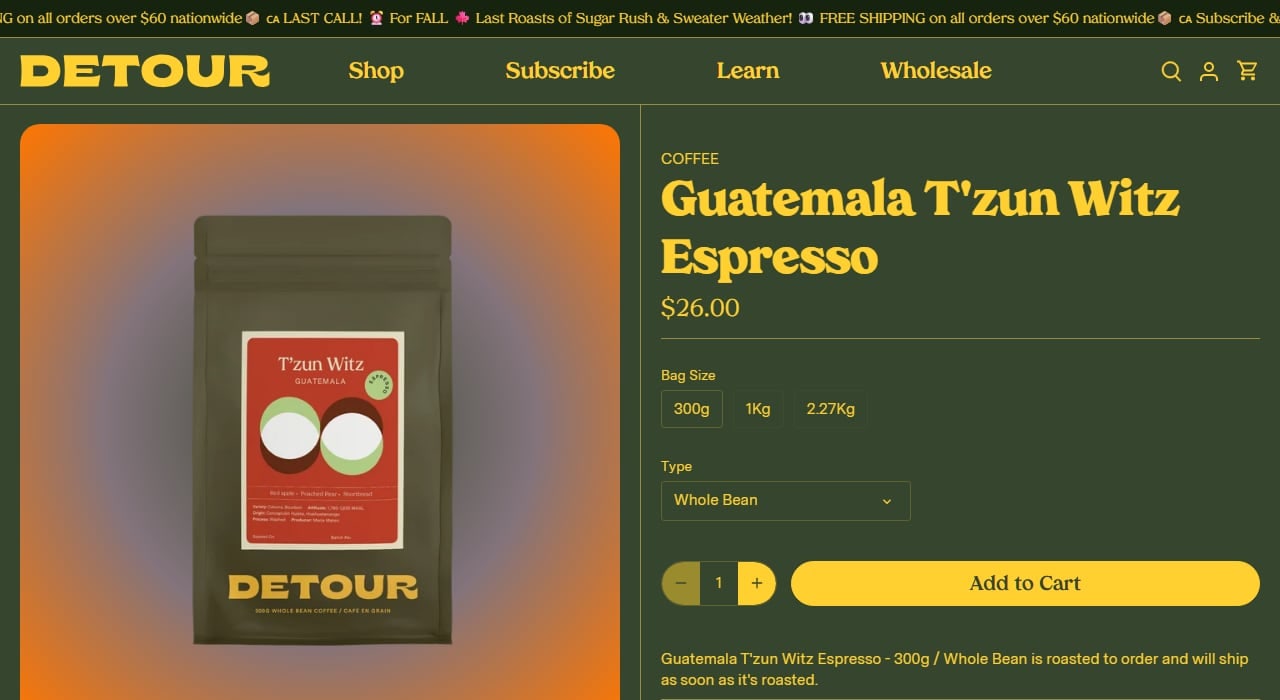
Detour Coffee's own product page, one of the 87 Shopify stores we checked, captured 1 Nov 2026. · Detour Coffee
Schema.org's own Schema Markup Validator, run on that product page, captured 1 Nov 2026. · Schema.org
3. Count the words in a product description (2 minutes)
Count the words in your best seller's description (not the title). Under 30 words rarely answers the questions people ask an assistant: what it's made of, who it's for, how it fits or tastes, how it compares.
4. See whether AI already sends you visitors (3 minutes)
In Shopify admin, open Analytics → Reports and look at Sessions by referrer and Total sales by referrer. Look for chatgpt.com, perplexity.ai, gemini.google.com and copilot.microsoft.com. On a single order, the conversion summary shows the referrer that brought the customer; Shopify's own help page uses "chatgpt.com" as its example.
Treat what you find as a floor. As one reply in an r/shopify thread on GEO vs SEO pointed out, clicks from the AI apps often arrive with no referrer and get counted as direct. The same thread's other point: an assistant won't find a store that search engines haven't indexed.
How to fix each one
A robots.txt block. If the block is unintended, delete the custom template: in Shopify admin go to Online Store, open the theme's code editor and remove robots.txt.liquid. Shopify's help page says deleting it puts you back on the default file. If you want to keep some blocks, for example to opt out of training, edit the template so it blocks GPTBot, Google-Extended and CCBot but leaves OAI-SearchBot, Bingbot and Googlebot open. Shopify warns that this is an unsupported customization and that "incorrect use of the feature can result in loss of all traffic", so change one line at a time and re-read the live file afterwards. OpenAI says it can take about 24 hours for its systems to pick up a robots.txt change.
Missing Product data. If your product page has none, common causes are an old or heavily customised theme, or an SEO app that injects the data with a script. Update the theme, or ask your developer to output the Product data in the product template itself, with price, currency and availability. Re-test with the Rich Results Test.
Thin descriptions. Write the description for the questions a buyer asks, in plain sentences: materials and sizes, who it's for, how to use it, what's in the box, and one honest comparison. Start with your best sellers. Pumping out hundreds of AI-written descriptions at once is the pattern Google's spam policy calls scaled content abuse; read what Google says about AI-written content before you automate anything.
Not indexed. If Google or Bing hasn't indexed your product pages, no assistant built on their indexes will find them. Submit your sitemap (yourstore.com/sitemap.xml) in Google Search Console and Bing Webmaster Tools. The rest of the checklist is in how to get cited by AI assistants.
When a tool is worth it
Everything above is free. What the free checks can't do is tell you, week by week, whether ChatGPT, Perplexity or Google's AI answers name your products when someone asks "best [your product] for [your customer]". You can ask the assistants yourself once a month, which is the fourth check in how to see if ChatGPT and Copilot mention your business. If you'd rather have it done daily for a fixed list of questions, an AI-visibility tracker does that.
For a small store, SE Ranking Core is the one we'd try first: its plan page lists AI visibility tracking for 25 prompts a day across 5 AI engines, alongside rank tracking and a site audit that flags indexing problems, and the 14-day trial says no credit card is required. Checked on SE Ranking's site on 1 November 2026. Do the free checks first.
Common questions
Does Shopify block ChatGPT by default?
No. Shopify's default robots.txt allows crawlers on product, collection, page, blog and policy pages and names no AI crawlers. A block only exists if someone added a robots.txt.liquid template that creates one. In our check of 87 Shopify stores, none blocked OAI-SearchBot with an AI-specific rule.
Should I block GPTBot on my Shopify store?
That's a choice about training, not search. OpenAI says blocking GPTBot means your content shouldn't be used to train its models, and that each crawler setting is independent. Blocking GPTBot doesn't remove you from ChatGPT search; blocking OAI-SearchBot does.
How do I know if ChatGPT can see my Shopify store?
Check that your robots.txt doesn't disallow OAI-SearchBot, that your product pages are indexed by search engines, and that the product page HTML contains your price and description. Then look for chatgpt.com in Shopify's Sessions by referrer report.
Do I need Product schema for ChatGPT?
OpenAI doesn't publish a schema requirement for ChatGPT search. Product structured data makes your price and stock machine-readable for search engines, and Google documents it for product results, so it's worth having in the page HTML either way.
How long should a Shopify product description be?
There's no official number. Write enough to answer what buyers ask: materials, sizes, who it's for, how to use it. In our sample the median description was 69 words and 19% were under 30.