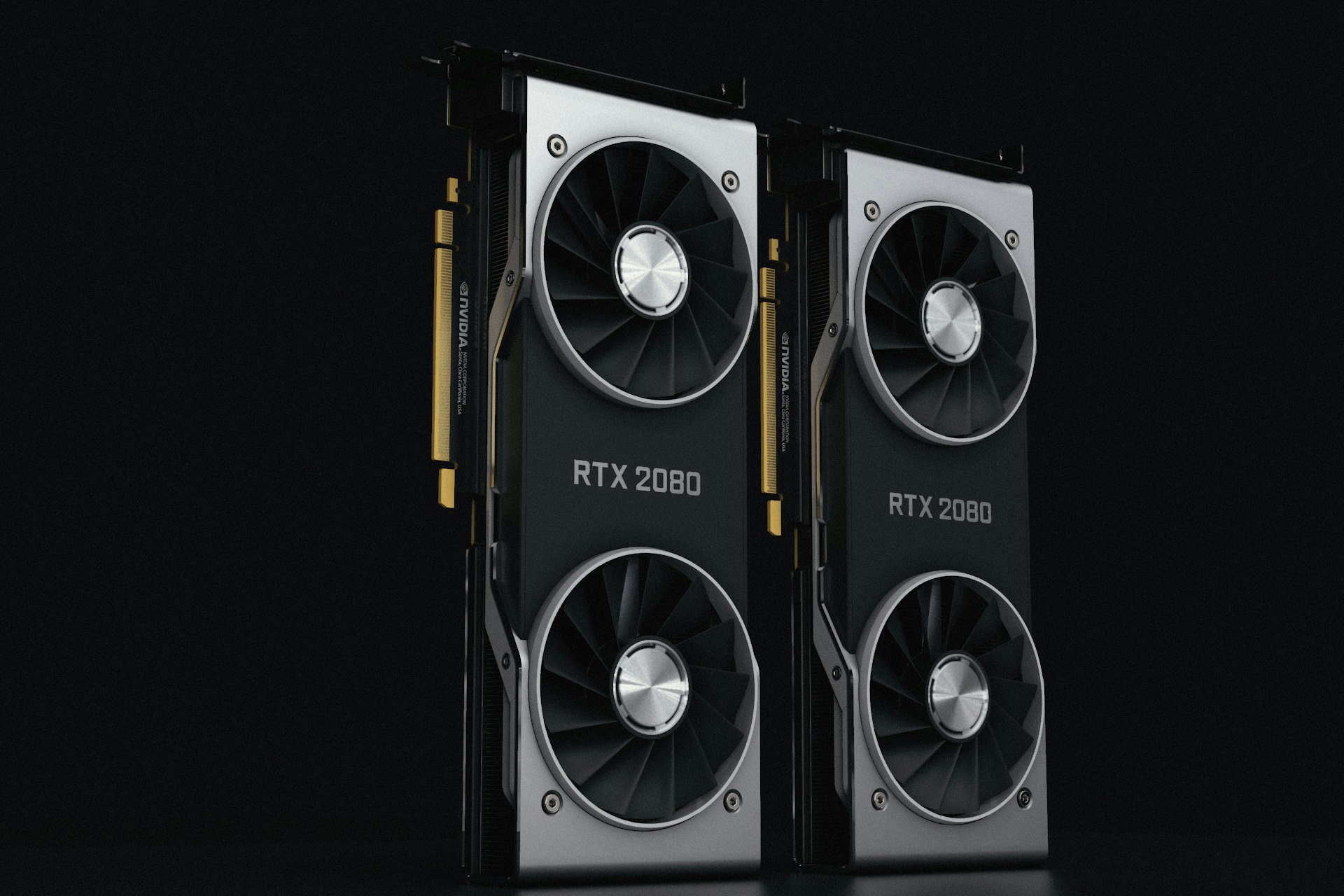
Two 3090s give you 48GB, but not double the speed for chat, because llama.cpp's default multi-GPU mode makes the cards take turns. What the benchmarks say, rechecked in October 2026.
The advice in most threads is that two used RTX 3090s beat one RTX 5090 for local LLMs: 48 GB against 32 GB, and roughly double the memory bandwidth on paper. The capacity half is true and it matters. The bandwidth half is wrong for the case most people buy for, one person chatting with one model. The reason has nothing to do with the cards.
The bandwidth arithmetic everyone starts with
Token generation is memory-bandwidth-bound. Producing one token means reading the model's active weights out of VRAM once, so speed tracks bandwidth far more than compute. That is why the spec-sheet comparison looks so decisive.
What the spec sheets say
RTX 5090
VRAM
32 GB GDDR7
Memory bandwidth
1,792 GB/s
Board power
575 W
RTX 3090 (x1)
VRAM
24 GB GDDR6X
Memory bandwidth
936 GB/s
Board power
350 W
RTX 3090 (x2)
VRAM
48 GB
Memory bandwidth
1,872 GB/s *
Board power
700 W
VRAM
Memory bandwidth
Board power
RTX 5090
32 GB GDDR7
1,792 GB/s
575 W
RTX 3090 (x1)
24 GB GDDR6X
936 GB/s
350 W
RTX 3090 (x2)
48 GB
1,872 GB/s *
700 W
Bandwidth figures are from NVIDIA's GeForce comparison page (RTX 5090) and NVIDIA's GA102 whitepaper (RTX 3090). Power is NVIDIA's total graphics power and graphics card power.
Is 2x RTX 3090 faster than an RTX 5090?
Not for single-user chat in llama.cpp's default mode. The default split, -sm layer, is pipeline parallelism. llama.cpp's multi-GPU documentation says each GPU holds a contiguous slice of layers, and that this mode "processes tokens sequentially through the pipeline" and "requires many tokens to scale well".
Picture one chat prompt. Token one passes through GPU 0's layers, then GPU 1's layers. While GPU 0 works, GPU 1 waits, and then the reverse. The bandwidth alternates instead of adding up. Two 3090s in this mode give you roughly one 3090's decode speed, with 48 GB of room.
Two 3090s buy you capacity, not speed. That is a real thing to buy, just not the thing most people think they're buying.
Can tensor parallelism make two 3090s faster?
Sometimes, with conditions. -sm tensor splits each layer across both cards so they read in parallel. The docs say it "minimizes latency" and suits a priority of "fast token generation". It is also labeled EXPERIMENTAL, and the same page lists the catches.
The docs call it experimental and tell you to validate output quality before relying on it.
It requires flash attention and a non-quantized KV cache (f32, f16 or bf16), so the memory you planned to save with a quantized cache is gone.
Some architectures are not supported, including several mixture-of-experts and hybrid families such as DeepSeek2, Grok and Minimax-M2. Check the list for your model.
The docs say it is "much more bottlenecked by the GPU interconnect speed". A consumer board with a weak second slot hurts it most.
RTX 5090 vs RTX 3090: LLM benchmark numbers
The llama.cpp project keeps a community CUDA scoreboard of llama-bench runs on one pinned model and quantization, single GPU only. It is the cleanest like-for-like data available. We don't run our own benchmarks (see our editorial policy), so everything below is someone else's measurement.
Llama 2 7B Q4_0, llama-bench, flash attention on (scoreboard, read 4 Oct 2026)
RTX 5090
Decode (tg128)
300.40 t/s
Prefill (pp512)
14,970 t/s
RTX 3090 Ti
Decode (tg128)
172.26 t/s
Prefill (pp512)
6,924 t/s
RTX 3090
Decode (tg128)
161.89 t/s
Prefill (pp512)
5,560 t/s
5090 vs 3090
Decode (tg128)
1.86x
Prefill (pp512)
2.69x
Decode (tg128)
Prefill (pp512)
RTX 5090
300.40 t/s
14,970 t/s
RTX 3090 Ti
172.26 t/s
6,924 t/s
RTX 3090
161.89 t/s
5,560 t/s
5090 vs 3090
1.86x
2.69x
Two findings fall out of that table, and they point different ways.
Decode is bandwidth, almost exactly. The 5090's bandwidth is 1.91 times the 3090's (1,792 / 936). The measured decode ratio is 1.86x, about 97% of that prediction. For a 7B model at 4-bit, speed is almost entirely explained by how fast the card reads memory. Our cost-to-run pages estimate throughput from bandwidth on the same assumption.
Prefill is compute, and it isn't close. At 2.69x, the 5090 pulls far ahead of what bandwidth predicts, because reading a prompt is one big parallel matrix job. If your work involves long prompts, such as documents, whole codebases or agent loops, that gap is the strongest single argument for the 5090.
The case for two 3090s, made properly
Everything above is about speed. Capacity is a different axis, and there the dual build wins something the 5090 cannot match: 48 GB versus 32 GB decides which models you can run at all.
A 70B model at Q4_K_M needs roughly 42 GB of weights before any context (70 billion x about 4.85 bits / 8). It fits in 48 GB. It does not fit in 32 GB at any quantization worth running. If your real requirement is "run a 70B locally", the 5090 is not just slower, it is out. Our cheapest way to serve Llama 70B guide works through that case.
The second case is serving. llama.cpp's docs say layer split "maximizes batch throughput". The pipeline penalty bites at one request at a time. With several users or a batch job, both cards stay busy. A dual-3090 box is a serving machine, not a low-latency chat machine.
The things that bite after you've bought
Both routes have software catches in 2026, and they mirror each other.
Pros
+ 5090: one card, no PCIe lane puzzle, current-generation driver support.
+ 5090: 2.69x prefill helps long-prompt and agent work a lot.
+ 2x 3090: 48 GB runs model classes a 32 GB card cannot.
+ 2x 3090: genuinely faster when serving several requests at once.
+ 3090: still supports NVLink. NVIDIA lists NVLink for the 3090 and 3090 Ti, and no NVLink for the RTX 5090.
Cons
− RTX 3090 is compute capability 8.6. vLLM's docs say FP8 computation needs 8.9 or higher, so a 3090 runs FP8 models only as weight-only W8A16 through Marlin kernels.
− NVFP4, NVIDIA's 4-bit format, is a Blackwell feature. The RTX 5090 (compute capability 12.0, often called SM120) has it. The 3090 does not.
− GeForce cards can't use CUDA forward compatibility. NVIDIA's docs limit it to data center GPUs, select NGC Server Ready RTX cards and Jetson, so 5090 owners must keep drivers current for new CUDA releases.
− Two 3090s at full x16/x16 usually means a workstation board. Most consumer boards give x16 plus a chipset x4 slot, which slows multi-GPU modes.
− 700 W of GPU before the rest of the system, with the heat and noise that brings.
What does it cost to try both?
Very little, if you rent first. Our cloud GPU tracker listed RTX 3090s on Vast.ai from $0.12 an hour (30 offers) and RTX 5090s from $0.37 an hour (52 offers) on 4 October 2026. Runpod listed $0.22 and $0.69. An afternoon on each costs a few dollars and answers the speed question for your own model.
Buying is harder to price honestly. NVIDIA's RTX 5090 starting price is still $1,999, but partner cards have sold far above it all year. We could not find a used-3090 price source we would cite, and used prices vary by region and week. Price could flip the recommendation: if used 3090s are cheap where you live, 48 GB for less than one 5090 is a strong deal. Our used RTX 3090 buying guide covers what to check, and renting vs buying an RTX 5090 runs the break-even math.
So which one
Verdict
It depends on batch size and model size
Decide what you're building before you decide what to buy. One person, one conversation, wanting it fast: the RTX 5090 wins, and two 3090s in default mode won't give you the speed you imagine. Serving several users, or needing a model that won't fit in 32 GB: two 3090s, because the capacity is the point.
Best for: Not sure which you are? Most people asking this are building a personal assistant, which is one request at a time. That favors the single card.
Quick answers
Is 2x RTX 3090 better than an RTX 5090 for LLMs?
For capacity, yes: 48 GB runs 70B models at Q4 that a 32 GB card can't. For single-user speed, no: in llama.cpp's default layer split the two cards take turns, so decode runs at roughly one 3090's speed, while one 5090 is about 1.86x faster than a 3090.
How fast is the RTX 5090 for LLM inference?
On llama.cpp's CUDA scoreboard, the RTX 5090 generated 300.40 tokens/s and processed prompts at 14,970 tokens/s on Llama 2 7B Q4_0 with flash attention. Bigger models run slower, roughly in proportion to the weights read per token.
Does NVLink fix the pipeline problem on 3090s?
NVLink speeds up the link between two 3090s, which helps tensor-split mode. It does not change the fact that the default mode is pipelined. NVIDIA lists NVLink support for the 3090 and 3090 Ti, and none for the RTX 5090.
Is 32 GB enough for a 70B model?
No, not at a useful quantization. A 70B at Q4_K_M is about 42 GB of weights before context. You'd be pushed to 2-bit, which usually performs worse than a smaller model at Q4.
Does the RTX 5090 support NVFP4?
Yes. NVFP4 is a 4-bit format that NVIDIA's Blackwell generation supports, and the RTX 5090 (compute capability 12.0, SM120) is Blackwell. The RTX 3090 is Ampere and does not support it, and it lacks native FP8 too.
What about three or four 3090s?
The same pipeline logic applies, more so. More cards means a longer pipeline and more idle time per token at one request at a time. Capacity keeps scaling; single-user speed does not. Lanes and power get harder too.
To check any of this against a specific model, our cost-to-run pages compute the memory requirement and expected speed per card from each model's own config file, and show the working.