The card swap is the easy part. You trade the Nvidia app for AMD Adrenalin, gain built-in undervolting and fan curves, and give up DLSS, Multi Frame Generation, RTX HDR and CUDA. What changes, checked on both companies' own pages on Nov 3, 2026.
Some links on this page are referral links: we may earn a commission, at no cost to you.
Share
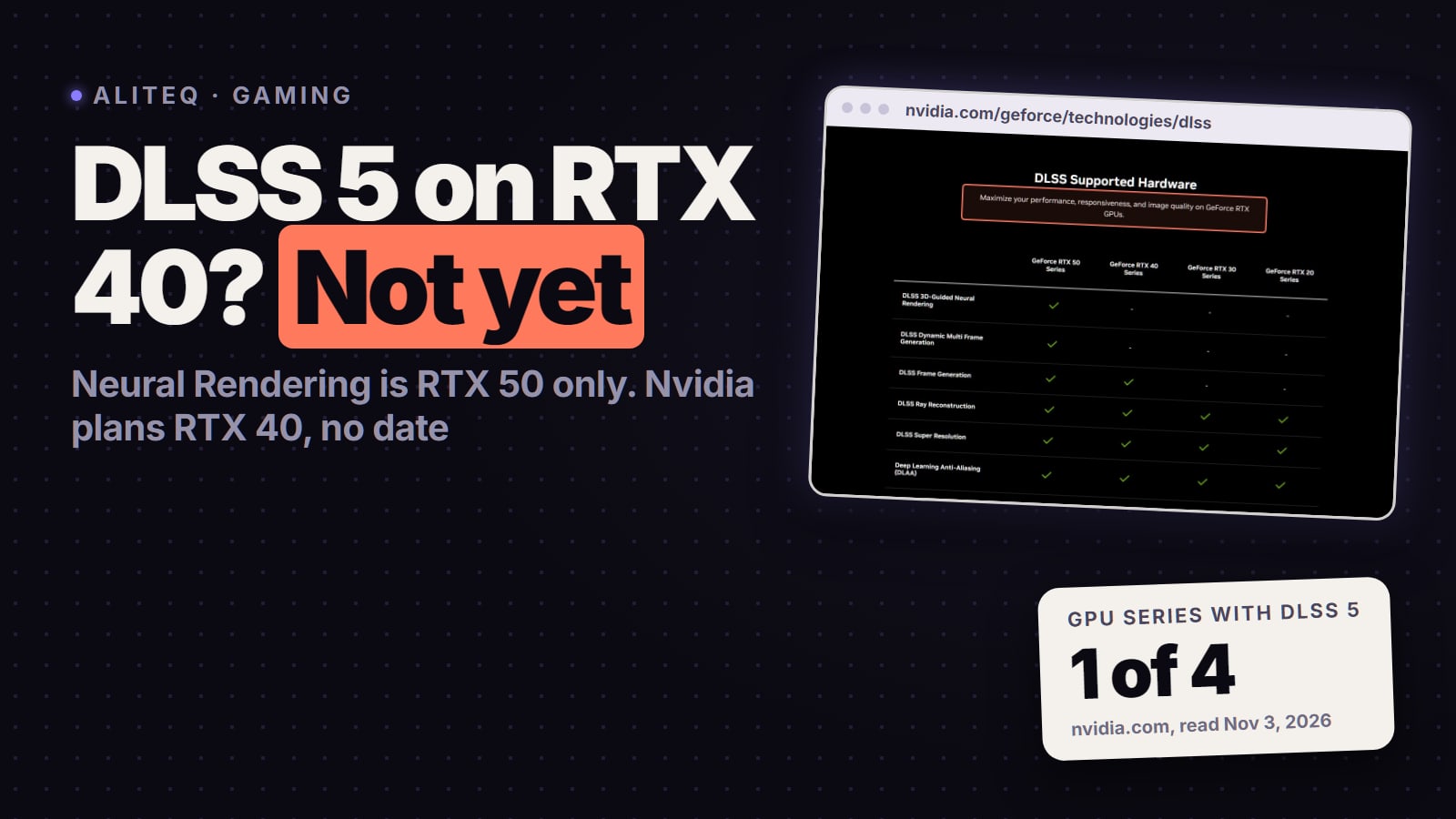
Should you switch from Nvidia to AMD? For a gaming PC, yes, if the Radeon card is cheaper or faster for your money. The day-to-day software is not a step down: AMD Software: Adrenalin Edition has manual tuning, undervolting and custom fan curves built in, and AMD's FSR Upscaling works in 400+ games on RX 6000 cards and newer. What you give up is Nvidia-only: DLSS, Multi Frame Generation on RTX 50 cards, RTX HDR and CUDA for local AI. If you run CUDA-only AI tools, stay with Nvidia or check the tool first. Checked on AMD's and Nvidia's own pages on November 3, 2026.
What changes the day you swap the card
Settings app
On Nvidia (GeForce)
Nvidia app (old Control Panel retired for GeForce, May 2026)
On AMD (Radeon)
AMD Software: Adrenalin Edition
Overclock / undervolt
On Nvidia (GeForce)
One-click automatic tuning; voltage, power, temperature and fan speed targets
On AMD (Radeon)
Manual tuning built in, per-game profiles
Custom fan curve
On Nvidia (GeForce)
Not in the Nvidia app (MSI Afterburner or Fan Control)
On AMD (Radeon)
Built in
Upscaling
On Nvidia (GeForce)
DLSS (game must support it)
On AMD (Radeon)
FSR Upscaling, 400+ games, RX 6000 and newer
Frame generation
On Nvidia (GeForce)
DLSS Frame Generation; Multi Frame Generation on RTX 50
On AMD (Radeon)
FSR Frame Generation; ML-based on RX 9000 only
HDR for non-HDR games
On Nvidia (GeForce)
RTX HDR filter
On AMD (Radeon)
No RTX HDR equivalent named on AMD's page
Mic noise removal
On Nvidia (GeForce)
Nvidia Broadcast
On AMD (Radeon)
AMD Noise Suppression
Local AI software
On Nvidia (GeForce)
CUDA, works with almost every tool
On AMD (Radeon)
ROCm; AI Bundle installs PyTorch, ComfyUI, Ollama, LM Studio
On Nvidia (GeForce)
On AMD (Radeon)
Settings app
Nvidia app (old Control Panel retired for GeForce, May 2026)
AMD Software: Adrenalin Edition
Overclock / undervolt
One-click automatic tuning; voltage, power, temperature and fan speed targets
Manual tuning built in, per-game profiles
Custom fan curve
Not in the Nvidia app (MSI Afterburner or Fan Control)
Built in
Upscaling
DLSS (game must support it)
FSR Upscaling, 400+ games, RX 6000 and newer
Frame generation
DLSS Frame Generation; Multi Frame Generation on RTX 50
FSR Frame Generation; ML-based on RX 9000 only
HDR for non-HDR games
RTX HDR filter
No RTX HDR equivalent named on AMD's page
Mic noise removal
Nvidia Broadcast
AMD Noise Suppression
Local AI software
CUDA, works with almost every tool
ROCm; AI Bundle installs PyTorch, ComfyUI, Ollama, LM Studio
Every line in that table comes from the vendors' own pages, read November 3, 2026. The Nvidia tuning wording is Nvidia's: the Nvidia app's Performance tab runs "one-click automatic GPU tuning", and "Power users may also adjust voltage, power, temperature and fan speed targets". That is a target, not a curve. AMD's Adrenalin page says its tuning works "all right within AMD Software. No need for additional software, no need for extra downloads."
Is AMD's Adrenalin software better than the Nvidia app?
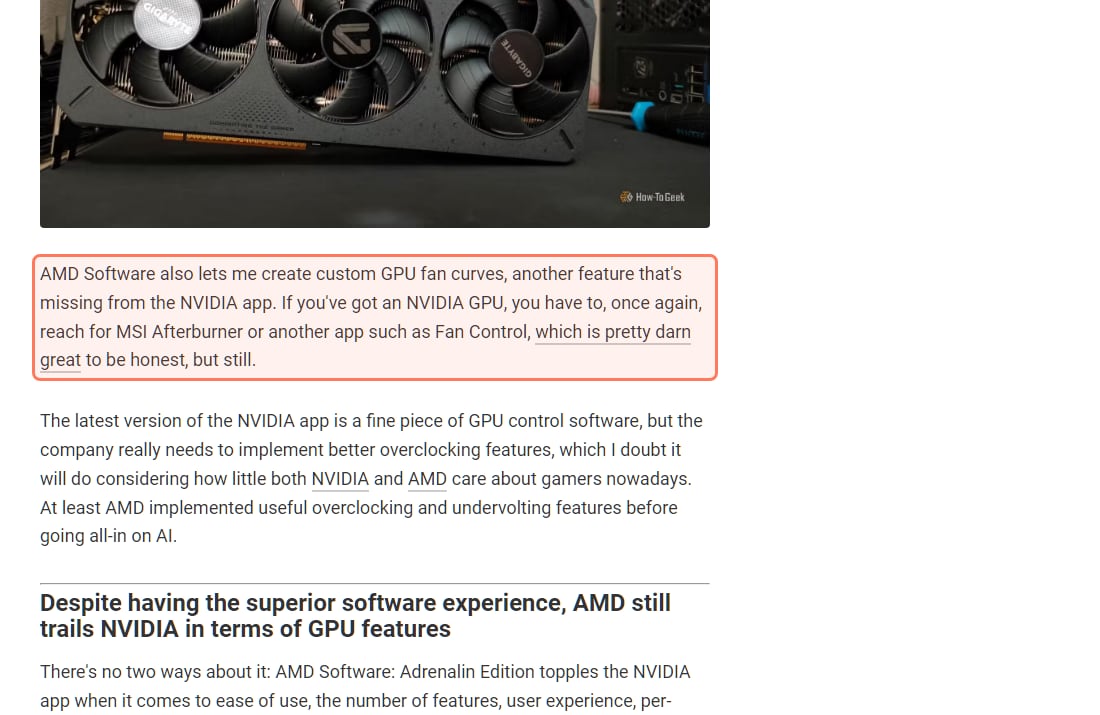
For tuning, yes. A How-To Geek writer who replaced an RTX 3070 with an RX 9070 XT in early 2025 wrote on August 8, 2026 that undervolting and overclocking on Radeon is three clicks: "All I have to do is click Performance, open the Tuning tab, and enable a Custom tuning preset." The same writer says tuning works per game, which matters because some games tolerate a deeper undervolt than others. They also point to custom fan curves as "another feature that's missing from the NVIDIA app", so GeForce owners still reach for MSI Afterburner or Fan Control.
How-To Geek's Nvidia-to-AMD write-up (Aug 8, 2026), read November 3, 2026. The fan-curve paragraph is outlined. · Screenshot of howtogeek.com by aliteq
That is not the whole picture. The same writer calls the latest Nvidia app "a fine piece of GPU control software" and "on par with AMD Software: Adrenalin Edition in most areas". Nvidia's own one-click auto-tuning runs a 10 to 20 minute test and then, in Nvidia's words, "will automatically apply a safe overclock". If you never touch a voltage slider, you will not miss much either way.
Undervolting is not only for hobbyists. A lower power limit on a card that runs AI models all day can cut heat and noise for a small speed loss; the trade-off is laid out in power-limiting your GPU for local AI. That is easier when the slider sits in the driver app you already have open.
Did Nvidia fix its two-app problem?
Yes, in May 2026. Tom's Hardware reported on May 26, 2026 that Nvidia is ditching the Control Panel after 20 years and that new driver updates only ship in the Nvidia app; the old panel "will no longer have features added to it, but it will still be available for download from the Microsoft Store." Nvidia's driver 610.47 is dated the same day. Before that, the How-To Geek writer says GeForce owners had to "constantly switch between the Control Panel and the NVIDIA app". So if your reason to switch is "Nvidia's software is a mess of two apps", that reason is gone.
What do you lose? DLSS, Multi Frame Generation and RTX HDR
These are the Nvidia-only features to weigh before you sell your GeForce card:
DLSS. Nvidia's upscaler only runs on RTX cards. Nvidia says the Nvidia app can "update hundreds of games to use the latest DLSS features".
Multi Frame Generation. Per Nvidia's developer page, it can "generate up to five frames per rendered frame" and needs GeForce RTX 50 Series or RTX PRO Blackwell GPUs. AMD's FSR page describes FSR 3 frame generation as inserting one frame between real ones, up to 2x the frame rate. How-To Geek's writer notes "you still can't use multi-frame generation on AMD GPUs" and says it would help them max out a 175Hz monitor.
RTX HDR. Nvidia's filter adds HDR to games that never had it. Nvidia notes "Only 12 of the top 50 most-played GeForce games offer HDR support." The How-To Geek writer, now on an OLED monitor, named it "the one NVIDIA feature I wish I could use on my AMD GPU."
Nvidia Broadcast. AMD lists AMD Noise Suppression and AMD Privacy View on its Adrenalin page as its own versions of mic and camera tools.
What do you get instead? FSR on older Radeon cards too
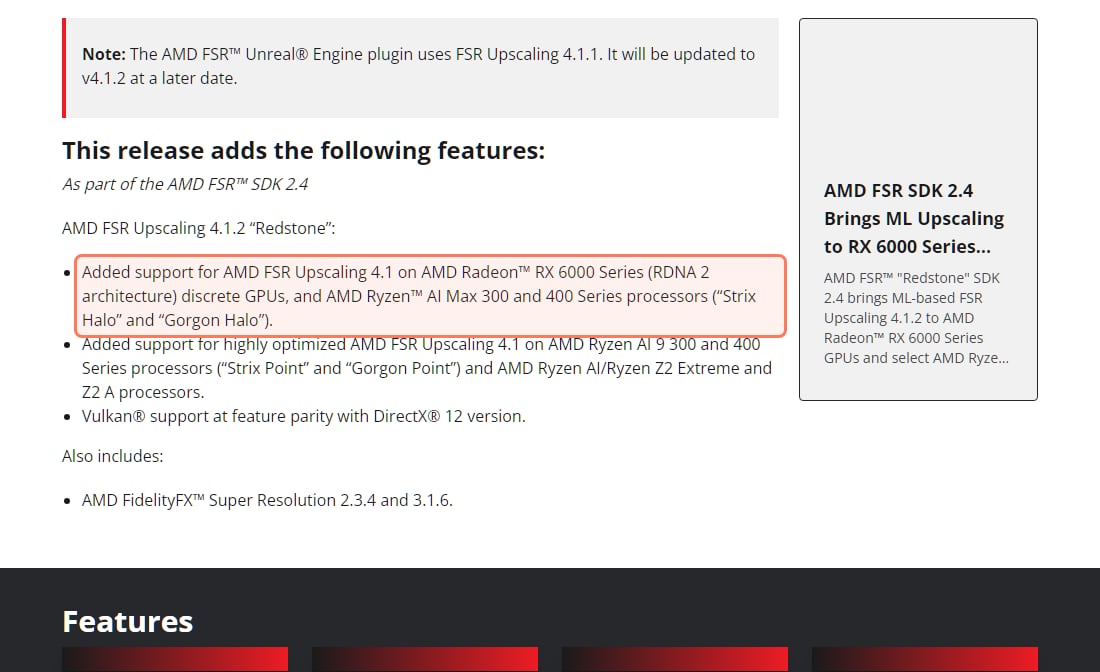
AMD's FSR page (read November 3, 2026) says ML-based FSR Upscaling works in "over 400 supported games" on Radeon RX 6000 cards and newer. The full FSR "Redstone" set (upscaling, ML frame generation, ray regeneration) is RX 9000 only; RX 6000 and RX 7000 get upscaling only. AMD added RX 6000 support in driver 26.10.1 (Oct 20, 2026), and its developer site lists it in FSR Upscaling 4.1.2:
AMD GPUOpen, FSR Upscaling 4.1.2 (FSR SDK 2.4), read November 3, 2026. The RX 6000 line is outlined. · Screenshot of gpuopen.com by aliteq
You also don't have to wait for a game patch in many cases. Per AMD's FSR page, in games with FSR 3.1 or newer, "gamers can use AMD Software to swap DLLs and upgrade their game to ML-based upscaling." Adrenalin also has AMD Fluid Motion Frames (AFMF), driver-level frame generation, and Radeon Anti-Lag.
Should you switch if you run local AI?
This is where the switch can hurt. CUDA is Nvidia-only, and most local AI tools target it first. AMD's answer is ROCm:
AI Bundle. AMD's blog (Jan 21, 2026) says Adrenalin's optional AI Bundle installs PyTorch, ComfyUI, Ollama and LM Studio "with just one click", for users with an RX 7700 series card or newer, or a Ryzen AI 300, Ryzen AI 400 or Ryzen AI Max processor.
ROCm on Windows. AMD's Windows support matrix for ROCm 7.2.1 (read November 3, 2026) lists Windows 11 and the RX 9070, RX 9070 XT, Radeon AI PRO R9700, RX 9060 XT, RX 7900 XTX, Radeon PRO W7900 and RX 7700. If your card isn't on that list, expect manual work.
Known issue. AMD's 26.10.1 notes list "Failure to install may be observed while installing AI Bundle components in some regions with limited access to HuggingFace and GitHub."
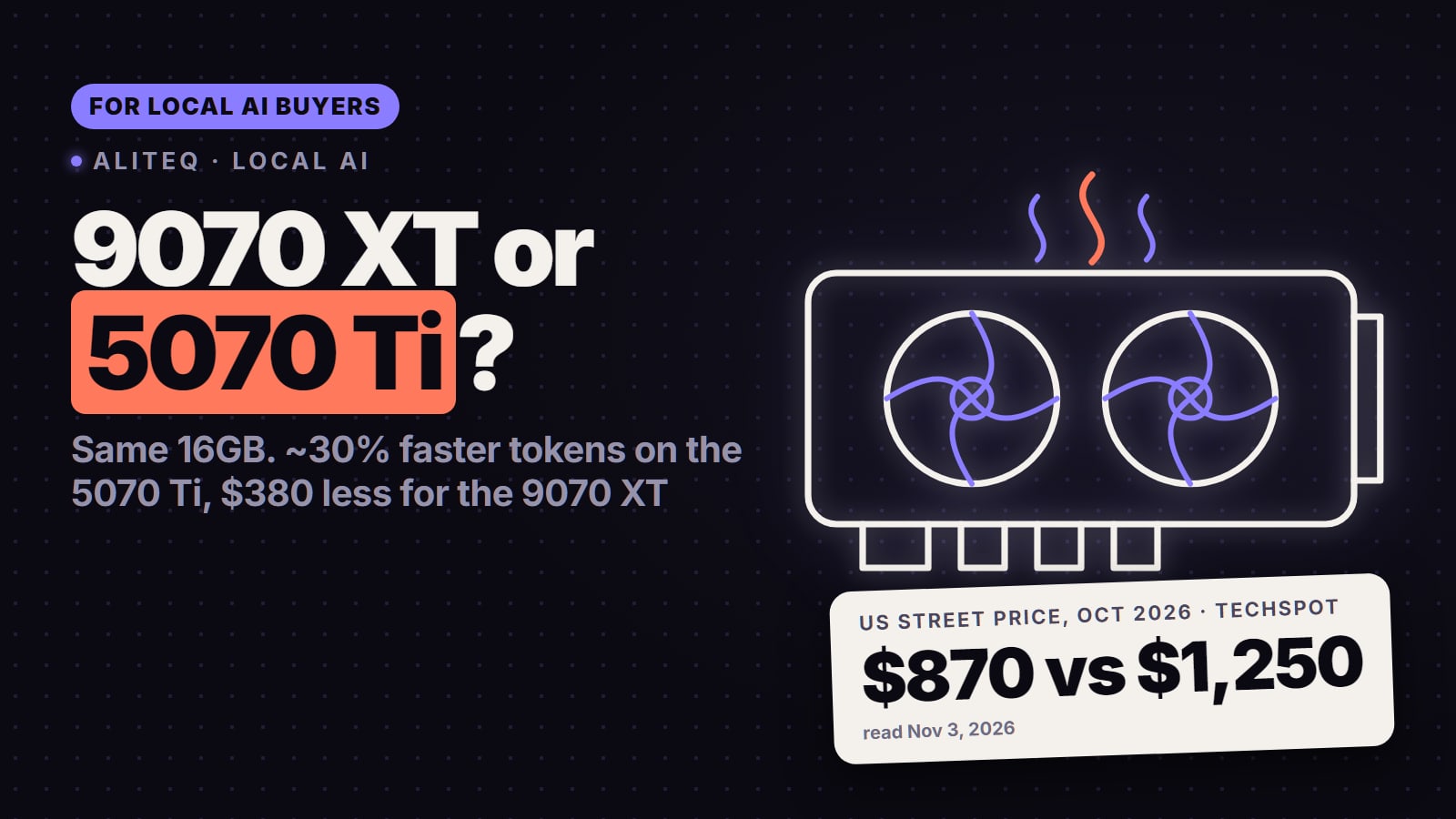
Ollama, LM Studio and ComfyUI run on Radeon. Tools that are built for CUDA only are the deal-breaker, so check each one before you buy. For the full speed and support picture, read AMD vs Nvidia for local AI and RX 9070 XT vs RTX 5070 Ti for local AI. Whether a model fits is a VRAM question first: check it in the VRAM calculator.
How do you switch drivers from Nvidia to AMD?
Download the Adrenalin installer first from amd.com, so it is ready before you remove anything.
Remove the Nvidia driver from Windows Settings, Apps, before you pull the card. AMD's Cleanup Utility "is designed to remove any previously installed AMD graphics and audio drivers/software", so it will not clean up Nvidia's files. Many users run the free Display Driver Uninstaller (DDU) for a full clean; it is a third-party tool, not Nvidia's or AMD's.
Swap the card, then install Adrenalin. Choose the AI Bundle option during install if you want the local AI tools.
Pick a driver track. AMD ships recommended drivers and optional ones; 26.10.2 (Oct 30, 2026) is an optional driver that fixes crashes from 26.10.1.
Where this matters for the buying decision
Software is a tie-breaker, not the deciding number. For raw gaming value, compare the two cards you are choosing between, like in RTX 5070 vs RX 9070. Then weigh it like this:
Pick AMD if you game, like to undervolt or set fan curves, and don't depend on DLSS-only or CUDA-only features.
Stay on Nvidia if you use DLSS Multi Frame Generation on a high-refresh monitor, rely on RTX HDR, stream with Nvidia Broadcast, or run CUDA-only AI tools.
Either works if you just play and never open the driver app.
Should I switch from Nvidia to AMD?
For gaming, yes if the Radeon card is the better value. AMD Adrenalin builds in tuning, undervolting and fan curves, and FSR Upscaling covers 400+ games. Stay with Nvidia if you need DLSS, Multi Frame Generation, RTX HDR or CUDA-only AI tools.
Is AMD's software better than Nvidia's in 2026?
For tuning, yes. Adrenalin has manual overclocking, undervolting and custom fan curves built in. The Nvidia app has one-click automatic tuning and voltage, power, temperature and fan speed targets, but no custom fan curve, so many GeForce owners still use MSI Afterburner.
Did Nvidia get rid of the Control Panel?
For GeForce Game Ready and Studio drivers, yes, from May 2026. The Nvidia app is now the main settings app, and Tom's Hardware reported the old panel stays downloadable from the Microsoft Store without new features.
Can I use DLSS on an AMD card?
No. DLSS needs an Nvidia RTX GPU. AMD's equivalent is FSR Upscaling, which runs in 400+ games on Radeon RX 6000 cards and newer, per AMD on November 3, 2026.
Do I need to uninstall Nvidia drivers before installing AMD?
Yes, remove the Nvidia driver before installing Adrenalin. AMD's Cleanup Utility only removes AMD software, so use Windows Settings or a third-party tool such as DDU for Nvidia.
Can I run local AI on an AMD GPU?
Yes, with ROCm. AMD's AI Bundle installs PyTorch, ComfyUI, Ollama and LM Studio on RX 7700-class cards and newer. CUDA-only tools will not run, so check each tool first.
The short version: switching to AMD changes your apps more than your frame rate. You gain the better tuning app and lose Nvidia's feature extras. Check the three things that are truly Nvidia-only (DLSS-family features, RTX HDR, CUDA) against how you use your PC, and the answer is usually clear.