The forced auto-update push behind the wp2shell fix is a mechanism WordPress has used only a handful of times. What it is, why they broke the 'we don't touch your site' rule, and how to confirm your install actually got it.
On July 18, 2026, WordPress did something it almost never does: it reached into millions of sites it doesn't own and updated them, whether or not their owners had asked for automatic updates. This was the forced auto-update behind the wp2shell fix — the core RCE that lets an anonymous request take over a default install — and if your site is on 6.9.5 or 7.0.2 today without you touching it, this is why. It's worth understanding, because a system that can silently change your site is powerful, rarely used, and — importantly — not guaranteed to have reached you.
What a 'forced' update actually is
WordPress has shipped automatic background updates since version 3.7 in 2013. By default they handle minor and security releases, and most site owners never think about them — a point release lands overnight and that's that. But owners can turn them off, and plenty do: agencies managing client sites, developers who want to test before deploying, hosts with their own update pipelines. A forced update is WordPress deciding that a particular security release is dangerous enough to override that opt-out and push anyway.
That's a genuinely big deal philosophically. WordPress's whole ethos is that it's your site and your call. Overriding that is the software equivalent of a landlord letting themselves in — justified only by a fire. wp2shell qualified: Rapid7 rated it critical, a working proof-of-concept hit GitHub within hours of the details going public, and the vulnerable surface is a default install with no plugins required. When the exploit is that easy and the install base is that large, the WordPress security team's calculus flips from 'respect the opt-out' to 'contain the blast radius.'
How the wp2shell response unfolded
Jul 17
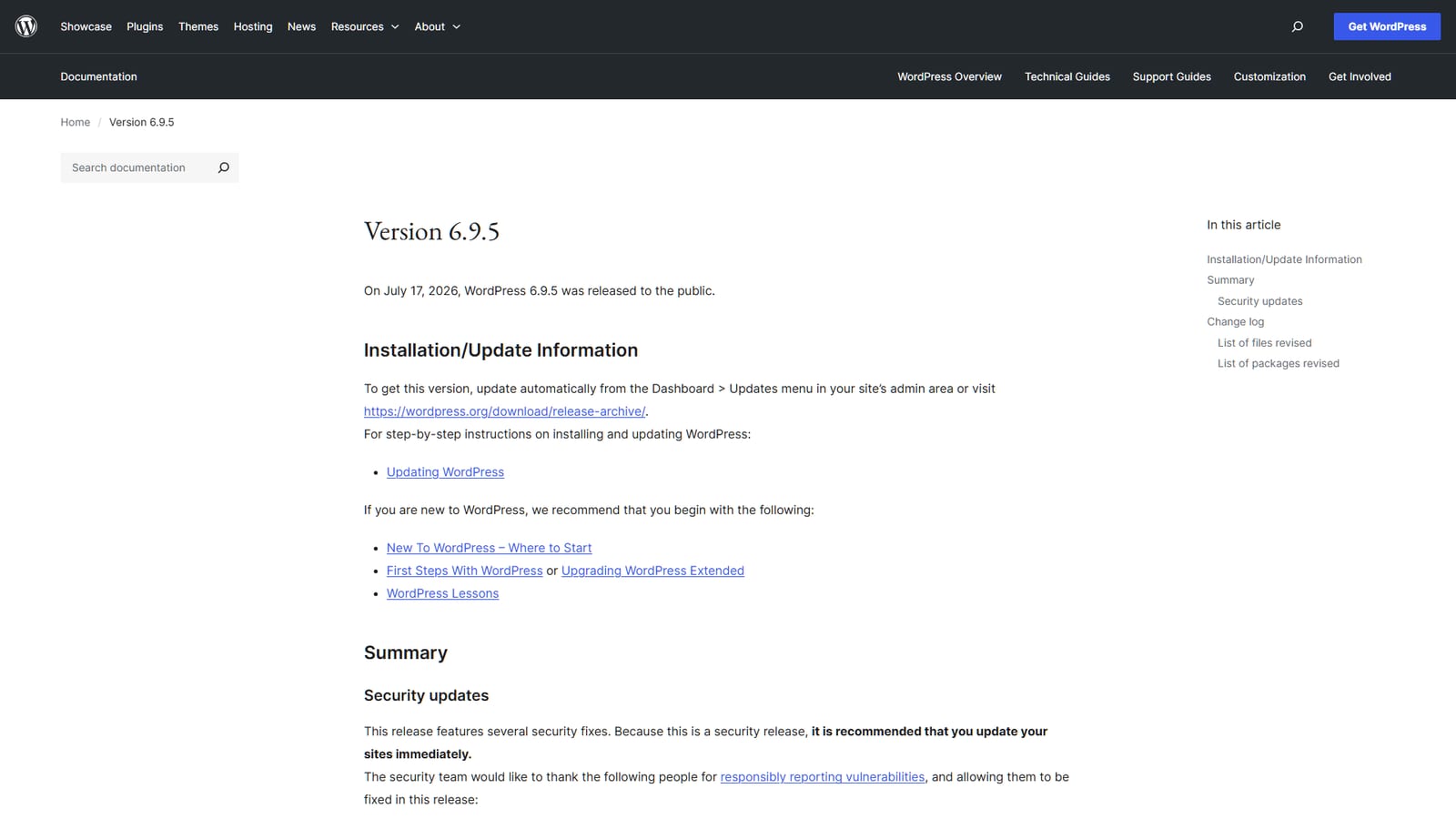
WordPress ships 6.9.5, 7.0.2 and 6.8.6 as emergency security releases fixing the wp2shell chain.
Jul 18
A working proof-of-concept is published to GitHub; WordPress triggers forced auto-updates for affected versions.
Jul 18 eve
Coalition and Patchstack honeypots begin reporting exploitation attempts in the wild.
Why it might not have reached you
Here's the part that gets glossed over in the 'don't worry, WordPress patched it for you' takes. The forced push is best-effort, not a guarantee — and WordPress has not publicly detailed exactly which opt-out configurations it does and doesn't override. Several situations can leave a site behind:
Auto-updates disabled at the code level. Sites that set AUTOMATIC_UPDATER_DISABLED or WP_AUTO_UPDATE_CORE to false in wp-config.php, or filtered them off, may not receive the push at all — the mechanism that would deliver it is switched off.
Servers that can't phone home. The update system works by your site checking in with WordPress.org. If outbound connections are firewalled, or the site is on an air-gapped or heavily locked-down host, that check never happens.
Managed hosts with their own pipelines. Many hosts intercept core updates and apply their own patched builds. Usually that's faster, not slower — but it means your version string might not match what you'd expect from a stock install.
Sites simply offline or broken at the moment of the push, which never caught up.
Forced or not, the version number in your admin footer is the only proof that counts. · Pexels
Should you leave auto-updates on after this?
My honest take: for the overwhelming majority of sites, yes. The theoretical downside of auto-updates — a release breaking your site unattended — is real but rare for minor and security releases, which WordPress is extremely conservative about. The downside of having them off, as wp2shell just demonstrated, is that you become the site the forced push might miss, running vulnerable code while everyone assumes the platform saved them. If you disable them because you genuinely test every release first, fine — but then you own the responsibility to patch fast, and 'I meant to get to it' is how sites get owned.
Quick answers
Has WordPress forced updates before?
Yes, though rarely. The automatic background-update capability has been in core since version 3.7 in 2013, and WordPress has invoked the forced variant only in a small number of severe security situations where mass exploitation was likely. It's deliberately exceptional — the whole point is that it's reserved for genuine emergencies, which is why wp2shell qualifying tells you how serious that flaw is.
Can I tell if my site was force-updated versus updating normally?
Not easily from the front end — the result is the same version number either way. If you want the detail, your site's update logs or your host's activity log will show when the core update was applied. But practically it doesn't matter how you got to 6.9.5; it only matters that you're on it. Verify the version and move on.
Does a forced update change my themes or plugins?
No. A forced core security update touches WordPress core only. Your themes, plugins and content are left alone — which is also why it does nothing for plugin vulnerabilities like the miniOrange OAuth SSO flaw disclosed the same week. Core and plugin security are separate problems with separate fixes.
Is it safe to rely on forced updates going forward?
As a safety net, yes — but not as your only defense. Forced pushes are best-effort and reserved for the most extreme cases; the everyday stream of plugin and theme vulnerabilities won't trigger them. Keep normal auto-updates enabled, keep plugins minimal and current, and treat the forced-update system as the emergency brake it is, not the primary one.
The official release notes are on WordPress.org's 6.9.5 page. If you haven't confirmed your version yet, that's a two-minute job that outranks reading the rest of the internet's wp2shell coverage — and if it turns out you're still on a vulnerable release, our full wp2shell breakdown and security-audit checklist walk through exactly what to do next.