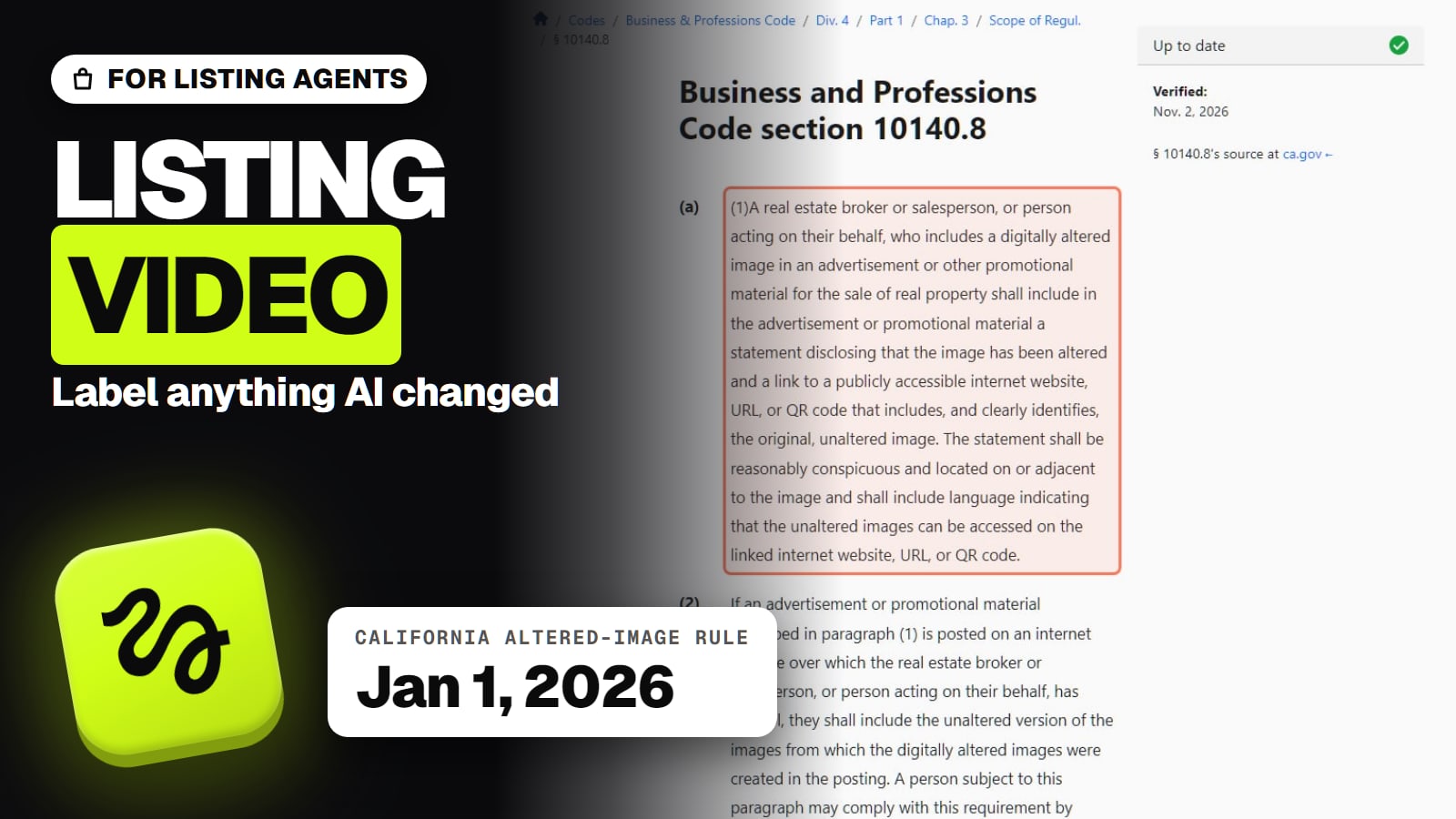
AI virtual staging is allowed on listings, but California law has required a disclosure and a link to the unaltered photo since Jan 1, 2026, and MLSs such as ARMLS and NorthstarMLS have their own rules. What counts as altered, what the label must say, and what staging costs per photo.
Some links on this page are referral links: we may earn a commission, at no cost to you.
Share
Can a real estate agent use AI virtual staging on a listing? Yes, but you have to say so. Virtual staging is allowed by the MLS rules and the state law we checked, and they ask for the same two things: a clear label that the photo was altered, and the original, unaltered photo available to buyers. In California that is now state law for licensees, in force since January 1, 2026. Checked on the statute, three MLS pages and the NAR Code of Ethics on November 3, 2026. This is not legal advice: your own MLS's rule decides the exact format.
The rules and the cost in four numbers (read Nov 3, 2026)
2026
California disclosure law in force
Cal. Bus. & Prof. Code 10140.8, since Jan 1
2
Things California requires
A statement + a link to the original
$24
Virtual staging, per image
BoxBrownie, human editors, pay as you go
$2.67
AI app, per photo
Virtual Staging AI Basic, billed yearly
Is AI virtual staging allowed on the MLS?
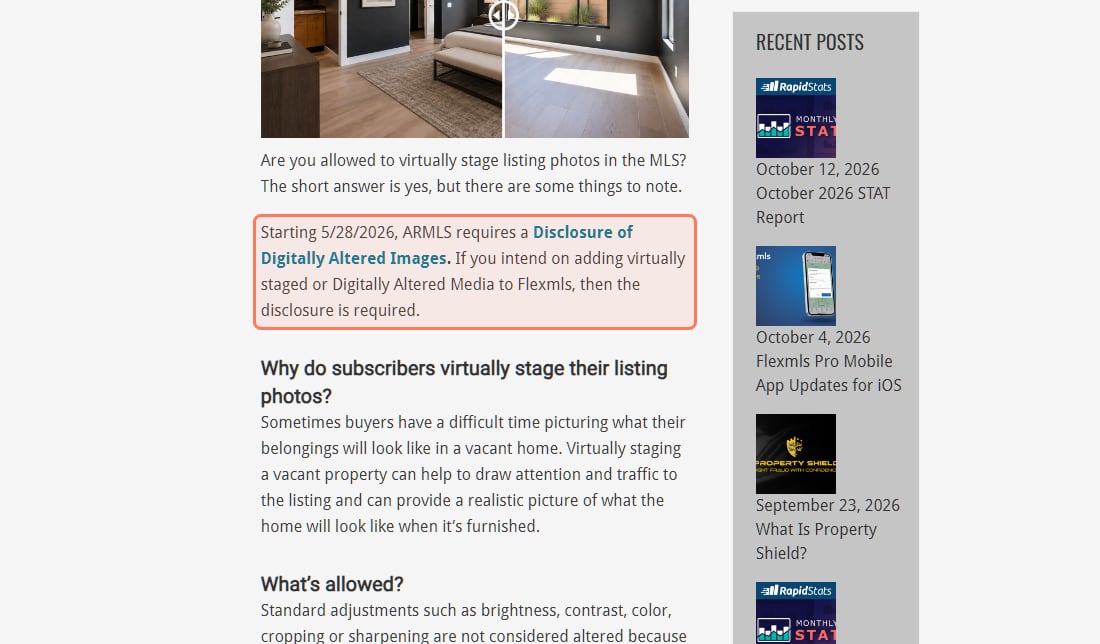
Yes. None of the rules we read bans virtual staging; they ban hiding it. ARMLS, the Phoenix-area MLS, answers the question directly on its own page: "Are you allowed to virtually stage listing photos in the MLS? The short answer is yes, but there are some things to note." The thing to note is the disclosure, which ARMLS made mandatory this year.
ARMLS's own page, read November 3, 2026. The disclosure has been required since May 28, 2026. · Screenshot of armls.com by aliteq
The same pattern runs through every source we checked:
ARMLS (Arizona): "Starting 5/28/2026, ARMLS requires a Disclosure of Digitally Altered Images. If you intend on adding virtually staged or Digitally Altered Media to Flexmls, then the disclosure is required."
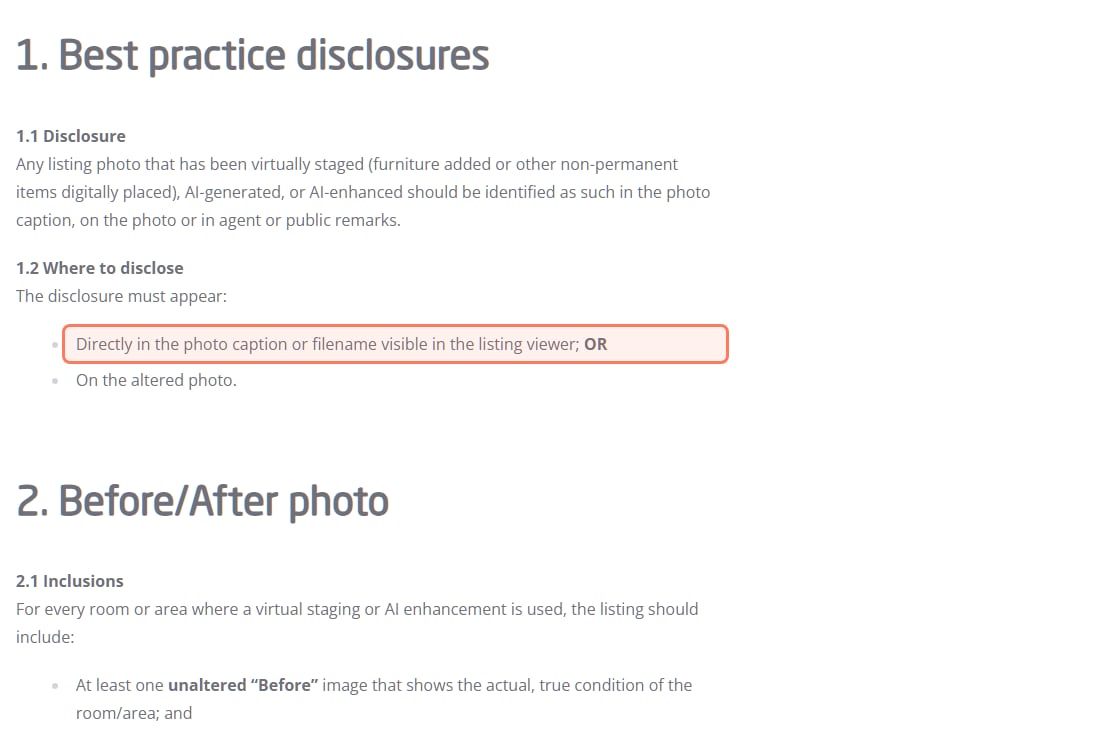
NorthstarMLS (Minnesota and western Wisconsin): its guidelines, published July 10, 2026 and labelled "proposed", say any photo that has been "virtually staged (furniture added or other non-permanent items digitally placed), AI-generated, or AI-enhanced should be identified as such".
SDMLS (San Diego): enforces the California law "as part of its MLS rules and data distribution standards" from January 1, 2026, including on IDX, VOW and syndication feeds.
NAR members everywhere: Standard of Practice 12-10 of the 2026 Code of Ethics bars REALTORS from "otherwise misleading consumers, including use of misleading images", on top of Article 12's duty to "present a true picture in their advertising".
Your own MLS may word it differently, or may not have a written AI rule yet. Look it up in your MLS rules before the listing goes live; the NAR line applies either way if you're a member.
What does California's AB 723 require you to disclose?
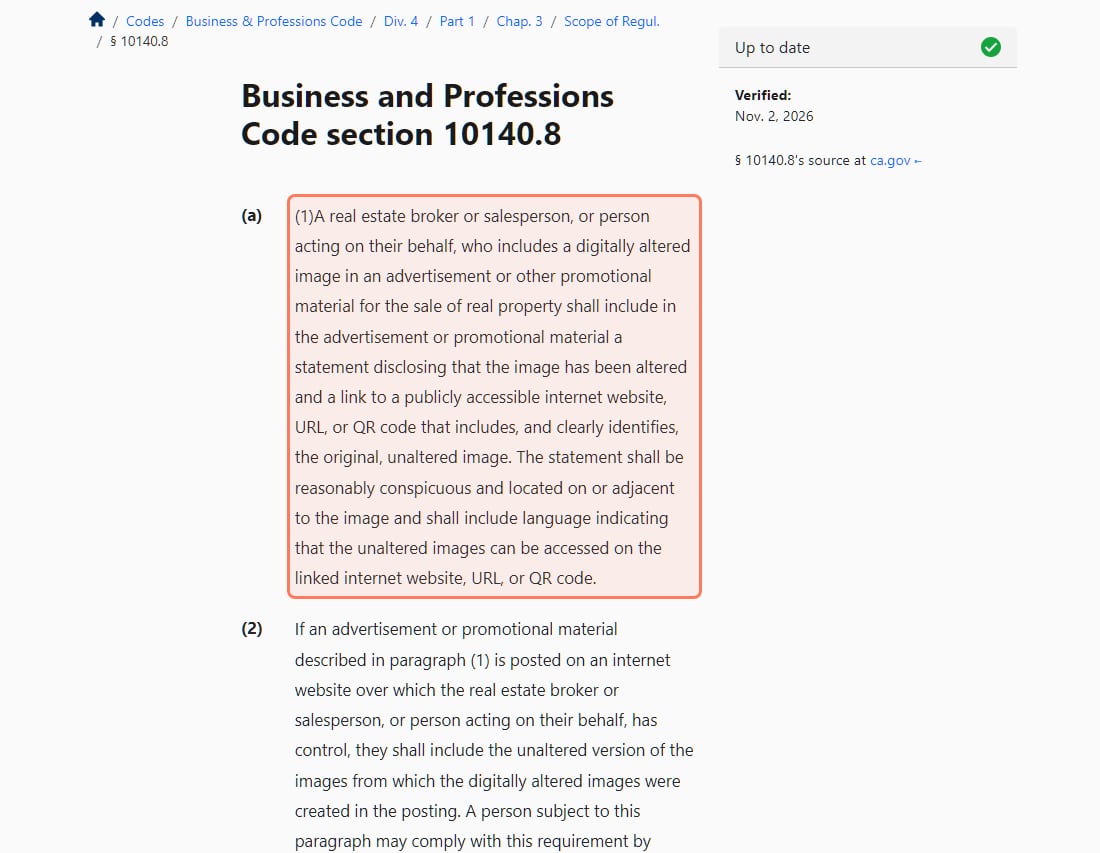
Two things, on every ad or promotional piece for a sale that uses an altered photo. AB 723 added section 10140.8 to California's Business and Professions Code. Here is the core of it, word for word:
A real estate broker or salesperson, or person acting on their behalf, who includes a digitally altered image in an advertisement or other promotional material for the sale of real property shall include in the advertisement or promotional material a statement disclosing that the image has been altered and a link to a publicly accessible internet website, URL, or QR code that includes, and clearly identifies, the original, unaltered image.
Cal. Bus. & Prof. Code 10140.8(a)(1)
Section 10140.8 as published by California.Public.Law (verified there November 2, 2026), read November 3, 2026. · Screenshot of california.public.law by aliteq
In plain terms, the two requirements, plus a third that applies when you post on your own website:
A statement that the image was altered. The law says it "shall be reasonably conspicuous and located on or adjacent to the image". A footnote at the bottom of a flyer is a risk; a caption under the photo or a label on it fits the wording.
A way to see the original. A link, URL or QR code to a public page that "includes, and clearly identifies, the original, unaltered image", and the statement has to tell people the unaltered images are there.
On your own website, you either post the unaltered versions with the altered ones or link to them (subdivision (a)(2)).
It covers licensees and anyone "acting on their behalf", so a photographer or virtual-staging service doing the edit for you doesn't move the duty off you. SDMLS puts it bluntly: "Participants remain responsible for compliance even when using third-party vendors, photographers, or service providers." The statute's wording is about ads "for the sale of real property"; it doesn't say whether a video tour counts as an "image", so treat staged rooms in a video the same way.
What counts as "digitally altered"? Staging, sky swaps, twilight, decluttering
This is where most agents get caught: decluttering and object removal count too, not just added furniture. California's definition is broad. A digitally altered image is one changed "through the use of photo editing software or artificial intelligence to add, remove, or change elements in the image, including, but not limited to, fixtures, furniture, appliances, flooring, walls, paint color, hardscape, landscape, facade, floor plans, and elements outside of, or visible from, the property, including, but not limited to, streetlights, utility poles, views through windows, and neighboring properties."
What's left out: images where "only lighting, sharpening, white balance, color correction, angle, straightening, cropping, exposure, or other common photo editing adjustments are made that do not change the representation of the real property."
Exposure, white balance, crop, straighten
California 10140.8
Not altered
ARMLS
Not altered
NorthstarMLS (proposed)
Acceptable correction
Virtual staging (add furniture, decor)
California 10140.8
Altered: disclose
ARMLS
Altered: disclose
NorthstarMLS (proposed)
Allowed with label + "before" photo
Remove clutter, bins, a car
California 10140.8
Altered: disclose
ARMLS
Altered: disclose ("unsightly trash cans" is ARMLS's own example)
NorthstarMLS (proposed)
Allowed for personal property, with label
Sky replacement or day-to-dusk
California 10140.8
Not on the list either way; it changes what's "visible from" the property, so label it
ARMLS
Beyond brightness/contrast/color: disclose
NorthstarMLS (proposed)
AI-enhanced: label it
Change paint, floors, walls, add a fire in the fireplace
California 10140.8
Altered: disclose
ARMLS
Altered: disclose
NorthstarMLS (proposed)
Prohibited for permanent elements
Add a pool, a view or a feature the house lacks
California 10140.8
Altered, and likely misleading
ARMLS
Altered: disclose
NorthstarMLS (proposed)
Prohibited
California 10140.8
ARMLS
NorthstarMLS (proposed)
Exposure, white balance, crop, straighten
Not altered
Not altered
Acceptable correction
Virtual staging (add furniture, decor)
Altered: disclose
Altered: disclose
Allowed with label + "before" photo
Remove clutter, bins, a car
Altered: disclose
Altered: disclose ("unsightly trash cans" is ARMLS's own example)
Allowed for personal property, with label
Sky replacement or day-to-dusk
Not on the list either way; it changes what's "visible from" the property, so label it
Beyond brightness/contrast/color: disclose
AI-enhanced: label it
Change paint, floors, walls, add a fire in the fireplace
Altered: disclose
Altered: disclose
Prohibited for permanent elements
Add a pool, a view or a feature the house lacks
Altered, and likely misleading
Altered: disclose
Prohibited
Read the bottom row carefully. A label doesn't make a fake feature acceptable. NorthstarMLS's proposed rule is the clearest: alterations "that change or hide permanent or structural elements of the property (for example: walls, floor coverings, doors/windows, roofing, siding, ceilings, fireplaces, driveways, site grading, or other permanent features) are prohibited", and so are AI images that "depict permanent features, structural changes, or improvements that do not actually exist". NAR's "misleading images" line points the same way.
NorthstarMLS's proposed guidelines (July 10, 2026), read November 3, 2026. Caption or on-photo label, plus an unaltered "before" image. · Screenshot of northstarmls.com by aliteq
What should the disclosure label say?
Short, next to the photo, and pointing to the original. A wording that covers the California elements and the MLS rules above:
On or under each altered photo: "Virtually staged. Original, unaltered photos: [link or QR code]."
In the MLS: use the MLS's own field if it has one (ARMLS: "Use the Flexmls Digitally Altered disclosure (added within Flexmls) for all photos added in Flexmls that have been digitally altered"), put the unaltered photo right next to the staged one, and say which rooms were staged. NorthstarMLS asks that "the disclosure must make clear which images are staged/enhanced and which are original."
Stage a listing the compliant way, step by step
Shoot the real room
Level, well lit, wide; keep this file untouched
Stage furniture and decor only
Walls, floors, windows and views stay real
Label every altered photo
On the image or in its caption, next to it
Link the original
A page, URL or QR code with the unaltered photo
Pair before and after in the MLS
Use your MLS's altered-image field if it has one
Shoot the real room
Level, well lit, wide; keep this file untouched
Stage furniture and decor only
Walls, floors, windows and views stay real
Label every altered photo
On the image or in its caption, next to it
Link the original
A page, URL or QR code with the unaltered photo
Pair before and after in the MLS
Use your MLS's altered-image field if it has one
Built from Cal. Bus. & Prof. Code 10140.8, the ARMLS and SDMLS pages and NorthstarMLS's proposed guidelines, read November 3, 2026.
How much does virtual staging cost per photo?
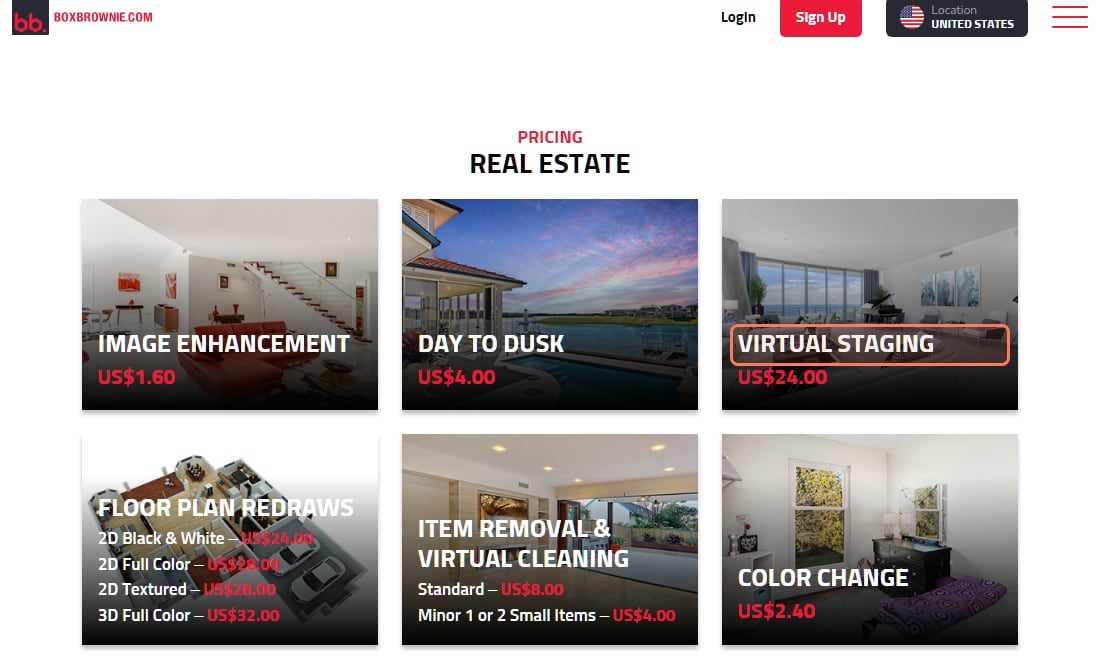
From under a dollar to about $24 a photo, and the price depends on whether a person or an app does the edit. Prices from the vendors' own pages, read November 3, 2026:
BoxBrownie virtual staging (human editors)
Price on the vendor's page
US$24.00 per image, pay as you go
Turnaround it states
Under 48 hours
BoxBrownie day to dusk
Price on the vendor's page
US$4.00
Turnaround it states
Not stated on the pricing page
BoxBrownie item removal and virtual cleaning
Price on the vendor's page
US$8.00 standard, US$4.00 for 1 or 2 small items
Turnaround it states
Not stated on the pricing page
Virtual Staging AI, Basic
Price on the vendor's page
$16 a month billed yearly ($192), 6 photos a month ($2.67 a photo)
Turnaround it states
"10 seconds"
Virtual Staging AI, Standard
Price on the vendor's page
$19 a month billed yearly ($228), 20 photos a month ($0.95 a photo)
Turnaround it states
"10 seconds"
Price on the vendor's page
Turnaround it states
BoxBrownie virtual staging (human editors)
US$24.00 per image, pay as you go
Under 48 hours
BoxBrownie day to dusk
US$4.00
Not stated on the pricing page
BoxBrownie item removal and virtual cleaning
US$8.00 standard, US$4.00 for 1 or 2 small items
Not stated on the pricing page
Virtual Staging AI, Basic
$16 a month billed yearly ($192), 6 photos a month ($2.67 a photo)
"10 seconds"
Virtual Staging AI, Standard
$19 a month billed yearly ($228), 20 photos a month ($0.95 a photo)
"10 seconds"
BoxBrownie's pricing page with the location set to United States, read November 3, 2026. · Screenshot of boxbrownie.com by aliteq
A general AI image tool can also furnish a room from your photo, but you check every output yourself: models like to "fix" windows, floors and room proportions, and that is exactly the edit the rules above prohibit. If you use one, compare each staged image against the original before it goes anywhere. Higgsfield's help center says it "does not claim ownership of your inputs (prompts, reference images, audio) or your outputs" and "does not restrict the use of outputs for commercial purposes", which matters if the image goes into paid ads (page dated Aug 2, 2026, read Nov 3, 2026).
Copy-paste prompts that keep the room real
Every prompt below tells the model what not to change. That's the part that keeps you on the right side of the "permanent features" line.
Staging and enhancement prompts that leave the house as it is
Virtual staging (living room)
Furnish this empty living room in a modern minimalist style: neutral linen sofa, low wood coffee table, a jute rug, one piece of abstract wall art. Keep the existing windows, flooring, and wall color exactly as shown. Photoreal, real estate listing photo lighting.
Virtual staging (bedroom)
Furnish this empty bedroom in a warm, neutral, move-in-ready style: a queen bed with light linen bedding, two matching nightstands, simple curtains that let in natural light. Keep the room's proportions, windows, and flooring unchanged. Photoreal, listing-photo lighting.
Twilight exterior (label it as altered)
Convert this daytime exterior photo into a twilight real estate shot: warm light from the windows, blue-purple dusk sky. Keep the house structure, landscaping, and driveway exactly as shown, no additions or removals.
Sky replacement (label it as altered)
Replace the flat white sky in this exterior photo with a clear blue sky with soft white clouds. Do not alter the house, landscaping, or any other element of the photo.
Declutter counter (label it as altered)
Remove loose countertop clutter (mail, small appliances, dish rack) from this kitchen photo. Keep the cabinets, countertops, appliances, and layout exactly as shown. Do not add or move any fixtures.
30-second voiceover script
Write a warm, professional 30-second real estate voiceover script for a listing video. Property: [beds/baths, sq ft, key feature]. Tone: inviting, not salesy. Mention that some rooms are shown virtually staged. End with a soft call to action to schedule a showing.
Can you use AI for listing videos and voiceovers too?
Yes, and the same rule follows the pictures. Video tools can turn your listing stills into a short walkthrough sized for a portal's video slot, a Reel and a TikTok, and an AI voice can read a script so you don't record it room by room. If a staged photo appears in the video, keep the "virtually staged" label on screen or in the caption and link the originals in the post; California's law speaks of a "digitally altered image" in "an advertisement or other promotional material", and a listing video is promotional material. For the product-photo version of this workflow, see AI for e-commerce.
Yes. The MLSs and laws we checked allow it with disclosure. ARMLS has required a Disclosure of Digitally Altered Images since May 28, 2026, California law has required a label and a link to the unaltered photo since Jan 1, 2026, and NorthstarMLS's proposed guidelines ask for a label plus an unaltered "before" photo. Check your own MLS's rules for the exact format.
Do I have to disclose AI virtual staging in California?
Yes. Business and Professions Code section 10140.8 requires a broker or salesperson using a digitally altered image to advertise a property for sale to add a reasonably conspicuous statement on or next to the image saying it was altered, plus a link, URL or QR code to the original, unaltered image.
Does decluttering or removing trash cans count as altering a photo?
Under California's definition, yes: removing elements counts. ARMLS uses removing "the unsightly trash cans at the end of the driveway" as its own example of an edit that needs the Digitally Altered disclosure.
Do brightness and color fixes need a disclosure?
No. California excludes lighting, sharpening, white balance, color correction, angle, straightening, cropping and exposure adjustments that don't change how the property is represented, and ARMLS says brightness, contrast, color, cropping and sharpening are not considered altered.
Can AI make a room look bigger or add a feature the house doesn't have?
Don't. NorthstarMLS's proposed guidelines prohibit images that depict permanent features or improvements that don't exist, and NAR's Standard of Practice 12-10 bars REALTORS from using misleading images. A disclosure label doesn't fix a misleading photo.
Who is responsible if my photographer or staging service did the edit?
You. California's law covers the broker or salesperson "or person acting on their behalf", and SDMLS says participants remain responsible even when they use third-party vendors, photographers or service providers.
How much does virtual staging cost?
On Nov 3, 2026, BoxBrownie listed human-edited virtual staging at US$24.00 per image with a stated turnaround under 48 hours. Virtual Staging AI's Basic plan was $16 a month billed yearly for 6 photos a month, about $2.67 a photo.
More AI workflows that hold up for small businesses are collected in AI Money.