If a Supabase table has Row Level Security off, anyone with your app's public key can read and write every row. How to check every table in two minutes, the SQL that turns RLS on and keeps it working, and the gotchas Supabase changed this year. Checked on Supabase's and Lovable's own docs, Nov 3, 2026.
Your Lovable or Supabase app is showing every user's data if any table it uses has Row Level Security (RLS) switched off. Supabase's own docs say a table in an exposed schema without RLS "is readable and writable by any role with a grant on it", and the publishable (anon) key inside your app's code is exactly such a role. To stop it: turn RLS on for every table, revoke the default grants your app doesn't need, and add one policy per operation that limits each user to their own rows. Checked against Supabase's and Lovable's docs on Nov 3, 2026.
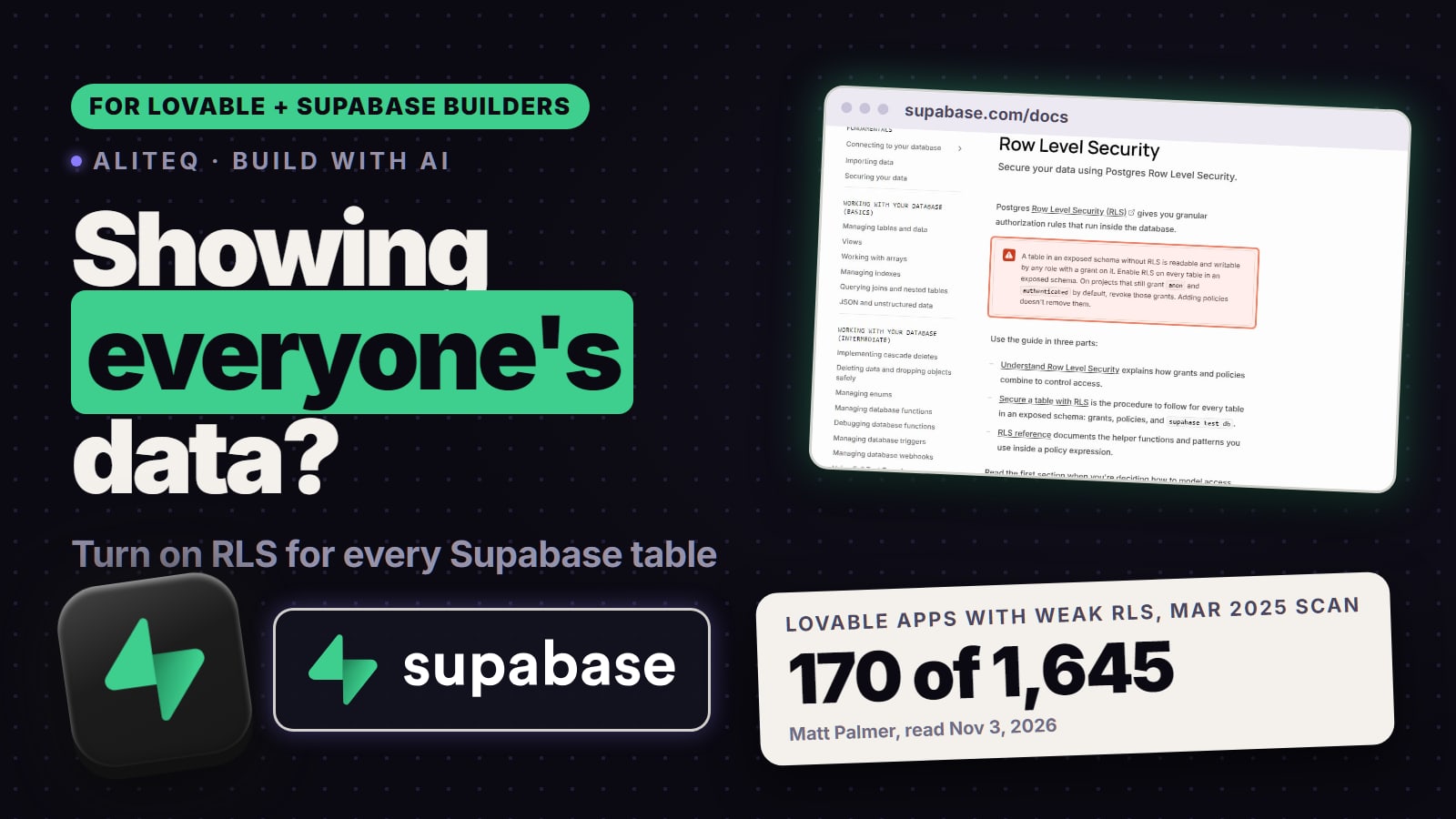
The leaks that made headlines in vibe-coded apps mostly come down to this one setting. In March 2025 a researcher's scan found 170 of 1,645 Lovable apps it checked with inadequate RLS. In January 2026 Wiz found Moltbook's whole Supabase database open for reading and writing (the Moltbook story). It sounds technical. It isn't, once you've seen it, so here's how to check your own app first, then the picture, then the fix.
How do I check if my app is showing everyone's data?
Look at every table, not just the ones you remember making. Three ways, from easiest:
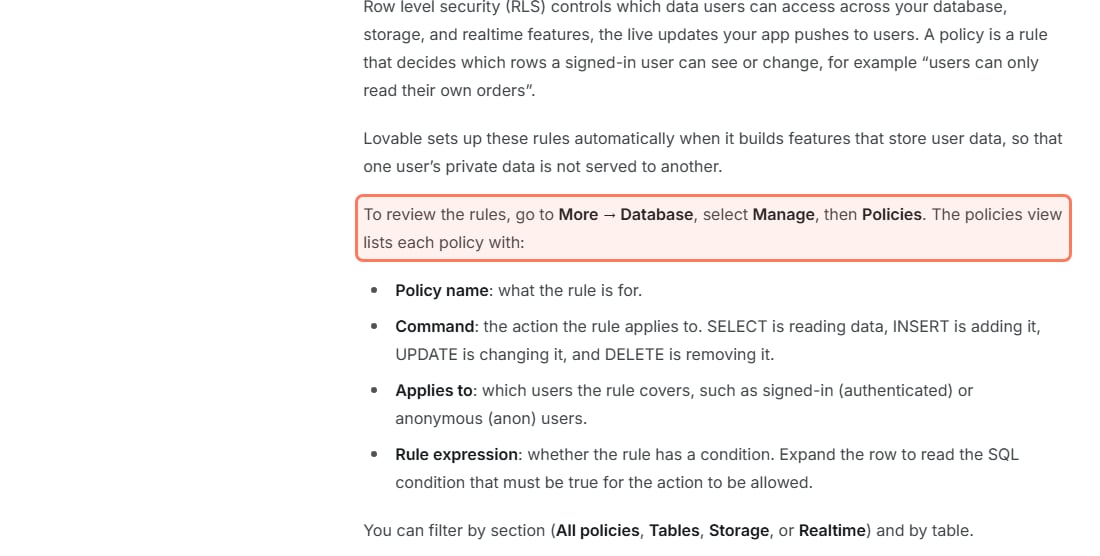
In Lovable: Lovable's docs say: "To review the rules, go to More → Database, select Manage, then Policies." The list shows each policy's name, the command it covers (SELECT, INSERT, UPDATE, DELETE), who it applies to and its rule. A table with no row there has no policy. Lovable's view is read-only; to change a policy, Lovable says to ask in the project chat.
In Supabase: open the Security Advisor. Supabase's Database Advisors page lists the checks it runs, including "rls disabled in public", "rls enabled no policy" and "permissive rls policy". Any table flagged by the first one is open.
With one SQL query: in the Supabase SQL Editor, select tablename, rowsecurity from pg_tables where schemaname = 'public'; lists every table in the public schema. The PostgreSQL docs define rowsecurity as "True if row security is enabled on the table". Any row that says false is a table to fix.
Where Lovable keeps your RLS policies (docs.lovable.dev/features/database-access, read Nov 3, 2026). · Screenshot of docs.lovable.dev by aliteq
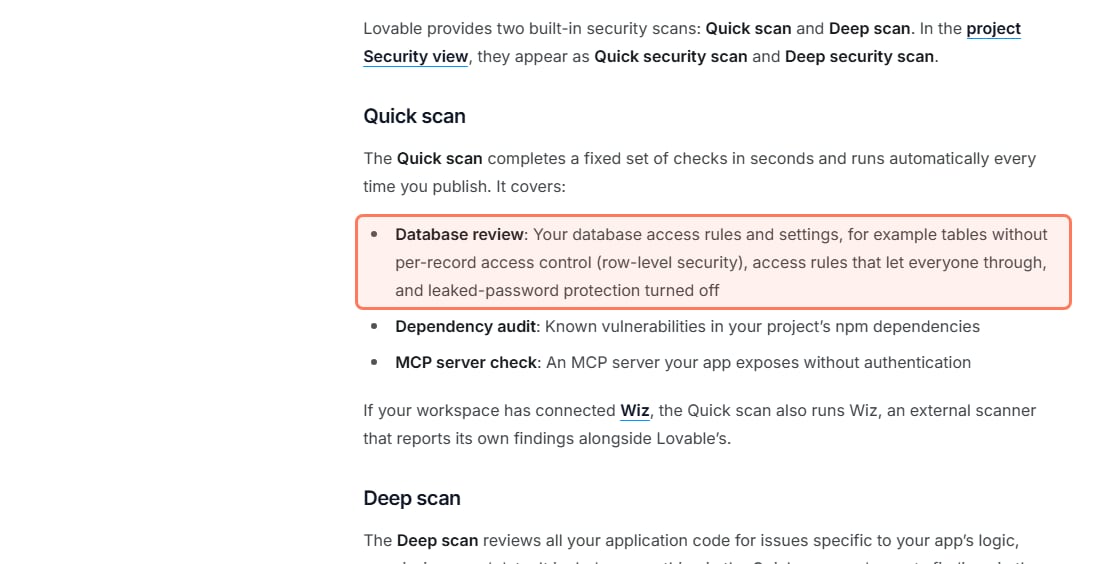
Lovable also checks for this automatically. Its security docs say the Quick scan "runs automatically every time you publish" and its database review looks for "tables without per-record access control (row-level security), access rules that let everyone through". Treat that as a smoke alarm, not a guarantee: Lovable's own docs add that its tools "cannot guarantee complete security", and the researcher behind the 2025 scan wrote that an earlier version of the scanner "merely checks for the existence of any RLS policy, not its correctness". A policy that exists but says using ( true ) passes an existence check and still shows everyone everything.
Lovable's Quick scan includes an RLS check (docs.lovable.dev/features/security, read Nov 3, 2026). · Screenshot of docs.lovable.dev by aliteq
What does "RLS off" look like? Who can see what
Imagine an orders table in a shop app. Ana has two orders, Ben has one. Three people ask the database for "all orders": Ana (signed in), Ben (signed in) and a stranger who isn't signed in but has your app's publishable key, which every visitor's browser has. Tap the toggle to switch RLS on and off.
orders.id
owner
item
total
101
alice
Running shoes
$89
102
bob
Desk lamp
$34
103
alice
Headphones
$149
104
carol
Coffee grinder
$59
105
bob
Monitor arm
$72
RLS is off, so every row is readable with the same public key your app sends to every browser — including Carol's, and she never logged in here. This is the exact state the Moltbook and Lovable incidents were found in.
RLS OFF: everyone asks for all orders
Ana's order #1
Ana (signed in)
Sees it
Ben (signed in)
Sees it
Stranger (publishable key)
Sees it
Ana's order #2
Ana (signed in)
Sees it
Ben (signed in)
Sees it
Stranger (publishable key)
Sees it
Ben's order #1
Ana (signed in)
Sees it
Ben (signed in)
Sees it
Stranger (publishable key)
Sees it
Can they add or change rows?
Ana (signed in)
Yes, if the role has the grant
Ben (signed in)
Yes, if the role has the grant
Stranger (publishable key)
Yes, if the role has the grant
Ana (signed in)
Ben (signed in)
Stranger (publishable key)
Ana's order #1
Sees it
Sees it
Sees it
Ana's order #2
Sees it
Sees it
Sees it
Ben's order #1
Sees it
Sees it
Sees it
Can they add or change rows?
Yes, if the role has the grant
Yes, if the role has the grant
Yes, if the role has the grant
RLS ON, policy "you see your own orders"
Ana's order #1
Ana (signed in)
Sees it
Ben (signed in)
Hidden
Stranger (publishable key)
Hidden
Ana's order #2
Ana (signed in)
Sees it
Ben (signed in)
Hidden
Stranger (publishable key)
Hidden
Ben's order #1
Ana (signed in)
Hidden
Ben (signed in)
Sees it
Stranger (publishable key)
Hidden
Can they add or change rows?
Ana (signed in)
Only if a policy allows it
Ben (signed in)
Only if a policy allows it
Stranger (publishable key)
No
Ana (signed in)
Ben (signed in)
Stranger (publishable key)
Ana's order #1
Sees it
Hidden
Hidden
Ana's order #2
Sees it
Hidden
Hidden
Ben's order #1
Hidden
Sees it
Hidden
Can they add or change rows?
Only if a policy allows it
Only if a policy allows it
No
The app's code asked the same question both times. The database answered differently because of a rule stored on the table. Supabase puts it this way: "Think of a policy as adding a WHERE clause to every query." Ana's request quietly becomes "all orders, where the owner is Ana."
Why is my publishable key not enough protection?
Because the publishable key is meant to be public, and RLS is what makes that safe. In many AI-built apps the browser talks to Supabase directly with that key, instead of going through a server you wrote. Supabase's API keys guide says the publishable key is for "Anything you ship: browser, mobile app, CLI, script" because "Anyone can read it, so it only reaches what Row Level Security allows". Its analogy: "The publishable key is taped to the front door, and it only opens the lobby. The secret key is the master key, and it stays in your pocket." RLS decides what the lobby contains. With RLS off, the lobby is the whole building. More on that key in is a Supabase anon key exposed a problem, and on what "server" and "browser" physically mean in what a backend actually is.
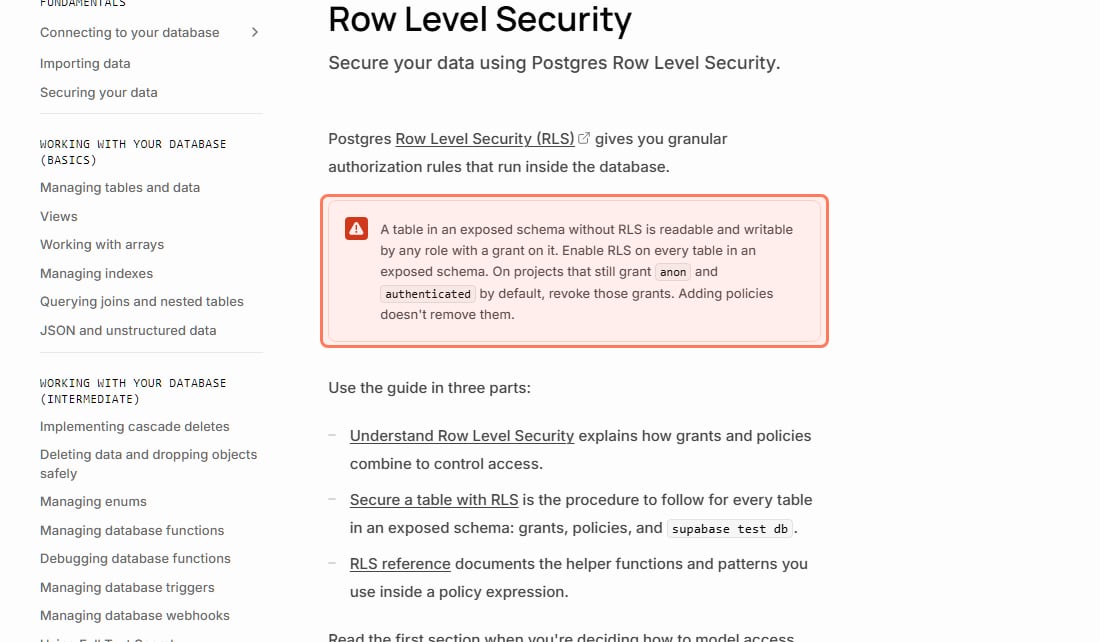
The warning at the top of Supabase's RLS guide (supabase.com/docs/guides/database/postgres/row-level-security, read Nov 3, 2026). · Screenshot of supabase.com by aliteq
Has this really happened to Lovable and Supabase apps?
Yes, more than once, and each time the cause named was missing or weak RLS:
Lovable apps, March 2025. Matt Palmer's write-up says his scan "identified 303 endpoints across 170 projects (approximately 10.3% of the 1645 analyzed) with inadequate RLS settings". It was filed as CVE-2025-48757. The CVE entry notes the finding "is disputed by the Supplier because each individual customer of the Lovable platform accepts a responsibility over protecting the data of their application", which is the point: the settings are yours to check.
Moltbook, January 2026. Wiz Research found a misconfigured Supabase database "allowing full read and write access to all platform data". Wiz's explanation: "without RLS policies, this key grants full database access to anyone who has it." Moltbook secured it within hours with Wiz's help.
More Lovable incidents in 2026. TNW's April 21, 2026 report counts the April exposure of older Lovable projects as "the third documented security incident involving the platform".
How do I turn on RLS in Supabase?
Enable it, set the grants, then write the policies, in that order. Supabase's guide says to run these in the SQL Editor or, better, in a migration so the change is repeatable. This is Supabase's own pattern for a table where each signed-in user manages only their own rows (we use a profiles table; swap in your table name):
-- 1. Turn RLS on
alter table profiles enable row level security;

-- 2. Take back the default grants, give back only what's needed
revoke all on table profiles from anon, authenticated;
grant select, insert, update, delete on table profiles to authenticated;

-- 3. One policy per operation
create policy "Users can view their own profile."
on profiles for select
to authenticated
using ( (select auth.uid()) = user_id );

create policy "Users can create their own profile."
on profiles for insert
to authenticated
with check ( (select auth.uid()) = user_id );

create policy "Users can update their own profile."
on profiles for update
to authenticated
using ( (select auth.uid()) = user_id )
with check ( (select auth.uid()) = user_id );

create policy "Users can delete their own profile."
on profiles for delete
to authenticated
using ( (select auth.uid()) = user_id );
In plain English: on this table, for signed-in users only, read, add, change and delete only the rows whose user_id is the person asking. Supabase's docs say auth.uid() "Returns the ID of the user making the request." The with check part stops a user creating or editing a row so it belongs to someone else.
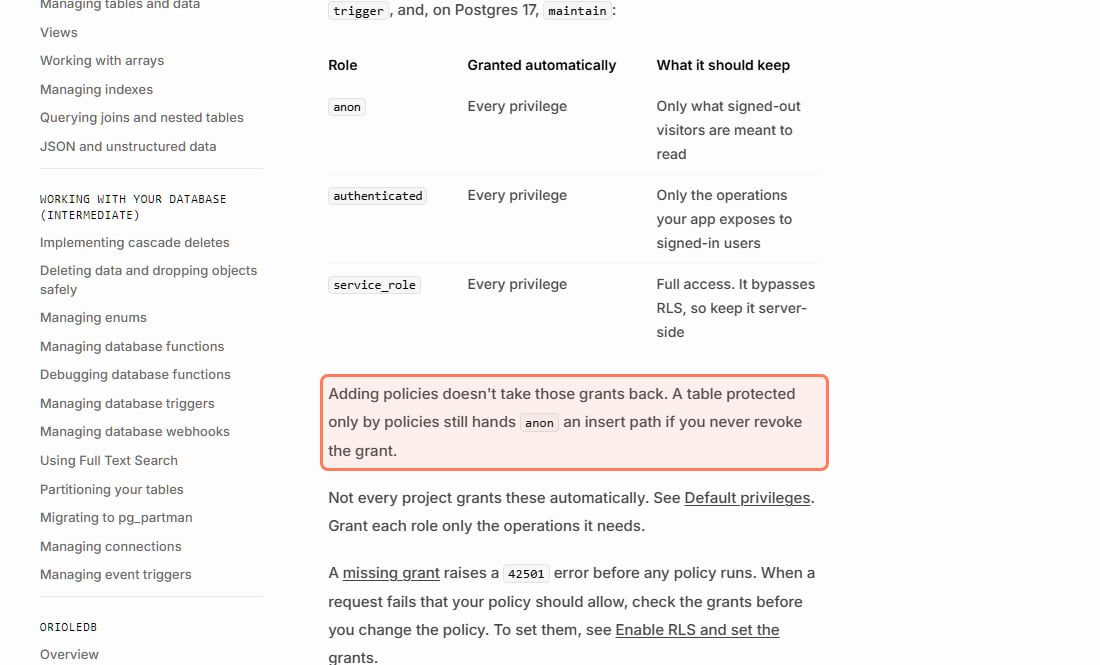
Why step 2? Supabase's RLS guide says that on existing projects, a new table in public "starts with every privilege already granted" to the anon, authenticated and service_role roles, and that "Adding policies doesn't take those grants back. A table protected only by policies still hands anon an insert path if you never revoke the grant." Supabase's changelog says that from Oct 30, 2026, new tables on existing projects need an explicit grant, but tables you already have keep theirs, so the revoke still matters for them.
Grants and policies are two separate locks (supabase.com/docs/guides/database/postgres/row-level-security, read Nov 3, 2026). · Screenshot of supabase.com by aliteq
If you built with Lovable, you don't have to type this. Lovable's docs say it "sets up these rules automatically when it builds features that store user data", and to change one you ask in the project chat, for example "Only allow users to see their own invoices." Then go back to the Policies view and read what it wrote.
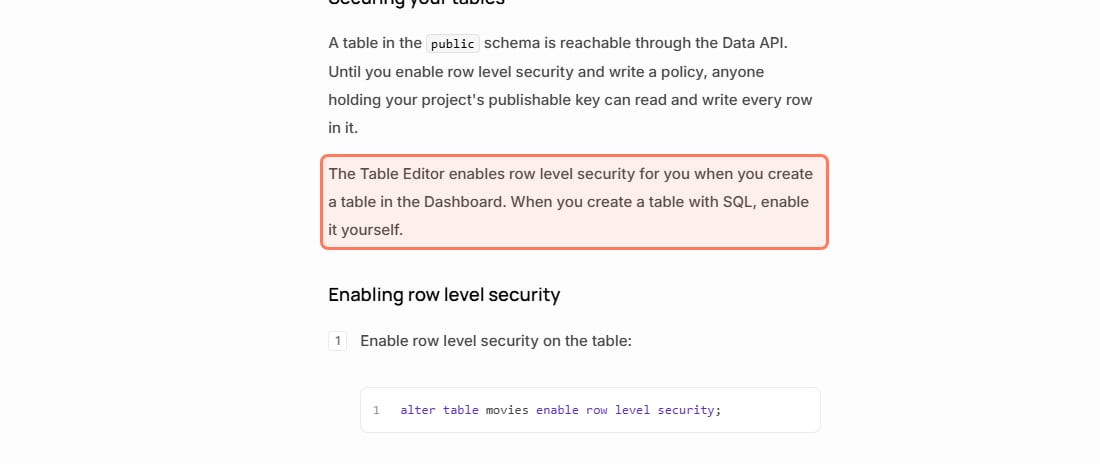
If you made a table in Supabase's dashboard, RLS may already be on. Supabase's Tables guide says: "The Table Editor enables row level security for you when you create a table in the Dashboard. When you create a table with SQL, enable it yourself." AI tools usually create tables with SQL, so check.
Tables made with SQL, which is how most AI tools make them, need RLS switched on by hand (supabase.com/docs/guides/database/tables, read Nov 3, 2026). · Screenshot of supabase.com by aliteq
Why did my app break when I turned RLS on?
Because RLS on with no policy means nobody gets anything. Supabase: "Once RLS is enabled, no data is accessible through the API when using a publishable key, until you create policies." Your app isn't broken; it's locked, and the policies above are the keys. If saving now fails with "new row violates row-level security policy", you're missing an insert policy or its with check fails; the four causes and their fixes are in that error, explained. If you see "permission denied for table" (code 42501) instead, a grant is missing, and Supabase says to "check the grants before you change the policy".
This is the moment AI tools most often reach for the wrong fix, turning RLS off to make the error go away. Watch for it in the diff, and say no.
The three states a table can be in
RLS off: open. Readable and writable by any role with a grant, per Supabase. The dangerous one.
RLS on, no policies: locked. Safe, but your app looks broken until you add policies.
RLS on, with policies: the goal. Each policy says who can do what, for example "signed-in users can read their own rows" or "anyone can read published announcements".
If a policy your tool writes says using ( true ) on private data, that means "everyone". Supabase says a policy that reads to anon with using ( true ) "grants every unauthenticated visitor read access to every row the role can already reach through grants. Use it only for data that is meant to be public."
What else can still leak with RLS on?
The secret key ignores RLS. Supabase's secret (formerly service_role) keys "provide full access to your project's data, bypassing Row Level Security." They belong only on a server. See your API keys are in the browser.
Views can skip it. Supabase: "Views bypass RLS by default because they are usually created with the postgres user." On Postgres 15 and above, create views with (security_invoker = true) so they obey the table's policies.
Signed-out users fail silently. auth.uid() returns null when nobody is signed in, so a policy comparing it to user_id returns nothing for them. Supabase suggests writing auth.uid() IS NOT NULL AND auth.uid() = user_id to make the intent clear.
Don't build rules on user metadata. Supabase warns that a policy relying on the user_metadata claim "can create security issues in your application as this information can be modified by authenticated end users."
New tables start fresh. Every table your AI adds later needs RLS too. Supabase's event-triggers guide shows a trigger that runs "ALTER TABLE ... ENABLE ROW LEVEL SECURITY on each newly created table"; ask your tool to set it up. Separately, Supabase's changelog (Apr 28, 2026) says new public tables stop being exposed to the Data API automatically: the default for new projects from May 30, 2026, and enforced on existing projects from Oct 30, 2026. But "Existing tables are not affected": tables you already have keep their grants and stay reachable.
Quick answers
How do I know if my Supabase app is showing everyone's data?
Run Supabase's Security Advisor and look for the "RLS disabled in public" check, or run select tablename, rowsecurity from pg_tables where schemaname = 'public' in the SQL Editor. Any table with RLS off is readable and writable by any role with a grant on it, which includes the publishable key in your app.
How do I turn on RLS in Supabase?
Run alter table your_table enable row level security, revoke the anon and authenticated grants your app doesn't need, then create one policy per operation (select, insert, update, delete), usually limiting rows to where user_id equals auth.uid(). Tables made in the Dashboard's Table Editor get RLS on automatically; tables made with SQL don't.
Does Lovable turn on RLS for me?
Lovable's docs say it sets up RLS rules automatically when it builds features that store user data, and its Quick scan checks for tables without RLS on every publish. Review them under More, Database, Manage, Policies, and ask in the chat to change one. Check the rules say what you mean; a rule that lets everyone through still counts as a policy.
Why did my app stop showing data when I turned RLS on?
With RLS on and no policies, Supabase says no data is accessible through the API with the publishable key. Add policies for what each user should see. Don't switch RLS back off to make the error go away.
Is it safe that my Supabase key is in my website's code?
The publishable (anon) key, yes, if RLS is on with sensible policies on every table: Supabase says it only reaches what RLS allows. The secret (service_role) key, never: it bypasses RLS completely and belongs only on a server.
What does RLS actually do?
It attaches rules to a table that decide, row by row, who can read or change each row. Supabase describes a policy as adding a WHERE clause to every query, so a signed-in user asking for all orders only gets their own.
This page has no affiliate links or sponsored placements. Security advice is only useful if nobody's paying for it. We quote Supabase's and Lovable's docs as read on Nov 3, 2026; the SQL is adapted from Supabase's own examples, and we didn't run it on a test project for this page. It isn't a substitute for a security review: if your app holds other people's personal data, payments or health information, have a developer or a security professional look at it before launch.
Use this in your own page
Teaching this? Paste the live version into your course, blog or answer. Free, no sign-up; the credit line links back here.