It means Row Level Security is on and no policy lets this write through. The four things that cause it in Lovable, Bolt and hand-built Supabase apps, the exact SQL that fixes each one, and why "just disable RLS" is the wrong answer. Checked against Supabase's own docs on Nov 3, 2026.
"new row violates row-level security policy" means Row Level Security (RLS) is switched on for that table and no policy allows the row you just tried to write. Your app isn't broken: the database is refusing a write it was never told to allow. The fix is to add the right policy (usually an INSERT policy with a WITH CHECK that says the row belongs to the signed-in user), and sometimes a matching SELECT policy. The fix is never to turn RLS off. Re-checked against Supabase's own docs and the PostgreSQL docs on Nov 3, 2026.
If you pasted new row violates row-level security policy for table "…" into Google, you're almost certainly on Supabase. You may be using it directly, or through a tool like Lovable or Bolt that set Supabase up for you. The error means your security is working. The fix many forum answers reach for, "just disable RLS", turns a working lock into an open door. Below: what the error means, how to tell which of the four causes you have, and the SQL for each, all checked on Supabase's pages on Nov 3, 2026.
What does "new row violates row-level security policy" mean?
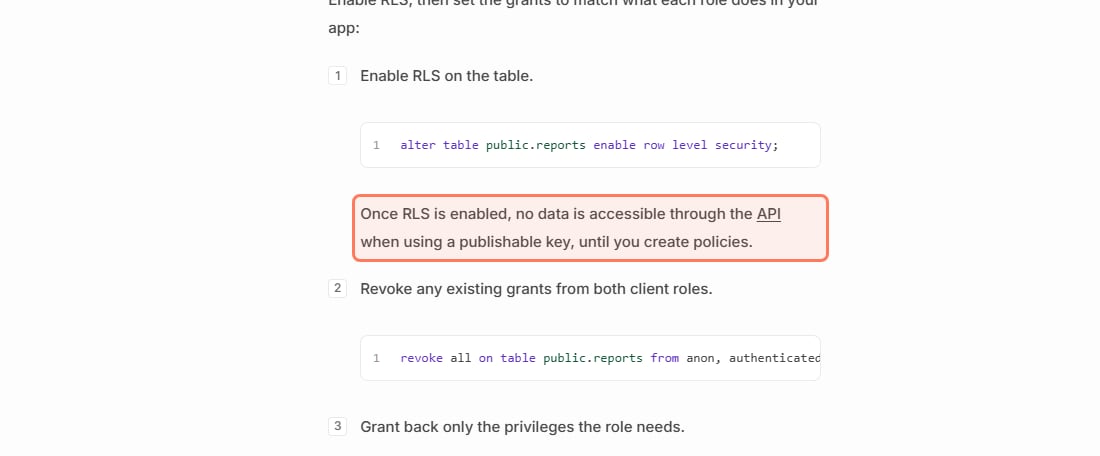
Row Level Security is a set of rules on a table that decide which rows each user may read or change. Supabase's guide is plain about what switching it on does: "Once RLS is enabled, no data is accessible through the API when using a publishable key, until you create policies." So the moment RLS is on, the table is closed by default. Every read and write from your app is refused until a policy allows it.
The error shows up when you write a row (an insert, an update or an upsert) and no policy says that write is allowed. Supabase's guide lists "A with check violation" as one of the denials that "raises 42501", which is why the error object your app gets back carries the code 42501. The whole idea, drawn out, is in Row Level Security explained.
Supabase's Row Level Security guide, read Nov 3, 2026. Turning RLS on closes the table until you add policies. · Screenshot of supabase.com by aliteq
Why did it start right after I (or my AI tool) turned on RLS?
Enabling RLS and writing policies are two separate steps. The first closes the door; the second hands out keys. AI builders, tutorials and security checklists all tell you to turn RLS on, which is right. But if nobody also wrote an INSERT policy, every insert from your form now bounces. Nothing about your form changed. The table's default flipped from open to closed.
Which of the four causes do I have?
Work down this list. Most people stop at the first or second.
There is no INSERT policy at all. Open your Supabase dashboard, go to the table's policies and look for one whose command is INSERT. If the table only has a SELECT policy, reads work and every insert fails. (Updates need their own UPDATE policy the same way.)
There is an INSERT policy, but its WITH CHECK fails for this row. The usual check is (select auth.uid()) = user_id. It fails when your code doesn't send user_id, sends a different value, or when the user isn't signed in. Supabase maps a signed-out request to the anon role ("an unauthenticated request (the user is not signed in)"), so a policy written to authenticated never applies to it.
Your code chains .select() after the insert, and no SELECT policy covers the new row. Supabase's JavaScript reference says: "By default, inserted rows are not returned. To return it, chain the call with .select()." Reading the row back needs a SELECT policy. The PostgreSQL docs say that when a write returns rows, "any newly inserted or updated rows from the relation must satisfy the relation's SELECT policies", and "If a newly inserted or updated row does not satisfy the relation's SELECT policies, an error will be thrown". AI tools write .insert(...).select() all the time, so this one is common.
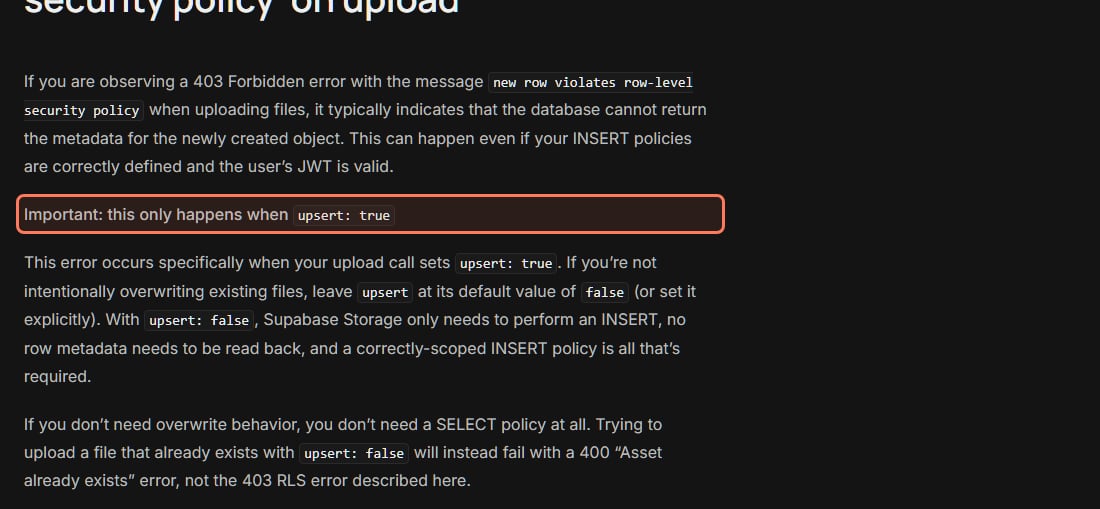
It's a file upload to Supabase Storage with upsert: true. Supabase's troubleshooting note says, in bold, "this only happens when upsert: true". It explains that with upsert the upload runs "as an INSERT ... ON CONFLICT operation followed by a RETURNING * clause", and "If a SELECT RLS policy is missing or does not cover the object being uploaded" the whole upload fails with a 403. It adds that this "can happen even if your INSERT policies are correctly defined".
How do I fix it?
Pick the fix that matches your cause. All of them keep RLS on. Run the SQL in your project's SQL Editor and swap todos for your table name.
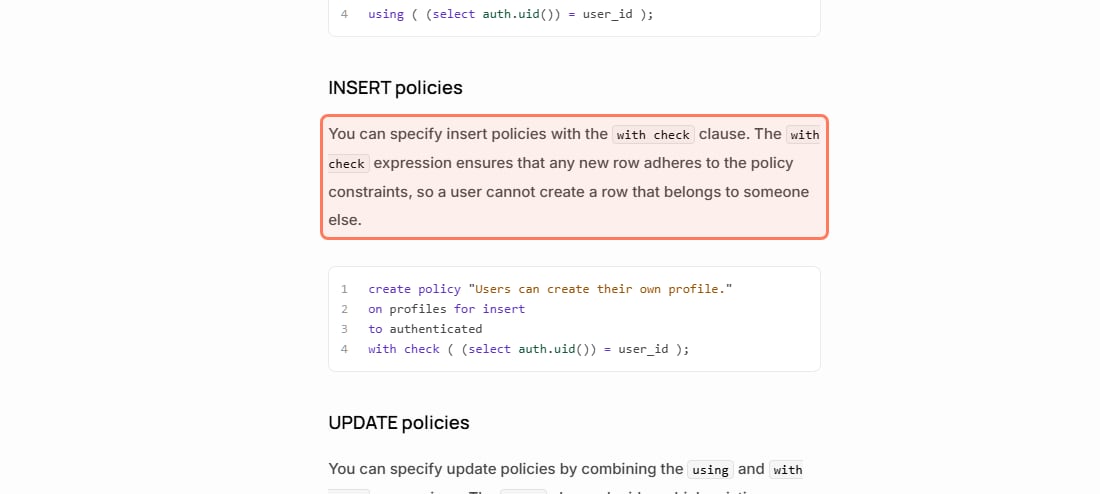
Fix for cause 1: add an INSERT policy. Supabase's guide: "You can specify insert policies with the with check clause. The with check expression ensures that any new row adheres to the policy constraints, so a user cannot create a row that belongs to someone else." Its example, applied to a todos table:
create policy "Users can create their own todos."
on todos for insert
to authenticated
with check ( (select auth.uid()) = user_id );
That reads: a signed-in user may insert a row only if the row's user_id is their own ID.
Supabase's own INSERT policy example, Row Level Security guide, read Nov 3, 2026. · Screenshot of supabase.com by aliteq
Fix for cause 2: make sure the row passes the check. First confirm the user is really signed in when the insert runs (log the session in your app before the call). Then make sure the insert sends a user_id that equals the signed-in user's ID. Many apps let the database fill it in, so the app can't send a wrong value:
alter table todos alter column user_id set default auth.uid();
With that default in place, your app can leave user_id out of the insert and the policy still passes for the signed-in user.
Fix for cause 3: add a SELECT policy so the user can read their own rows. This is the select example from Supabase's guide:
create policy "Individuals can view their own todos."
on todos for select
to authenticated
using ( (select auth.uid()) = user_id );
If you don't need the new row back, you can also drop the .select() from the insert call instead.
Fix for cause 4 (Storage uploads): turn off upsert, or add a SELECT policy on storage.objects. Supabase's note gives both options. If you aren't overwriting files on purpose, set upsert: false, or leave it out, because false is the default. In Supabase's words: "No SELECT policy is required." If you do need to overwrite, "keep upsert: true and add a SELECT policy on storage.objects that mirrors your INSERT policy, so the authenticated user can read back the object they just wrote."
Supabase's Storage troubleshooting note, read Nov 3, 2026. The upload version of this error only happens with upsert set to true. · Screenshot of supabase.com by aliteq
Can I just disable RLS or use the secret key instead?
No to both, at least not in anything that runs in the browser.
Disabling RLS. Supabase's guide opens with a warning: "A table in an exposed schema without RLS is readable and writable by any role with a grant on it." Your publishable key ships inside your app where anyone can read it, so a table without RLS is open to anyone who opens your site's code. That's the Moltbook mistake (a public key and no RLS), told in full in the Moltbook exposure.
Using the secret key. Supabase's API keys guide says the secret key "bypasses Row Level Security, so it must never leave your control". It belongs in servers and Edge Functions, never in front-end code. And even on a server it may not make the error go away: Supabase notes that "A secret key bypasses RLS only when the request carries no user access token." If a user's session reaches that client (common with server-side rendering helpers), the request runs under that user's policies, and the error comes back.
Is this the same as "permission denied for table"?
No, though both come back as code 42501. "Permission denied for table" means the role has no grant on the table, and the database refuses before any policy runs. Supabase's guide puts it this way: "A missing grant raises a 42501 error before any policy runs." Supabase's changelog set Oct 30, 2026 as the date when new tables in the public schema stop getting grants automatically on existing projects. So if you see that error on a table you created recently, read this guide to the permission denied for table error first. "New row violates row-level security policy" means the grant is there and a policy is what's missing.
What should I tell Lovable, Bolt or Cursor?
Don't ask it to "fix the RLS error". It may disable RLS. Ask for the policy, and name your cause. A prompt that works:
Keep Row Level Security enabled on the <table> table. Add an INSERT policy for authenticated users with a WITH CHECK that the new row's user_id equals auth.uid(), and set the user_id column's default to auth.uid(). If the code calls .select() after the insert, also add a SELECT policy so users can read their own rows. Do not disable RLS and do not use the secret key in front-end code.
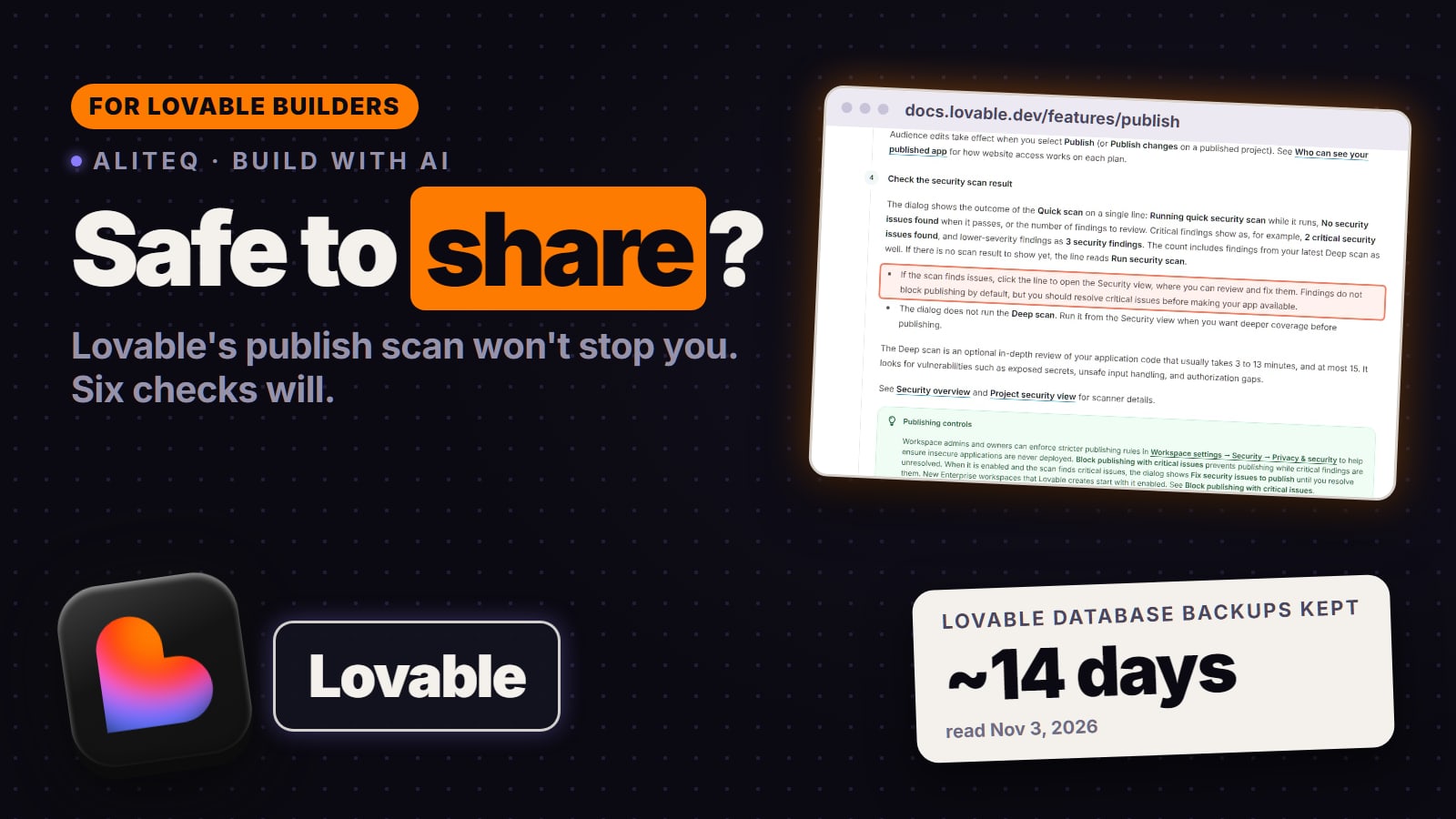
Then open the table's policies in the dashboard and confirm they exist. The step-by-step version, including the lazy using (true) policy that unlocks everything, is in write the RLS policy for my users table. If you build on Lovable or Bolt, their security checks are covered in the Lovable checklist and the Bolt checklist.
What this page doesn't cover
Policies that are too loose. This error is the safe failure. A policy that is wrong in the other direction (for example using (true)) throws no error at all and quietly lets people read rows that aren't theirs.
Teams, shared lists and admin roles. Policies that check membership in another table are a bigger topic. Supabase's guide covers them, and they can loop back on themselves ("infinite recursion detected in policy") if written naively.
Your exact project. Supabase changes defaults over time (the grants change above is one example). If this page and Supabase's docs disagree, trust Supabase's docs and the date on them.
Quick answers
Does "new row violates row-level security policy" mean my app is broken?
No. It means Row Level Security is on for that table and no policy allows the write you sent. The database refuses to save the row until a policy permits it. It's the lock working, not a bug.
What is the error code for "new row violates row-level security policy"?
42501. Supabase's Row Level Security guide lists a WITH CHECK violation as raising 42501. The same code is used for "permission denied for table", which is a missing grant rather than a missing policy.
I added an INSERT policy and it still fails. Why?
Usually one of three things. The row's user_id is empty or doesn't match the signed-in user, the user isn't signed in (so the request runs as anon), or your code calls .select() after the insert and there's no SELECT policy to read the new row back. On Storage uploads, upsert set to true also needs a SELECT policy.
Can I just disable RLS to fix it?
Don't. Supabase's docs say a table without RLS "is readable and writable by any role with a grant on it", and your publishable key is public. Add the missing policy instead.
Will using the secret (service_role) key fix it?
Only on a server, and not always. The secret key must never be in front-end code. Supabase also notes it bypasses RLS only when the request carries no user access token, so a server client that picks up a user's session still hits the policies.
Why does my file upload fail with a 403 and this message?
Supabase says the upload version of this error only happens with upsert set to true. Either set upsert to false (the default) or add a SELECT policy on storage.objects that mirrors your INSERT policy.
This page has no affiliate links or sponsored placements. Security advice is only useful if nobody's paying for it. It isn't a substitute for a security review: if your app holds other people's personal data, payments or health information, have a developer or a security professional look at it before launch.