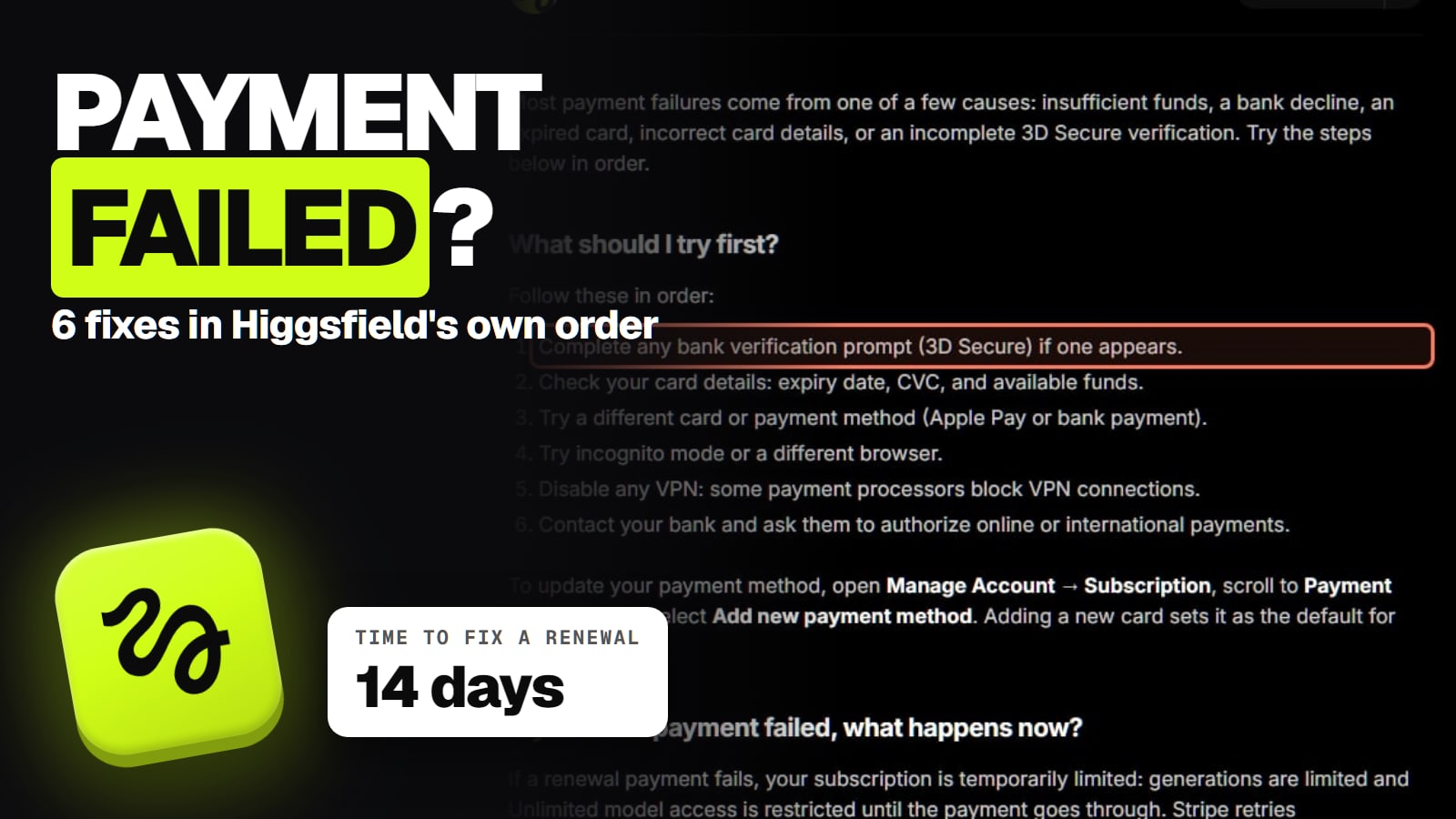
Most failed Higgsfield payments come down to a bank check, a card detail or a VPN, and Higgsfield's help center lists six fixes in the order to try them. Here is each one, what happens to your plan and credits while a renewal is unpaid, how long you have, and when to contact Support instead. Read November 22, 2026.
Your card was declined at checkout, or an email says your Higgsfield renewal didn't go through. Either way the fix is usually on the bank's side or in your browser, not in your Higgsfield account. Work through the steps below in order, and contact Support only if money left your account but the plan didn't arrive.
Why did my Higgsfield payment fail?
Usually because your bank or card stopped it, not Higgsfield. The failed payment article names five causes: "insufficient funds, a bank decline, an expired card, incorrect card details, or an incomplete 3D Secure verification." 3D Secure is the extra check your bank sends, often a code or an approval in your banking app.
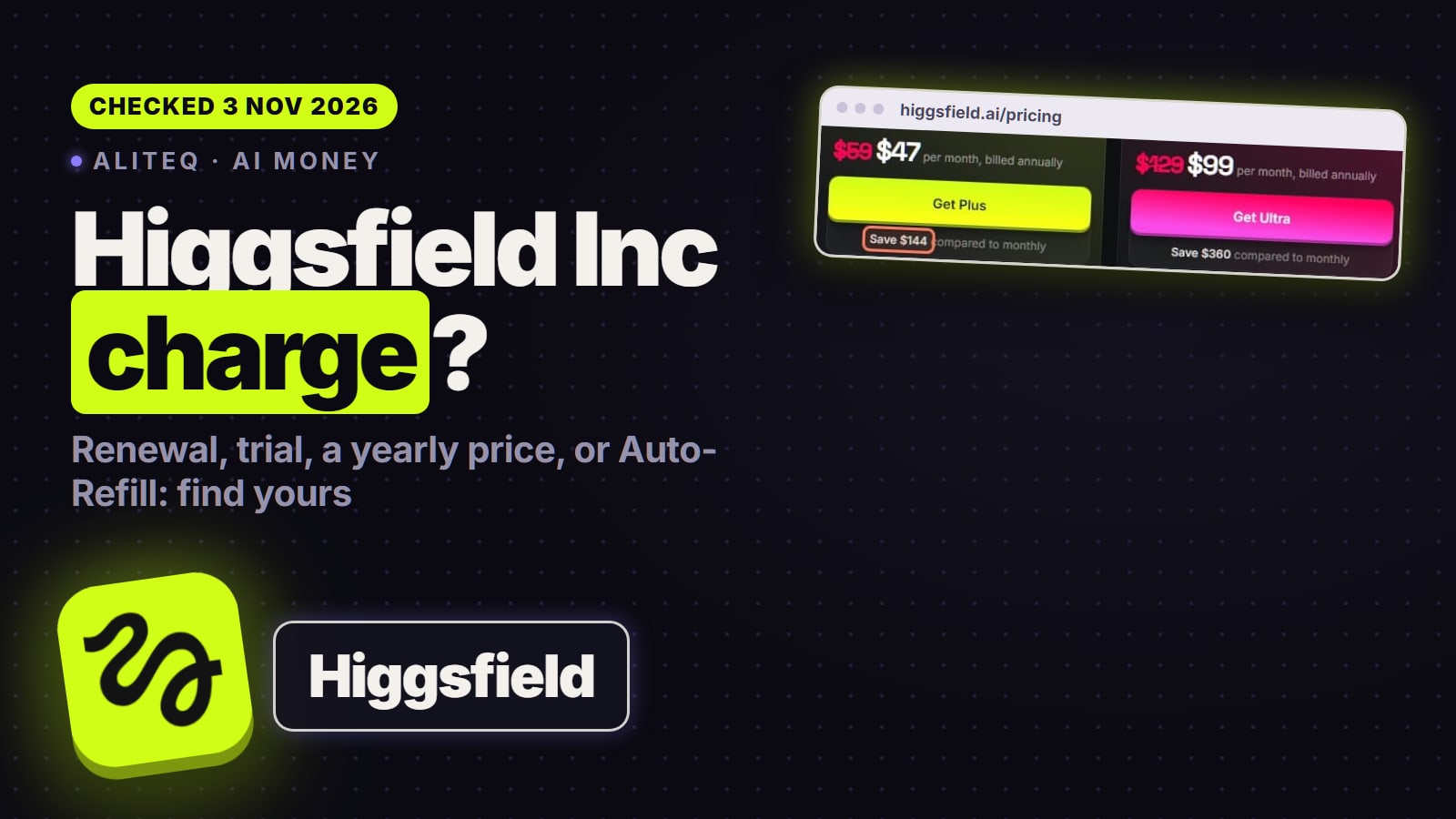
A decline can happen even with money in the account. Higgsfield says "banks can decline transactions for security reasons, regional restrictions, or transaction limits unrelated to your balance." Payments go through Stripe, per Higgsfield's billing article, and asking your bank to allow "online or international payments" is the last fix on Higgsfield's list. Our Higgsfield Inc. charge guide shows what the charge looks like on a statement.
How do I fix a declined Higgsfield payment?
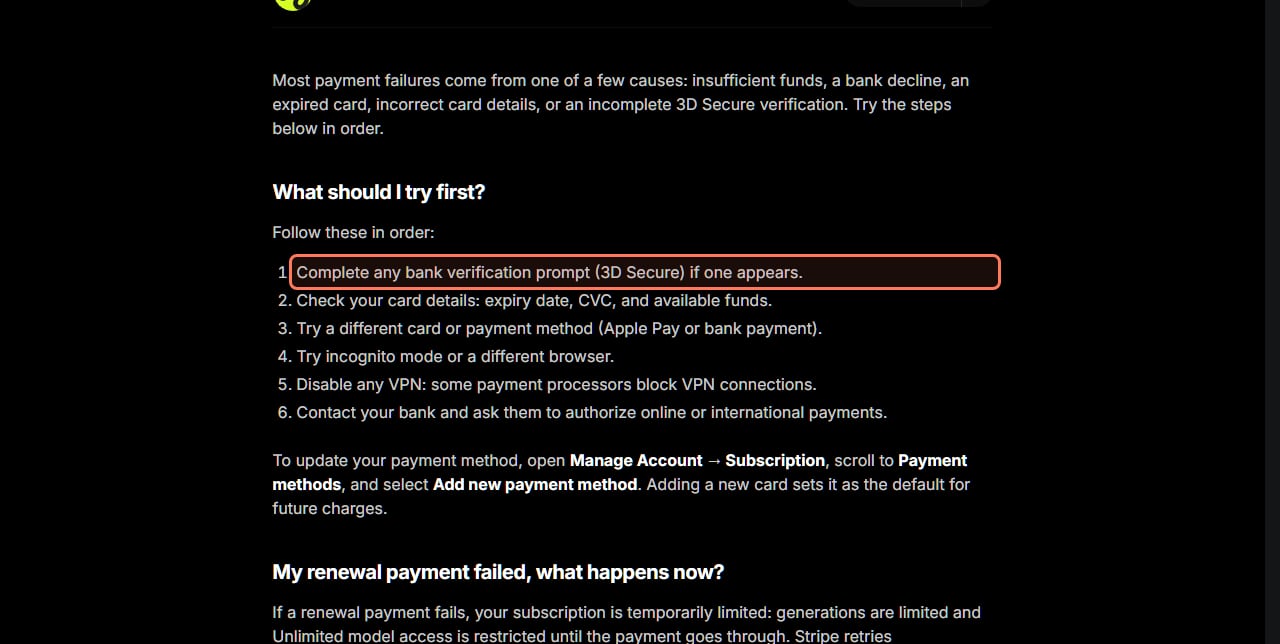
Higgsfield's article says to "follow these in order." Here are its six steps, with the cause each one rules out.
1
What Higgsfield says to do
"Complete any bank verification prompt (3D Secure) if one appears"
What it rules out
An unfinished bank check
2
What Higgsfield says to do
"Check your card details: expiry date, CVC, and available funds"
What it rules out
A typo, an expired card, not enough money
3
What Higgsfield says to do
"Try a different card or payment method (Apple Pay or bank payment)"
What it rules out
A card your bank won't use online
4
What Higgsfield says to do
"Try incognito mode or a different browser"
What it rules out
A browser extension or stored data breaking checkout
5
What Higgsfield says to do
"Disable any VPN: some payment processors block VPN connections"
What it rules out
The VPN location triggering a block
6
What Higgsfield says to do
"Contact your bank and ask them to authorize online or international payments"
What it rules out
A bank rule on overseas or online charges
What Higgsfield says to do
What it rules out
1
"Complete any bank verification prompt (3D Secure) if one appears"
An unfinished bank check
2
"Check your card details: expiry date, CVC, and available funds"
A typo, an expired card, not enough money
3
"Try a different card or payment method (Apple Pay or bank payment)"
A card your bank won't use online
4
"Try incognito mode or a different browser"
A browser extension or stored data breaking checkout
5
"Disable any VPN: some payment processors block VPN connections"
The VPN location triggering a block
6
"Contact your bank and ask them to authorize online or international payments"
A bank rule on overseas or online charges
Higgsfield's six fixes, in its own order. higgsfield.ai/creator-hub/help-center, read November 22, 2026. The outline is ours. · Higgsfield help center, screenshot by aliteq
To change the card, Higgsfield says to "open Manage Account → Subscription, scroll to Payment methods, and select Add new payment method." A new card becomes the default for future charges.
Check that you're using a method Higgsfield accepts. The billing article lists credit and debit cards (Visa, Mastercard, Amex, JCB), Apple Pay on supported devices, and bank payments "where supported by Stripe in your region." It says "PayPal and cryptocurrency are not supported." If the checkout total is higher than the pricing page, that's local tax, which Stripe adds at checkout "based on your billing location."
Look for your bank's 3D Secure prompt, in a text message or your banking app, and approve it.
Re-type the card number, expiry date and CVC, and check the balance or limit.
Switch method: another card, Apple Pay or a bank payment. PayPal and crypto aren't accepted.
Open higgsfield.ai in an incognito window or a different browser.
Turn off your VPN, then try again.
Call your bank and ask it to allow online or international payments to Higgsfield.
My renewal payment failed. What happens to my plan and credits?
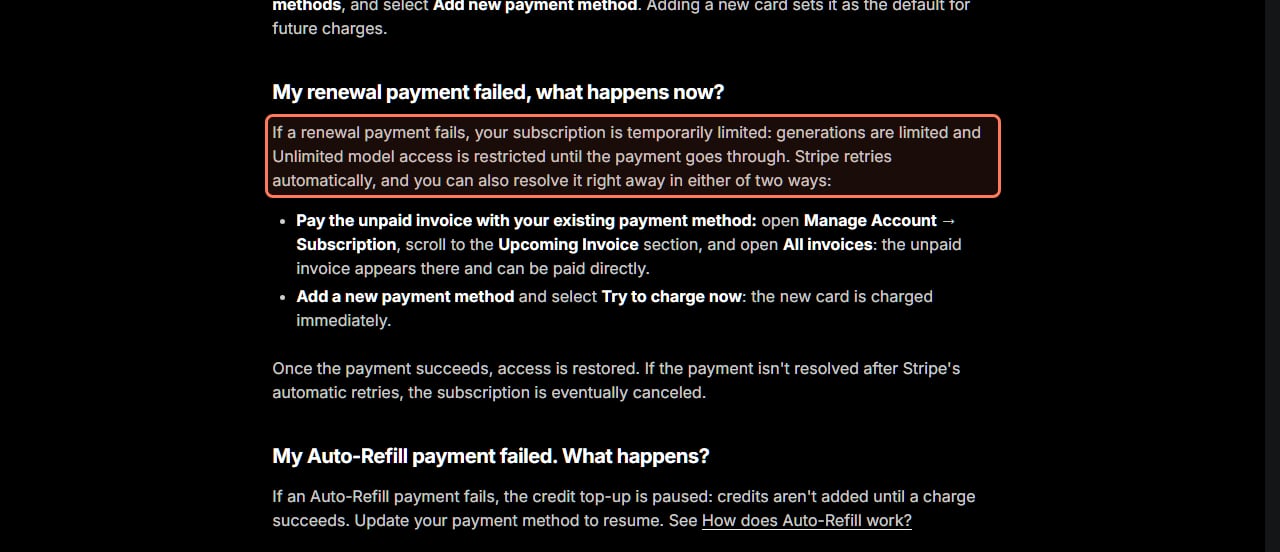
Your plan is limited, not gone, while the renewal is unpaid. Higgsfield's article says: "If a renewal payment fails, your subscription is temporarily limited: generations are limited and Unlimited model access is restricted until the payment goes through." Its credits article adds that "new credits aren't added until payment succeeds," because the subscription enters "a past due state."
Stripe retries the charge on its own, but you don't have to wait. Higgsfield gives two ways to fix it now:
Pay the unpaid invoice with your current card: open Manage Account, then Subscription, scroll to Upcoming Invoice and open All invoices. "The unpaid invoice appears there and can be paid directly."
Add a new card and select Try to charge now: "the new card is charged immediately."
"Once the payment succeeds, access is restored." If it isn't paid after Stripe's retries, "the subscription is eventually canceled." Higgsfield's FAQ puts the window at "typically 14 days from the failed payment, per the Terms of Use," and its renewal article says the same. Higgsfield's advice: "Update your payment method right away rather than waiting for an automatic retry."
What a failed renewal does, and the two ways to fix it now. Higgsfield help center, read November 22, 2026. The outline is ours. · Higgsfield help center, screenshot by aliteq
Paying late doesn't move your billing date. Higgsfield's renewal article says "the renewal date stays tied to the original purchase date."
What each kind of failed payment does
A new subscription at checkout
What happens, per Higgsfield
A plan "activates instantly once payment is confirmed", so without a payment there's no plan yet
What to do
Work through the six fixes, then check out again
A monthly or yearly renewal
What happens, per Higgsfield
Generations limited, Unlimited restricted, no new credits; Stripe retries
What to do
Pay the unpaid invoice or add a card and select Try to charge now, within about 14 days
An Auto-Refill top-up
What happens, per Higgsfield
"The credit top-up is paused: credits aren't added until a charge succeeds"
What to do
Update your payment method to resume
Charged, but the plan isn't active
What happens, per Higgsfield
Higgsfield needs to find the charge
What to do
Contact Support with the payment date and amount; don't buy again
Two charges for the same amount
What happens, per Higgsfield
"Most often one of the two is a temporary authorization hold"
What to do
Wait for the hold to drop; if both are real, contact Support
What happens, per Higgsfield
What to do
A new subscription at checkout
A plan "activates instantly once payment is confirmed", so without a payment there's no plan yet
Work through the six fixes, then check out again
A monthly or yearly renewal
Generations limited, Unlimited restricted, no new credits; Stripe retries
Pay the unpaid invoice or add a card and select Try to charge now, within about 14 days
An Auto-Refill top-up
"The credit top-up is paused: credits aren't added until a charge succeeds"
Update your payment method to resume
Charged, but the plan isn't active
Higgsfield needs to find the charge
Contact Support with the payment date and amount; don't buy again
Two charges for the same amount
"Most often one of the two is a temporary authorization hold"
Wait for the hold to drop; if both are real, contact Support
Is the failed payment email from Higgsfield real?
It can be. Higgsfield says that when a subscription payment fails, it "sends an automated email with a Complete payment button that opens Stripe Checkout," and your subscription is restored automatically once that payment goes through.
What a real email never does is ask for your card. "Higgsfield will never ask for your card details by email. All payments go through Stripe Checkout only." The billing article adds that Support can't take a payment for you either: "Higgsfield staff have no access to your card details and no way to charge your card manually." If you're unsure about an email, skip its button and open higgsfield.ai yourself, then go to Manage Account, then Subscription. Our Higgsfield account help page lists the domains that aren't Higgsfield.
A failed Higgsfield payment in numbers (Nov 22, 2026)
6
Fixes to try
In Higgsfield's own order
5
Usual causes
Funds, decline, expiry, details, 3D Secure
14
Days to fix a failed renewal
Typically, from the failed payment
2
Ways to fix it right away
Pay the invoice, or new card and Try to charge now
When should you contact Higgsfield Support?
When money left your account but nothing arrived, or you were charged twice. For a charge with no active plan, Higgsfield says to send "the payment date and amount: this is enough for the team to locate the charge." The last 4 digits of the card help, "but never share the full card number, expiry, or CVC with anyone. Don't repurchase before the issue is resolved."
Where to send it: Higgsfield's contact page (read Nov 22, 2026) lists support@higgsfield.ai for "billing, refunds, and anything that needs a look at your account," and Discord for product questions. For a double charge, first check All invoices: Higgsfield's accidental charge article says some banks show "a temporary authorization hold alongside the actual charge" that "drops off on its own."
Talk to Support before your bank. Higgsfield's billing article warns: "Contact Support before disputing with your bank: a chargeback can result in permanent account restrictions." If you want your money back rather than the plan, our Higgsfield cancel and refund guide covers the refund window and how to ask.
Where are my Higgsfield invoices?
In Manage Account, then Subscription, then Upcoming Invoice, then All invoices. Higgsfield's invoice article says an invoice is made automatically for "every subscription charge, Credit Pack purchase, and Auto-Refill top-up," each with a Download button. An unpaid renewal shows up in the same list, and that's where you pay it. Invoices are final once issued, so add company details in Billing information before the payment you need them on.
Paying through a partner link or during a sale?
Higgsfield says nothing about sales changing how payments work. If you came to Higgsfield through a partner link, though, timing matters: Higgsfield's affiliate page (read Nov 22, 2026) says everyone who arrives through a partner's link "gets up to 50% off for three hours." It's applied automatically, with no code, so fix a declined card soon rather than the next day. The Higgsfield buttons on this page are that kind of link. Higgsfield's Black Friday sale was also live on November 22, 2026, at up to 63% off billed yearly, with the countdown pointing at midnight UTC on November 23. Our is Higgsfield worth it page compares the plans if you're rethinking which one to pay for.
What we couldn't verify
How often Stripe retries a failed renewal. Higgsfield says it retries automatically but doesn't publish the schedule.
What "generations are limited" means in numbers during a failed renewal. Higgsfield doesn't say.
Whether a failed checkout keeps a partner-link discount past its three hours. Higgsfield doesn't say.
The decline screen itself. We didn't make a failing payment, so we quote Higgsfield's wording instead of showing it.
Support response times for billing. Higgsfield doesn't publish one.
Our verdict
A failed Higgsfield payment is almost always fixed on your side in a few minutes: approve the 3D Secure check, fix the card details, switch to Apple Pay or another card, drop the VPN, or call the bank. If it's a renewal, pay the unpaid invoice yourself instead of waiting for Stripe, because your credits and Unlimited access stay paused until it clears and the plan can end after about 14 days. Contact Support only when money left your account and nothing arrived, and do that before you go to your bank.
Higgsfield's failed payment article names insufficient funds, a bank decline, an expired card, incorrect card details and an incomplete 3D Secure verification. Banks can also decline for security reasons, regional restrictions or limits unrelated to your balance.
How do I change my card on Higgsfield?
Open Manage Account, then Subscription, scroll to Payment methods and select Add new payment method. The new card becomes the default for future charges.
What happens if my Higgsfield renewal fails?
Generations are limited, Unlimited model access is restricted and no new credits are added until the payment goes through. Stripe retries on its own, and you can pay the unpaid invoice in All invoices or add a card and select Try to charge now.
How long do I have to fix a failed Higgsfield payment?
Typically 14 days from the failed payment, per Higgsfield's help center and Terms of Use, before the subscription may be canceled.
Does Higgsfield accept PayPal?
No. Higgsfield's billing article lists cards (Visa, Mastercard, Amex, JCB), Apple Pay and bank payments where Stripe supports them, and says PayPal and cryptocurrency are not supported.
Is the Higgsfield failed payment email a scam?
A real one has a Complete payment button that opens Stripe Checkout. Higgsfield says it never asks for card details by email. If in doubt, go to higgsfield.ai directly and open Manage Account, then Subscription.
Higgsfield sales like 11.11 and Black Friday change prices for a few days at a time. When one starts, we read the real prices on Higgsfield's own page and email you what changed.
Written and sent by hand. One-click unsubscribe in every email. Emails may contain referral links.