Higgsfield's own help center gives the route in six steps, from picking Image or Video to clicking Generate. Here is each step, the model Higgsfield itself suggests for beginners, what one image or clip costs in credits, and what changes on the free plan. Read November 22, 2026.
You've heard Higgsfield makes cinematic clips and photo-real images, and you want to see one of your own. The good news is that the route to a first result is short. The catch is credits: even the free plan charges them, so it pays to know what your first try costs before you click.
Step 1. Create a free Higgsfield account
Go to higgsfield.ai, select Sign up, and continue with Google, Apple, Microsoft or email. Higgsfield's sign-up article (read Nov 22, 2026) says email sign-ups get "a 6-digit verification code to complete registration", that Higgsfield "is available to users aged 18 and over", and that "every new account starts on the free plan."
Use the real site. Our Higgsfield login guide lists the look-alike domains that aren't Higgsfield and what to do if sign-in fails. Each account needs its own email, and the email can't be changed later, so pick the one you'll keep.
Steps 2 to 6. Make your first generation
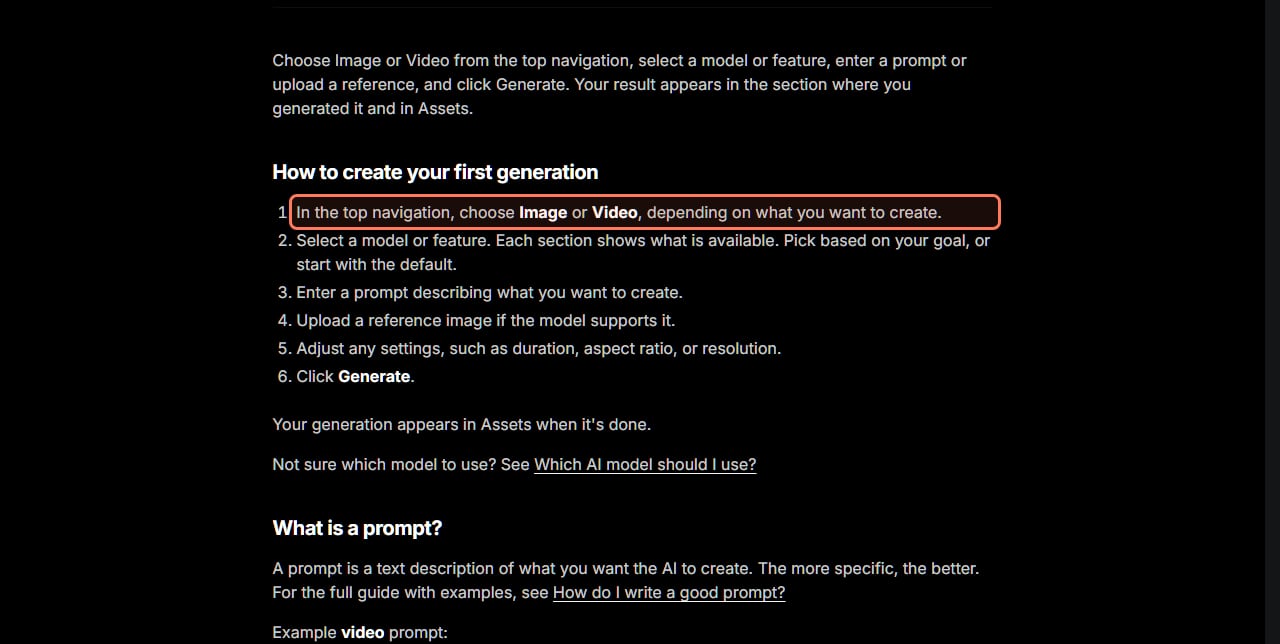
Higgsfield's first generation article, dated July 30, 2026 and read November 22, gives the whole route in one line: "Choose Image or Video from the top navigation, select a model or feature, enter a prompt or upload a reference, and click Generate." Here are its six steps in order.
In the top navigation, choose Image or Video, depending on what you want to create.
Select a model or feature. Higgsfield says each section shows what's available: pick based on your goal, or start with the default.
Enter a prompt describing what you want to create. Higgsfield's rule: the more specific, the better.
Upload a reference image if the model supports it. Optional, and a good way to keep a product or face looking right.
Adjust any settings, such as duration, aspect ratio or resolution. These change the credit cost, so set them before you look at the price.
Click Generate. Read the credit cost on the button first; your result appears in Assets when it's done.
Higgsfield's own six steps, from higgsfield.ai/creator-hub/help-center, read November 22, 2026. The outline is ours. · Higgsfield help center, screenshot by aliteq
How long does it take? "Usually a few minutes," the article says. "Images are usually faster, while video can take longer, especially at higher resolutions." If a job sits there far longer, our Higgsfield slow or stuck guide covers what Higgsfield says to do, and our error messages guide decodes the failure messages.
Which model should you pick for your first try?
Start with the one Higgsfield itself points beginners to. Its model guide (dated Aug 1, 2026, read Nov 22) answers "Which model is best for beginners?" directly: "Soul for images if you want the signature Higgsfield look, or Nano Banana for fast results with straightforward prompts. For video, Seedance is the most forgiving starting point."
You don't have to choose a version number. Higgsfield says to "start with the family that matches your goal, and Higgsfield uses the latest available version within it." Model availability depends on your plan, so a model your plan doesn't include shows a prompt to upgrade.
A first image with the Higgsfield look
Higgsfield's suggested family
Soul
What Higgsfield says it's for
"fashion, aesthetics, and cinematic visuals", and character consistency
Credits on the pricing page (Nov 22, 2026)
Soul 2.0, 0.12 credits an image
A fast first image
Higgsfield's suggested family
Nano Banana
What Higgsfield says it's for
"speed and reference control"
Credits on the pricing page (Nov 22, 2026)
Nano Banana Pro, 2 credits an image (4K: 4)
An image with readable text
Higgsfield's suggested family
GPT Image
What Higgsfield says it's for
"text rendering and precise color"
Credits on the pricing page (Nov 22, 2026)
GPT Image 2.6, 1.75 credits an image
A first video with real-looking people
Higgsfield's suggested family
Seedance
What Higgsfield says it's for
"The most forgiving starting point" for video
Credits on the pricing page (Nov 22, 2026)
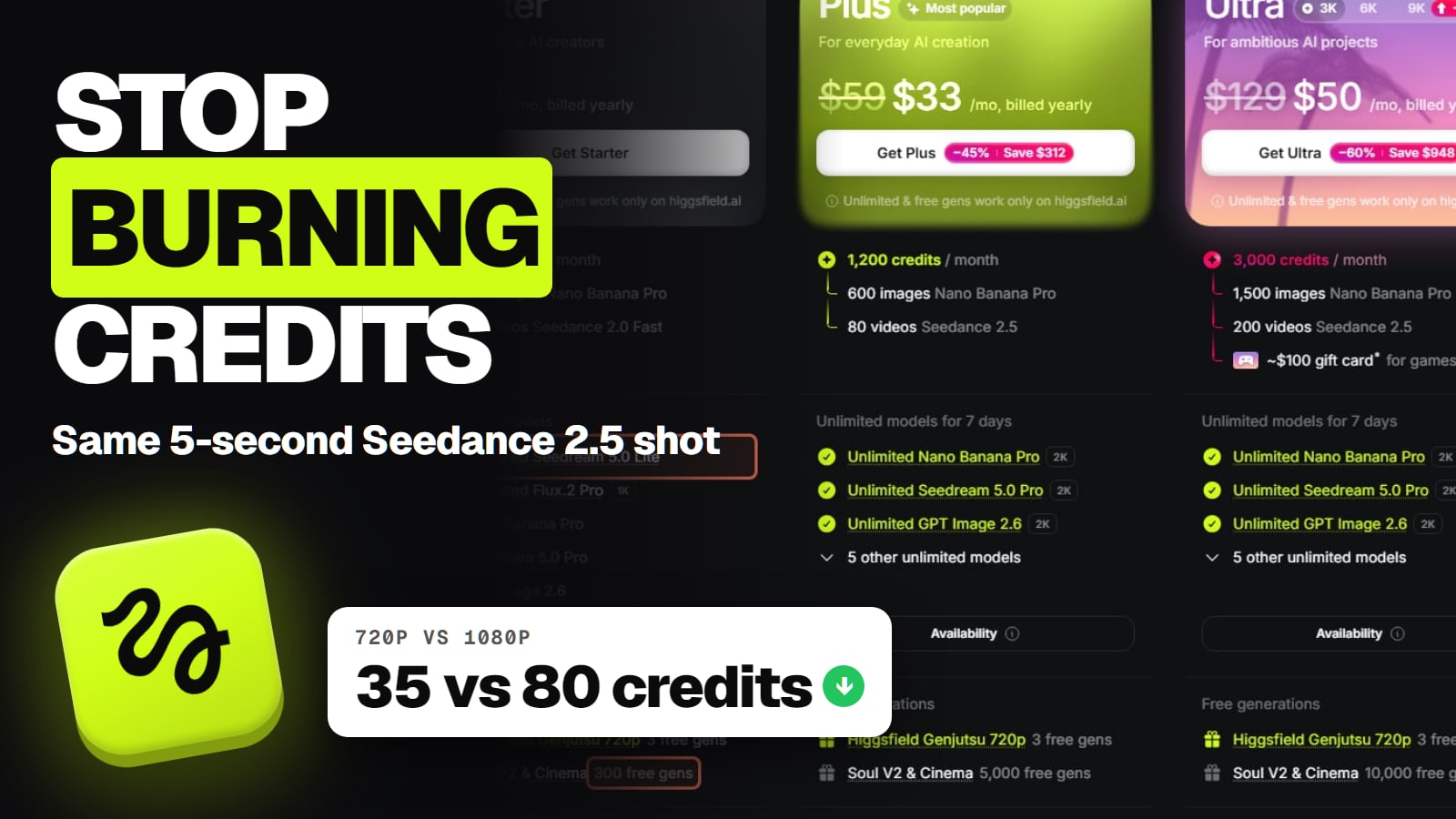
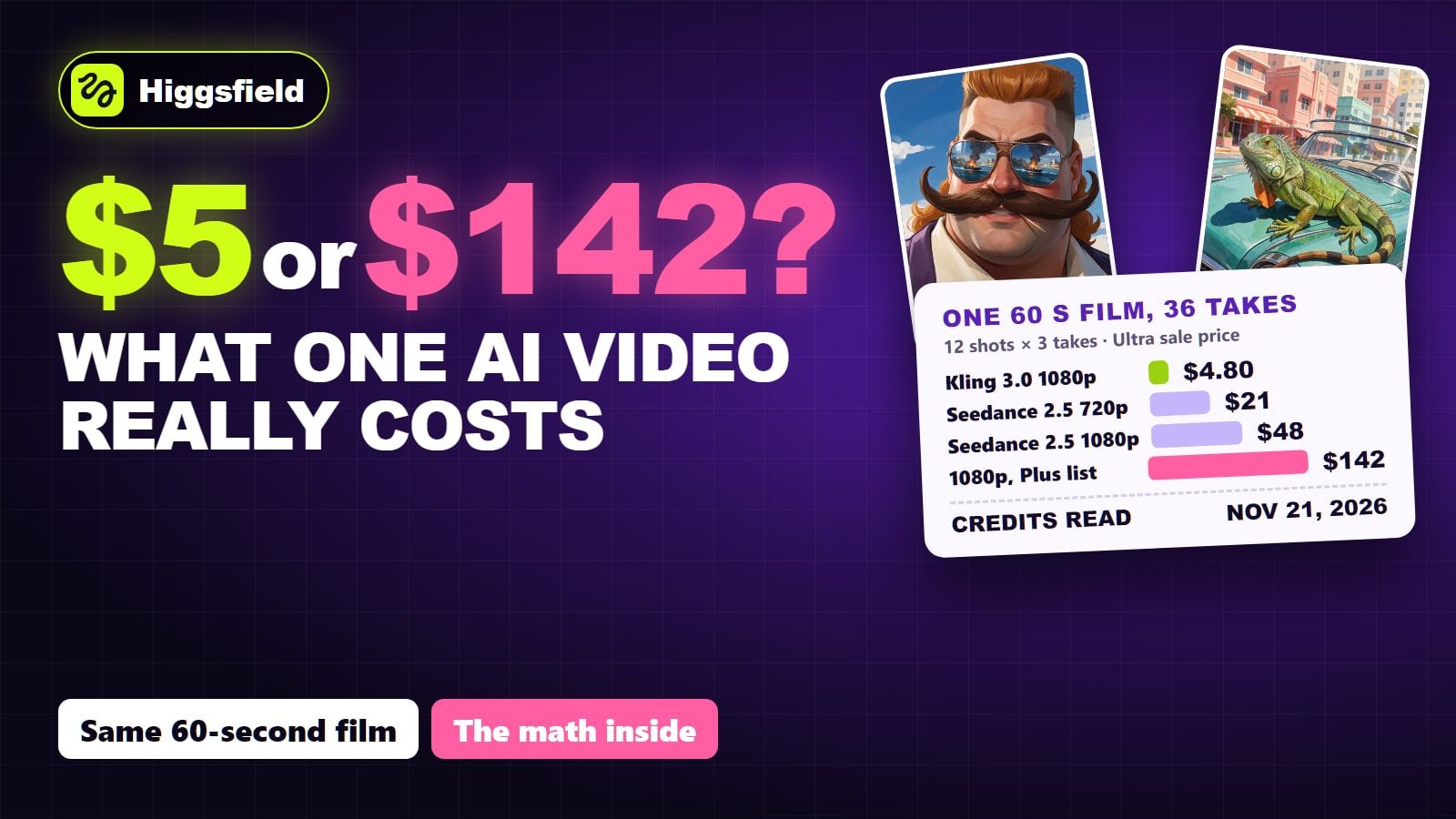
Seedance 2.0 Fast 720p, about 12 credits per 5 s; Seedance 2.5 720p, 35
A longer or more cinematic clip
Higgsfield's suggested family
Kling
What Higgsfield says it's for
"longer clips, multi-shot continuity"
Credits on the pricing page (Nov 22, 2026)
Kling 3.0 720p, about 7 credits per 5 s
Higgsfield's suggested family
What Higgsfield says it's for
Credits on the pricing page (Nov 22, 2026)
A first image with the Higgsfield look
Soul
"fashion, aesthetics, and cinematic visuals", and character consistency
Soul 2.0, 0.12 credits an image
A fast first image
Nano Banana
"speed and reference control"
Nano Banana Pro, 2 credits an image (4K: 4)
An image with readable text
GPT Image
"text rendering and precise color"
GPT Image 2.6, 1.75 credits an image
A first video with real-looking people
Seedance
"The most forgiving starting point" for video
Seedance 2.0 Fast 720p, about 12 credits per 5 s; Seedance 2.5 720p, 35
It costs credits, even on the free plan. Higgsfield's credits article (read Nov 22, 2026) says every generation "costs a certain number of credits depending on the model, resolution, and duration, and the exact cost is shown on the Generate button before you confirm." Browsing is free; generating isn't.
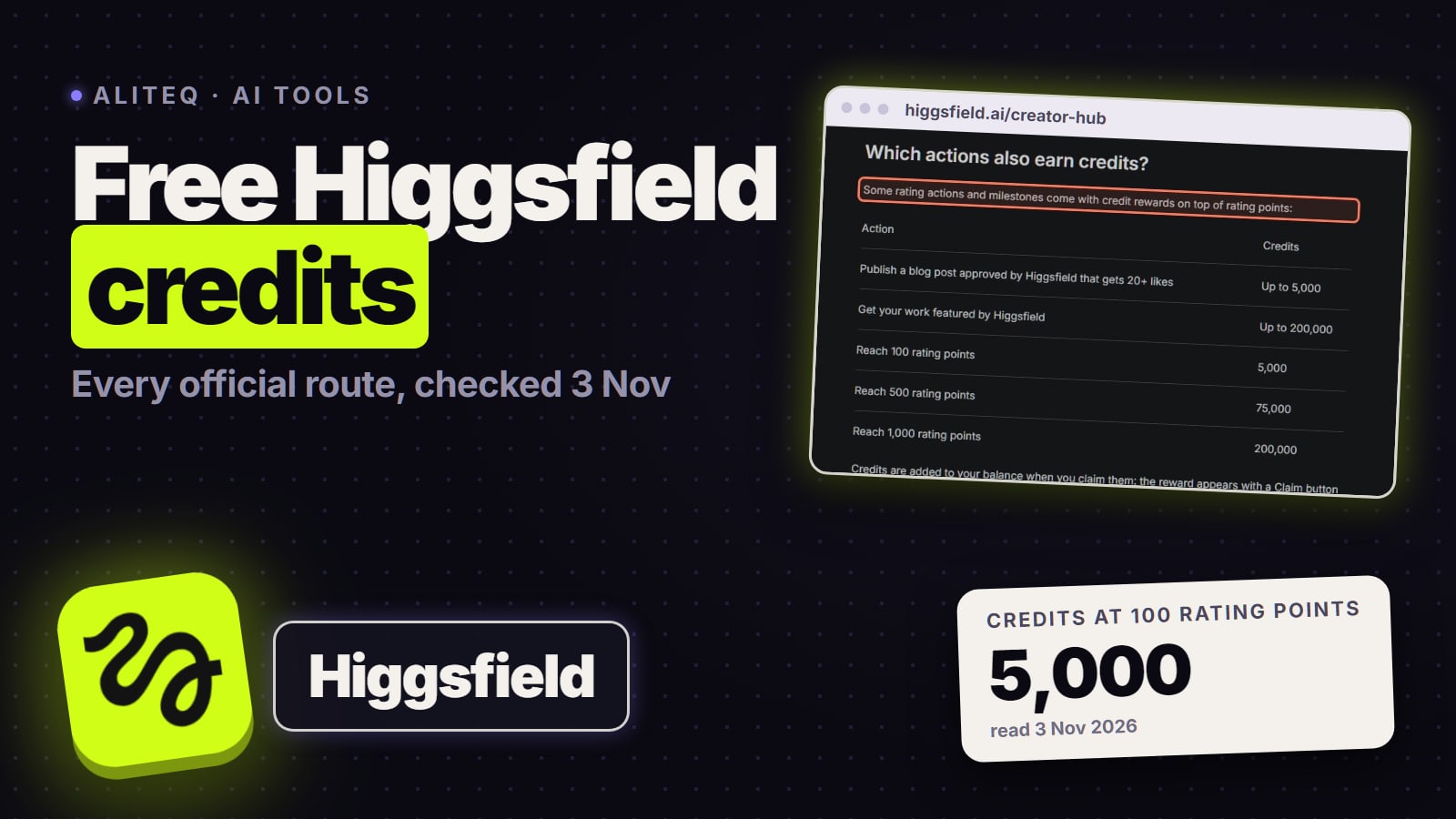
The free plan is where most first tries happen, and it has no monthly credits. Higgsfield's free plan article (updated Nov 11, 2026, read Nov 22) says: "Models open on the free plan still deduct credits, so generating requires credits or free generations on your account." It names Nano Banana Pro and FLUX.2 Pro as examples of models open on the free plan. The new accounts we made on October 31, 2026 did get some free sign-up credits, which our is Higgsfield free page details, but Higgsfield doesn't promise them, so look at the credit counter in the top bar after you join.
Price (Nov 22, 2026)
Free plan
$0
Starter
$19 a month, billed yearly
Plus
$59 list; $33 a month billed yearly in the sale
Ultra
$129 list; $50 a month billed yearly in the sale
Monthly credits
Free plan
None
Starter
270
Plus
1,200
Ultra
3,000
Plan card's own example
Free plan
Pricing table lists "Limited use"
Starter
135 Nano Banana Pro images or 15 Seedance 2.0 Fast videos
Plus
600 Nano Banana Pro images or 80 Seedance 2.5 videos
Ultra
1,500 Nano Banana Pro images or 200 Seedance 2.5 videos
Models
Free plan
"A limited set"
Starter
"Selected models only"
Plus
All models and features
Ultra
All models and features
Generations at once
Free plan
One
Starter
2 videos and 4 images
Plus
Unlimited paid parallel generations
Ultra
Unlimited paid parallel generations
Watermark
Free plan
Can appear
Starter
None
Plus
None
Ultra
None
Free plan
Starter
Plus
Ultra
Price (Nov 22, 2026)
$0
$19 a month, billed yearly
$59 list; $33 a month billed yearly in the sale
$129 list; $50 a month billed yearly in the sale
Monthly credits
None
270
1,200
3,000
Plan card's own example
Pricing table lists "Limited use"
135 Nano Banana Pro images or 15 Seedance 2.0 Fast videos
600 Nano Banana Pro images or 80 Seedance 2.5 videos
1,500 Nano Banana Pro images or 200 Seedance 2.5 videos
Models
"A limited set"
"Selected models only"
All models and features
All models and features
Generations at once
One
2 videos and 4 images
Unlimited paid parallel generations
Unlimited paid parallel generations
Watermark
Can appear
None
None
None
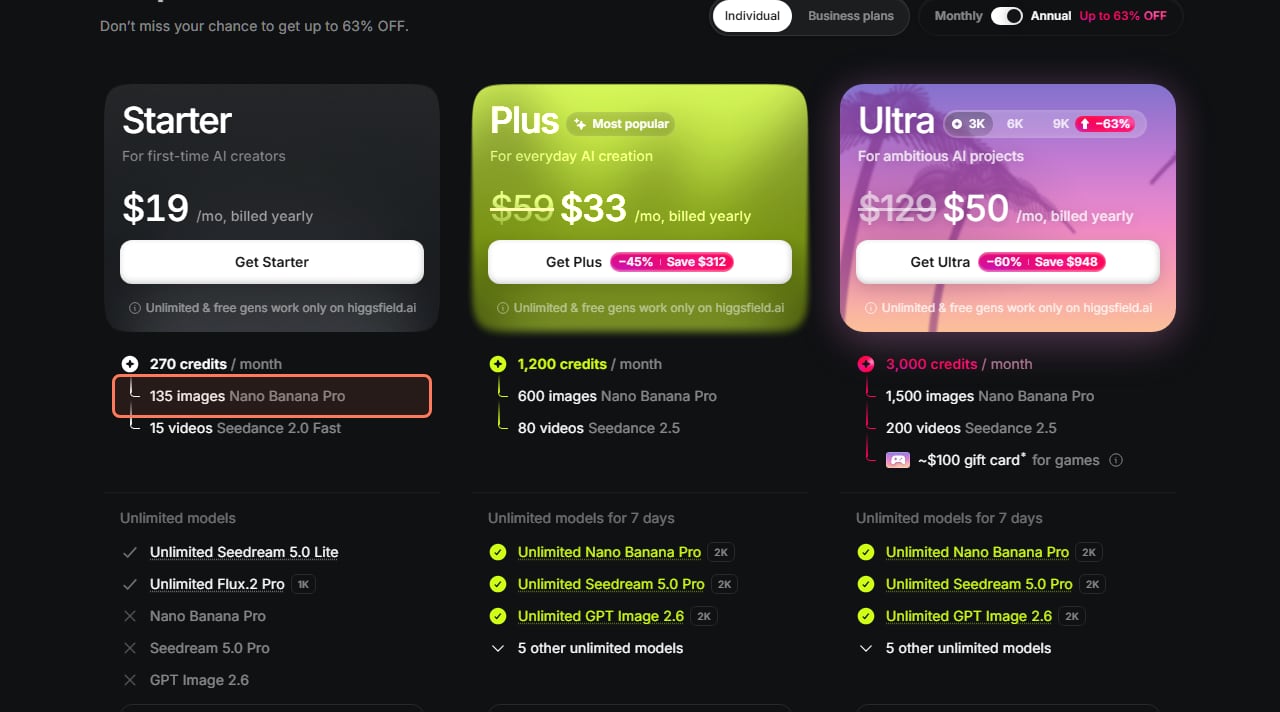
What each plan's monthly credits buy, in Higgsfield's own words. higgsfield.ai/pricing, signed out, read November 22, 2026, during the Black Friday sale. · Higgsfield pricing page, screenshot by aliteq
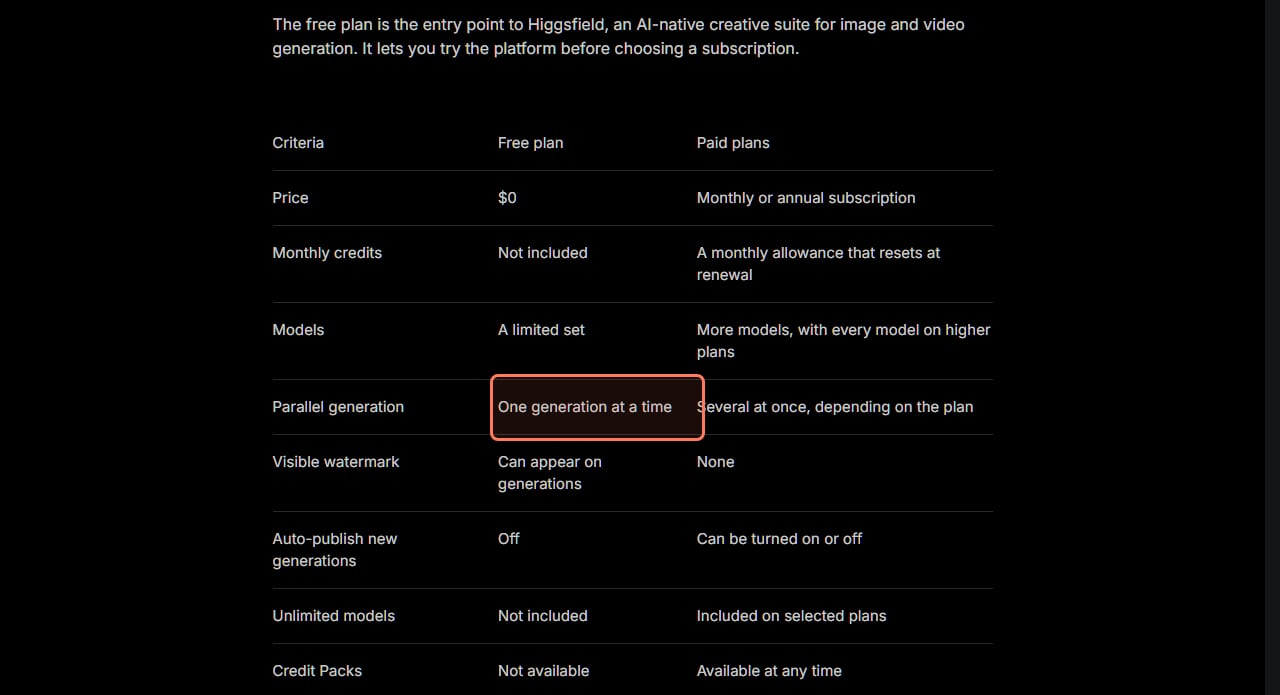
The free plan next to the paid plans, from Higgsfield's free plan article (updated November 11, 2026), read November 22, 2026. · Higgsfield help center, screenshot by aliteq
Two free-plan details to know before your first try. A free-plan file keeps its watermark after you upgrade: Higgsfield says to "regenerate them to get a clean version." And you can't buy a Credit Pack on the free plan, because packs "require an active subscription." Our Higgsfield credits explained page covers how credits reset, expire and get spent.
If you decide to pay, Higgsfield's affiliate page (read Nov 22, 2026) says everyone who arrives through a partner link "gets up to 50% off for three hours". It applies automatically, with no code. The Higgsfield buttons on this page are that kind of link. Higgsfield's Black Friday sale was also live on November 22, 2026, at up to 63% off billed yearly, with the countdown pointing at midnight UTC on November 23.
Write a prompt that works the first time
Be specific, because the prompt is all the model has. Higgsfield defines a prompt as "a text description of what you want the AI to create. The more specific, the better." Its first-generation article gives two examples you can copy as a starting point:
Video: "A close-up of a dancer mid-spin on a rooftop at golden hour, slow motion, cinematic lighting, shallow depth of field."
Image: "Fashion editorial portrait, studio lighting, high detail, magazine photography."
Notice the pattern: a subject, a place, the light, and the camera. Our Higgsfield prompts that work guide builds on that with prompts for products, people and camera moves.
Where does your video or image appear?
In two places. Higgsfield says your generations appear "in the section where you generated them, and also in Assets, where all your content is collected in one place." Its account article adds that Assets is your private library at higgsfield.ai/asset/all, and that from an asset you can download it, copy the prompt that made it, click Recreate to run the same prompt again, or Turn to video to animate an image.
Free-plan generations stay private by default: the free plan article says auto-publish "is off and can't be turned on" on the free plan. If a generation fails, Higgsfield's credits article says "usually yes", the credits come back automatically "within a few minutes", though "specific models might not refund credits for failed generations." You can check in Manage Account, then Usage.
Your first Higgsfield generation in numbers (Nov 22, 2026)
6
Steps in Higgsfield's guide
Image or Video, model, prompt, reference, settings, Generate
2
Credits for one Nano Banana Pro image
Higgsfield pricing page
5 s
Seconds in the cheapest clip we quote
About 7 credits, Kling 3.0 at 720p
270
Monthly credits on Starter
Free plan has none
What we couldn't verify
How many sign-up credits a new account gets today. Higgsfield's free plan article lists no free monthly or daily credits; our October 31 test accounts got some, and the amount isn't published.
Which video models the free plan opens. The free plan article names only Nano Banana Pro and FLUX.2 Pro as examples, and points to the Free column of the pricing page's Compare table.
Exact generation times. Higgsfield says "usually a few minutes"; we didn't time any runs for this page.
Your exact credit cost. The numbers above come from the pricing page's Compare table. Some carry a "~", and the Generate button is the final number.
Our verdict
Making a first Higgsfield video or image takes six clicks and one decent prompt. Start with Higgsfield's own beginner picks: Soul or Nano Banana for an image, Seedance for video, or Kling 3.0 at 720p if you want the cheapest clip on the list. Read the cost on the Generate button every time, because the free plan has no credits of its own. If the first result is close but not right, change one thing in the prompt and try again before you change models.
Choose Video in the top navigation, pick a model (Higgsfield suggests Seedance for beginners), type a prompt, add a reference image if the model takes one, set duration, aspect ratio and resolution, then click Generate. That's Higgsfield's own six-step guide, read November 22, 2026.
Can I make a Higgsfield video for free?
You can sign up for free, but generating costs credits even on the free plan, and the free plan has no monthly credits. Higgsfield's free plan article says you need credits or free generations on your account. New accounts we made on October 31, 2026 got some sign-up credits.
How many credits does a first Higgsfield video cost?
It depends on the model, length and resolution. On Higgsfield's pricing page on November 22, 2026, a 5-second Kling 3.0 clip at 720p was about 7 credits and Seedance 2.0 Fast at 720p about 12. The Generate button shows the exact cost before you confirm.
Which Higgsfield model is best for beginners?
Higgsfield's model guide says Soul for images if you want the signature Higgsfield look, Nano Banana for fast results with straightforward prompts, and Seedance as "the most forgiving starting point" for video.
Where do I find my Higgsfield generation?
In the section where you made it, and in Assets, Higgsfield's private library at higgsfield.ai/asset/all. You can download it, copy its prompt or recreate it from there.
How long does a Higgsfield generation take?
Usually a few minutes, according to Higgsfield. Images are usually faster; video takes longer, especially at higher resolutions.
Higgsfield sales like 11.11 and Black Friday change prices for a few days at a time. When one starts, we read the real prices on Higgsfield's own page and email you what changed.
Written and sent by hand. One-click unsubscribe in every email. Emails may contain referral links.