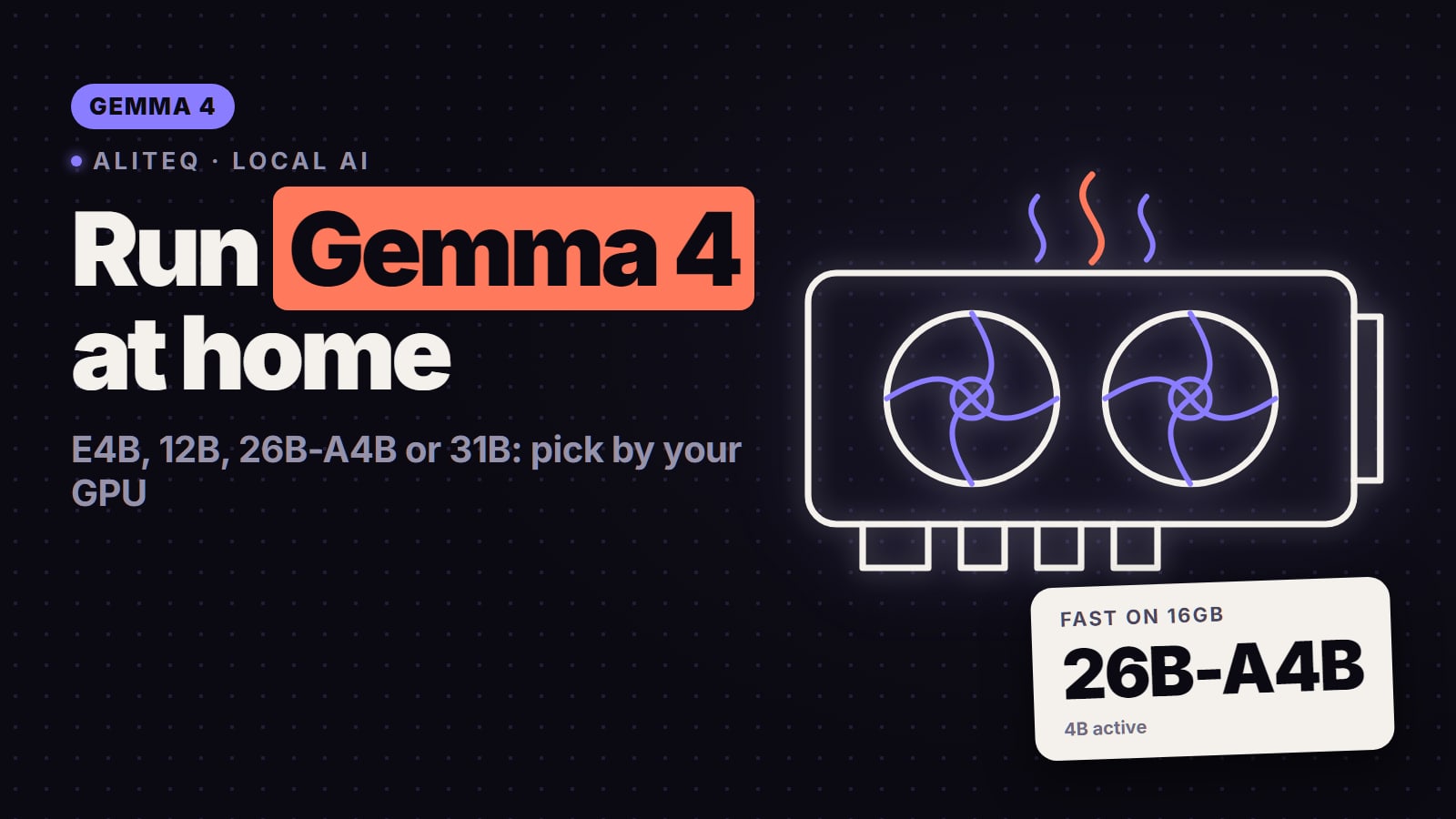
Gemma 4 comes in five sizes, from a phone model to a 31B that wants a 24GB card. Here is the one that fits your GPU, the exact Ollama tag (the bare one pulls a small model), and when Qwen3.8 27B is the better pick in November 2026.
This post contains affiliate links. If you buy through them, Aliteq may earn a commission — at no extra cost to you. Prices change; check the retailer for today’s price.
Share
New 1 Nov 2026: this guide replaces our three separate Gemma 4 12B, 26B-A4B and 31B pages from September. Every spec, tag and file size was re-read on 1 November 2026.
Pick Gemma 4 by your VRAM. On an 8GB card run Gemma 4 E4B. On 12GB run Gemma 4 12B at Q4, and on 16GB run the same 12B at near-lossless Q8_0. On 24GB you choose between Gemma 4 26B-A4B, a mixture-of-experts model that reads only 3.8B parameters per token and so answers quickly, and Gemma 4 31B, the dense one that scores highest on Google's own benchmarks. One trap catches almost everyone: ollama run gemma4 pulls the small E4B, so always name the size.
Which Gemma 4 for your GPU
VRAM below is from our VRAM engine at 8K tokens of context: the weights at each quant's measured bits per weight, the KV cache in fp16 and about 0.8 GB of runtime overhead. "Tight" means over 90% of the card.
E2B
Weights in Google's checkpoint
5.1B (2.3B effective)
Q4_K_M, 8K
~3.7 GB
Q8_0, 8K
~5.9 GB
Card it fits
4 to 6GB, laptops
Pick it for
Offline helpers, quick drafts, phones
E4B
Weights in Google's checkpoint
8.0B (4.5B effective)
Q4_K_M, 8K
~5.4 GB
Q8_0, 8K
~8.8 GB
Card it fits
8GB
Pick it for
The best Gemma for an 8GB card
12B
Weights in Google's checkpoint
11.96B, dense
Q4_K_M, 8K
~7.7 GB
Q8_0, 8K
~12.7 GB
Card it fits
12GB at Q4, 16GB at Q8
Pick it for
Text, images and audio on a mid-range card
26B-A4B
Weights in Google's checkpoint
25.8B, 3.8B active (MoE)
Q4_K_M, 8K
~15.5 GB (tight on 16GB)
Q8_0, 8K
~26.5 GB
Card it fits
24GB; 16GB with the QAT file
Pick it for
Fast replies, long chats, writing
31B
Weights in Google's checkpoint
31.3B, dense
Q4_K_M, 8K
~19.1 GB
Q8_0, 8K
~32.4 GB
Card it fits
24GB at Q4, 32GB for Q6 and up
Pick it for
The strongest Gemma on one card
Weights in Google's checkpoint
Q4_K_M, 8K
Q8_0, 8K
Card it fits
Pick it for
E2B
5.1B (2.3B effective)
~3.7 GB
~5.9 GB
4 to 6GB, laptops
Offline helpers, quick drafts, phones
E4B
8.0B (4.5B effective)
~5.4 GB
~8.8 GB
8GB
The best Gemma for an 8GB card
12B
11.96B, dense
~7.7 GB
~12.7 GB
12GB at Q4, 16GB at Q8
Text, images and audio on a mid-range card
26B-A4B
25.8B, 3.8B active (MoE)
~15.5 GB (tight on 16GB)
~26.5 GB
24GB; 16GB with the QAT file
Fast replies, long chats, writing
31B
31.3B, dense
~19.1 GB
~32.4 GB
24GB at Q4, 32GB for Q6 and up
The strongest Gemma on one card
Parameter counts are the safetensors totals Google publishes on Hugging Face, vision and audio encoders included, and they are the counts our VRAM engine uses. Every quant at every context length is in the VRAM calculator, and per-size pages list live rental prices: 12B, 26B-A4B, 31B, E4B.
Gemma 4 or Qwen3.8? The honest positioning
In November 2026 Gemma 4 is no longer the model enthusiasts reach for first. When a r/LocalLLaMA thread ranked every model for 10GB to 16GB of VRAM, the top reply simply put Qwen 3.8 27B first. Qwen3.8 27B is a dense 27.8B model with image input and an Apache-2.0 licence, per Qwen's model card; on a 24GB card it runs at Q5_K_M with 32K of context on our numbers, and on 16GB only at a 3-bit quant (full VRAM table). For people with a small card and a lot of system RAM, the talk is about Qwen3.8 Flash Next, a 125B mixture-of-experts model with 6B active that offloading engines run from RAM, at a low quant and with quality that Reddit users still argue about.
So who should still pick Gemma 4?
You want one licence you don't have to read twice. Every Gemma 4 size is Apache-2.0 on its Hugging Face card. Qwen3.8 27B is Apache-2.0 too, but Qwen3.8 Flash Next uses a custom "qwen-community-1.0" licence.
You need audio, or a model that fits small hardware. Google's card says audio input is supported on E2B, E4B and 12B. Qwen3.8 27B takes text and images. Gemma 4 also spans phone to 24GB card in one family.
You want speed on 16 to 24GB. 26B-A4B reads 3.8B parameters per token; a dense 27B reads all 27B. On the same card the MoE answers faster. Qwen3.6 35B-A3B is the other fast MoE in this class (24GB guide).
Writing and companion apps. On Reddit, people building companion and roleplay apps and doing creative writing name Gemma 4 26B for its writing style. That is taste, not a benchmark, but it comes up often.
Tooling that just works. Ollama, llama.cpp and LM Studio all run it, and Google publishes its own quantisation-aware (QAT) Q4_0 GGUF files for 12B, 26B-A4B and 31B, so you don't have to trust a stranger's quant.
Pick Qwen3.8 27B instead if you run text and code and want the strongest answers that fit 16 to 24GB, and you accept slower generation from a dense model. Gemma 5 has not been announced: Google's release notes list nothing after Gemma 4, and Reddit threads about it (one, two) are wish lists, not leaks.
The Gemma 4 family at a glance
Gemma 4 family (Google's model cards and config.json, read 1 Nov 2026)
E2B
Active per token
2.3B effective
Layers (sliding / full)
35, 512-token window
Context
128K
Input
Text, image, audio
E4B
Active per token
4.5B effective
Layers (sliding / full)
42, 512-token window
Context
128K
Input
Text, image, audio
12B
Active per token
All 11.96B (dense)
Layers (sliding / full)
48 (40 / 8)
Context
256K
Input
Text, image, audio
26B-A4B
Active per token
3.8B (8 of 128 experts + 1 shared)
Layers (sliding / full)
30 (25 / 5)
Context
256K
Input
Text, image
31B
Active per token
All 31.3B (dense)
Layers (sliding / full)
60 (50 / 10)
Context
256K
Input
Text, image
Active per token
Layers (sliding / full)
Context
Input
E2B
2.3B effective
35, 512-token window
128K
Text, image, audio
E4B
4.5B effective
42, 512-token window
128K
Text, image, audio
12B
All 11.96B (dense)
48 (40 / 8)
256K
Text, image, audio
26B-A4B
3.8B (8 of 128 experts + 1 shared)
30 (25 / 5)
256K
Text, image
31B
All 31.3B (dense)
60 (50 / 10)
256K
Text, image
Google's release notes date the family to 31 March 2026 (E2B, E4B, 26B-A4B and 31B) and 3 June 2026 (12B, which Google calls "12B Unified"). The "E" in E2B and E4B stands for effective parameters: per-layer embedding tables add billions of parameters that are only looked up, so the effective count is what does the work, but the whole file still has to load.
On Google's own instruction-tuned benchmarks the order is what you would expect: MMLU Pro 85.2% for 31B, 82.6% for 26B-A4B and 77.2% for 12B; LiveCodeBench v6 80.0%, 77.1% and 72.0%; GPQA Diamond 84.3%, 82.3% and 78.8%. Those are the vendor's numbers, not ours. They show 26B-A4B sitting close to 31B for a fraction of the per-token compute.
Why context is cheap on Gemma 4, and where it isn't
Five of every six layers in the 12B, 26B-A4B and 31B use a sliding window of 1,024 tokens, so their part of the KV cache stops growing once the conversation passes that length. Only the full-attention layers keep a cache that grows with every token. That is why the VRAM barely moves on the smaller models as context grows, and why it does move on the 31B, whose 10 full-attention layers carry more key/value heads:
Q4_K_M VRAM as context grows (our VRAM engine)
Gemma 4 12B
8K
~7.7 GB
32K
~8.0 GB
128K
~9.5 GB
Gemma 4 26B-A4B
8K
~15.5 GB
32K
~16.0 GB
128K
~17.9 GB
Gemma 4 31B
8K
~19.1 GB
32K
~20.9 GB
128K
~28.4 GB
8K
32K
128K
Gemma 4 12B
~7.7 GB
~8.0 GB
~9.5 GB
Gemma 4 26B-A4B
~15.5 GB
~16.0 GB
~17.9 GB
Gemma 4 31B
~19.1 GB
~20.9 GB
~28.4 GB
So the 256K context is genuinely usable on the 12B and 26B-A4B, while on a 24GB card the 31B at Q4_K_M gets tight past about 40K tokens and stops fitting past about 70K. Our earlier 31B page said its context "barely adds" to VRAM; on our own numbers that was wrong for the 31B, and this guide corrects it.
Gemma 4 E2B and E4B: phones, laptops and 8GB cards
E4B is the Gemma for an 8GB card. On our numbers it fits at Q6_K with 8K of context in about 7.0 GB, or at Q4_K_M in about 5.4 GB with room to spare, and it accepts text, images and audio. E2B is smaller still (about 3.7 GB at Q4_K_M) and is built for phones and laptops; Google also publishes mobile builds of both.
Keep expectations honest on the vision side. In an r/ollama thread, a user who tried Gemma 4 E2B for offline bird identification reported that it "confidently got them wrong." Small multimodal models describe a photo well and fail on fine-grained identification, and they do it confidently. Use them to caption, sort and read, not to identify a species or a part number you will act on.
For the wider 8GB picture, including Qwen3.5 9B, see the 8GB guide.
Gemma 4 12B: the 12GB to 16GB pick
Gemma 4 12B is a dense model with 11.96B parameters, a 256K context and, per Google's card, text, image and audio input. It is the size most people should start with:
Q4_K_M
8K context
~7.7 GB
32K context
~8.0 GB
Q6_K
8K context
~10.0 GB
32K context
~10.4 GB
Q8_0
8K context
~12.7 GB
32K context
~13.1 GB
BF16
8K context
~23.2 GB
32K context
~23.6 GB
8K context
32K context
Q4_K_M
~7.7 GB
~8.0 GB
Q6_K
~10.0 GB
~10.4 GB
Q8_0
~12.7 GB
~13.1 GB
BF16
~23.2 GB
~23.6 GB
12GB card (RTX 3060 12GB, RTX 4070): Q4_K_M or Q6_K with plenty of context. The value pick, ranked by live price on best GPU for Gemma 4 12B.
16GB card: Q8_0, effectively lossless, with 32K of context. Our 16GB guide compares it with gpt-oss-20b and a 3-bit Qwen3.8 27B.
8GB card: not a clean fit. Ollama's Q4_K_M build is an 8.0 GB download, so it spills into system RAM. Google's QAT Q4_0 file is 7.0 GB (plus a 175 MB vision file) and can squeeze in with short context; E4B is the more comfortable choice.
One mismatch to know about: Google's card lists audio input for the 12B, but Ollama's library lists gemma4:12b with text and image input only. If audio matters to you, check that your runtime supports it for this size before you build on it.
Gemma 4 26B-A4B: the fast one
26B-A4B is a mixture-of-experts model: 25.8B parameters in the checkpoint, of which 3.8B are active per token (8 of 128 experts plus one shared expert, per Google's card). The active count sets the speed; the total sets the memory. All of it has to load, into VRAM or partly into system RAM.
Q4_K_M
8K context
~15.5 GB
32K context
~16.0 GB
Q6_K
8K context
~20.6 GB
32K context
~21.1 GB
Q8_0
8K context
~26.5 GB
32K context
~26.9 GB
BF16
8K context
~49.0 GB
32K context
~49.5 GB
8K context
32K context
Q4_K_M
~15.5 GB
~16.0 GB
Q6_K
~20.6 GB
~21.1 GB
Q8_0
~26.5 GB
~26.9 GB
BF16
~49.0 GB
~49.5 GB
24GB card (RTX 3090, 4090): the natural home. Q6_K with 32K context fits, and long context stays cheap.
16GB card: our engine puts Q4_K_M right at the limit, and Ollama's own Q4_K_M build is an 18 GB download, so gemma4:26b-a4b-it-q4_K_M will not fit on the card. The realistic route is Google's QAT Q4_0 file: 14.4 GB for the language model plus 1.2 GB for the vision projector. Text-only it leaves a little room for context; with images it is very tight. The other route is llama.cpp's --n-cpu-moe, which keeps some layers' experts in system RAM at a cost in speed (how it works).
12GB or less: only with heavy expert offload. On 12GB, the 12B is the better fit.
Gemma 4 31B is the largest and strongest Gemma 4: 31.3B parameters in the checkpoint (Google's card lists 30.7B for the language model and about 550M for the vision encoder), dense, text and image input, 256K context.
Q4_K_M
8K context
~19.1 GB
32K context
~20.9 GB
Q4_0
8K context
~18.0 GB
32K context
~19.8 GB
Q6_K
8K context
~25.3 GB
32K context
~27.2 GB
Q8_0
8K context
~32.4 GB
32K context
~34.2 GB
8K context
32K context
Q4_K_M
~19.1 GB
~20.9 GB
Q4_0
~18.0 GB
~19.8 GB
Q6_K
~25.3 GB
~27.2 GB
Q8_0
~32.4 GB
~34.2 GB
24GB card: Q4_K_M with up to about 40K of context comfortably; it gets tight beyond that and stops fitting past about 70K. Google's QAT Q4_0 file (17.7 GB plus a 1.2 GB vision projector) leaves a little more room. For very long documents, 26B-A4B or a rented bigger card is the better tool.
32GB card (RTX 5090 class): Q5_K_M with 32K context (~24.0 GB) or Q6_K with 8K to 32K (~25.3 to 27.2 GB). See the 32GB guide.
16GB card: no. Use 26B-A4B or 12B; forcing a dense 31B through heavy offload is slow.
Being dense, the 31B reads every parameter for every token, so it generates more slowly than 26B-A4B on the same card. Choose it when answer quality matters more than speed, for example long-form analysis or describing complex images. The ranked card list is on best GPU for Gemma 4 31B.
How to run it: Ollama tags and the bare-tag trap
The gotcha first: on Ollama's gemma4 page, the bare gemma4 tag (gemma4:latest) is the same build as gemma4:e4b. If you type ollama run gemma4 on a 24GB card you get a model sized for 8GB. Name the size:
ollama run gemma4:e4b    # 8GB cards
ollama run gemma4:12b    # 12-16GB cards
ollama run gemma4:26b    # the 26B-A4B MoE (same build as gemma4:26b-a4b)
ollama run gemma4:31b    # 24GB cards
Ollama shows a size range for these plain tags and doesn't say which quant they pull. If you want to know exactly what you're getting, use an explicit tag. Download sizes as Ollama lists them on 1 Nov 2026:
gemma4:e4b (= gemma4)
Download
6.6 to 9.5 GB
gemma4:12b-it-qat
Download
7.2 GB
gemma4:12b-it-q4_K_M
Download
8.0 GB
gemma4:12b-it-q8_0
Download
13 GB
gemma4:26b-a4b-it-qat
Download
16 GB
gemma4:26b-a4b-it-q4_K_M
Download
18 GB
gemma4:26b-a4b-it-q8_0
Download
28 GB
gemma4:31b-it-qat
Download
19 GB
gemma4:31b-it-q4_K_M
Download
20 GB
gemma4:31b-it-q8_0
Download
34 GB
Download
gemma4:e4b (= gemma4)
6.6 to 9.5 GB
gemma4:12b-it-qat
7.2 GB
gemma4:12b-it-q4_K_M
8.0 GB
gemma4:12b-it-q8_0
13 GB
gemma4:26b-a4b-it-qat
16 GB
gemma4:26b-a4b-it-q4_K_M
18 GB
gemma4:26b-a4b-it-q8_0
28 GB
gemma4:31b-it-qat
19 GB
gemma4:31b-it-q4_K_M
20 GB
gemma4:31b-it-q8_0
34 GB
Ollama's download sizes are in decimal GB, while our VRAM tables count GiB, so the two differ by a few percent. The gemma4:cloud and gemma4:31b-cloud tags run on Ollama's servers, not your GPU. A thread on r/ollama reports that Ollama's free cloud models move to pay-as-you-go on 9 November 2026, while local models stay free.
llama.cpp. Google's QAT model pages give the command directly; for the 26B-A4B it is:
Swap in gemma-4-12B-it-qat-q4_0-gguf or gemma-4-31B-it-qat-q4_0-gguf for the other sizes. Google says the QAT build preserves "similar quality to bfloat16" while cutting memory. LM Studio opens the same files through a deep link on each of those model pages; search for the google/gemma-4-…-qat-q4_0-gguf repos to get Google's own quant rather than a re-upload.
Gemma 4: quick answers
Which Gemma 4 should I run on my GPU?
8GB: E4B. 12GB: 12B at Q4_K_M. 16GB: 12B at Q8_0, or 26B-A4B using Google's QAT Q4_0 file. 24GB: 26B-A4B at Q6_K for speed or 31B at Q4_K_M for the best answers. 32GB: 31B at Q5_K_M or Q6_K.
Why does 'ollama run gemma4' give me a small model?
The bare gemma4 tag is the same build as gemma4:e4b, a 4.5B-effective model. Run gemma4:12b, gemma4:26b or gemma4:31b to get the bigger sizes.
How much VRAM does Gemma 4 31B need?
About 19.1 GB at Q4_K_M with 8K context and 20.9 GB with 32K, on our VRAM engine. That fits a 24GB card; Q6_K and Q8_0 need a 32GB card or more.
Does Gemma 4 26B-A4B fit a 16GB card?
Only just. Ollama's Q4_K_M build is an 18 GB download and won't fit. Google's QAT Q4_0 file is 14.4 GB plus a 1.2 GB vision projector, which fits text-only with a little context, or you can offload some experts to system RAM.
Is Gemma 4 better than Qwen3.8 27B?
For pure text and code on 16 to 24GB, Reddit's default pick in November 2026 is Qwen3.8 27B. Gemma 4 is the better choice for audio input, small hardware, the fast 26B-A4B MoE, and writing-style uses where users prefer its tone.
Is Gemma 4 free for commercial use?
Google's Hugging Face cards list every Gemma 4 size under Apache-2.0.
Is there a Gemma 5?
Not as of 1 November 2026. Google's release notes list nothing after Gemma 4; anything you read about Gemma 5 is speculation.
If you are still choosing hardware, start with the best GPU for local AI, then come back here for the Gemma that fits it.