Qwen3.5 9B and Gemma 4 E4B fit an 8GB card with room for real context. Gemma 4 12B only just fits. Qwen3.8 27B and gpt-oss-20b don't, and Qwen3.8 Flash Next needs 48GB or more of system RAM. Every number below, model by model, re-checked Nov 3, 2026.
Some links on this page are referral links: we may earn a commission, at no cost to you.
Share
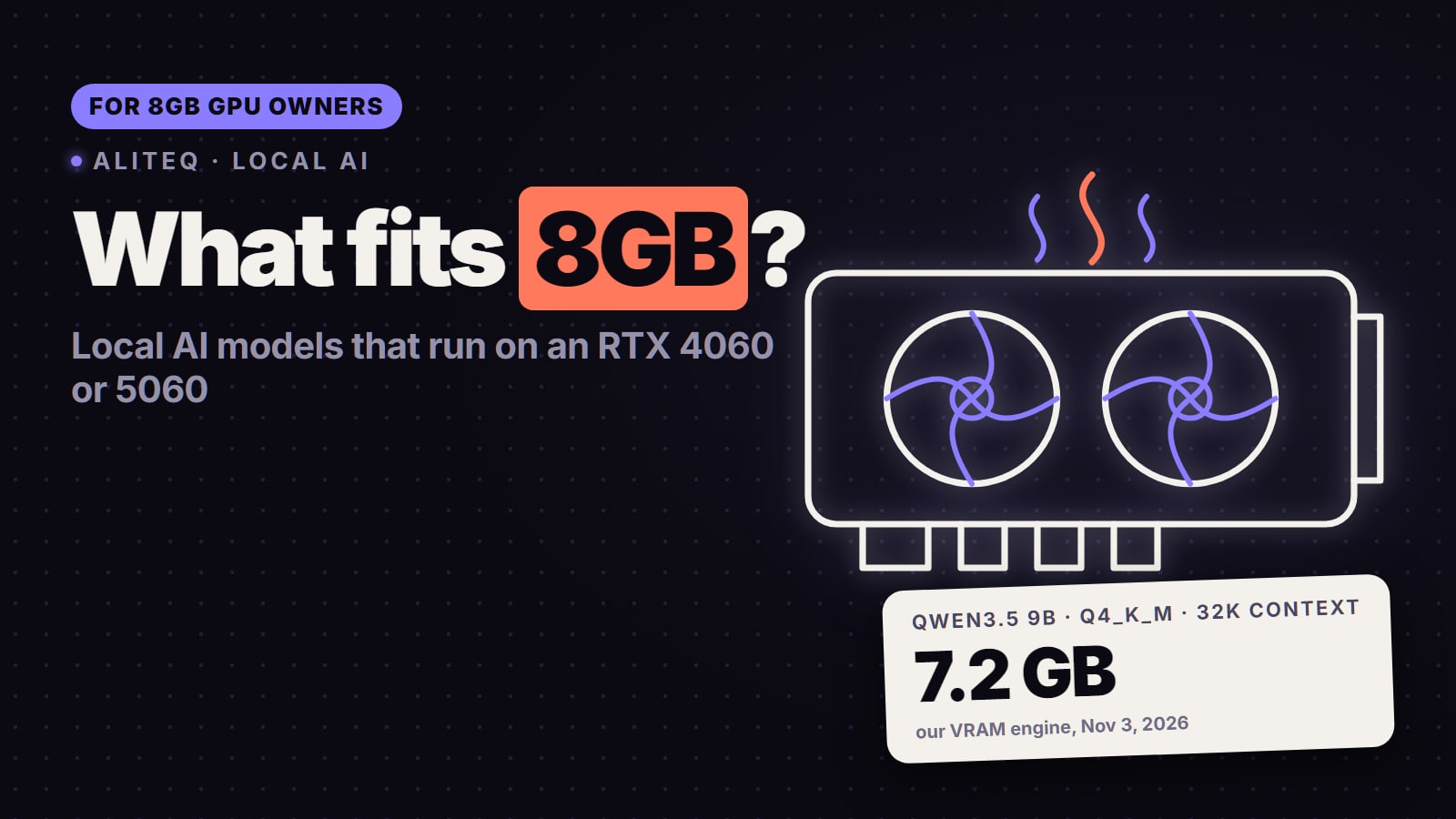
Which local AI models fit on an 8GB GPU? On our VRAM numbers (re-checked November 3, 2026): Qwen3.5 9B is the best model that fits, at Q5_K_M with 8K tokens of context (about 7.4 GB) or Q4_K_M with 32K (about 7.2 GB). Gemma 4 E4B fits at Q6_K with real headroom (about 7.0 GB at 8K). Gemma 4 E2B, Qwen3 4B, Llama 3.2 3B and the 7B to 8B classics all fit too. Gemma 4 12B fits only just (about 7.7 GB at Q4_K_M, 8K). What does not fit on the card alone: Qwen3.8 27B (about 12 GB even at IQ3_XS), gpt-oss-20b (OpenAI says it runs "within 16GB of memory") and 14B dense models at Q4. Bigger MoE models such as Qwen3.8 Flash Next run on 8GB only when system RAM holds most of the model.
Which models fit on an 8GB GPU?
Every row is the best quant our VRAM engine (the one behind the VRAM calculator) finds for an 8GB card, at 8K and 32K tokens of context, run on November 3, 2026.
Qwen3.5 9B
Params (model card)
9B
Best fit at 8K context
Q5_K_M, ~7.4 GB (tight)
Best fit at 32K context
Q4_K_M, ~7.2 GB (tight)
Gemma 4 E4B
Params (model card)
4.5B effective (8B with embeddings)
Best fit at 8K context
Q6_K, ~7.0 GB
Best fit at 32K context
Q6_K, ~7.4 GB (tight)
Gemma 4 E2B
Params (model card)
2.3B effective (5.1B with embeddings)
Best fit at 8K context
Q8_0, ~5.9 GB
Best fit at 32K context
Q8_0, ~6.0 GB
Gemma 4 12B
Params (model card)
11.95B
Best fit at 8K context
Q4_K_M, ~7.7 GB (tight)
Best fit at 32K context
Q4_0, ~7.6 GB (tight)
Qwen3 4B 2507
Params (model card)
4.0B
Best fit at 8K context
Q8_0, ~5.9 GB
Best fit at 32K context
Q5_K_M, ~7.9 GB (tight)
Qwen2.5 7B
Params (model card)
7.6B
Best fit at 8K context
Q6_K, ~7.0 GB
Best fit at 32K context
Q5_K_M, ~7.6 GB (tight)
Qwen3 8B (older)
Params (model card)
8.2B
Best fit at 8K context
Q5_K_M, ~7.3 GB (tight)
Best fit at 32K context
does not fit
Llama 3.2 3B
Params (model card)
3.2B
Best fit at 8K context
F16, ~7.6 GB (tight)
Best fit at 32K context
Q8_0, ~7.5 GB (tight)
Qwen3 14B
Params (model card)
14.8B
Best fit at 8K context
Q2_K only, ~7.8 GB (tight)
Best fit at 32K context
does not fit
gpt-oss-20b
Params (model card)
21B (3.6B active)
Best fit at 8K context
does not fit
Best fit at 32K context
does not fit
Qwen3.8 27B
Params (model card)
27B
Best fit at 8K context
does not fit
Best fit at 32K context
does not fit
Params (model card)
Best fit at 8K context
Best fit at 32K context
Qwen3.5 9B
9B
Q5_K_M, ~7.4 GB (tight)
Q4_K_M, ~7.2 GB (tight)
Gemma 4 E4B
4.5B effective (8B with embeddings)
Q6_K, ~7.0 GB
Q6_K, ~7.4 GB (tight)
Gemma 4 E2B
2.3B effective (5.1B with embeddings)
Q8_0, ~5.9 GB
Q8_0, ~6.0 GB
Gemma 4 12B
11.95B
Q4_K_M, ~7.7 GB (tight)
Q4_0, ~7.6 GB (tight)
Qwen3 4B 2507
4.0B
Q8_0, ~5.9 GB
Q5_K_M, ~7.9 GB (tight)
Qwen2.5 7B
7.6B
Q6_K, ~7.0 GB
Q5_K_M, ~7.6 GB (tight)
Qwen3 8B (older)
8.2B
Q5_K_M, ~7.3 GB (tight)
does not fit
Llama 3.2 3B
3.2B
F16, ~7.6 GB (tight)
Q8_0, ~7.5 GB (tight)
Qwen3 14B
14.8B
Q2_K only, ~7.8 GB (tight)
does not fit
gpt-oss-20b
21B (3.6B active)
does not fit
does not fit
Qwen3.8 27B
27B
does not fit
does not fit
"Tight" means the model uses more than 90% of the card. It loads, but a browser, a game or your desktop sharing the GPU can push it over. Weights and the KV cache (the running memory of everything the model has read in this chat) draw from the same 8GB; our context window explainer covers the mechanics. Check any other model or context length in the VRAM calculator, or compare card sizes on the full VRAM ladder.
Which 8GB cards does this cover?
Any card with 8GB of VRAM. NVIDIA's own spec pages, read November 3, 2026, list the RTX 5060 at "8 GB GDDR7", the RTX 5060 Ti at "16 GB / 8 GB GDDR7", the RTX 4060 at "8 GB" GDDR6 and the RTX 4060 Ti at "16 GB or 8 GB". Older 8GB cards (an RTX 3070, 3060 Ti or 2070) and 8GB laptop GPUs follow the same table. The capacity decides what fits; a newer card mainly changes how fast the reply comes back. If your 5060 Ti or 4060 Ti is the 16GB version, see the 16GB guide instead.
What is the best model for an 8GB GPU?
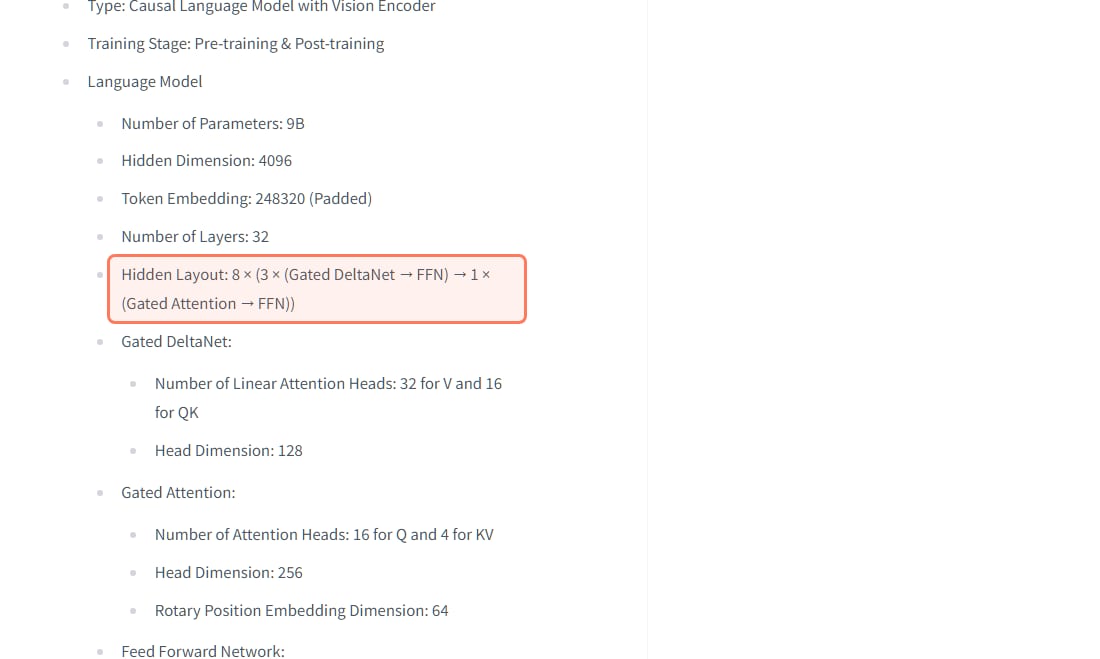
Qwen3.5 9B, for the best quality that still fits with a long context. Qwen's model card lists it at 9B parameters with 32 layers in a "Hidden Layout: 8 × (3 × (Gated DeltaNet → FFN) → 1 × (Gated Attention → FFN))": three of every four layers use linear attention with a small fixed state, so only 8 layers keep a growing KV cache. On our numbers that is about 33 MB per 1,000 tokens at fp16, against about 147 MB for the older Qwen3 8B. That is why Qwen3.5 9B still fits at Q4_K_M with 32K of context and Qwen3 8B does not. The card lists a native context of 262,144 tokens and an Apache-2.0 licence.
Qwen's own model card, read November 3, 2026. Only 1 layer in every 4 keeps a growing KV cache, which is what keeps long context cheap on 8GB. · Screenshot of huggingface.co/Qwen/Qwen3.5-9B by aliteq
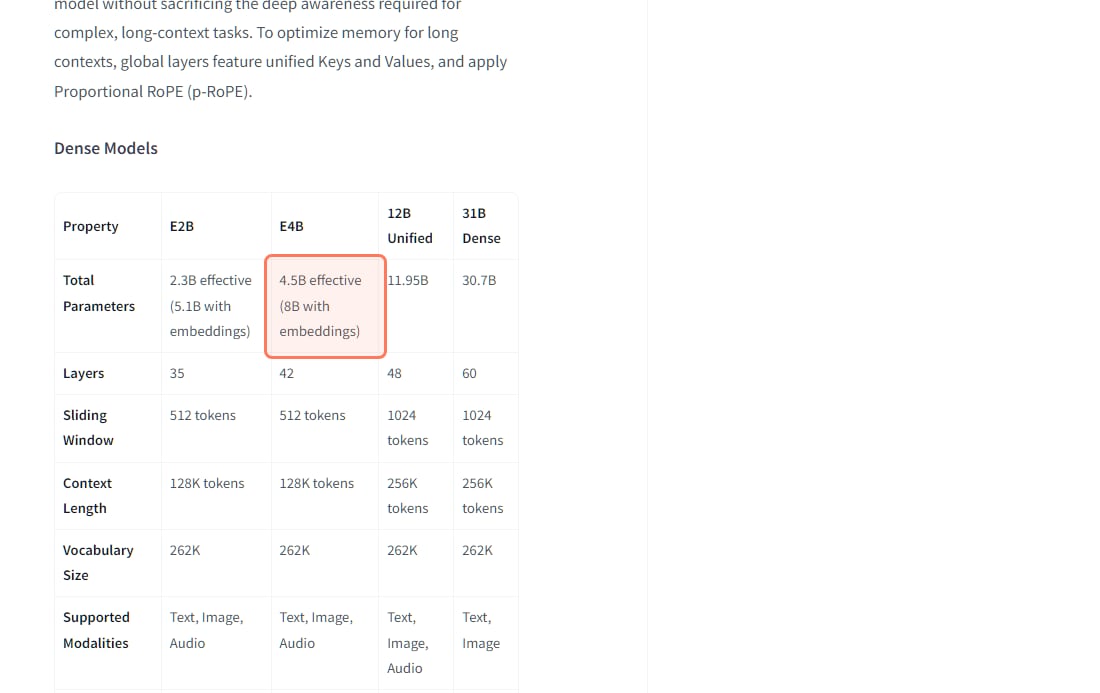
Gemma 4 E4B is the pick if you want headroom. Google's model card lists it at "4.5B effective (8B with embeddings)", with a 128K-token context and text, image and audio input, under Apache 2.0. Its weights in memory include the embedding tables, so we size it at 8B: at Q6_K it uses about 7.0 GB at 8K context and about 7.4 GB at 32K. Gemma 4 E2B ("2.3B effective (5.1B with embeddings)") is smaller still and fits at Q8_0 with room to spare.
Google's Gemma 4 size table, read November 3, 2026. For VRAM, the number in brackets is the one that counts. · Screenshot of huggingface.co/google/gemma-4-E4B by aliteq
Can an 8GB GPU run a 12B or 14B model?
A 12B, yes, only just. Gemma 4 12B (11.95B on Google's card, 256K context) needs about 7.7 GB at Q4_K_M with 8K context on our numbers, so close every other GPU app and keep the context short. A 14B dense model such as Qwen3 14B or Phi-4 14B is a different story: at Q4_K_M it needs about 10.4 GB to 10.6 GB at 8K, and only Q2_K or IQ3_XS squeezes under 8GB, quants we don't recommend over a smaller model at Q4. Detail: Gemma 4 E4B and Gemma 4 12B.
Can an 8GB GPU run gpt-oss-20b?
Not on the card alone. OpenAI's model card says that with MXFP4 quantization "the gpt-oss-20b model run within 16GB of memory", and lists 21B parameters with 3.6B active. Because it is a mixture-of-experts model, llama.cpp can keep the attention layers on an 8GB card and the expert weights in system RAM, at a speed cost. Our gpt-oss-20b guide covers what that takes.
Can an 8GB GPU run Qwen3.8 27B?
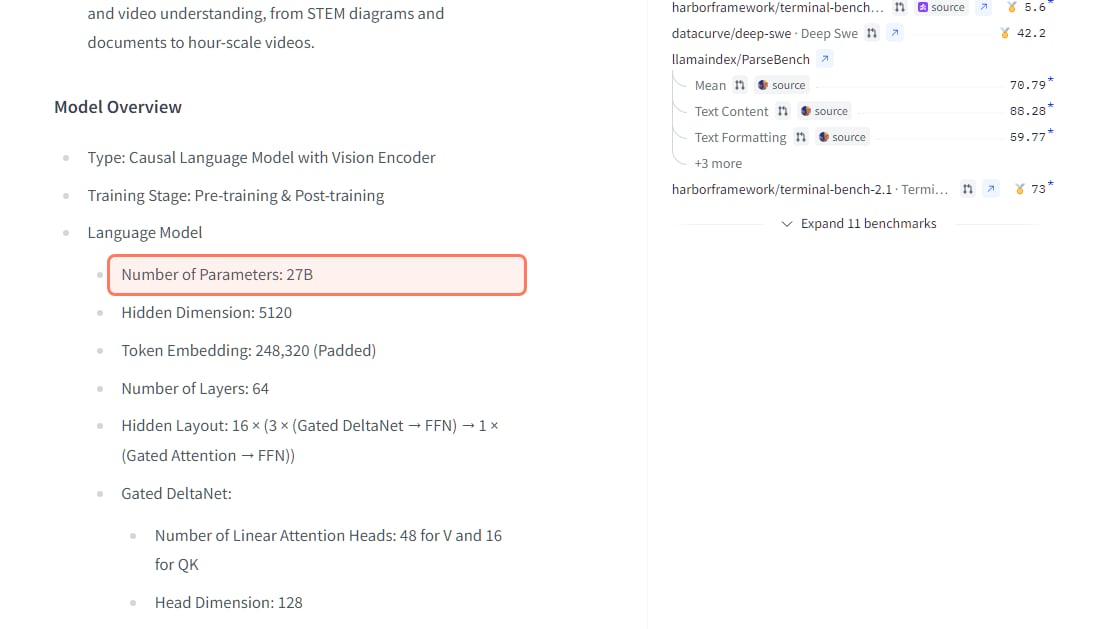
No, not usefully. Qwen's model card lists Qwen3.8 27B as a 27B model with a vision encoder, a 262,144-token native context and an Apache-2.0 licence. On our numbers its smallest practical quant, IQ3_XS, needs about 12 GB at 8K context, and Q4_K_M about 17 GB. On 8GB most of it would sit in system RAM, and a dense model slows down sharply when that happens. It is a 16GB to 24GB model: on a 24GB card it fits at Q5_K_M with 8K context (about 19.7 GB on our numbers).
Qwen3.8 27B's model card, read November 3, 2026. 27B dense parameters is about 12 GB even at a 3-bit quant. · Screenshot of huggingface.co/Qwen/Qwen3.8-27B by aliteq
Can an 8GB GPU run Qwen3.8 Flash Next with system RAM?
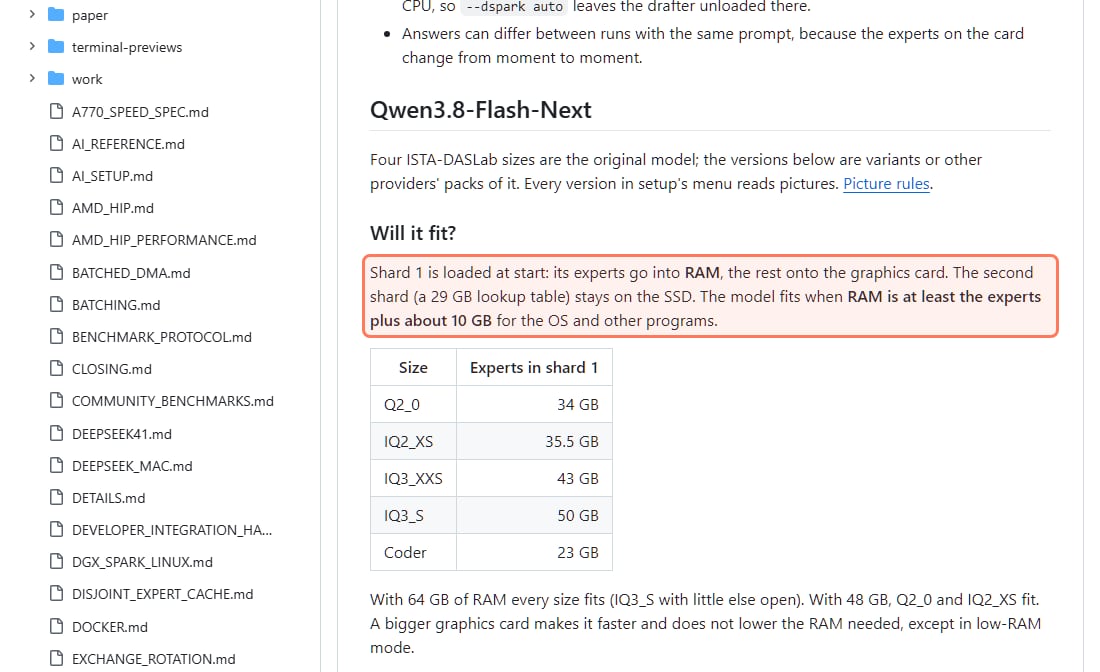
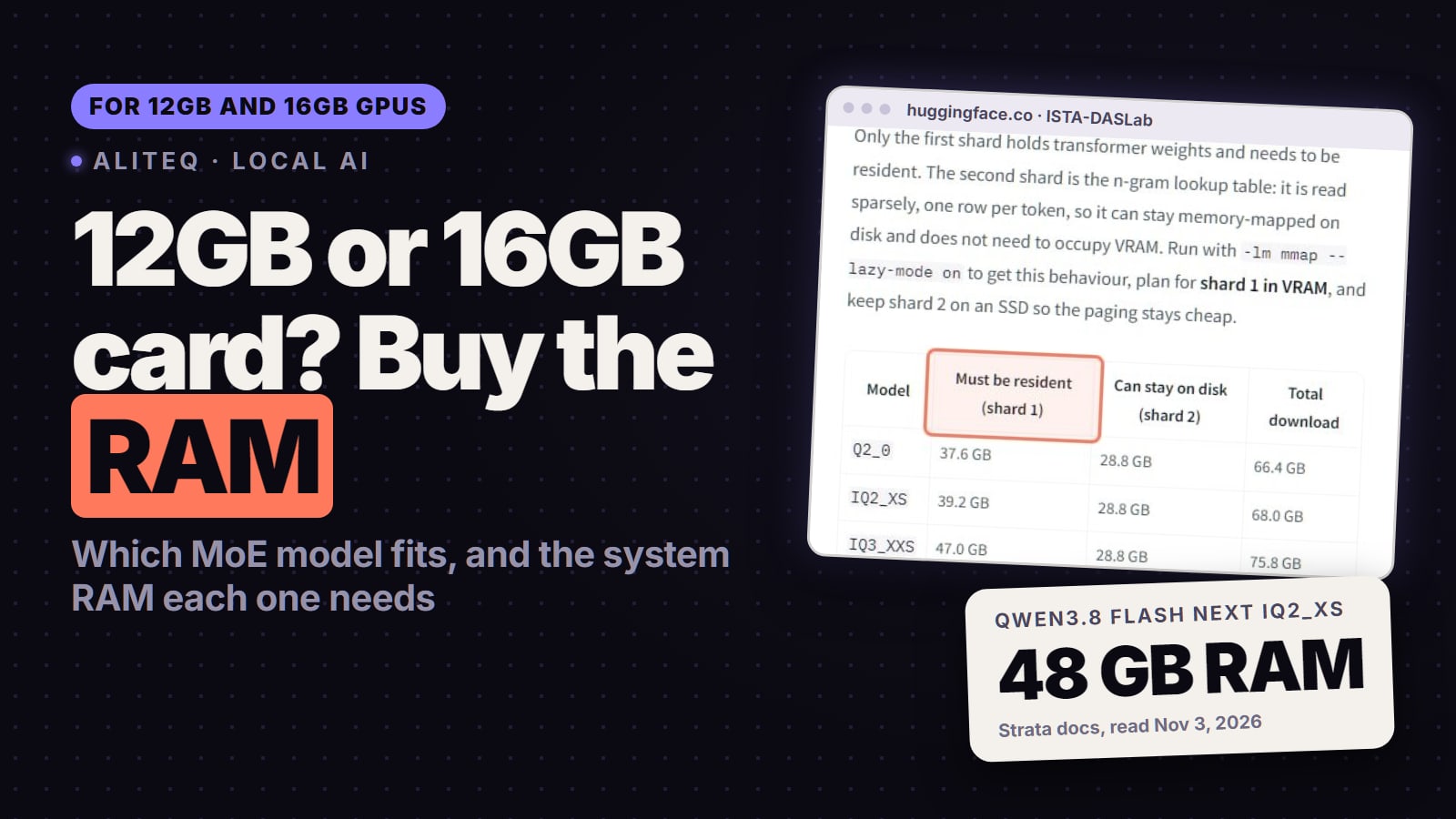
Yes, if you have a lot of system RAM, a 2-bit or 3-bit pack and patience. Qwen's model card lists "125B with 6B activated, plus 51B n-gram embedding and 4B MTP", under the qwen-community-1.0 licence. Only a small slice is active per token, so an engine can keep the busy parts on the GPU and the rest in RAM. The engine people use for it on small cards is Strata. Here is what Strata's own docs say, read November 3, 2026:
Strata is MIT-licensed and open source; its current installers are version 0.2.9 for Windows, Linux and Mac. Its hardware table lists "NVIDIA GeForce RTX 20 / 30 / 40 / 50 series". It runs a short list of models: Qwen3.8-Flash-Next, Qwen3.6-35B-A3B and DeepSeekV4.1-Flash-1017.
Its model notes say "The model fits when RAM is at least the experts plus about 10 GB for the OS and other programs." The experts take 34 GB (Q2_0), 35.5 GB (IQ2_XS), 43 GB (IQ3_XXS) and 50 GB (IQ3_S). The docs then say: "With 64 GB of RAM every size fits (IQ3_S with little else open). With 48 GB, Q2_0 and IQ2_XS fit."
"The second shard (a 29 GB lookup table) stays on the SSD." When RAM is short, experts are read from the SSD too: "That works and is much slower."
Strata's own RAM rule for Qwen3.8 Flash Next, read November 3, 2026. With 32GB of RAM even the smallest pack does not fully fit, so part of it comes off the SSD. · Screenshot of github.com/Niko1221/Strata by aliteq
The honest trade-offs for an 8GB owner:
RAM decides, not the GPU. By Strata's rule the smallest pack needs about 44 GB of RAM (34 GB of experts plus 10 GB). With 32GB, part of the model is read from the SSD and it gets slower and less predictable.
It is a 2-bit or 3-bit model. Strata's docs describe IQ3_S as matching the full model on published tests; we have not checked that, and the 2-bit packs are a step down.
One user's speeds are not a benchmark. A r/LocalLLaMA post we read on November 1, 2026 reported up to 900 tokens per second of prompt processing and 30 tokens per second of generation on 8GB of VRAM and 32GB of RAM with a Q2 pack in Strata. Expect yours to depend on your RAM and SSD.
Check the sampling setting. Replies in a thread on Strata's downsides (read November 1, 2026) said it defaults to greedy sampling to speed up decoding. Qwen's model card recommends temperature 1.0 in thinking mode and 0.7 in non-thinking mode, so change it if replies loop or read flat.
It is a 0.x project. Pin a version that works for you before updating.
If you have 64GB of RAM and want a much bigger model than 8GB allows, Flash Next is worth an evening of testing. With 16GB or 32GB of RAM, stick with Qwen3.5 9B or Gemma 4.
Is there a middle option with 32GB of RAM?
Yes: a smaller MoE model with llama.cpp's expert offloading. Qwen3.6-35B-A3B ("35B in total and 3B activated" on Qwen's card, Apache-2.0) is the usual candidate. Strata's notes plan 32 GB of RAM for its 22.9 GB UD-Q4_K_XL file, which means a Q4 quant, not a 2-bit one. With llama.cpp the active parameters and the KV cache go on the GPU and the expert weights sit in RAM. A r/LowEndLocalAI user reported (read November 1, 2026) a 35B MoE model on 4GB of VRAM and 32GB of RAM with llama.cpp at 14 tokens per second of generation. Try llama.cpp first; it is the stable default. How the flag works: llama.cpp --n-cpu-moe explained. For 12GB and 16GB cards: which MoE models fit and what RAM they need. Per-GPU detail: Qwen3.6 35B-A3B.
What about Phi-4 Mini and Llama 3.2 3B?
Both still have a place on 8GB. Phi-4 Mini is a 3.8B model with a "128K token context length" under the MIT licence, per Microsoft's model card (released February 2025). It won't out-reason a 9B, but because the weights are small, an 8GB card has room for a much longer document. Llama 3.2 3B is the speed option: Meta's release post says it was pruned from Llama 3.1 8B and trained with "logits from the Llama 3.1 8B and 70B models", with a 128K context. On our numbers it fits at Q8_0 even at 32K. For creative writing or roleplay, or anywhere speed matters more than depth, it's fine. For reasoning or coding, Qwen3.5 9B is the better use of the same card.
How do I make a model fit on 8GB?
Check your card's free VRAM, not the total. Your desktop, browser and other apps take some before you load a model.
Best local AI model for an 8GB GPU (November 2026)
Qwen3.5 9B for the best quality that still fits with a long context. Gemma 4 E4B when you want comfortable headroom. Phi-4 Mini for long documents, Llama 3.2 3B for speed. Qwen3.6 35B-A3B with llama.cpp if you have 32GB of RAM and accept slower replies; Qwen3.8 Flash Next only with 48GB to 64GB of RAM and a low quant. For Qwen3.8 27B or gpt-oss-20b at full speed, you need a 16GB to 24GB card, bought or rented.
Best for: Anyone running local AI on an RTX 5060, RTX 4060, an 8GB RTX 5060 Ti or 4060 Ti, or a similar 8GB card
Should I rent a bigger GPU instead?
If you only need a bigger model now and then, renting is cheaper than a new card. On November 3, 2026 at 15:20 UTC our price tracker read the cheapest single RTX 3090 (24GB) on Vast.ai at about $0.11 an hour on demand, and Runpod's at $0.50 an hour. Prices move every hour, so check today's cloud GPU prices before you rent. A 24GB card runs Qwen3.8 27B at Q5_K_M and gpt-oss-20b fully on the GPU.
Which local AI models fit on an 8GB GPU?
On our VRAM numbers: Qwen3.5 9B (Q5_K_M at 8K context or Q4_K_M at 32K), Gemma 4 E4B (Q6_K), Gemma 4 E2B (Q8_0), Qwen3 4B, Qwen2.5 7B and Llama 3.2 3B fit as well, and the 3.8B Phi-4 Mini is smaller still. Gemma 4 12B fits only at Q4_K_M with short context. Qwen3.8 27B, gpt-oss-20b and 14B models at Q4 do not fit on the card alone.
What is the best local AI model for an 8GB GPU?
Qwen3.5 9B. It fits at Q5_K_M with 8K context (about 7.4 GB) and at Q4_K_M with 32K (about 7.2 GB), because only 8 of its 32 layers keep a growing KV cache. Gemma 4 E4B is the more comfortable fit if you want headroom.
Can an 8GB GPU run a 12B model?
Yes, but only just. Gemma 4 12B at Q4_K_M needs about 7.7 GB at 8K context on our estimate, so it fits with other GPU apps closed and a short context.
Can an 8GB GPU run a 14B model?
Not well. Qwen3 14B and Phi-4 14B need about 10.4 GB to 10.6 GB at Q4_K_M with 8K context. Only 2-bit or 3-bit quants squeeze under 8GB, and a 9B model at Q4 is usually the better choice.
Can an 8GB GPU run Qwen3.8 27B?
Not on the GPU alone. On our numbers it needs about 12 GB even at IQ3_XS with 8K context. You can offload part of it to system RAM, but a dense model slows down a lot when you do.
Can an 8GB GPU run gpt-oss-20b?
Not entirely in VRAM. OpenAI says it runs within 16GB of memory with MXFP4. As a mixture-of-experts model it can run on 8GB with its expert weights offloaded to system RAM, at a speed cost.
Can an 8GB GPU run Qwen3.8 Flash Next?
With enough system RAM and a 2-bit or 3-bit pack, using an engine such as Strata. Strata's docs say RAM should be at least the experts plus about 10 GB; with 48 GB the two 2-bit packs fit and with 64 GB every size does. With less, parts are read from the SSD and it is much slower.
Why is my model so much slower than I expected?
Usually because part of it, or its KV cache, spilled out of VRAM into system RAM. Shorten the context, drop a quant level, or choose a model that fits the card entirely.
The pattern to watch: newer models keep getting cheaper to run at long context, and MoE models plus RAM offloading keep stretching what a small card can reach. For now, on an 8GB card, Qwen3.5 9B is the one we'd download first. Check any other model in the VRAM calculator.