Higgsfield has three official ways in, its help center, its Discord and the email support@higgsfield.ai. Bugs go to a form in Discord, billing and refunds go to email, and safety reports go through the Trust page. Here is which channel fits your problem, what to put in the message, and how to spot a fake support account. Read November 22, 2026.
Something broke, a charge looks wrong, or credits vanished, and you want a human at Higgsfield. The fastest fix is picking the right channel the first time, because a billing question in the bug channel or a bug in an email just adds a hop. Here is the map, straight from Higgsfield's own pages.
Every official way to contact Higgsfield
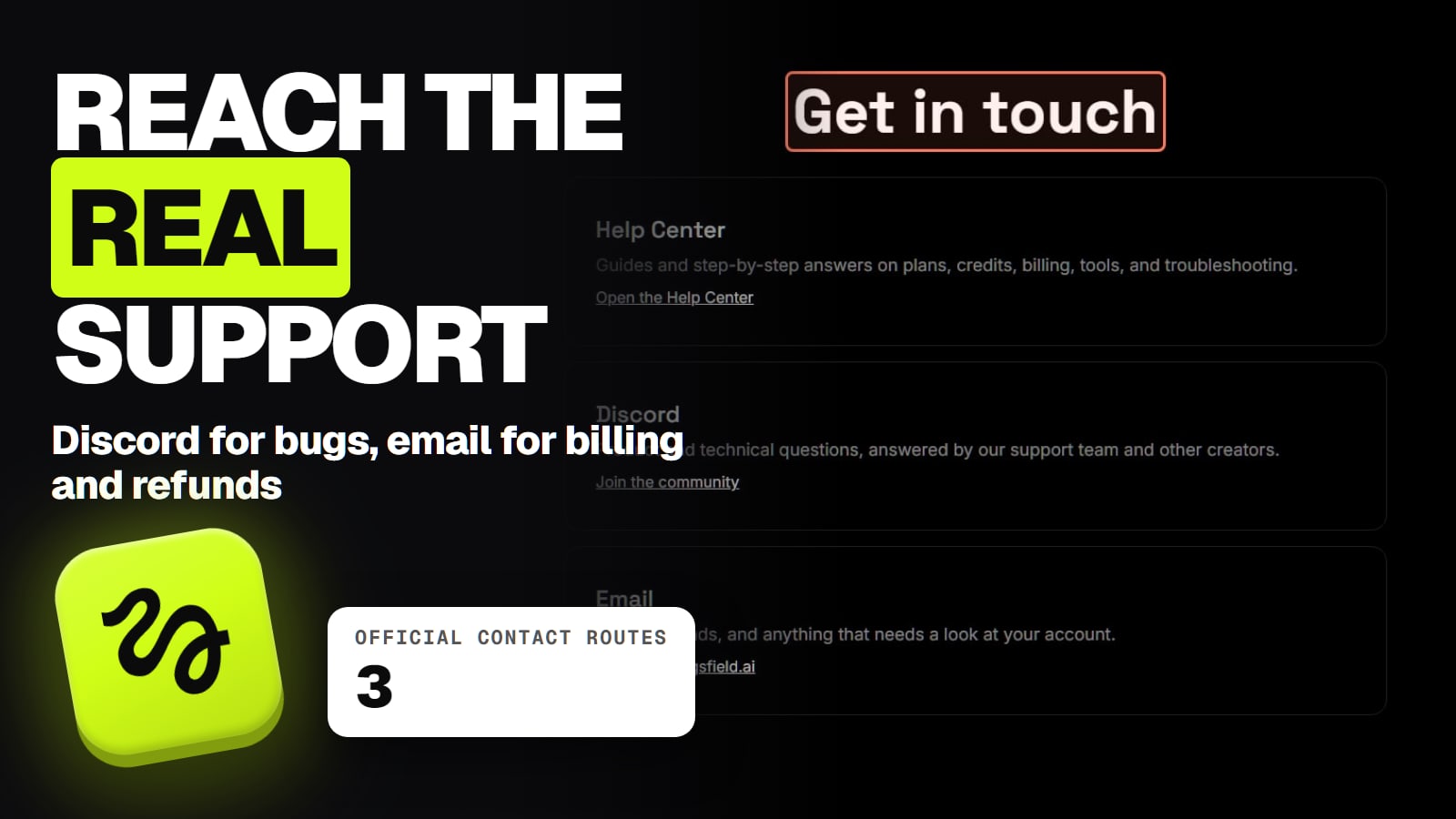
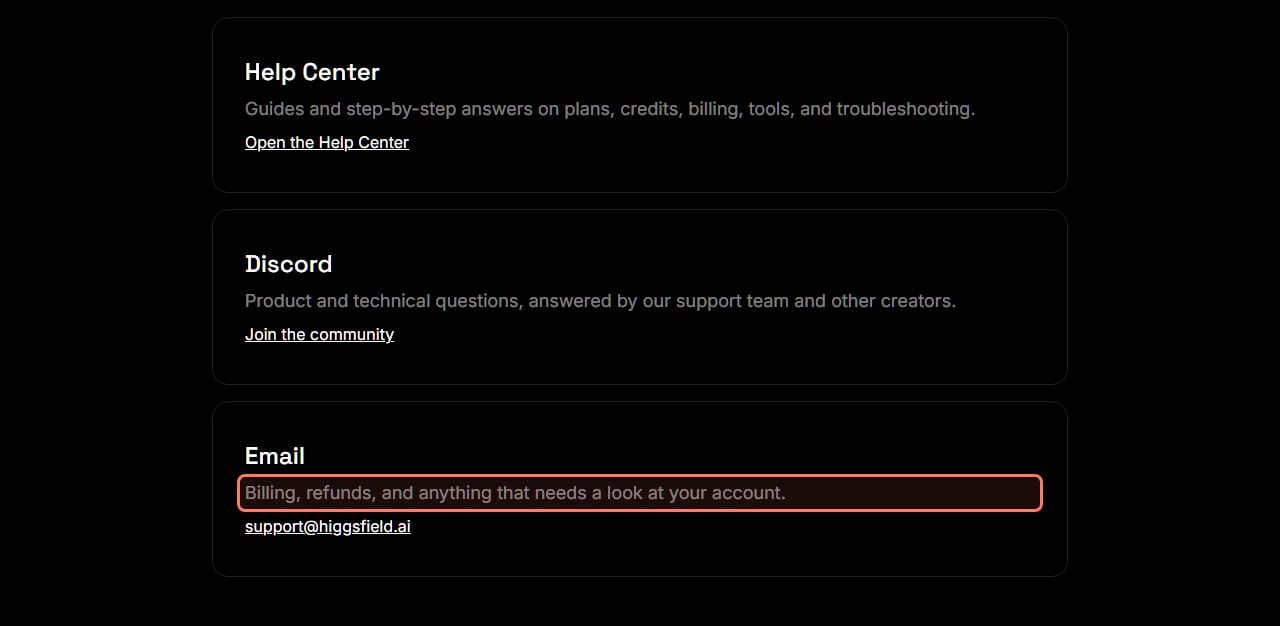
Higgsfield's contact page has three cards under "Get in touch", and the footer adds a fourth link for security researchers. The Trust page adds the safety and abuse routes.
Higgsfield's three contact routes, from higgsfield.ai/contact, read November 22, 2026. The outline is ours. · Higgsfield contact page, screenshot by aliteq
A bug, a broken page or a tool that misbehaves
Where it goes
Discord #bug-reports, Report a Bug form
What to include
Area, one-line title, steps, expected vs got, device and browser, account email; then a screenshot or recording
Credits lost to a bug, or an account problem
Where it goes
Discord #support ticket (private reply by DM), or support@higgsfield.ai
What to include
Approximate time of the generation and the model
Billing question or a charge you don't recognize
Where it goes
support@higgsfield.ai
What to include
Payment date and amount; the last 4 card digits can help
Refund request
Where it goes
support@higgsfield.ai
What to include
Account email, purchase date, amount charged, a brief reason
Product or how-to question
Where it goes
Discord, or the Help Center first
What to include
The tool and what you tried
Feature idea
Where it goes
Discord #suggestions, Share a suggestion
What to include
Area, title, the idea and why it matters (needs a verified account)
Security vulnerability
Where it goes
Vulnerability disclosure program, linked from the Trust page
What to include
Keep it private until fixed
Harmful content or account abuse
Where it goes
Trust page, Report a safety concern (support@higgsfield.ai)
What to include
What it is and where it is
Intimate image shared without consent
Where it goes
Trust page, the NCII reporting form
What to include
Enough to locate it, who is depicted, a statement it was shared without consent
DMCA or legal inquiry
Where it goes
support@higgsfield.ai
What to include
The six elements a DMCA notice needs
Privacy (GDPR, CCPA) request
Where it goes
privacy@higgsfield.ai
What to include
Your request
A fake Higgsfield site or app
Where it goes
Contact Support
What to include
A link to it and a screenshot
Where it goes
What to include
A bug, a broken page or a tool that misbehaves
Discord #bug-reports, Report a Bug form
Area, one-line title, steps, expected vs got, device and browser, account email; then a screenshot or recording
Credits lost to a bug, or an account problem
Discord #support ticket (private reply by DM), or support@higgsfield.ai
Approximate time of the generation and the model
Billing question or a charge you don't recognize
support@higgsfield.ai
Payment date and amount; the last 4 card digits can help
Refund request
support@higgsfield.ai
Account email, purchase date, amount charged, a brief reason
Product or how-to question
Discord, or the Help Center first
The tool and what you tried
Feature idea
Discord #suggestions, Share a suggestion
Area, title, the idea and why it matters (needs a verified account)
Security vulnerability
Vulnerability disclosure program, linked from the Trust page
Keep it private until fixed
Harmful content or account abuse
Trust page, Report a safety concern (support@higgsfield.ai)
What it is and where it is
Intimate image shared without consent
Trust page, the NCII reporting form
Enough to locate it, who is depicted, a statement it was shared without consent
DMCA or legal inquiry
support@higgsfield.ai
The six elements a DMCA notice needs
Privacy (GDPR, CCPA) request
privacy@higgsfield.ai
Your request
A fake Higgsfield site or app
Contact Support
A link to it and a screenshot
All routes in this table come from Higgsfield's contact page, Trust page and help center, read November 22, 2026.
How do I report a bug to Higgsfield?
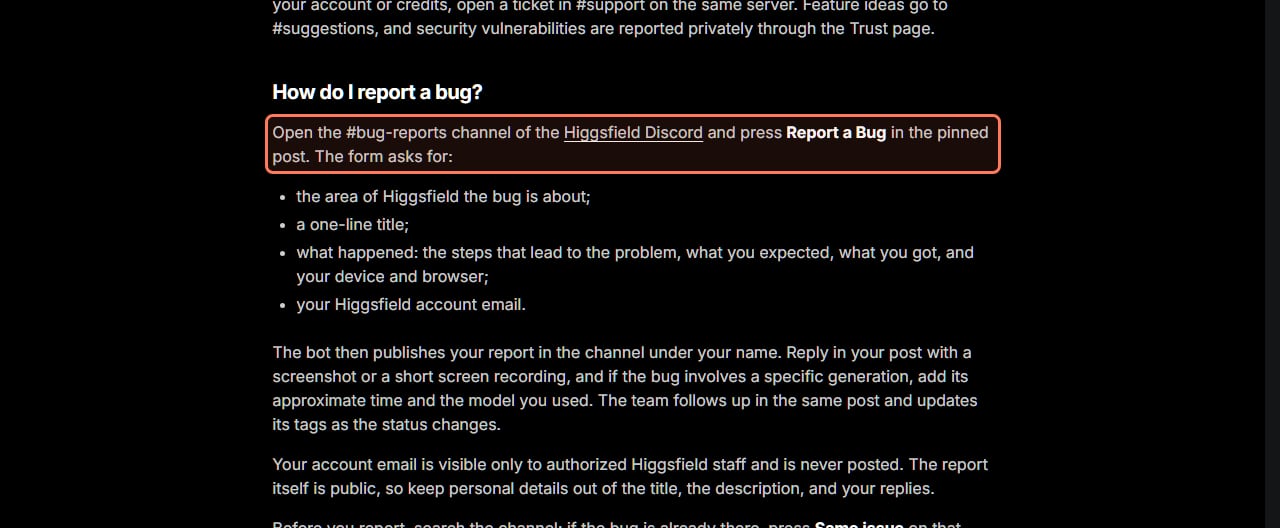
Use the form in Discord. Higgsfield's bug report article (updated Nov 19, 2026) says to "open the #bug-reports channel of the Higgsfield Discord and press Report a Bug in the pinned post." The form asks for four things.
The area of Higgsfield the bug is about.
A one-line title.
What happened: the steps that lead to the problem, what you expected, what you got, and your device and browser.
Your Higgsfield account email. Higgsfield says only authorized staff see it, and it is never posted.
A bot then posts your report in the channel under your name. Reply in that post with "a screenshot or a short screen recording", and if a specific generation is involved, add "its approximate time and the model you used." The team follows up in the same post and changes its tags as the status moves.
What the Report a Bug form asks for, from Higgsfield's help center (updated November 19, 2026), read November 22, 2026. · Higgsfield help center, screenshot by aliteq
Two things to know before you post. The report is public, so Higgsfield says to "keep personal details out of the title, the description, and your replies." And search first: if the bug is already listed, press Same issue on that report instead of opening a new one. If you don't use Discord, the same article says you can contact Higgsfield through the website "with the same details."
Not sure it's a bug? A single failed or stuck generation usually isn't one. Start with our guides to Higgsfield error messages and to a slow or stuck Higgsfield. Higgsfield's own advice is to report it as a bug "if the problem keeps repeating or part of the site stops working."
Where do account, credit and billing problems go?
Somewhere private, never the public bug channel. For account or credit problems, the bug article says to open a ticket in the #support channel: "pick a topic in the support panel, and if the quick answers don't help, open a ticket. The team replies in a direct message." If a bug cost you credits, include the approximate time and the model.
For money, use email. The contact page sends "billing, refunds, and anything that needs a look at your account" to support@higgsfield.ai, and the Trust page says the same for "billing questions or an unfamiliar charge." What to include depends on the problem:
A refund. Higgsfield's refund article asks for your account email, the purchase date, the amount and a short reason. A service fee of up to 6% comes off, and approved money returns in 5 to 10 business days. Our Higgsfield refund guide covers who qualifies.
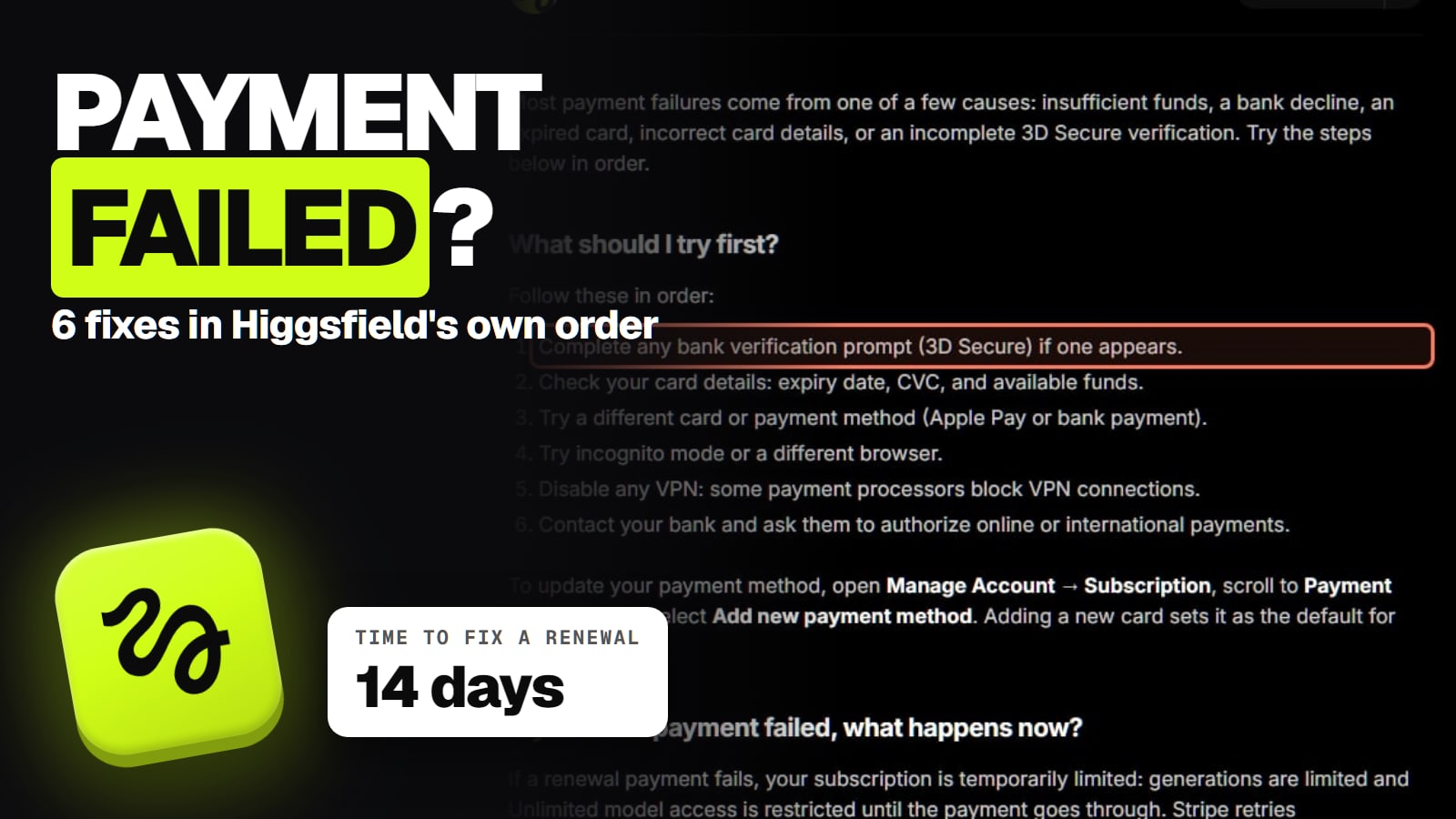
A charge but no active plan. The failed payment article asks for the payment date and amount, says the last 4 card digits can help, and says "don't repurchase before the issue is resolved." See our failed payment guide.
A charge you don't recognize. Higgsfield's billing article says to check Manage Account, then Subscription, then All invoices, and to "contact Support before disputing with your bank: a chargeback can result in permanent account restrictions."
Can't sign in. Our Higgsfield login help covers the official sign-in page and what to try before you write in.
How do I use the Higgsfield Discord for support?
Join from your account or the official invite. Higgsfield's Discord article (updated Nov 18, 2026) says to hover over your avatar on higgsfield.ai and select Join Community. The server has two kinds of help:
Official support works through tickets in #support. A bot shows quick answers first; if they don't help, you open a ticket and the team replies by direct message.
Community support is #community-support, where "answers there come from other members, including Power Users, and from moderators." Helpful, but not Higgsfield staff deciding about your account.
If your ticket gets no reply, check your Discord privacy settings. Higgsfield says to "click the server name, open Privacy Settings, and turn on Direct Messages", because the reply arrives as a DM. Feature ideas go to #suggestions, which needs a verified account: open #welcome and click Verify with Higgsfield.
How do I report harmful content, an intimate image or a security hole?
Through the Trust page, which says "you don't need a Higgsfield account to submit a report." It has four buttons, read November 22, 2026:
Report a safety concern for content or account abuse, which opens an email to support@higgsfield.ai.
Report intimate image abuse, a dedicated NCII form that "members of the public can submit", including people who don't use Higgsfield. Higgsfield's legal inquiry article says validly reported content is removed within 48 hours.
Get support for your account, subscription or a payment, also support@higgsfield.ai.
Report a vulnerability for security researchers, through Higgsfield's disclosure program. The bug article asks you to keep the details private until the issue is fixed.
Content blocked as NSFW or for copyright is a different question. Our page on Higgsfield NSFW flags explains how to ask for a review.
How fast does Higgsfield support reply?
Higgsfield doesn't publish a reply time for normal support tickets or emails, on any page we read. The only times it states are for specific cases:
DMCA notice, first acknowledgment
Time Higgsfield states
Up to 48 hours
Source
Legal inquiry article
Validly reported intimate images
Time Higgsfield states
Removed within 48 hours
Source
Legal inquiry article
Approved refund reaching your card
Time Higgsfield states
5 to 10 business days after processing
Source
Refund article
EU or UK withdrawal reimbursement
Time Higgsfield states
Within 14 days
Source
Refund article
Normal tickets and emails
Time Higgsfield states
Not published
Source
None
Time Higgsfield states
Source
DMCA notice, first acknowledgment
Up to 48 hours
Legal inquiry article
Validly reported intimate images
Removed within 48 hours
Legal inquiry article
Approved refund reaching your card
5 to 10 business days after processing
Refund article
EU or UK withdrawal reimbursement
Within 14 days
Refund article
Normal tickets and emails
Not published
None
Read November 22, 2026.
How to tell real Higgsfield support from a scam
Higgsfield's official platforms article (Sep 5, 2026, read Nov 22) says the website higgsfield.ai is "the only place to sign in, generate, manage your subscription, and pay." Its other official surfaces are the API console open.higgsfield.ai, the docs at docs.higgsfield.ai, the official MCP, the official Discord server and its social accounts.
Red flags, in Higgsfield's own words:
Someone messages you first. "Higgsfield Support contacts you only after you open a ticket. The team never asks for passwords, card numbers, or codes."
An app. "Higgsfield has no mobile apps and no desktop app." Any downloadable app calling itself Higgsfield "is a copy."
A deal outside the site. Higgsfield "doesn't sell lifetime plans, transferable accounts, or subscriptions through resellers", and accounts or "Unlimited access" sold on Telegram, Discord or a marketplace are not legit.
A card request by email. "Higgsfield will never ask for your card details by email. All payments go through Stripe Checkout only."
If you typed your password into a copy, Higgsfield says to reset it through Sign in, then Forgot password on higgsfield.ai, and then contact Support. If you paid a copy, Support "can't activate, transfer, or refund anything bought elsewhere."
What we couldn't verify
Reply times for normal support. Higgsfield publishes none for tickets or emails, and we didn't open a ticket.
Which Discord invite is current. Higgsfield's pages link three forms of the invite (discord.gg/higgsfield, discord.com/invite/higgsfield and a code link in the bug article). Joining from your avatar menu on higgsfield.ai avoids guessing.
The website route for bugs without Discord. The bug article says to use the website, but the contact page offers only Discord and email, so in practice that means support@higgsfield.ai.
Phone or live chat. No page we read mentions a phone line or a live chat, so we found none to list.
Our verdict
Pick by problem. Bugs go to the Discord form with a screenshot. Account and credit problems go to a private #support ticket. Money goes to support@higgsfield.ai with the date and amount. Safety reports go through the Trust page, no account needed. And anyone who contacts you first, sells "Higgsfield" off the site, or asks for a password is not Higgsfield.
support@higgsfield.ai. Higgsfield's contact page (read Nov 22, 2026) says it is for "billing, refunds, and anything that needs a look at your account." Privacy requests go to privacy@higgsfield.ai instead.
How do I report a bug on Higgsfield?
Open #bug-reports in the Higgsfield Discord and press Report a Bug. Higgsfield's bug report article (updated Nov 19, 2026) says the form asks for the area, a one-line title, the steps, what you expected and got, your device and browser, and your account email. Then add a screenshot or recording in your post.
Does Higgsfield have live chat or a phone number?
Not on any page we read on November 22, 2026. The contact page lists the Help Center, Discord and email only.
Where do I report lost credits?
In a private ticket in the Discord #support channel, or by email to support@higgsfield.ai. Include the approximate time of the generation and the model you used.
Do I need a Higgsfield account to report harmful content?
No. The Trust page says you don't need a Higgsfield account to submit a report, and the intimate-image form is open to the public.
Is a Higgsfield support DM on Discord real?
Only if it answers a ticket you opened. Higgsfield says Support contacts you only after you open a ticket and never asks for passwords, card numbers or codes.
Higgsfield sales like 11.11 and Black Friday change prices for a few days at a time. When one starts, we read the real prices on Higgsfield's own page and email you what changed.
Written and sent by hand. One-click unsubscribe in every email. Emails may contain referral links.