Only the distilled DeepSeek-R1 models fit a home PC: the 8B on an 8GB card, the 14B on 12 to 16GB, the 32B on 24GB, the 70B on 48GB. DeepSeek's newest V4 models are 284B to 1.6T parameters, and the DeepSeek models Ollama lists as cloud-only don't run on your machine. Install steps, sizes and the one setting that trips up 24GB cards, checked Nov 3, 2026.
Some links on this page are referral links: we may earn a commission, at no cost to you.
Share
Which DeepSeek can your PC run? A distilled DeepSeek-R1, sized to your graphics card. On an 8GB card run deepseek-r1:8b, on 12 to 16GB the 14b, on 24GB the 32b, and on 48GB the 70b. Install Ollama, type ollama run deepseek-r1:8b, and it downloads, runs offline and costs nothing. The full DeepSeek-R1 is a 404 GB download, and DeepSeek's newest V4 models are 284 billion to 1.6 trillion parameters, so none of those fit a home PC. Sizes read on Ollama's and DeepSeek's own pages on Nov 3, 2026.
Which DeepSeek model fits my graphics card?
Match the model to your card's VRAM (graphics memory), not your system RAM. The table uses Ollama's own download sizes and our VRAM calculator's estimate at Q4_K_M (Ollama's default 4-bit files) with a 4K context, which is what Ollama gives you on cards under 24 GB.
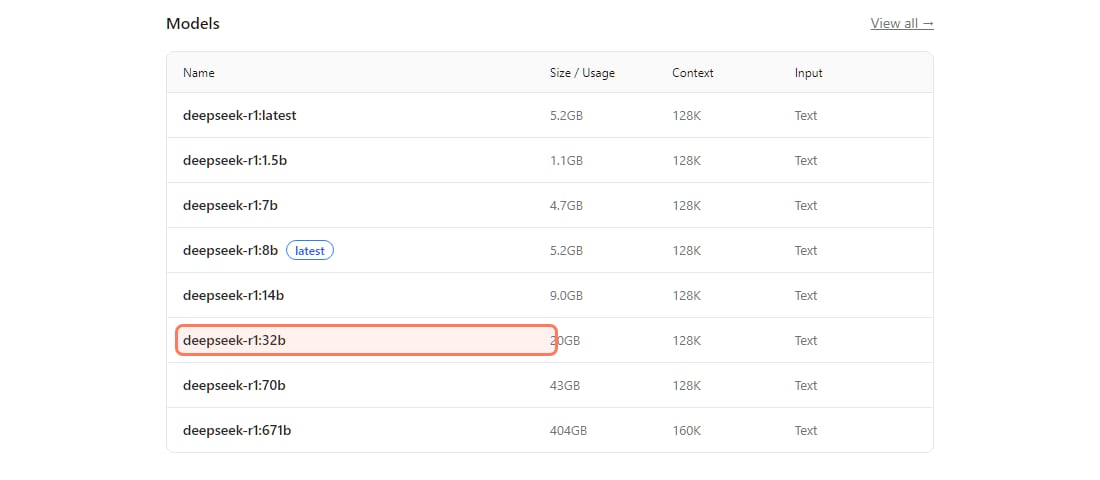
Every DeepSeek-R1 size Ollama offers, and the card it needs (read Nov 3, 2026)
deepseek-r1:1.5b
Download (Ollama)
1.1 GB
VRAM needed, 4K context (our estimate)
about 2 GB
Card that runs it
Any GPU, or CPU only
deepseek-r1:7b
Download (Ollama)
4.7 GB
VRAM needed, 4K context (our estimate)
about 5.3 GB
Card that runs it
6 to 8GB
deepseek-r1:8b (default)
Download (Ollama)
5.2 GB
VRAM needed, 4K context (our estimate)
about 6 GB
Card that runs it
8GB
deepseek-r1:14b
Download (Ollama)
9.0 GB
VRAM needed, 4K context (our estimate)
about 10 GB
Card that runs it
12 to 16GB
deepseek-r1:32b
Download (Ollama)
20 GB
VRAM needed, 4K context (our estimate)
about 20 GB
Card that runs it
24GB (short context)
deepseek-r1:70b
Download (Ollama)
43 GB
VRAM needed, 4K context (our estimate)
about 42 GB
Card that runs it
48GB, two 24GB cards, or a big-memory Mac
deepseek-r1:671b (full R1)
Download (Ollama)
404 GB
VRAM needed, 4K context (our estimate)
over 400 GB
Card that runs it
Not a home PC
Download (Ollama)
VRAM needed, 4K context (our estimate)
Card that runs it
deepseek-r1:1.5b
1.1 GB
about 2 GB
Any GPU, or CPU only
deepseek-r1:7b
4.7 GB
about 5.3 GB
6 to 8GB
deepseek-r1:8b (default)
5.2 GB
about 6 GB
8GB
deepseek-r1:14b
9.0 GB
about 10 GB
12 to 16GB
deepseek-r1:32b
20 GB
about 20 GB
24GB (short context)
deepseek-r1:70b
43 GB
about 42 GB
48GB, two 24GB cards, or a big-memory Mac
deepseek-r1:671b (full R1)
404 GB
over 400 GB
Not a home PC
Ollama's own size list for every DeepSeek-R1 tag, ollama.com/library/deepseek-r1, read Nov 3, 2026. · Screenshot of ollama.com by aliteq
Which row is yours, card by card:
8GB card (RTX 4060, RTX 3070 and similar):deepseek-r1:8b. It's also the default you get with a bare ollama run deepseek-r1. More picks for this tier are in our 8GB guide.
12GB card: the 14b needs about 10 GB at 4K context, about 82% of the card, so it fits with little room for a long chat. See the 12GB guide.
16GB card: the 14b with room to spare. The 16GB guide has the alternatives.
24GB card (RTX 3090, RTX 4090): the 32b, the strongest DeepSeek that fits one consumer card. Read the context warning below first.
48GB: the 70b. That's two 24GB cards, a 48GB workstation card, or a Mac with 64 GB or more of unified memory. The 70B guide compares those routes.
No graphics card: the 1.5b and 7b run on the CPU. Ollama's own download page warns that "Large models are slow on a computer without a strong GPU."
Our estimates are model math, not a benchmark we ran. Your real number moves with context length and what else uses the card (a browser, the desktop). Put your exact card and context into the VRAM calculator.
How do I install DeepSeek on my PC?
Install Ollama, then run one command. That's the whole setup.
Download it from ollama.com/download, or paste the one-line installer for your system (below). On Windows it needs Windows 10 22H2 or newer and installs without admin rights.
Open a terminal and type ollama run deepseek-r1:8b (or 14b, 32b, 70b). The first run downloads the file; after that it starts in seconds.
Type a question at the prompt. R1 models show their thinking first, then the answer. Type /bye to quit.
In a second terminal, run ollama ps. The PROCESSOR column should say 100% GPU. If it shows a CPU share, the model doesn't fit and will be slow.
The install commands, exactly as Ollama's download page lists them on Nov 3, 2026:
# macOS and Linux
curl -fsSL https://ollama.com/install.sh | sh

# Windows (PowerShell)
irm https://ollama.com/install.ps1 | iex

# then pick the size that fits your card
ollama run deepseek-r1:8b      # 8GB card
ollama run deepseek-r1:14b     # 12 to 16GB
ollama run deepseek-r1:32b     # 24GB
ollama run deepseek-r1:70b     # 48GB

# see what is loaded and whether it is on the GPU
ollama ps
Prefer clicking to typing? LM Studio carries the same distills in its model search, in GGUF and MLX formats. Its deepseek-r1 page (read Nov 3, 2026) lists the Qwen3 8B at 4.30 GB and the 32B at 18.70 GB. One difference: LM Studio offers both an 8B Llama distill (4.50 GB) and the newer 8B Qwen3 one, while Ollama's 8b tag is the Qwen3 one.
On an AMD card, Ollama's Windows docs list Radeon support through ROCm or Vulkan; our AMD guide covers the setup. NVIDIA cards need driver 551.61 or newer, per the same page. Ollama also says the app itself needs at least 4 GB of disk, plus the model files.
Why does the 32B crawl on my 24GB card?
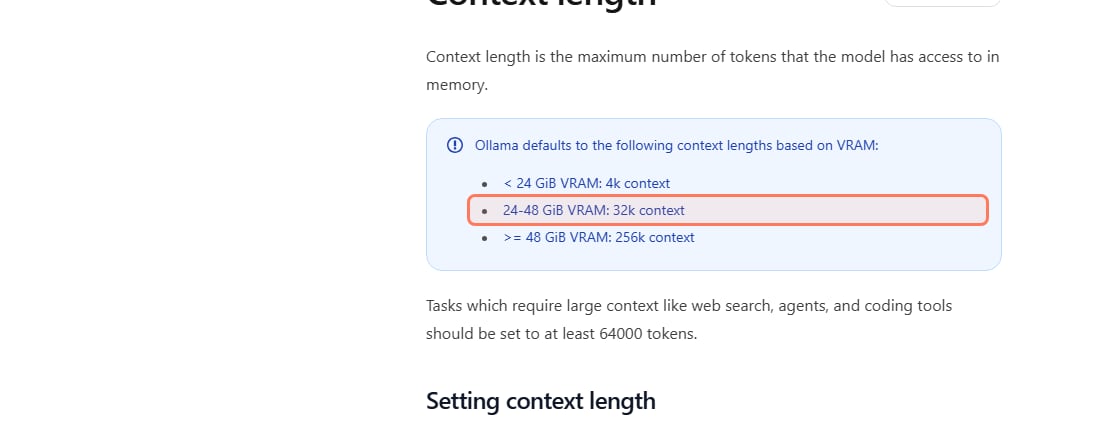
Because Ollama gives 24GB cards a longer default context, and that context doesn't fit next to a 20 GB model. Ollama's context-length page says its default is "4k context" under 24 GiB of VRAM and "32k context" from 24 to 48 GiB.
Ollama's default context by VRAM, docs.ollama.com/context-length, read Nov 3, 2026. The 24GB tier is outlined. · Screenshot of docs.ollama.com by aliteq
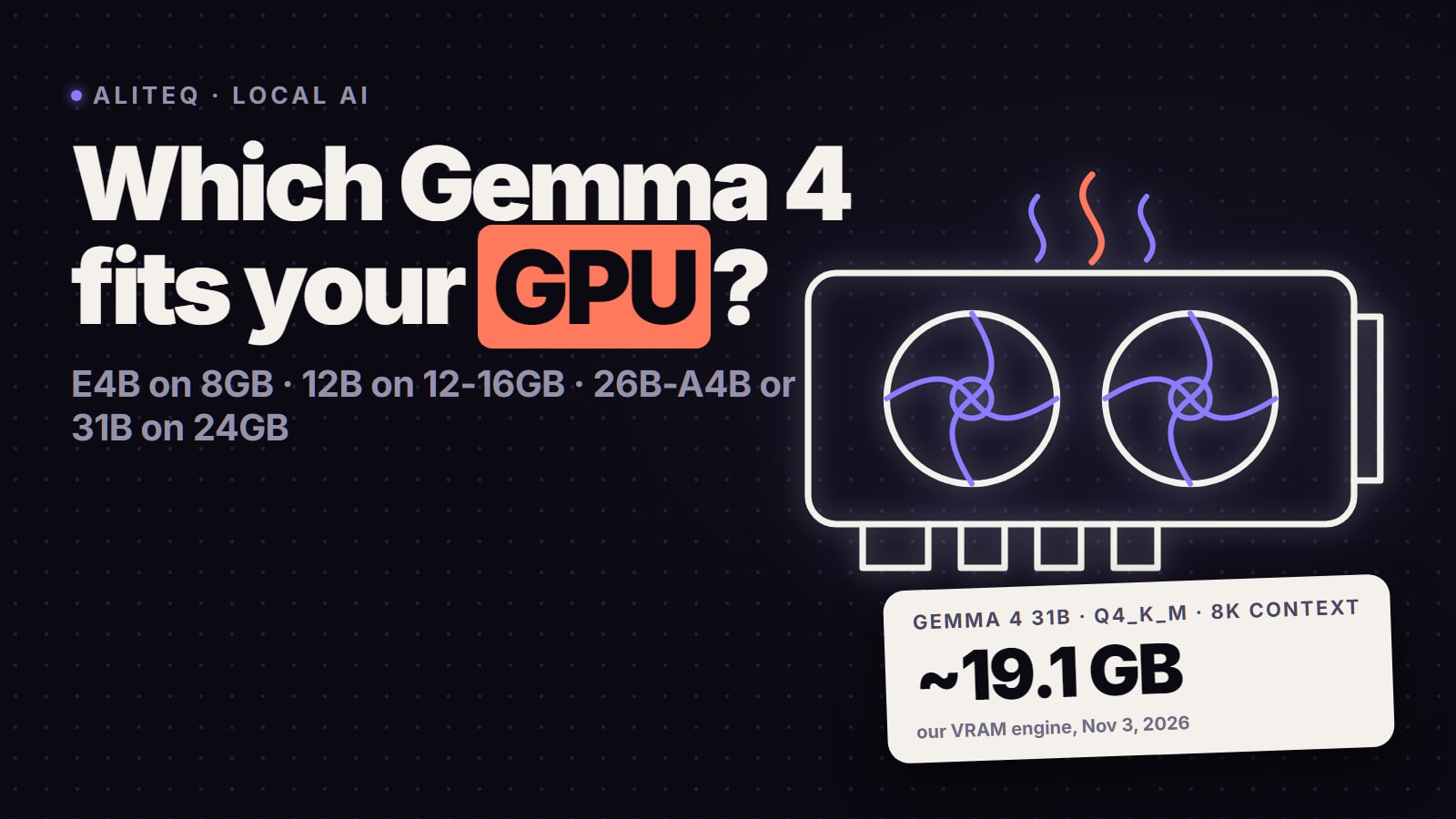
By our VRAM engine, the 32B at 4-bit needs about 20 GB at 4K context, about 21 GB at 8K and about 27 GB at 32K. At 32K it's over a 24GB card, so part of it spills to system memory and generation slows to a crawl. The fix is one line inside the chat:
/set parameter num_ctx 8192
Then check ollama ps again: you want "100% GPU". If you need long documents or a coding agent (Ollama suggests at least 64,000 tokens for those), a 24GB card is better used with the 14b, or a bigger card.
Can I run the full DeepSeek, or DeepSeek V4, at home?
No. These are datacenter models.
Full DeepSeek-R1: Ollama's deepseek-r1:671b is a 404 GB download, so it needs over 400 GB of memory just to load.
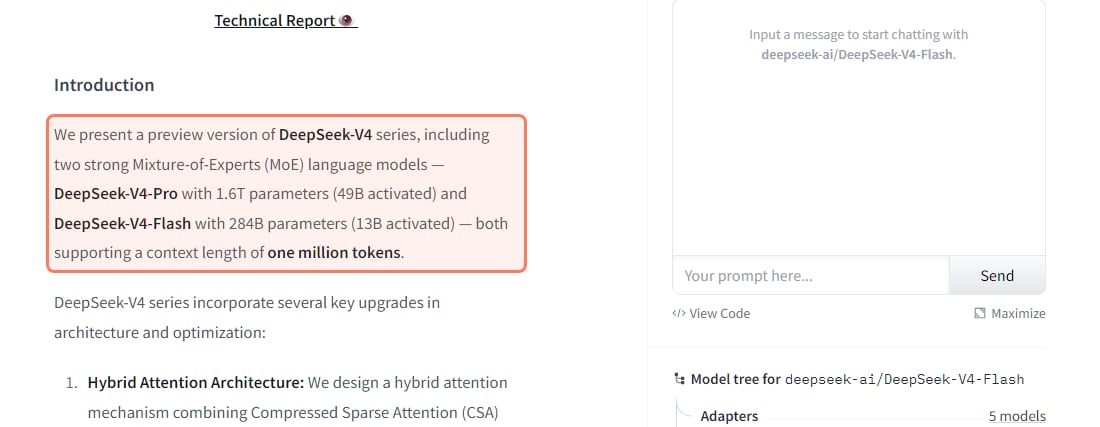
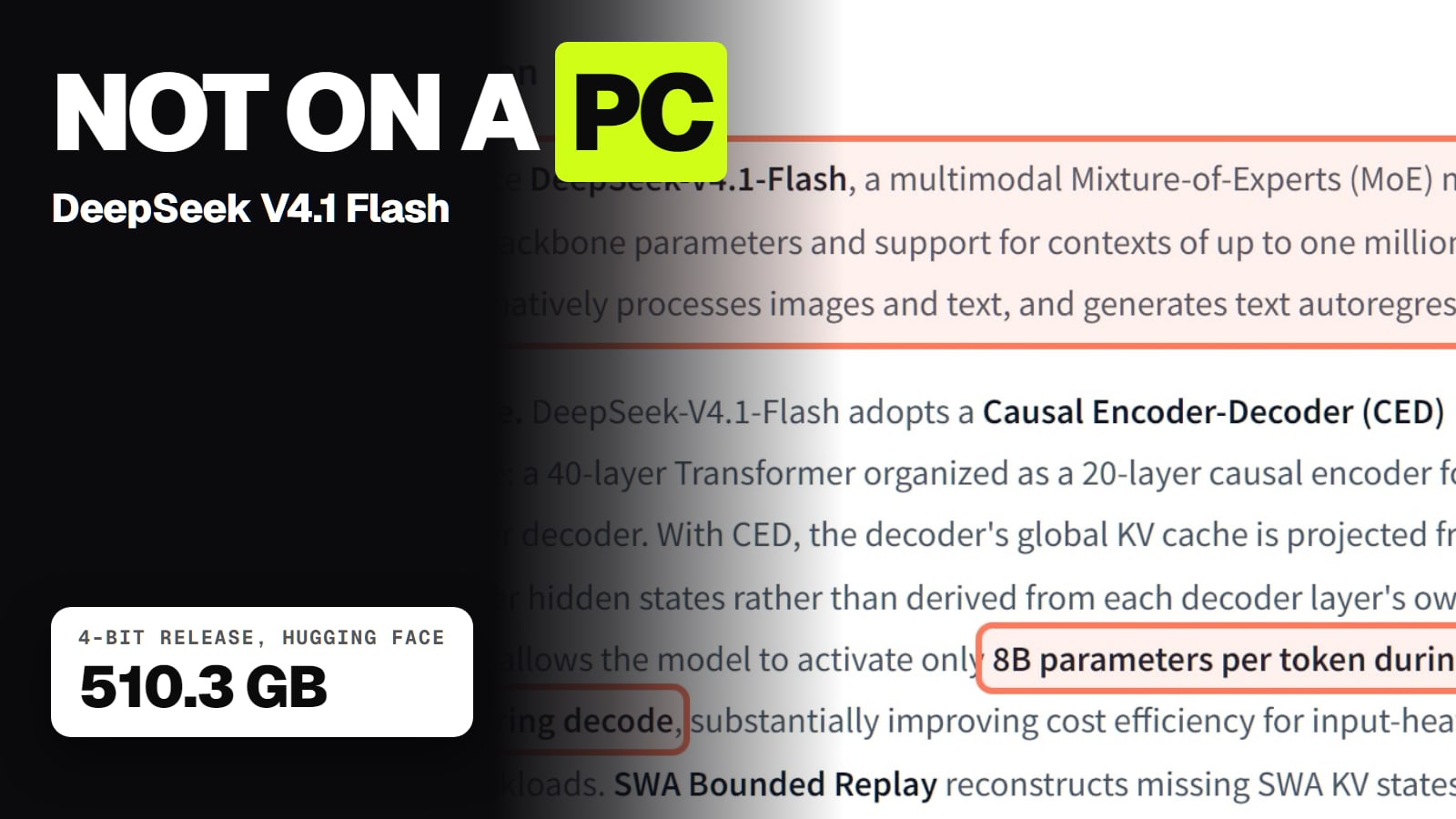
DeepSeek-V4-Flash and V4-Pro: DeepSeek's own model card lists "DeepSeek-V4-Flash with 284B parameters (13B activated)" and "DeepSeek-V4-Pro with 1.6T parameters (49B activated)". All of those parameters have to sit in memory, even though only a few billion are used per word.
DeepSeek's own V4 model card, huggingface.co/deepseek-ai/DeepSeek-V4-Flash, read Nov 3, 2026. · Screenshot of huggingface.co/deepseek-ai by aliteq
Watch for one trap. Ollama lists deepseek-v4-pro and deepseek-v4.1-flash, but only as cloud models (the name ends in :cloud). Ollama's download page says cloud models "run on Ollama's servers". So that's not local, not offline, and on Nov 3, 2026 Ollama's own pages showed per-token prices for both. If you want V4, the honest choices are DeepSeek's own app or API (how to get a DeepSeek API key) or a rented GPU server.
Is the distilled DeepSeek as good as the real one?
No, and it isn't the same model underneath. Each distill is another company's open model (Qwen or Llama) trained on DeepSeek-R1's reasoning, per Ollama's readme. The 1.5B, 7B, 14B and 32B are built on Qwen 2.5, the 8B on Qwen3-8B, and the 70B on Llama 3.3 70B.
DeepSeek's own card for the 8B says it "achieves state-of-the-art (SOTA) performance among open-source models on the AIME 2024" (a maths test) and matches Qwen3-235B-thinking there. That's DeepSeek's claim on one benchmark, not a test we ran. Expect a smaller distill to know less and make more mistakes than the full R1 on general questions.
Two practical points from the same pages:
Licence: Ollama's readme says the R1 weights are MIT-licensed and allow commercial use. The distills also carry their base model's licence (Apache 2.0 for Qwen, the Llama 3.1 and 3.3 licences for the Llama ones).
Updating: Ollama's readme says to run ollama pull deepseek-r1 to move an older download to the current version.
No card big enough? Rent one by the hour
If the 32b or 70b is what you want and your card is smaller, renting a GPU for an afternoon costs less than a new card. On Nov 3, 2026 at 15:20 UTC our price tracker read a 24GB RTX 3090 on Vast.ai from $0.11 an hour on-demand, and on Runpod from $0.50 an hour. Prices move every hour, so check today's cloud GPU prices, and see what the 32B costs per hour on our DeepSeek R1 32B cost page. You install Ollama on the rented machine the same way, and you shut it down when you're done.
One thing Vast users learn the hard way: a stopped instance still bills for its storage. Delete it when you're finished. Our Vast.ai review covers that and the other gotchas.
What running DeepSeek locally doesn't give you
It's not the DeepSeek app. The chat app and API run DeepSeek's current large models. A local 8B or 14B is a smaller cousin.
No live web. A local model knows only what it was trained on, and these R1 files on Ollama show "Updated 1 year ago" on Nov 3, 2026.
Speed depends on your card. We haven't run our own speed tests for this page, so we don't quote tokens per second.
Free means no subscription, not no cost: you pay for the hardware and the electricity (what that costs).
Quick answers
Which DeepSeek model can I run on my PC?
A distilled DeepSeek-R1, sized to your graphics memory. On Ollama's pages (read Nov 3, 2026): deepseek-r1:8b is a 5.2 GB download for 8GB cards, 14b is 9.0 GB for 12 to 16GB, 32b is 20 GB for 24GB, and 70b is 43 GB for 48GB. The full R1 (404 GB) and DeepSeek V4 (284B to 1.6T parameters) don't fit a home PC.
How do I install DeepSeek locally?
Install Ollama from ollama.com/download, open a terminal and run ollama run deepseek-r1:8b (or the size that fits your card). The first run downloads the model; after that it runs offline. Run ollama ps to check it says 100% GPU.
Is running DeepSeek locally free?
Yes. Ollama and LM Studio are free, and Ollama says the DeepSeek-R1 weights are MIT-licensed and allow commercial use. You only pay for your own hardware and electricity. Models whose Ollama name ends in :cloud are the exception: they run on Ollama's servers and are billed per token.
Can I run DeepSeek V4 locally?
Not on a normal PC. DeepSeek's model card lists V4-Flash at 284B parameters and V4-Pro at 1.6T, and V4.1-Flash at 552B backbone parameters. Ollama offers V4 only as cloud models. Use DeepSeek's app or API, or a rented multi-GPU server.
Why is deepseek-r1:32b so slow on my RTX 3090 or 4090?
Ollama sets a 32K default context on 24 to 48 GiB cards, and by our VRAM engine the 32B needs about 27 GB at 32K, more than 24 GB. Type /set parameter num_ctx 8192 in the chat and check ollama ps shows 100% GPU.
Can I run DeepSeek without a graphics card?
Yes, the 1.5b and 7b run on the CPU, but Ollama itself warns that large models are slow without a strong GPU. For anything bigger, use a card or rent one by the hour.