Moonshot's Kimi K3 is open to download. It is also 2.8 trillion parameters in 1.56 TB of MXFP4 files, and the smallest community quant is 509 GB. The real memory math, what vLLM says you need, and what to run at home instead.
This post contains affiliate links. If you buy through them, Aliteq may earn a commission — at no extra cost to you. Prices change; check the retailer for today’s price.
Share
Kimi K3 is a real open-weight release. Moonshot put the full model on Hugging Face, under its own Kimi K3 License, and anyone can download it. Running it is another matter.
I read the model card, the config file, the license and the file list on 4 October 2026, plus vLLM's serving recipe and Moonshot's launch blog. I have not run Kimi K3 on any hardware, and nobody at home has the hardware to. Everything below is arithmetic on published files.
How much memory does Kimi K3 need?
About 1.56 TB for the official weights, before any context cache or runtime overhead. Moonshot ships K3 in MXFP4, a 4-bit format it trained with from the fine-tuning stage on, so there is no bigger "real" version you are missing. Community quants go lower, but the smallest is still 509 GB.
The model card lists 2.8T total parameters, 104B activated, and "MXFP4 weights / MXFP8 activations (quantization-aware training)." Here is what each download weighs.
Kimi K3: size of each download (read 4 Oct 2026)
MXFP4 (official)
Total size
1,561 GB (1,454 GiB)
Bits per weight
about 4.5
Source
Moonshot AI
NVFP4
Total size
1,610 GB (1,499 GiB)
Bits per weight
about 4.6
Source
NVIDIA
GGUF UD-Q4_K_XL
Total size
1,509 GB (1,405 GiB)
Bits per weight
about 4.3
Source
unsloth, community
GGUF UD-Q2_K_XL
Total size
861 GB (802 GiB)
Bits per weight
about 2.5
Source
unsloth, community
GGUF UD-IQ1_S
Total size
594 GB (553 GiB)
Bits per weight
about 1.7
Source
unsloth, community
GGUF UD-TQ1_0 (smallest)
Total size
509 GB (474 GiB)
Bits per weight
about 1.5
Source
unsloth, community
Total size
Bits per weight
Source
MXFP4 (official)
1,561 GB (1,454 GiB)
about 4.5
Moonshot AI
NVFP4
1,610 GB (1,499 GiB)
about 4.6
NVIDIA
GGUF UD-Q4_K_XL
1,509 GB (1,405 GiB)
about 4.3
unsloth, community
GGUF UD-Q2_K_XL
861 GB (802 GiB)
about 2.5
unsloth, community
GGUF UD-IQ1_S
594 GB (553 GiB)
about 1.7
unsloth, community
GGUF UD-TQ1_0 (smallest)
509 GB (474 GiB)
about 1.5
unsloth, community
The bits-per-weight column is derived: file size times 8, divided by the 2,779,931,837,184 parameters Hugging Face counts in the official repo. It runs above 4.0 for the MXFP4 files because some layers, such as attention and the shared experts, are kept at higher precision. The config lists them in its "ignore" list.
Does it fit? Kimi K3 official MXFP4 needs about 1,561 GB
Kimi K3 (MXFP4) needs ≈1561 GB
RTX 5090 (32 GB)32 GBover 1529 GB
4x RTX PRO 6000 (384 GB)384 GBover 1177 GB
8x H200 (1,128 GB)1128 GBover 433 GB
Weights only. Even eight H200s (141 GB each) fall short of the official files before any context is added.
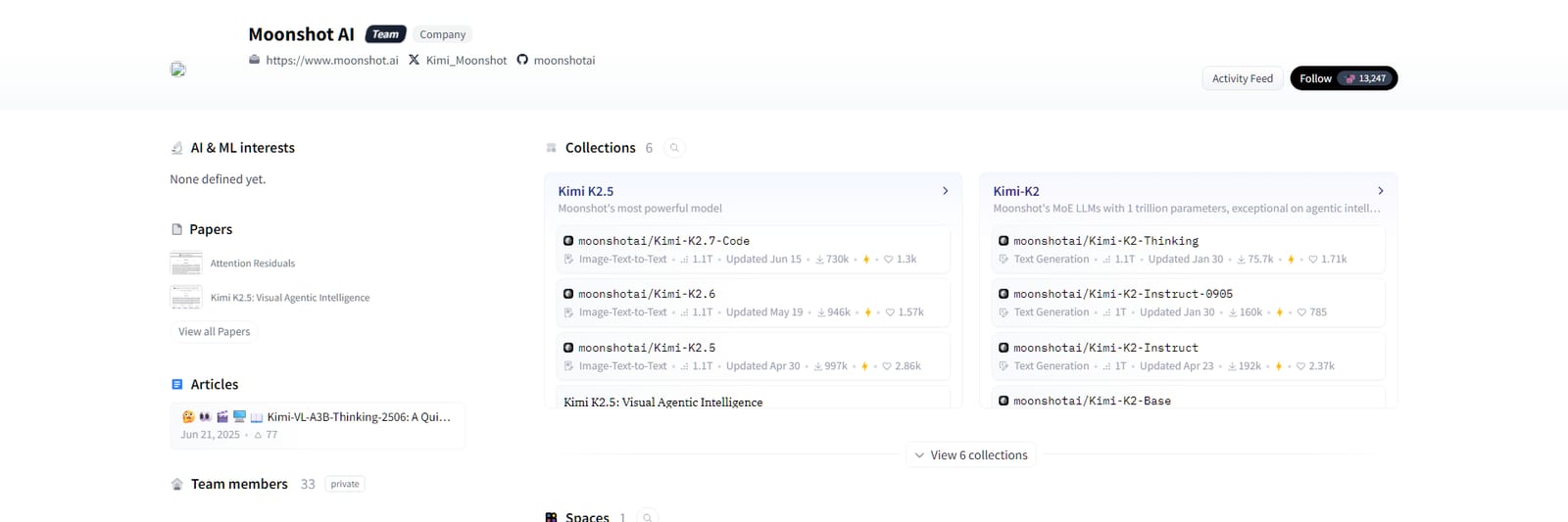
The weights sit on Moonshot AI's official Hugging Face org. Free to download, far beyond any home machine to run. · Hugging Face (screenshot)
What hardware does Kimi K3 actually run on?
Datacenter nodes. vLLM's Kimi K3 recipe lists "At least 8x GB300," with "Multi-node for real production traffic," and at least 8 MI355X or MI350X GPUs on AMD. Moonshot's own blog goes further and recommends "supernode configurations with 64 or more accelerators." That is rack-scale hardware.
The vLLM recipe's launch command runs the model with tensor parallel size 8, an fp8 context cache and the full 1,048,576-token window. If you want to touch K3 without owning that, the honest options are Moonshot's API or a cloud provider that hosts it. Our rent vs buy guide covers when renting makes sense at all.
Why doesn't "104B active" make it fit?
Because active parameters set compute, not memory. K3 picks 16 of its 896 experts for every token, plus 2 shared experts. The next token can go to any expert, so all 2.8 trillion parameters must sit in fast memory. You pay memory for the whole model and compute for about 104 billion.
Older write-ups, including an earlier version of this page, put the active count near 50B. The model card says 104B. That higher figure makes no difference to whether it fits. It does mean each token costs about twice the compute those estimates assumed.
This is the trap with every giant mixture-of-experts model. Offloading experts to system RAM, the --n-cpu-moe trick, works when a model is a bit too big for your GPU. It cannot bridge 509 GB on a desktop with 64 or 128 GB of RAM.
Kimi K3 architecture (model card and config.json, read 4 Oct 2026)
The cache side is lighter than you might fear. Only the 24 Gated MLA layers keep a classic context cache, and MLA stores a compressed version of it. The other 69 layers use linear attention with a fixed state. So context adds memory, but the weights are the wall.
Is Kimi K3's license really open?
Mostly. The Kimi K3 License grants the usual rights to use, modify, host and fine-tune. Two conditions apply only at scale: a model-as-a-service business with over $20 million revenue in 12 months needs a separate agreement, and products past 100 million monthly users or $20 million monthly revenue must display "Kimi K3."
Internal use is exempt from both conditions, per section 4 of the license. For research labs and most companies, that is effectively open. As always, read the LICENSE file before you build on it. This is a summary, not legal advice.
What can I run at home instead of Kimi K3?
A lot, for most real work. A 24 GB card runs a 27B to 32B model at Q4 with long context. A 64 GB or larger unified-memory machine, or one GPU plus plenty of RAM, runs gpt-oss-120b. And 12 to 16 GB cards have their own MoE options. None match K3, but all fit.
Can I run Kimi K3 on an RTX 5090 or two RTX 3090s?
No. The smallest community quant is 509 GB and the official weights are 1,561 GB. A 32 GB RTX 5090 or 48 GB across two 3090s holds well under a tenth of the smallest file.
How many GPUs does Kimi K3 need?
vLLM's recipe asks for at least 8 GB300 GPUs, or at least 8 MI355X or MI350X on AMD, and multi-node setups for production traffic. Moonshot recommends supernodes with 64 or more accelerators.
Is there a Kimi K3 GGUF?
Yes, community GGUFs exist, for example unsloth's set from 509 GB (UD-TQ1_0) to 1,509 GB (UD-Q4_K_XL). Even the smallest needs about 474 GiB of fast memory before any context.
How many parameters are active in Kimi K3?
The model card lists 104B activated out of 2.8T, from 16 of 896 experts plus 2 shared experts per token. That cuts compute per token, not memory.
Can I use Kimi K3 commercially?
Generally yes under the Kimi K3 License. A model-as-a-service business over $20 million in yearly revenue needs a separate agreement, and very large products must display "Kimi K3." Internal use is exempt from both.
Kimi K3 is a milestone for open weights and a lesson in the gap between "open" and "runnable." Reach it through an API or a host. Run something sized to your card at home, and check the fit first in our VRAM calculator. If you are curious why K3 kept introducing itself as Claude, that is a different story.