aliteq.

Every ADHD planner listing looks the same. Here's how yours won't, before the 2027 rush.

You sell GoodNotes planners on Etsy and the niche is crowded with identical iPad mockups. How planner sellers make styled listing images and sticker packs that look like their brand, fast, inside Etsy's AI rules.

Aliteq TeamUpdated 2h ago3 min read
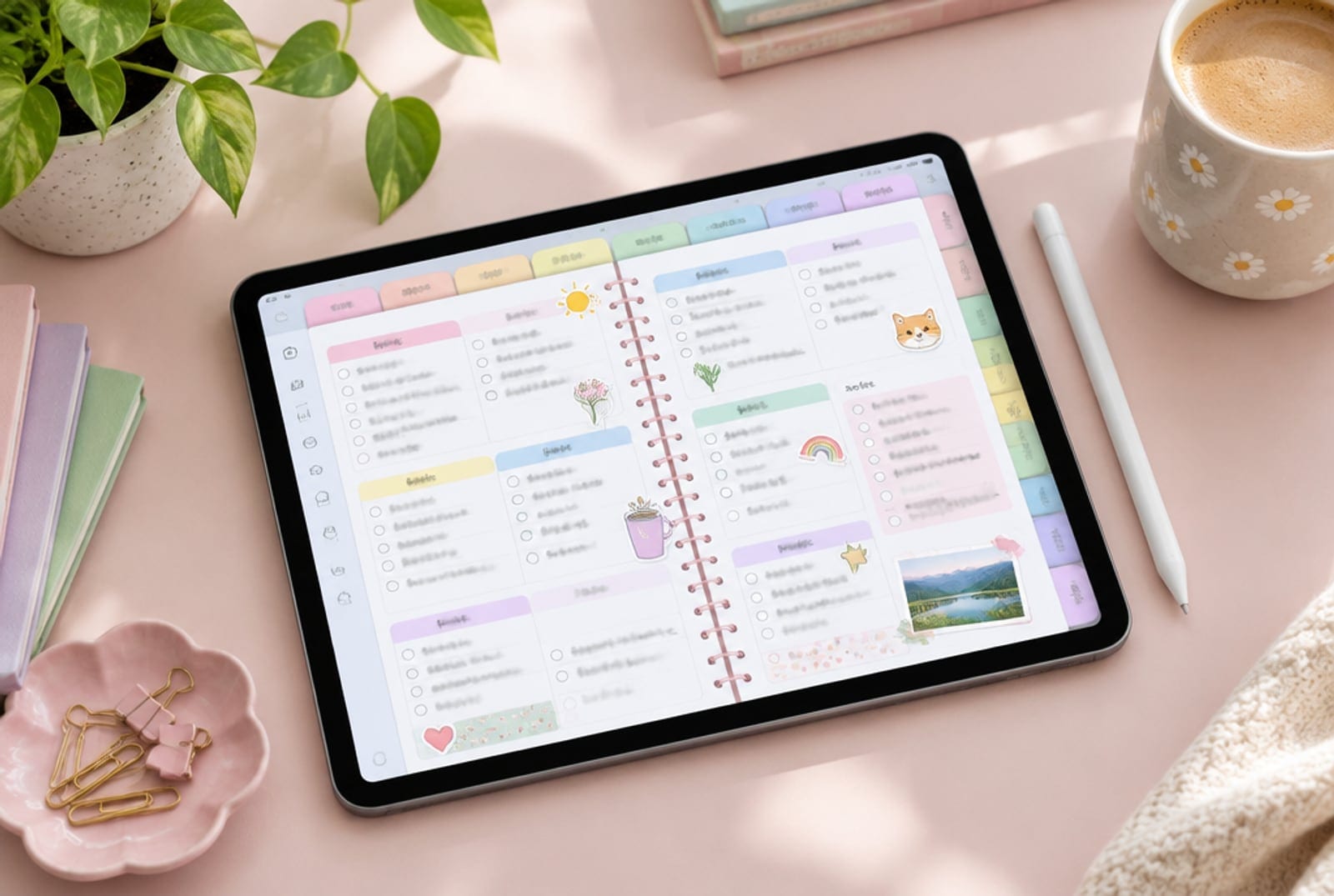
iPad on a pastel desk showing a colorful digital planner page with tabs and stickers next to an Apple Pencil and coffee

This post contains affiliate links. If you buy through them, Aliteq may earn a commission — at no extra cost to you. Prices verified at publish time.

Share

You design hyperlinked GoodNotes planners for people whose brains work like yours. The planner itself is good: tabs that make sense, undated pages, spreads that don't shame you for a missed week. But search "ADHD planner" on Etsy and every listing shows the same iPad, the same desk, the same pastel. The 2027 planner season is now, and your sticker packs take weeks to draw.

This page is for the planner seller who works in bursts and needs her listings to look like her, not like everyone.

What a planner listing needs

Planner buyers scroll a grid of near-identical thumbnails. The listings that get clicked have:

  • A first image that shows the feeling, not just the page: calm desk, focus, a checked-off day
  • Ten or more images: spreads, tabs, the hyperlink demo, the sticker sheet, a size comparison
  • A consistent look across the whole shop, so a buyer recognises you
  • Sticker previews that match the planner's style

The hyperfocus-weekend workflow

  1. Export your real planner pages as images. The pages buyers download are the pages they see. Never generate fake spreads.
  2. Generate the scenes around them: "pastel desk with an iPad, soft daylight, Apple Pencil, small plant, the screen area clean." Then place your real page on the screen in a free editor. Five scenes per planner.
  3. Draw half the sticker pack, generate the rest in your style. Feed your own stickers as the style reference and generate matching coffee cups, clouds and checkmarks. Clean them up in Procreate.
  4. Keep one brand palette in every prompt so the whole shop reads as one designer.

Higgsfield

Higgsfield · Higgsfield image generation

Sponsored

Higgsfield's image models build styled desk scenes around your real planner pages and can extend your own sticker style. Try one listing's worth on the free tier.

Try one listing, free →
Etsy's rule, in one line

What it costs

A listing scene or a sticker is a fraction of a credit; a full set of ten images plus a 40-sticker pack fits in the smallest plan. Plans are on Higgsfield's pricing page; top-ups expire 90 days after purchase and subscription credits don't roll over. Commercial rights: can you sell AI images you made.

Go deeper

HiggsfieldHiggsfieldSponsored

Ten listing images and a sticker pack, one weekend

Real pages, styled scenes, stickers in your style. The free tier covers the first listing.

Start with the free tier →

Common questions

Planner sellers ask

Can I generate the planner pages themselves?
You can, but buyers download pages, and generated layouts break hyperlinks and look generic. Keep pages your own; use AI for the scenes and the art around them.
Will AI stickers look like everyone else's?
They will if you prompt generic stickers. Feed your own drawings as the style reference and keep one palette.
Does a better listing guarantee sales in a saturated niche?
No. It raises the chance of a click; the planner's usefulness and your reviews decide the rest.

Found this useful? Share it

Share

Aliteq

Aliteq Team

Aliteq started in 2019 as a PC hardware shop and is now a US-based publication. We build the VRAM and cost calculators on this site, track live cloud-GPU prices, and write guides with AI-assisted drafting that we check against primary sources before publishing.

The Aliteq brief

The tech worth knowing — hardware, AI, gaming, deals. No spam, unsubscribe anytime.

Keep reading