For generated ad footage, a paid Higgsfield plan is our pick. Its terms let you run and hand over the clips, and Kling 3.0 tests a 5-second hook in square, vertical or wide for 10 credits. The catch: your uploads can train its models unless you're on Enterprise.
Some links on this page are referral links: we may earn a commission, at no cost to you.
Share
The best AI video generator for ads is a paid Higgsfield plan, because its terms let you run and hand over what you make and its cheapest flagship model, Kling 3.0, turns out a 5-second hook variant in vertical, square or wide for 10 credits. That's about $0.49 on monthly Plus, so a batch of ten openers costs less than five dollars before retakes. The trade-off is training: Higgsfield's terms let it train on your uploads and outputs unless you sign an Enterprise agreement, and Runway's and Kling's terms say much the same. If 9:16 and 16:9 are all you need, Google's Veo 3.1 in Flow is the cheaper Veo route. Every term and price below was read on the vendor's own page, most recently on November 8, 2026.
AI video for ads: the four things that decide it (vendor pages, read Nov 3 to Nov 8, 2026)
Higgsfield, Kling 3.0 with sound
Commercial use
Paid plans; Terms s.4.4 allow client transfer. Pricing table: not on Free
Trains on your uploads?
Yes, except Enterprise
Ad shapes
16:9, 9:16, 1:1
One 5-second variant
10 credits, about $0.49 (Plus monthly)
Ten variants
100 credits, about $4.92
Higgsfield, Seedance 2.5
Commercial use
Same as above
Trains on your uploads?
Yes, except Enterprise
Ad shapes
21:9, 16:9, 4:3, 1:1, 3:4, 9:16
One 5-second variant
35 credits, about $1.72 (Plus monthly)
Ten variants
350 credits, about $17.22
Google Flow, Veo 3.1 Fast
Commercial use
Flow help: Google won't claim ownership
Trains on your uploads?
Not stated on Flow's pages
Ad shapes
16:9, 9:16
One 5-second variant
Up to 8 s, 20 credits, about $0.40 (AI Pro)
Ten variants
200 credits, about $4.00
Runway, Gen-4.5
Commercial use
Not restricted (Terms s.4.4), free or paid
Trains on your uploads?
Yes, except Enterprise
Ad shapes
Not verified
One 5-second variant
60 credits, about $1.44 (Standard)
Ten variants
600 credits, about $14.40
Pika, Pika 2.5
Commercial use
Starter and up; not on Free
Trains on your uploads?
Not on the pages we read
Ad shapes
Not verified
One 5-second variant
20 credits, about $0.33 (Starter), silent
Ten variants
200 credits, about $3.33
kling.ai, Kling 3.0
Commercial use
Paid: not restricted. Basic: not for commercial use
Trains on your uploads?
ToS s.4.7.3: may train on your input
Ad shapes
Not verified on kling.ai
One 5-second variant
No 720p price published
Ten variants
-
Commercial use
Trains on your uploads?
Ad shapes
One 5-second variant
Ten variants
Higgsfield, Kling 3.0 with sound
Paid plans; Terms s.4.4 allow client transfer. Pricing table: not on Free
Yes, except Enterprise
16:9, 9:16, 1:1
10 credits, about $0.49 (Plus monthly)
100 credits, about $4.92
Higgsfield, Seedance 2.5
Same as above
Yes, except Enterprise
21:9, 16:9, 4:3, 1:1, 3:4, 9:16
35 credits, about $1.72 (Plus monthly)
350 credits, about $17.22
Google Flow, Veo 3.1 Fast
Flow help: Google won't claim ownership
Not stated on Flow's pages
16:9, 9:16
Up to 8 s, 20 credits, about $0.40 (AI Pro)
200 credits, about $4.00
Runway, Gen-4.5
Not restricted (Terms s.4.4), free or paid
Yes, except Enterprise
Not verified
60 credits, about $1.44 (Standard)
600 credits, about $14.40
Pika, Pika 2.5
Starter and up; not on Free
Not on the pages we read
Not verified
20 credits, about $0.33 (Starter), silent
200 credits, about $3.33
kling.ai, Kling 3.0
Paid: not restricted. Basic: not for commercial use
ToS s.4.7.3: may train on your input
Not verified on kling.ai
No 720p price published
-
Dollar figures are our arithmetic: each plan's price divided by its credits, times the credits per clip, assuming you use every credit. Higgsfield Plus is $59 for 1,200 credits a month; Google AI Pro is $19.99 for 1,000 Flow credits; Runway Standard is $15 for 625; Pika Starter is $10 for 600. Retakes come on top, which we get to below. The wider field, model by model, is on our best AI video generator hub.
Which AI video generators let you run the clips as ads?
Every paid plan in the table does. The difference is on the free tiers and in the small print, and both matter more for ads than for anything else you'd make, because an ad is the one place a rights question turns into a takedown or a client dispute.
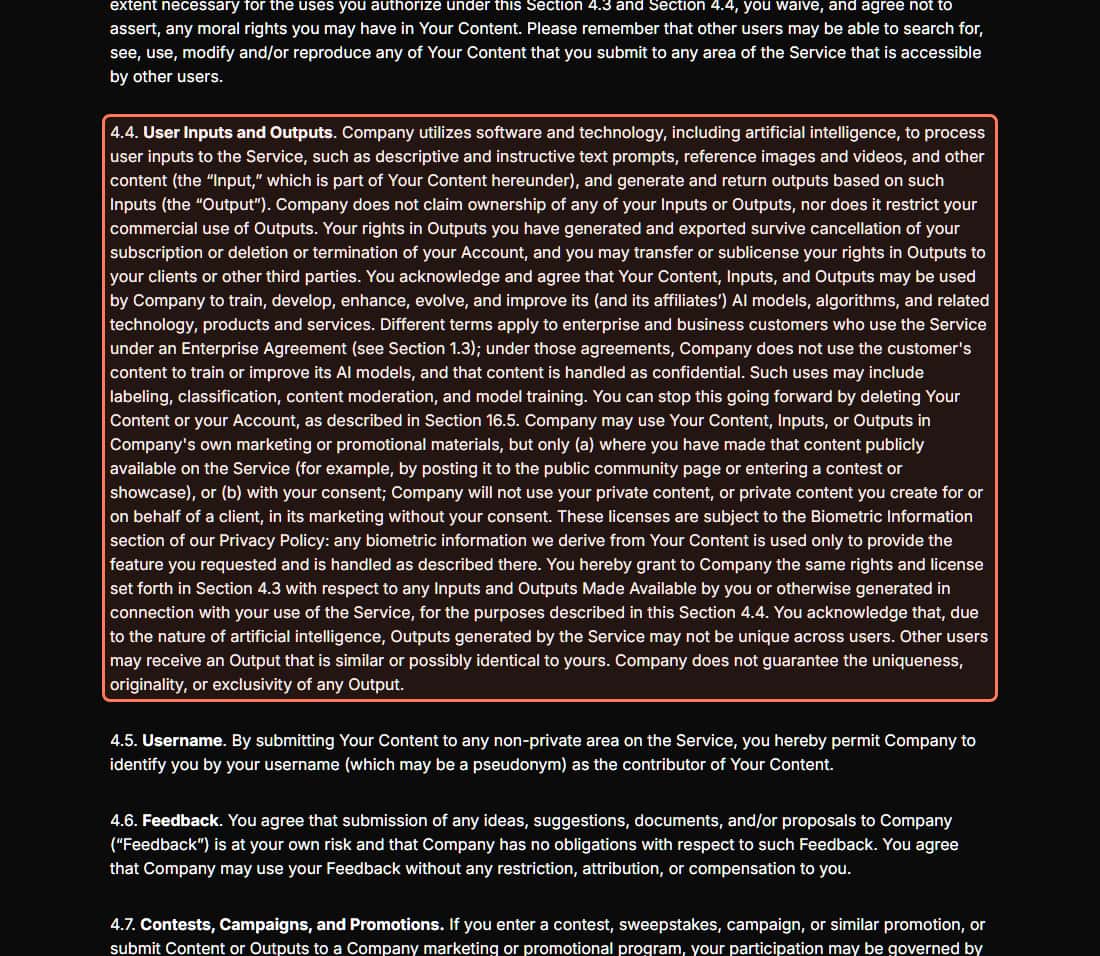
Section 4.4 of Higgsfield's Terms of Use (last updated October 23, 2026), read November 3, 2026. The outline is ours. · Higgsfield Terms of Use, higgsfield.ai/terms-of-use-agreement
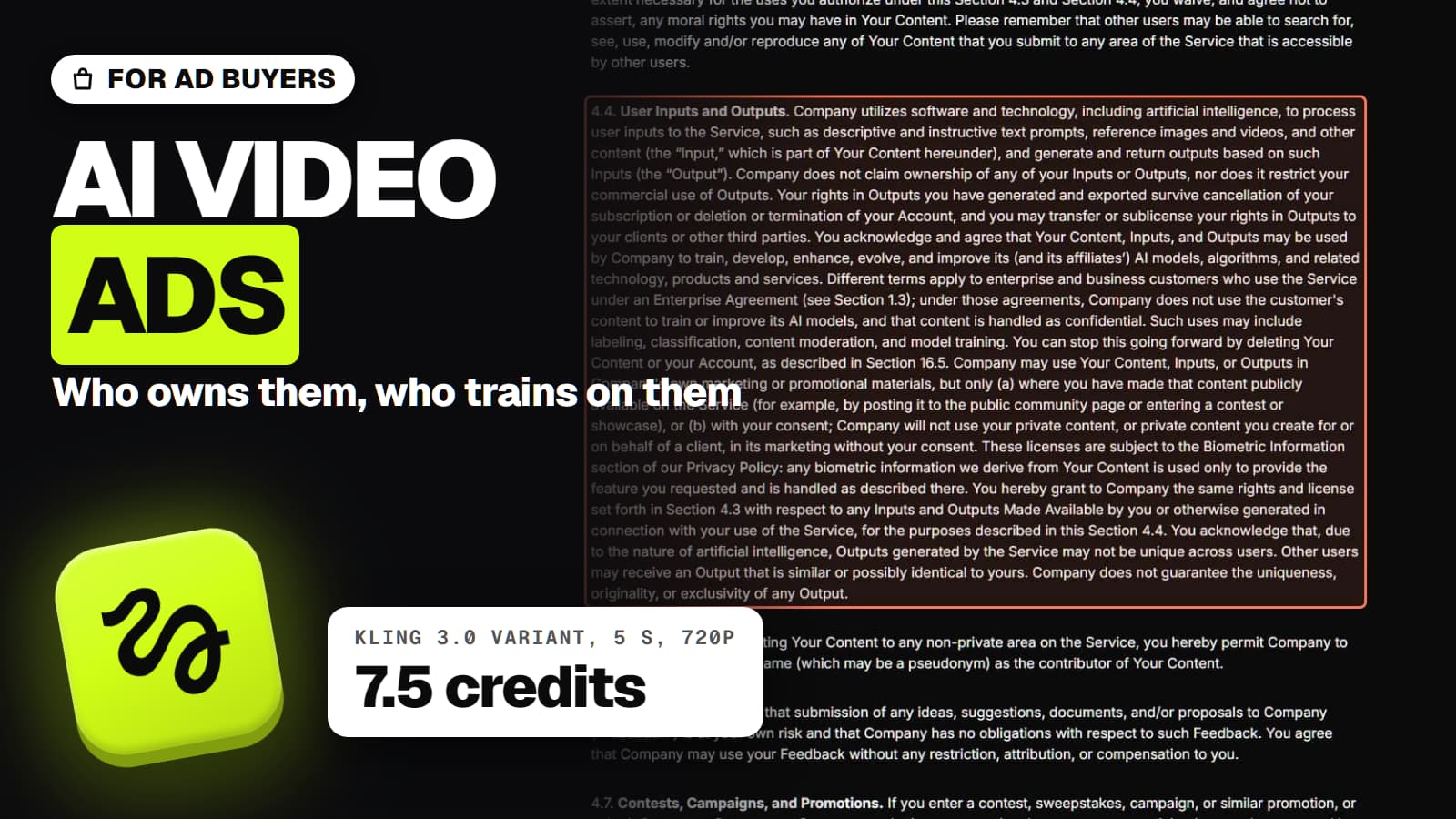
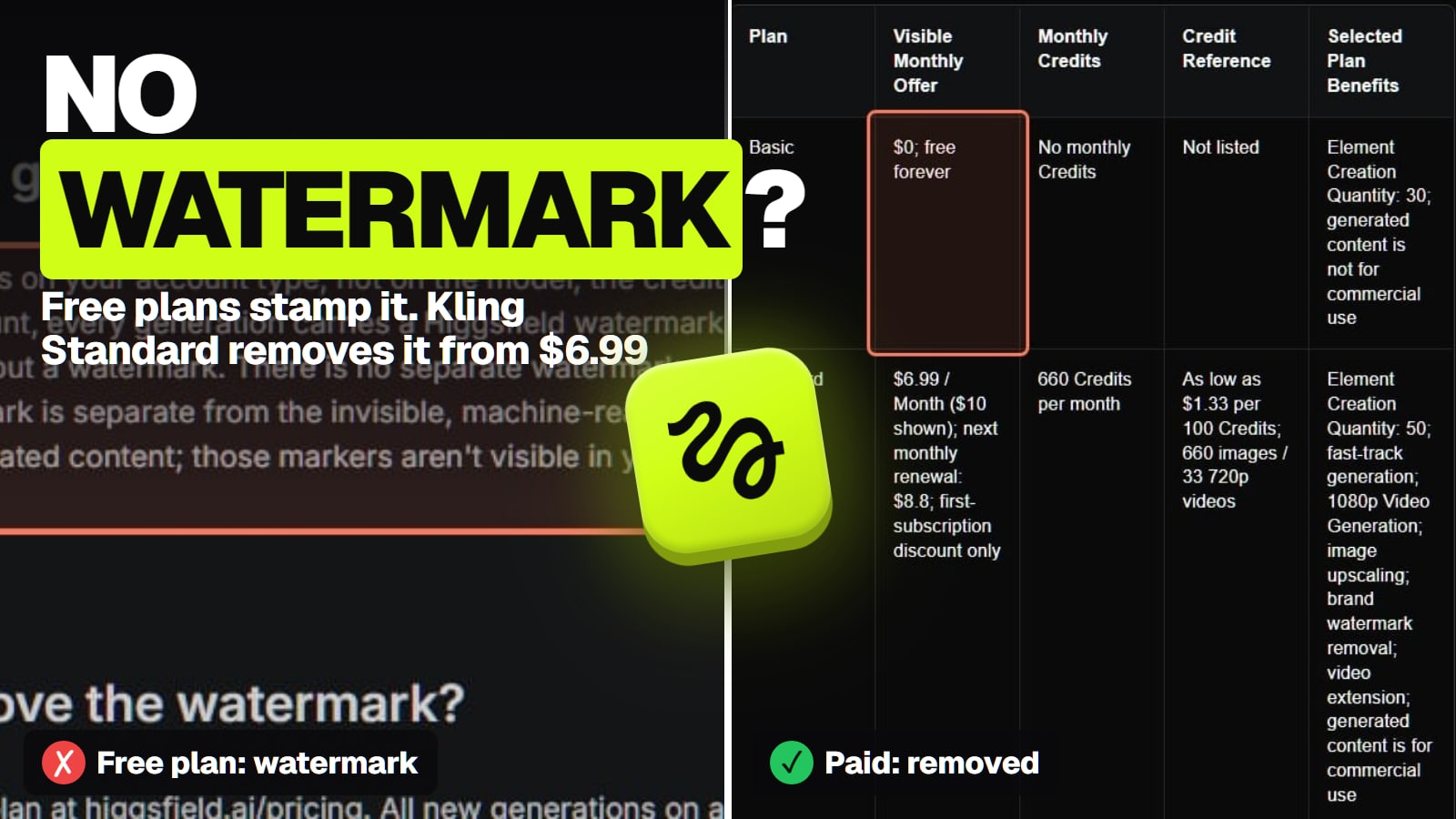
Higgsfield. Section 4.4 of its Terms says it "does not claim ownership" of your inputs or outputs "nor does it restrict your commercial use of Outputs", that you may pass your rights to clients, and that those rights survive cancellation. Two catches for advertisers: outputs "may not be unique", so a competitor could get something similar, and section 12 makes you indemnify Higgsfield. The pricing page's compare table marks commercial use as not included on Free, which contradicts the Terms; run ads from a paid account and the conflict doesn't touch you. More in Higgsfield commercial use for client work.
Runway. Its Terms (s.4.4, also last updated October 23, 2026) don't restrict commercial use and draw no line between free and paid accounts. Section 9 has you indemnify Runway.
Kling's own app. Kling's plan table says the free Basic plan's content "is not for commercial use"; its paid terms say members' commercial use "is not restricted". One open question: Kling's general terms (s.4.5) ask you to show that output was generated by "Kling AI", and the paid terms don't say whether that still applies to paid output.
Pika. Commercial license from the $10 Starter plan up. Pika's FAQ says Free has none, even when you buy credit packs.
Google Flow. Flow's help says "Google won't claim ownership over that content" and points to Google's Terms of Service for the rest. Every Flow output carries an invisible SynthID watermark.
On most of them, yes, and for ads that's the question to ask before you upload an unreleased product. Higgsfield's Terms (s.4.4) say your "Content, Inputs, and Outputs may be used by Company to train" its models. There's no opt-out switch: deleting content or your account stops it going forward, and only Enterprise customers are excluded (its Team and Scale plans list "No data training" as no). Runway's Terms say "Inputs and Outputs may be used by the Company to train and improve its AI models", with "No training on your data" listed for Enterprise. Kling's terms (s.4.7.3) let it use your input to "create, test, improve, train, or otherwise develop", although its Team plan FAQ says "We do not misuse or train on your data". We didn't find a training clause on the Pika and Google Flow pages we read, which isn't the same as there being none.
The practical rule: for a product that's already public, training rarely matters. For a launch under embargo or a client's confidential packaging, either get an enterprise agreement or keep the real product out of the uploads until launch day. What Higgsfield keeps and for how long is mapped in Higgsfield privacy.
Which models make square, vertical and wide ads?
The shape is where the models differ most for ad work. Most ad sets need some mix of vertical (9:16), square (1:1) and wide (16:9); which placement takes which is in each ad platform's own specs, so check those for your campaign. Here's what each model lists:
Kling 3.0 (on Higgsfield): 16:9, 9:16, 1:1. Kling's own site doesn't list its shapes on the pages we read.
Kling 4.0 (on Higgsfield): 21:9, 16:9, 9:16, 1:1 and auto, no 4:3 or 3:4.
Seedance 2.5 and 2.0 (on Higgsfield): auto, 21:9, 16:9, 4:3, 1:1, 3:4, 9:16, the widest set of the flagships.
Wan 3.0 (on Higgsfield): 16:9, 9:16, 1:1, 4:3, 3:4.
Grok Imagine 1.5 (xAI's API docs): 1:1, 16:9, 9:16, 4:3, 3:4, 3:2, 2:3, 21:9 and 5:2; an image-to-video clip always matches the still's shape.
Runway Gen-4.5 and Pika 2.5: not verified. Runway's help center refused our reader and Pika's Pika 2.5 page doesn't list ratios.
If you need one hook in three shapes, render it three times rather than cropping a wide clip: an image-to-video start frame fixes the composition, and a crop throws away the product on the edges. Higgsfield's catalogue rows above are what the platform offers for each model, read through its own connector with nothing generated.
What does one ad variant cost, and what does a hook test cost?
A hook test is the job AI video does best for advertisers: ten different first seconds for the same ad, each a few dollars or less. The model you pick sets the bill:
Ten 5-second hook variants, one try each (our arithmetic from vendor prices, Nov 3 to Nov 8, 2026)
Higgsfield Kling 3.0 with sound, Ultra yearlyabout $3.30
10 credits each at $0.033 a credit
Pika 2.5 on Pika Starter (silent)about $3.33
20 credits each, $10 for 600
Veo 3.1 Fast in Flow on Google AI Pro (up to 8 s)about $4.00
20 Flow credits each, 16:9 or 9:16 only
Higgsfield Kling 3.0 with sound, Plus monthlyabout $4.92
10 credits each at $0.049 a credit
Higgsfield Kling 4.0, Plus monthlyabout $5.54
11.25 credits each, a launch discount
Runway Gen-4.5 on Standardabout $14.40
60 credits each, $15 for 625
Higgsfield Seedance 2.5, Plus monthlyabout $17.22
35 credits each
Two things move these numbers more than the plan does.
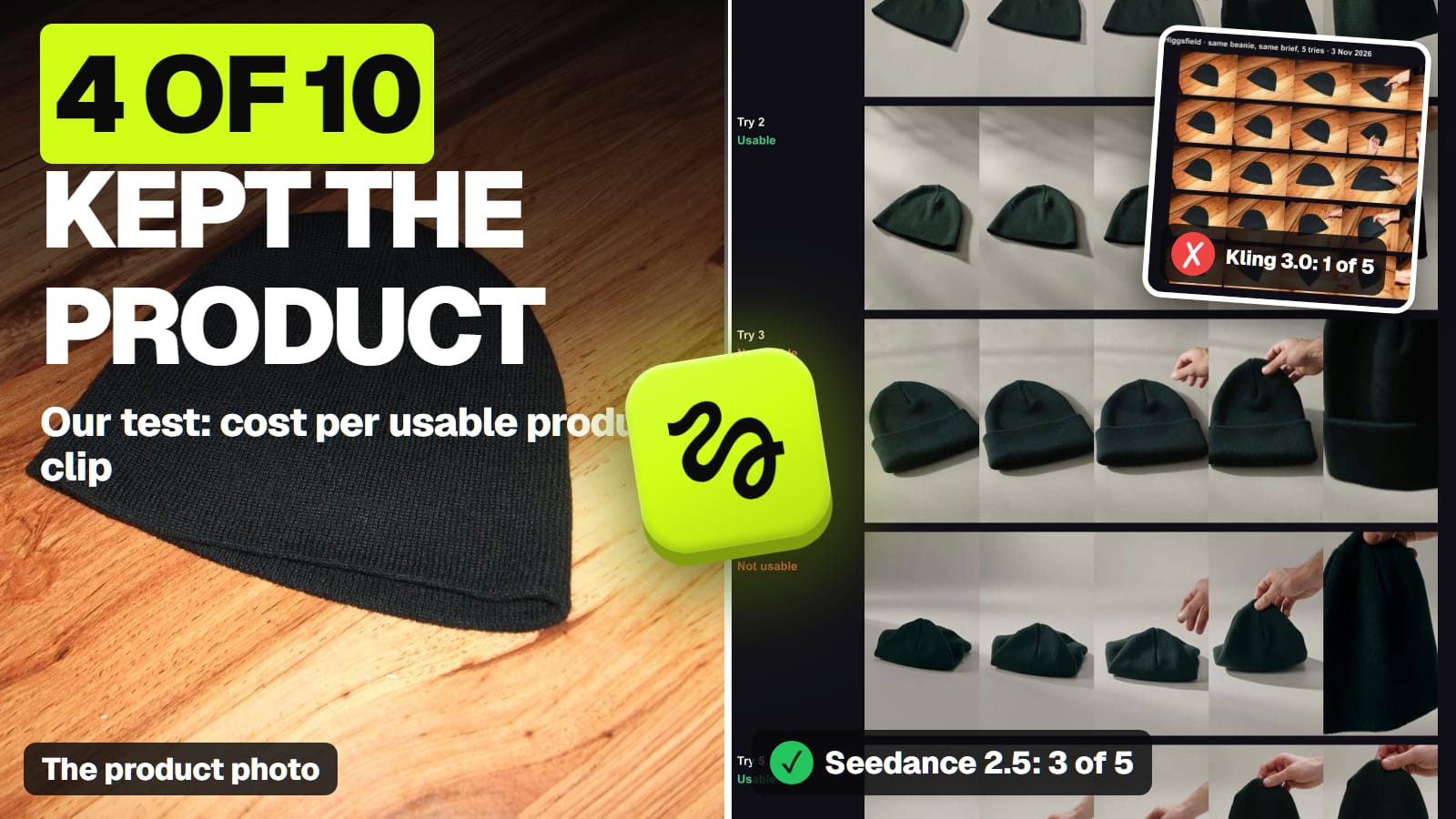
Retakes. In our own 10-clip product test on November 3, Kling 3.0 kept a plain knit hat right in 1 of 5 tries and Seedance 2.5 in 3 of 5. If your hook shows the product, budget for that: ten keepers from Kling 3.0 at that rate is fifty tries, 500 credits with sound, about $24.60 on Plus monthly. A hook that doesn't show the product (a hand, a texture, a setting) fails less, because there's nothing to get wrong.
Sound. Kling 3.0 is 7.5 credits with sound off and 10 with it on. If your editor adds music and voice later, render silent and save a quarter. Pika 2.5 has no sound at all; Seedance 2.5's sound switch doesn't change its price.
Kling 4.0 is the step up when the hook has text on screen: in our one-try Kling vs Seedance comparison on November 7, Kling 4.0 rendered a mug's logo large and readable at 720p where Seedance 2.5's was barely readable. One try each isn't a ranking, but it's the failure that kills a branded ad.
Generated footage or an AI presenter?
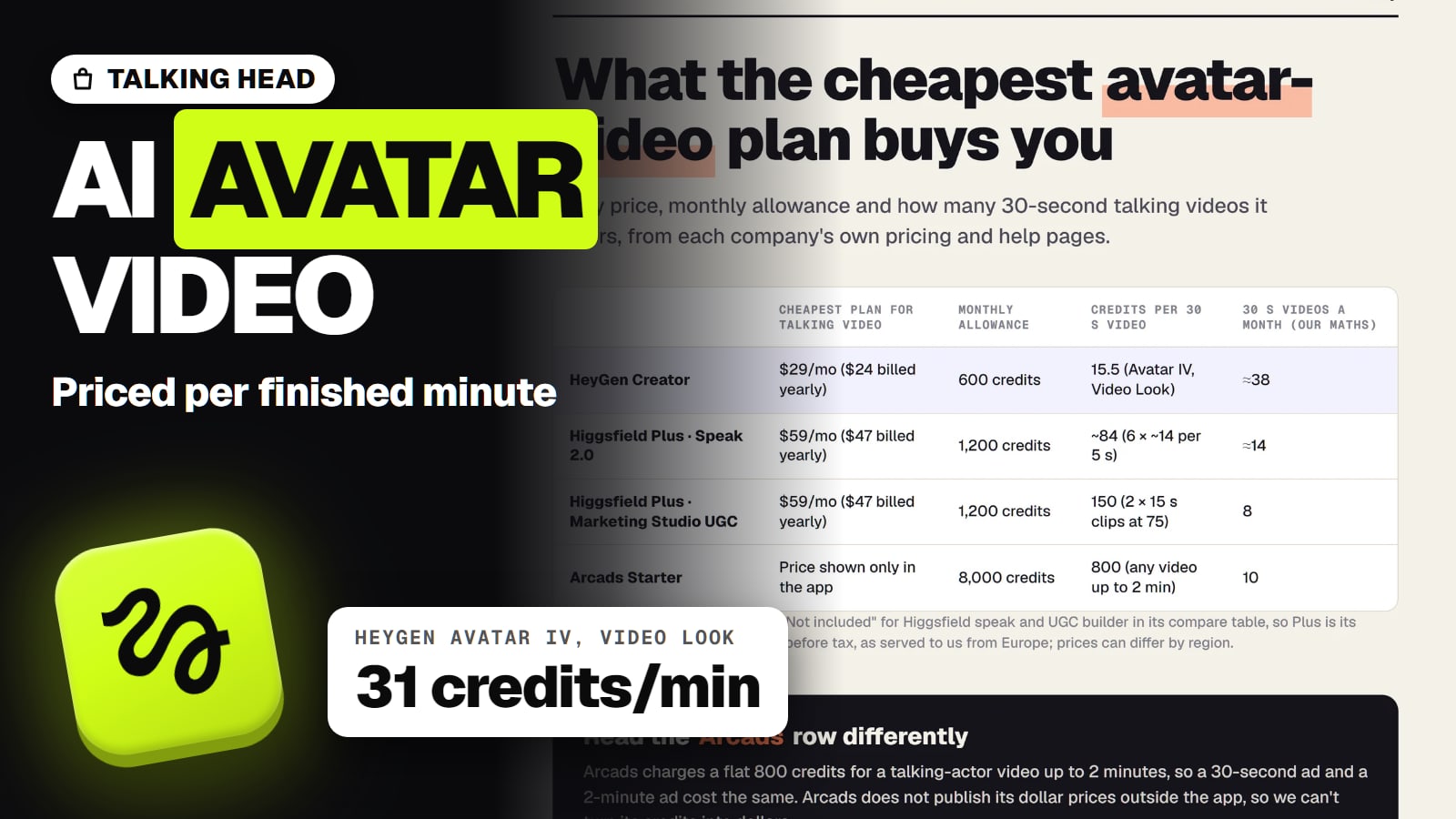
This page is about generated ad footage: product shots, b-roll, openers and scenes. If what you want is a person talking to camera, the UGC-style ad, the tools and the rules change. Higgsfield's Marketing Studio builds those from a product link, and dedicated avatar tools like HeyGen and Arcads compete there; our Higgsfield UGC ads guide covers the plans, the cost and what to check.
The rule that binds both: the FTC's final rule on fake reviews bans testimonials that "misrepresent that they are by someone who does not exist", and it names AI-generated fake reviews. An AI presenter can show and describe the product. It can't say "I've used this for a month".
Do Meta and TikTok label AI video ads?
Yes, both, and it's worth knowing before you test, because the label is part of what viewers see.
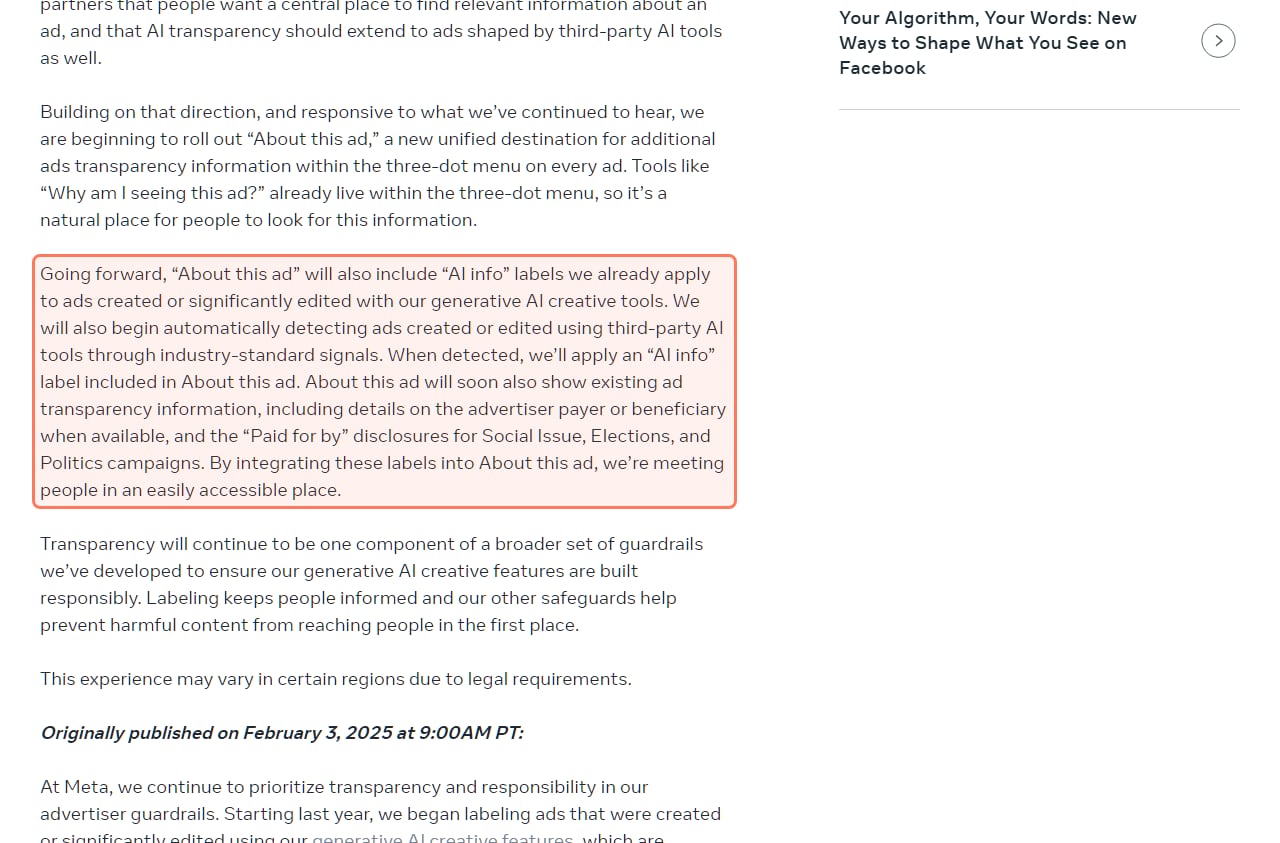
Meta's newsroom post on AI labels in ads (about.fb.com), screenshot from November 2, 2026; re-read November 8, 2026, when the post carried a June 1, 2026 update. · Screenshot: about.fb.com
Meta. Its newsroom post on generative AI in ads (first published February 3, 2025, updated June 1, 2026) says it labels ads made or significantly edited with its own AI tools, and for ads made with other tools: "When detected, we'll apply an 'AI info' label included in About this ad."
TikTok. TikTok's ads help says that if an ad's image, video or audio "is either completely AI-generated or significantly modified by AI", you turn on the toggle "This ad contains AI-generated content" when you create it. Spark Ads follow the community-guidelines labelling rules instead.
We didn't find a rule on either page saying a labelled ad is shown less, and we have no delivery data of our own, so we won't guess.
Which one should you pick for ads?
A store testing hooks every week: Higgsfield Plus or Ultra. Kling 3.0 for cheap variants in all three shapes, Kling 4.0 when the logo or on-screen text must read, Seedance 2.5 when you need a new scene or a 4:3 or 3:4 frame. Higgsfield plans compared shows which plan fits your volume.
Wide and vertical only, lowest Veo price: Google Flow on Google AI Pro. Note that Flow's free credits come with a contradiction on Google's own pages about whether you need a plan.
An agency on a confidential launch: an enterprise agreement, at Higgsfield or Runway, before any unreleased product goes in.
Silent drafts on a tight budget: Pika Starter, with a commercial license from $10 a month.
Runway Gen-4.5's aspect ratios, length and resolution. Runway's help center refused our reader on November 8.
Pika 2.5's aspect ratios. Its app page doesn't list them, and Pika's training terms weren't on the pages we read.
Google's training terms for Flow. Flow's help doesn't summarise them; read Google's Terms of Service.
Whether Kling's "generated by Kling AI" clause binds paid output. Kling's paid terms don't address it.
Which Higgsfield models the $19 Starter plan includes. The Starter card says "Access to selected models only"; Plus is the cheapest card that says "Access to all models & features".
Ad performance. We haven't run paid ads with these clips, so nothing here says which model's ads convert better.
Verdict
Higgsfield, on a paid plan
For generated ad footage, a paid Higgsfield plan is the pick: its Terms allow commercial use and client transfer, Kling 3.0 tests a 5-second hook in 16:9, 9:16 or 1:1 for 10 credits with sound, and Kling 4.0 and Seedance 2.5 are in the same menu for the final cut. Keep confidential products out of the uploads unless you have an enterprise agreement. Google Flow is cheaper for Veo but has no square format.
Best for: Store owners, marketers and agencies making AI video ad footage
Questions about AI video for ads
What is the best AI video generator for ads?
For generated ad footage, a paid Higgsfield plan, because its Terms allow commercial use and client transfer and one plan covers Kling, Seedance and Veo. Kling 3.0 there costs 10 credits for a 5-second 720p ad variant with sound, about $0.49 on Plus monthly (read Nov 7 to Nov 8, 2026).
Can I use AI-generated videos in Facebook and TikTok ads?
Yes, if your plan allows commercial use. Meta says it applies an AI info label to ads it detects as made with third-party AI tools, and TikTok asks advertisers to switch on its AI-generated content toggle for ads that are completely AI-generated or significantly modified by AI (both read Nov 8, 2026).
Which AI video generators allow commercial use on the free plan?
None clearly. Kling's free Basic plan isn't for commercial use, Pika's Free plan has no commercial license, and Higgsfield's Terms allow it while its pricing table says Free doesn't include it. Run ads from a paid plan.
Do AI video generators train on my product photos?
Higgsfield and Runway say inputs and outputs may be used to train their models, except under Enterprise agreements, and Kling's terms allow training on your input. Keep unreleased products out unless you have an enterprise contract.
Which AI video generator makes 1:1 square video?
Kling 3.0, Kling 4.0, Seedance 2.5, Wan 3.0 and Grok Imagine all list 1:1. Google's Veo 3.1 lists only 9:16 and 16:9.
How much does it cost to test 10 AI video ad hooks?
About $3.30 to $4.92 for ten 5-second Kling 3.0 clips with sound on Higgsfield, depending on the plan, by our arithmetic. Budget for retakes: in our own product test, Kling 3.0 kept the product right in 1 of 5 tries.