Canvas is a node board where you wire models together yourself. Supercomputer is a chat agent that plans and runs the whole job from a brief. Both live on higgsfield.ai and both always spend credits, even on plans with Unlimited models. Canvas suits repeatable pipelines and team boards; Supercomputer suits big briefs, connectors and scheduled work.
This post contains affiliate links. If you buy through them, Aliteq may earn a commission — at no extra cost to you. Prices verified at publish time.
Share
What is Higgsfield Canvas?
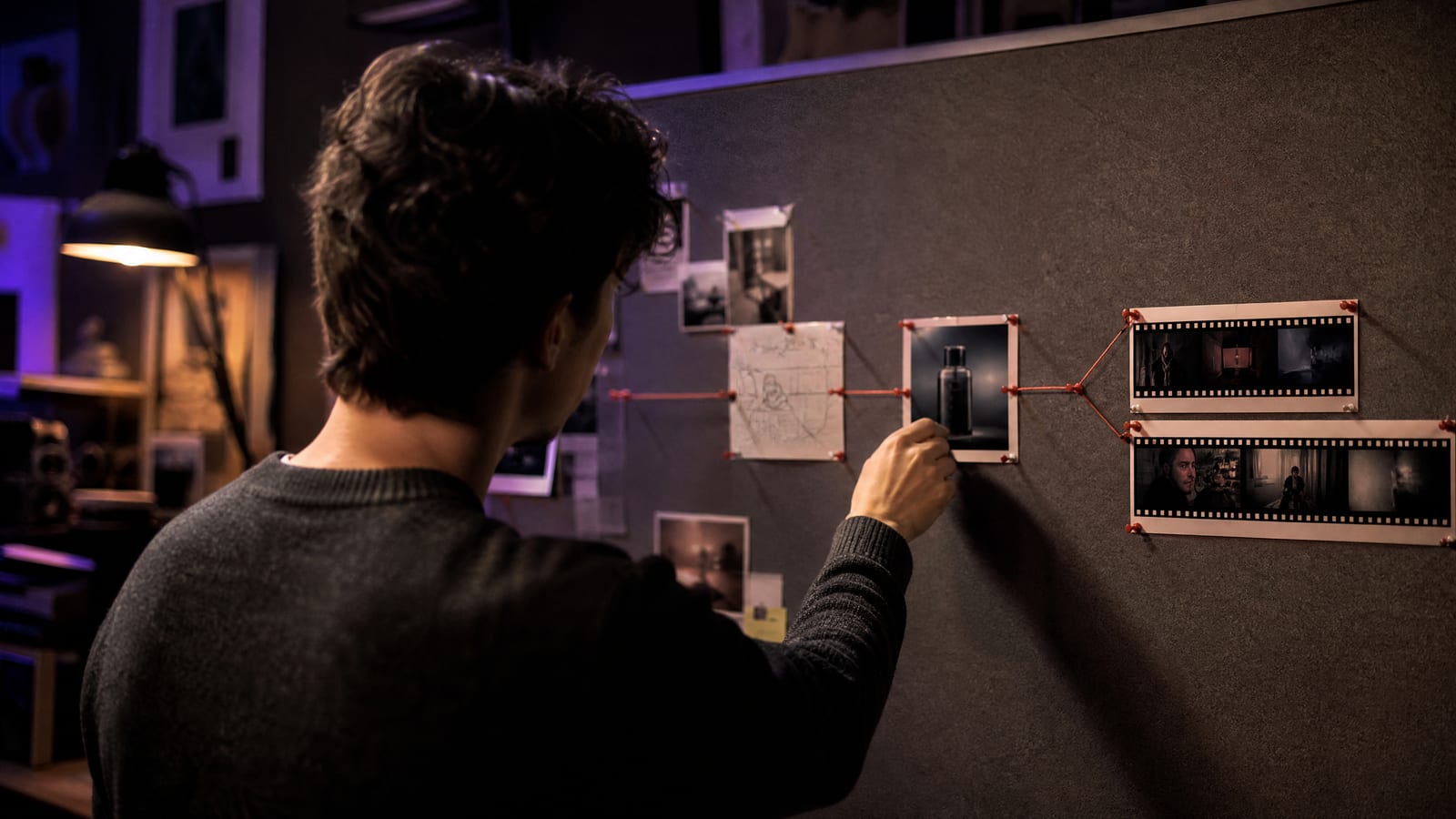
Higgsfield Canvas is a node-based board inside higgsfield.ai where each Higgsfield model is a block you connect to others, so one result feeds the next step. Higgsfield's Canvas help article describes it as an "infinite board for multi-model visual production": "a prompt feeds an image, the image feeds a video, the video feeds an edit."
The same article lists what you can do beyond chaining: run models in parallel and "compare outputs side by side, save an entire workflow as a reusable template, and collaborate with a team in real time on the same board." You start from higgsfield.ai, then Canvas, then New canvas, add a Text Prompt node, connect it to a generation node, pick the model and click Generate on each node, one at a time or in sequence.
How do Kling and Seedance nodes use your reference images?
This is the part that trips people up, and Higgsfield documents it in the same article:
Seedance
What a connected image does
Works as a reference, but only if you say what it is
What to do
Describe the reference's role "at the beginning of the prompt": main character, location, product
Kling
What a connected image does
Becomes the start frame, not a character reference
What to do
For a character or element, create it on the platform first and call it with its @element-name tag in the prompt
Audio
What a connected image does
Attaches to a video node
What to do
Use it for voice reference, voiceover or audio sync
What a connected image does
What to do
Seedance
Works as a reference, but only if you say what it is
Describe the reference's role "at the beginning of the prompt": main character, location, product
Kling
Becomes the start frame, not a character reference
For a character or element, create it on the platform first and call it with its @element-name tag in the prompt
Audio
Attaches to a video node
Use it for voice reference, voiceover or audio sync
In Higgsfield's words, for Seedance "the reference function must be described in the prompt, not just connected visually." If your Kling node keeps opening on your reference picture, that is expected behaviour, not a bug.
What is Higgsfield Supercomputer?
Higgsfield Supercomputer is a chat-driven agent on higgsfield.ai: you describe a deliverable, and it plans the steps, chooses a model for each one, runs them and assembles the result. Higgsfield's Supercomputer help article puts it as "you describe what you want in natural language, and the agent plans the task, generates across image, video, and audio models, and connects to external apps."
Its sidebar holds more than a chat. The same article lists Skills (official ones such as Product UGC, Shorts Maker and YouTube Covers, plus community and your own), Connectors (Telegram, Slack, TikTok, Gmail, Google Drive, Notion and others), Memory, Apps, Games and a Faceless channel that makes "animated faceless videos for YouTube, up to 15 minutes long." Supercomputer can also build and publish web apps; Higgsfield's Apps article covers that separately.
For the language model behind the chat, you can let it route automatically or choose one. The selector "includes models from Anthropic, OpenAI, Google, xAI, DeepSeek, and others," and the changelog adds new ones often (Kimi K3.1 Pro on 23 October 2026). Higgsfield launched Supercomputer in May 2026, per an independent SiliconANGLE report, which also carries Higgsfield's claim that agentic tool use on the platform rose 42-fold in three months.
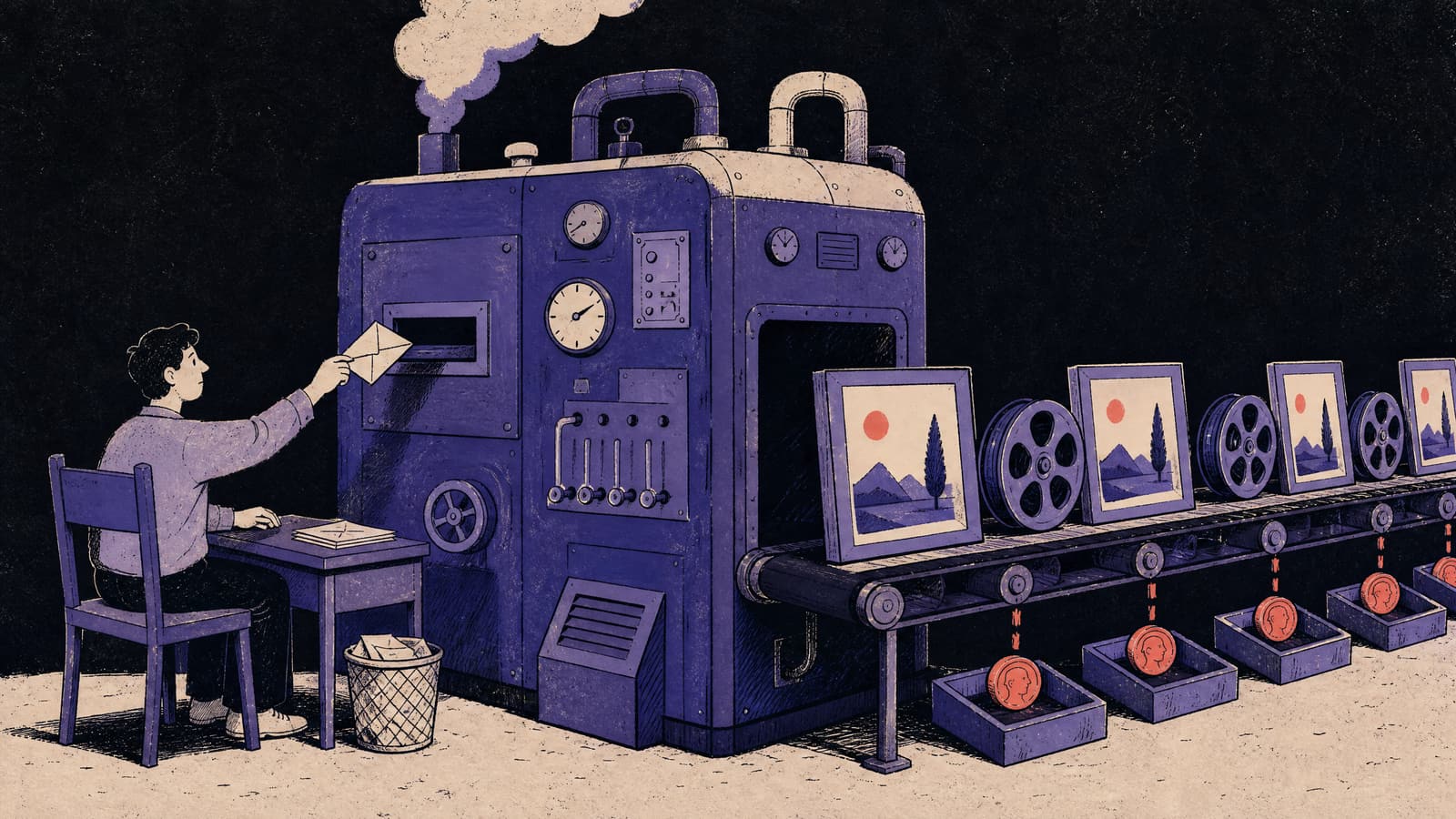
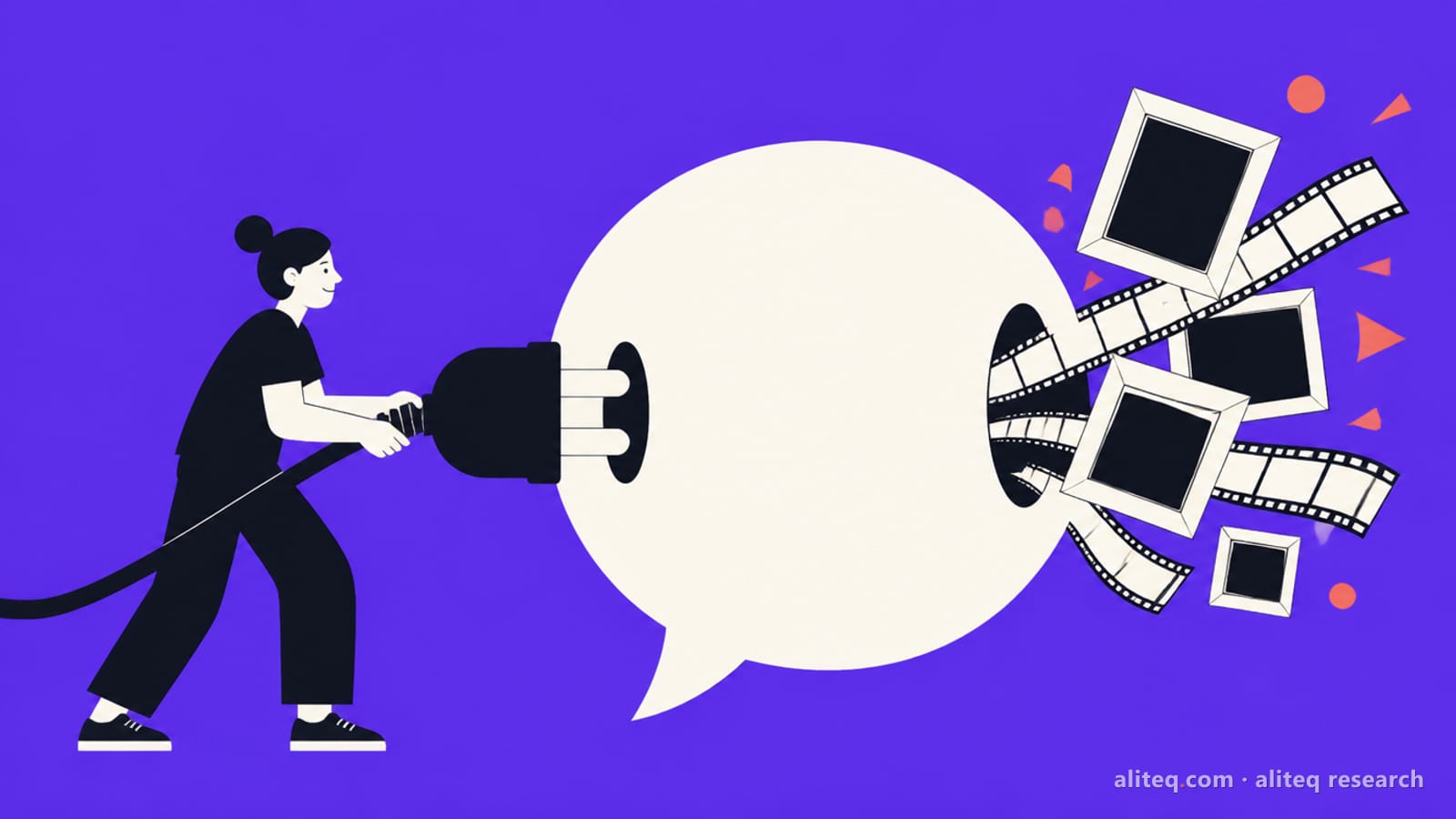
Supercomputer in one picture: one brief in, many steps out, and each step is billed. Illustration made by us with Higgsfield GPT Image 2, 26 Oct 2026, one attempt, resized only. It is not a Supercomputer screenshot. · Generated with Higgsfield
Should I use Canvas, Supercomputer or the normal generators?
Use the normal Image or Video generators when you want one asset from one prompt; use Canvas when you want to control every step of a multi-model pipeline; use Supercomputer when you'd rather hand over a brief and let an agent decide the steps. Higgsfield's own tool chooser says "use a specific tool when you know exactly what you want to create. Use Supercomputer when you have a broader brief."
There is also a money reason to stay on the normal generators: they are the only place your plan's Unlimited models and free generations work. If most of your output is Nano Banana or Seedream images that your plan makes Unlimited, the same images cost credits the moment you run them in Canvas or Supercomputer.
Canvas vs Supercomputer (read 26 Oct 2026)
Canvas
You wire the pipeline
vs
Supercomputer
The agent plans it
Repeatable multi-model pipelines and side-by-side tests
Best for
A whole project from one brief, with outside apps
Full, you pick every model and connection
Control over each step
The agent picks; you approve and refine by replying
Build the board node by node, or start from a template
Effort to start
Type what you want
Only nodes that generate; building is free
What costs credits
Every generation step, plus text requests outside Free Mode
Not available, credits always
Unlimited models and free gens
Not available, credits always
Several people on one board at once, outputs appear live
Working with a team
Shared Projects; instructions shared, each person's chats and memory private
Save the workflow as a template
Reuse
Skills, memory and scheduled recurring tasks
Canvas Nodes in FigJam via the Higgsfield plugin
Reaches outside Higgsfield
Connectors such as Slack, Gmail, Google Drive, Notion, TikTok
None beyond generations
Extra running cost
Storage past 20 GB at 2.5 credits per GB a month
Canvas wins 4wins 2 Supercomputer
The tool chooser's own split matches this. Canvas is the pick to "chain multiple models into one visual workflow", "collaborate on generations in real time with a team" and "save and reuse a generation workflow as a template". Supercomputer is the pick to "run an entire creative project from one chat", "schedule recurring content tasks automatically" and "build and deploy a website or landing page". If you want to drive Higgsfield from Claude or ChatGPT instead of the website, that's MCP, which our Higgsfield MCP guide covers. For film-style scenes with camera control, Higgsfield points you to Cinema Studio instead of Canvas.
What does a Canvas workflow look like?
Here is one example pipeline built only from steps Higgsfield's Canvas article describes: a product still tested on two image models, then animated two ways. We priced every step with Higgsfield's cost check; we didn't run it.
An example Canvas workflow: product still to two video takes
Text Prompt node
Describe the product shot once. Free to add.
Two image nodes in parallel
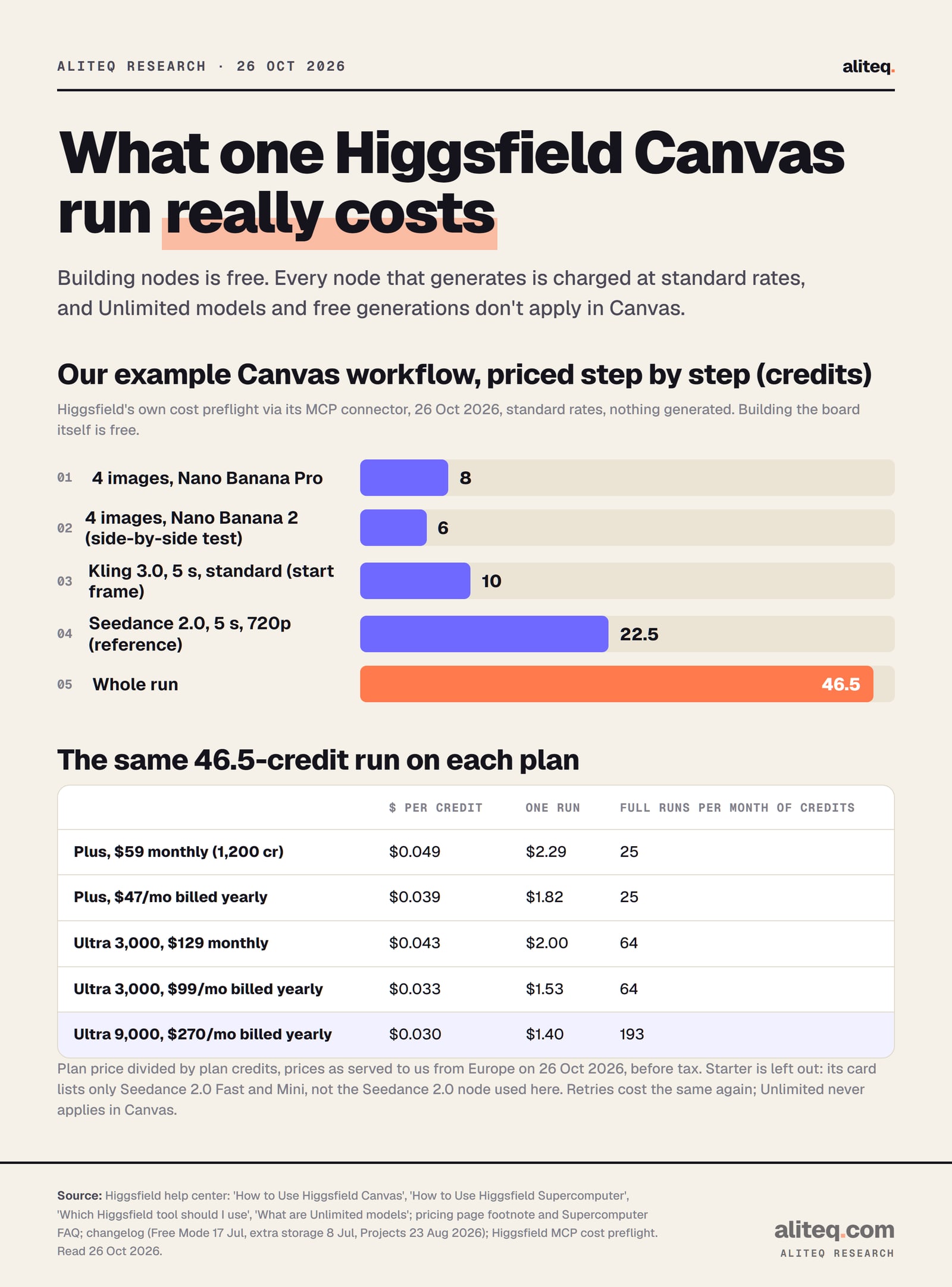
4 x Nano Banana Pro (8 cr) and 4 x Nano Banana 2 (6 cr), compared side by side
Pick the best still
Drag its output into the next nodes
Kling 3.0 node, 5 s
The still becomes the start frame (10 cr)
Seedance 2.0 node, 5 s, 720p
Prompt opens with: the product in the reference image is ... (22.5 cr)
Save as a template
Re-run next week with a new product; every run costs credits again
Text Prompt node
Describe the product shot once. Free to add.
Two image nodes in parallel
4 x Nano Banana Pro (8 cr) and 4 x Nano Banana 2 (6 cr), compared side by side
Pick the best still
Drag its output into the next nodes
Kling 3.0 node, 5 s
The still becomes the start frame (10 cr)
Seedance 2.0 node, 5 s, 720p
Prompt opens with: the product in the reference image is ... (22.5 cr)
Save as a template
Re-run next week with a new product; every run costs credits again
Steps from Higgsfield's Canvas help article; credit figures from Higgsfield's own cost check at standard rates, 26 October 2026, nothing generated.
That run comes to 46.5 credits. One detail matters for cheaper plans: Seedance 2.0 at standard quality isn't on Starter, whose card lists only "Seedance 2.0 Fast & 2.0 Mini", so on Starter you'd swap that node for Fast.
How much do Canvas and Supercomputer cost?
Neither has a fee of its own: both use your plan's credits, and Canvas charges only for generations. Higgsfield's Canvas FAQ says "building and connecting nodes is free. Credits are deducted only when a node generates content." Supercomputer bills more ways, and the help article warns that "a complex Supercomputer task uses more credits than a single generation."
Our example Canvas run, priced step by step and per plan. Higgsfield cost check and pricing page, read 26 October 2026. Plan price divided by plan credits, before tax. · aliteq research
What Supercomputer charges for, from Higgsfield's own pages:
Generation steps
What Higgsfield says
"Each generation step deducts credits at standard rates, and the running cost is shown as the task proceeds"
Source
Help article
Text from the chat model
What Higgsfield says
"Credits are also used for text requests - the amount varies based on your prompt complexity and the LLM model you select"
Source
Pricing page FAQ
Free Mode
What Higgsfield says
"All text generations on the Free model cost nothing"; image and video still spend credits
Source
Changelog, 17 Jul 2026
Approval
What Higgsfield says
Shows "the credit cost upfront — before anything renders. You approve the spend, then it generates"
Source
Pricing page FAQ
Skills
What Higgsfield says
Each step of a skill is charged; a 15-minute faceless video "use[s] more credits than a single generation"
Source
Help article
Storage
What Higgsfield says
20 GB included; 1 GB extra "costs 2.5 credits" a month, billed from the next cycle
Source
Changelog, 8 Jul 2026
What Higgsfield says
Source
Generation steps
"Each generation step deducts credits at standard rates, and the running cost is shown as the task proceeds"
Help article
Text from the chat model
"Credits are also used for text requests - the amount varies based on your prompt complexity and the LLM model you select"
Pricing page FAQ
Free Mode
"All text generations on the Free model cost nothing"; image and video still spend credits
Changelog, 17 Jul 2026
Approval
Shows "the credit cost upfront — before anything renders. You approve the spend, then it generates"
Pricing page FAQ
Skills
Each step of a skill is charged; a 15-minute faceless video "use[s] more credits than a single generation"
Help article
Storage
20 GB included; 1 GB extra "costs 2.5 credits" a month, billed from the next cycle
Changelog, 8 Jul 2026
On storage, the changelog's limits use older plan names: "Pro/Plus: up to +30GB extra, 50GB total" and "Max/Ultra" up to +980 GB (1 TB). The full 30 GB add-on on Plus is 75 credits a month, about $3.69 at Plus monthly prices; a full 980 GB on Ultra is 2,450 credits a month.
We can't give a typical Supercomputer task price, because the agent decides how many steps to run. Expect it to vary a lot. An all-ai.de report from 14 May 2026 cites a Reddit user who said a five-second ad clip used 700 credits; that is one unverified anecdote from launch month, but it shows why the cost preview matters. Our Higgsfield credits guide has per-clip prices for the models Supercomputer calls.
Do Unlimited models work in Canvas or Supercomputer?
No. On every Higgsfield plan, Canvas and Supercomputer spend credits even on models your plan makes Unlimited on the website. The pricing page footnote says "Unlimited models and Free Generations on plans are accessible only via higgsfield.ai and are not accessible on MCP/CLI, Canvas or Supercomputer."
The Canvas FAQ says the same in plain words: "all generations in Canvas deduct credits regardless of your plan." Higgsfield's Unlimited models article lists Canvas and Supercomputer next to MCP and the CLI as places that "always deduct credits, regardless of your Unlimited status". And the What uses my credits article names this as a common reason balances drop faster than expected. Our Unlimited explainer lists which models are Unlimited on which plan.
Canvas and Supercomputer by the numbers, 26 Oct 2026
0
Credits to build a Canvas board
only generating nodes are charged
0
Unlimited or free gens usable in either
pricing page footnote
20 GB
Supercomputer storage included
up from 5 GB on 6 Jul 2026
2.5
Credits per extra GB a month
Supercomputer storage past 20 GB
Can a team work together in Canvas or Supercomputer?
Yes, both support teams, in different ways. On Canvas, per Higgsfield's article, "multiple team members can work on the same canvas simultaneously: each can add nodes, connect references, and trigger generations independently, and outputs appear on the shared board in real time." You invite people with the Share option in the canvas settings. The Higgsfield plugin also brings Canvas Nodes into FigJam, per the integrations article.
Supercomputer works through Projects, added on 23 August 2026. The changelog says you can "share a project with others; instructions are shared, but each person's chats and memory stay private," and project skills and connectors "take priority over all others."
For pooled credits, Higgsfield's business plans are the route. Its Team and Business article says Team and Scale are shared workspaces where each seat's credits "pool into the shared workspace balance", and generations land in shared Assets. Scale adds per-member spend controls, which suits Supercomputer's open-ended costs. One privacy note from the same article: "workspace admins on any plan may access and manage members' content and settings."
What we couldn't verify
Which plans include Supercomputer. The tool chooser says "Available on paid plans"; the Supercomputer article only says "availability and limits depend on your plan" and links to the plans page, which doesn't list it. We found no plan-by-plan table.
Which plans include Canvas. No official page we read limits Canvas to a plan; your plan still decides which models you can put in a node.
Whose credits a Canvas collaborator spends. The article says each person can "trigger generations independently" but not whose balance pays on a shared individual-plan board.
A conflicting table. The Supercomputer article's MCP comparison lists "Unlimited access: Web only (higgsfield.ai)" in the Supercomputer column. Read alone, that could suggest Supercomputer gets Unlimited, but the pricing footnote, the Unlimited article, the credits article and the changelog all say it always spends credits. We went with those four.
Canvas node prices versus our quotes. Our figures come from Higgsfield's MCP cost check at standard rates. Two differ from the pricing page table: Kling 3.0 quoted 10 credits for 5 seconds (the table says ~7 at 720p), and Nano Banana 2 quoted 6 for four images (the table says 2 each). The Generate button in Canvas is the final word.
Free Mode limits. The changelog said "no usage limits for now" on 17 July 2026; that may change.
Output quality and speed. We didn't run Canvas or Supercomputer for this page.
Our verdict
Higgsfield Canvas is worth using if you repeat the same multi-step pipeline, want to test models side by side, or work on visuals with a team; building is free, and you pay exactly the node prices. Supercomputer is worth it if you have broad briefs, want connectors or scheduled jobs, and are happy to approve an agent's spending; read the cost preview every time.
Skip both if most of your work is single images or clips on models your plan makes Unlimited: the normal generators do that for zero credits, and Canvas and Supercomputer never will. Starter users should also note that some nodes, such as standard Seedance 2.0, aren't on that plan.
To start safely, sign up on higgsfield.ai directly, try a short Canvas chain before building big templates, and in Supercomputer use Free Mode for planning chat. If you're still choosing a plan, our is Higgsfield worth it page compares them, and is Higgsfield legit covers the refund rule and the complaints worth knowing.
Quick answers
What is Higgsfield Canvas?
A node-based board on higgsfield.ai where each model is a node you connect, so a prompt feeds an image, the image feeds a video and so on. You can run models in parallel, save the workflow as a template and work on one board with a team in real time.
What is Higgsfield Supercomputer?
An agent you talk to in a chat. It turns a plain-language brief into a plan, picks a model for each step, generates the assets and can connect to apps such as Slack, Gmail, Google Drive, Notion and TikTok.
Is Canvas free to use?
Building and connecting nodes is free. Every node that generates spends credits; our example run of eight images and two 5-second videos priced at 46.5 credits on 26 October 2026.
Do Unlimited models work in Canvas or Supercomputer?
No. Higgsfield's pricing page says Unlimited models and free generations are not accessible on MCP/CLI, Canvas or Supercomputer, so every generation there costs credits.
Why does my Kling node use my reference as the first frame?
That's how Kling nodes work in Canvas: a connected image is a start frame. For a character, create an element first and reference it with its @element-name tag in the prompt.
Does Supercomputer charge for chat messages?
Text requests cost credits depending on the prompt and the model you choose, unless you pick Free Mode, which Higgsfield made free for text on 17 July 2026.