Genjutsu is Higgsfield's video-editing tool that keeps the motion of a clip and rebuilds the rest, or swaps one thing in it. You upload a 4 to 30 second video and up to 30 reference images, pick a mode and generate. Here is what each mode does, what a clip costs in credits, which plans include free runs, and the consent rules for faces.
This post contains affiliate links. If you buy through them, Aliteq may earn a commission — at no extra cost to you. Prices verified at publish time.
Share
What is Higgsfield Genjutsu?
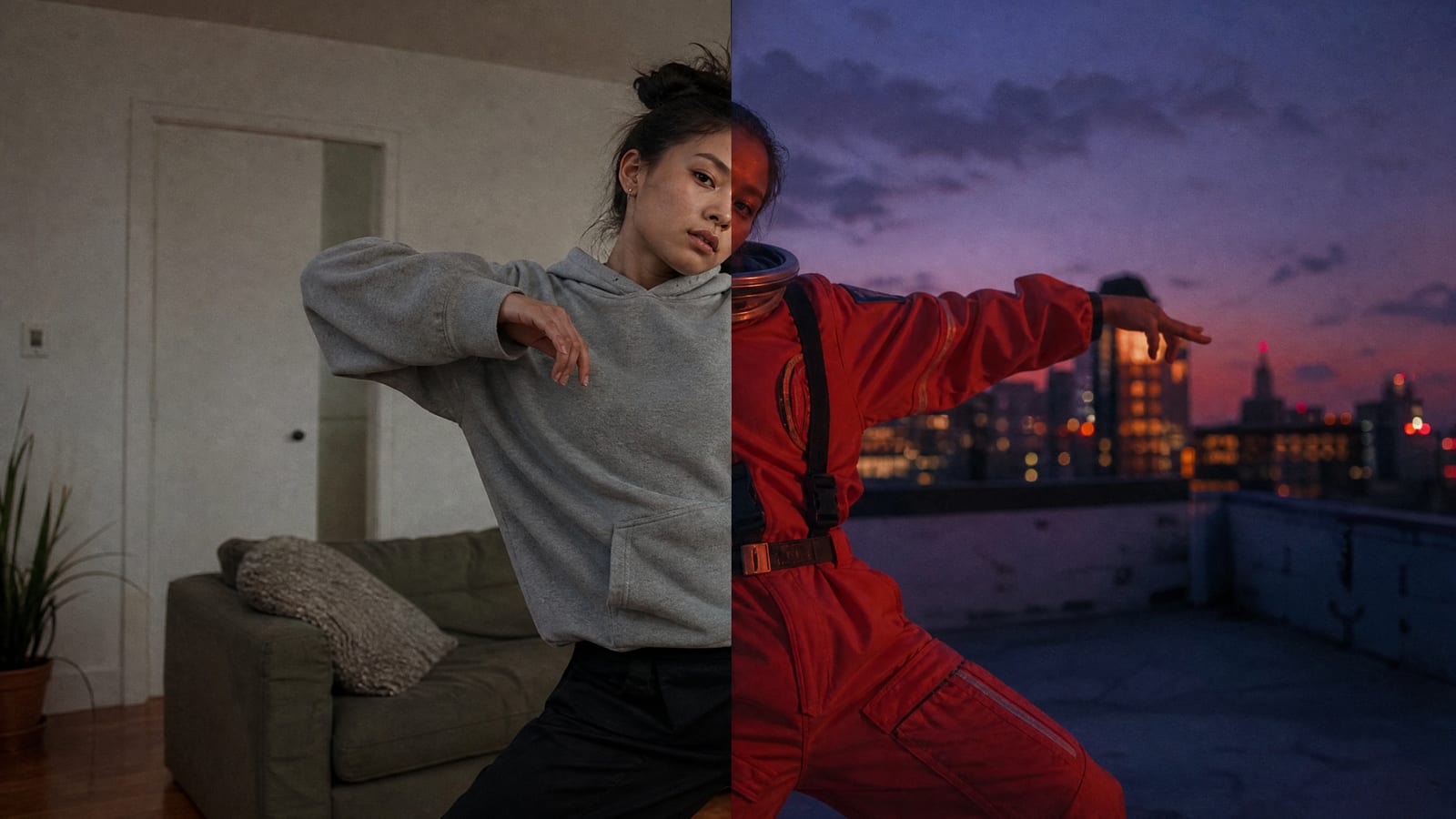
Higgsfield Genjutsu is a video-to-video tool that rebuilds a chosen part of an existing clip while the original motion, timing and camera work stay as they were. The help article puts it this way: Genjutsu "rebuilds part of an existing video while everything else stays exactly as shot."
It works on real footage from a phone or camera and on video made inside Higgsfield, such as Cinema Studio output. A prompt isn't required: "presets can do the whole job," Higgsfield says. The launch changelog counted "30+ presets."
The pitch is one good take turned into many versions: a different cast, a new outfit, another market, a new look. The help article also describes the reverse: "take a video that is already trending and make it yours."
Genjutsu, by date
Sep 1, 2026
Genjutsu launches with Motion Transfer and Object Swap; one clip up to 30 s, up to 30 reference photos, output up to 1080p.
Sep 30, 2026
Restyle arrives inside Motion transfer, redrawing a whole clip in one of 20+ animation styles or your own.
Oct 19, 2026
Genjutsu Lite, a faster and cheaper version with up to 10 references and 720p or 1080p output.
Oct 26, 2026
Higgsfield's help article on Genjutsu is dated today; it adds the Motion Library of trending motions.
The dates are from Higgsfield's changelog. The launch blog post is dated a day earlier, 31 August.
What's the difference between Motion transfer and Objects swap?
Motion transfer keeps only the movement and rebuilds everything else. Objects swap keeps the shot and changes one thing in it. You pick one at the top of the Genjutsu panel; Genjutsu Lite skips the choice.
Motion transfer "takes only the motion from your video and builds a new scene around it: new characters, new location, same movement and camera." Use it when the performance is what you want to keep. Its Style block redraws the whole video in a chosen look, from Higgsfield's library or from your own reference images.
Objects swap "changes exactly what you point at: a person, product, outfit, or text, and leaves the rest of the shot as it is." Use it when the shot is right and one element is wrong.
Genjutsu Lite takes your video and up to 10 images and "the model applies the changes on its own. There is no mode selection."
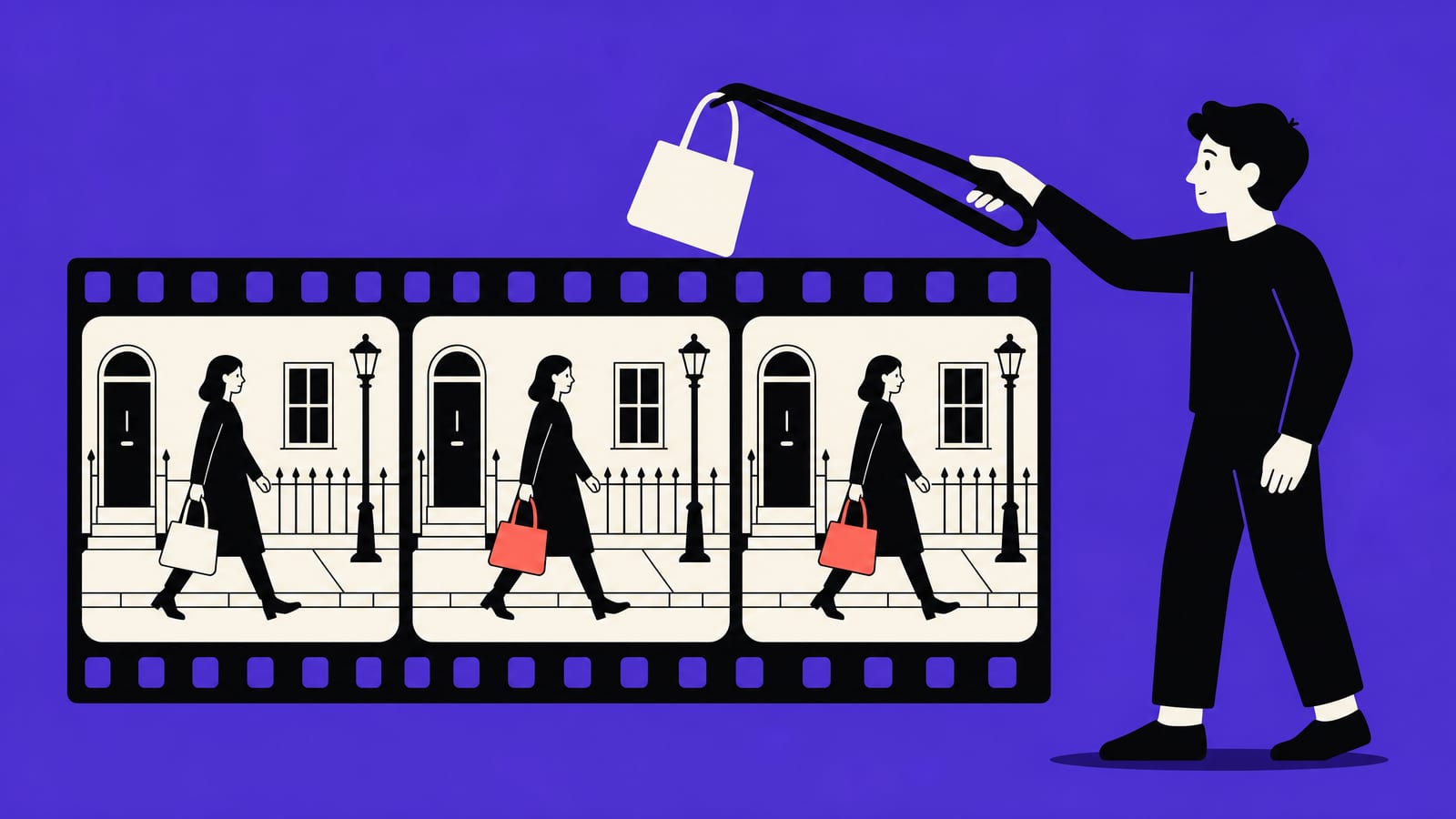
Objects swap in one picture, with the same walk and the same street but a different bag. Illustration made by us with Higgsfield GPT Image 2, 26 Oct 2026. It is not Genjutsu output. · Generated with Higgsfield
The Higgsfield blog lists the jobs it is built for: style swaps (anime clip to live action, or back), wardrobe changes, ad variations for another market, turning a raw phone clip into a polished commercial, and AI influencer content.
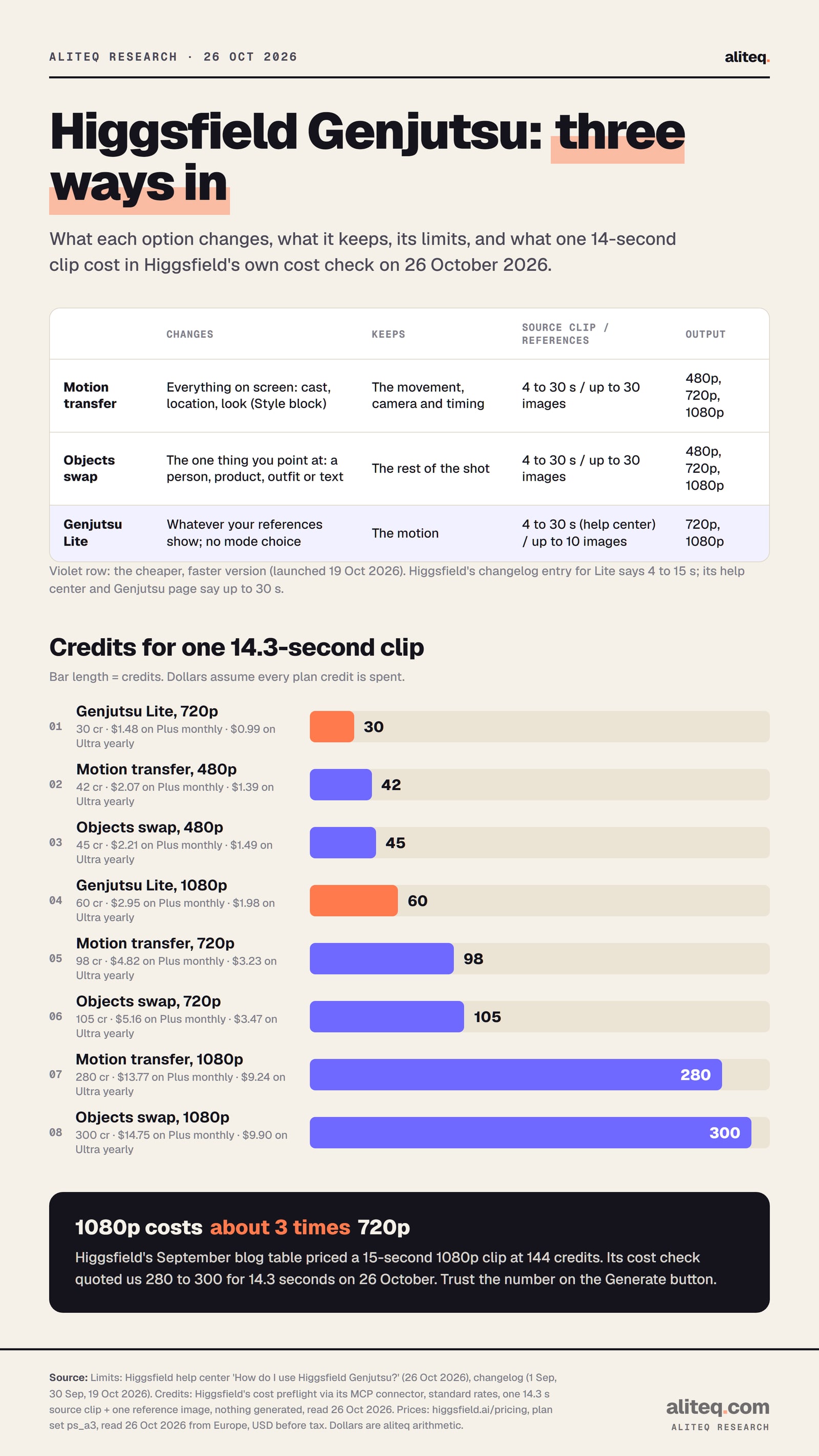
The three ways into Genjutsu and what one 14.3-second clip cost in credits. Higgsfield help center, changelog, cost check and pricing page, read 26 October 2026. · aliteq research
How do you use Higgsfield Genjutsu, step by step?
Open Video, choose Higgsfield Genjutsu in the model picker, add a clip and your reference images, then generate. Higgsfield's help article gives the whole flow in seven steps, and the cost appears on the button before anything runs.
How a Genjutsu edit works
Pick the source
Your own 4 to 30 s clip, or a trend from the Motion Library
Choose the mode
Motion transfer or Objects swap
Add references
Up to 30 images of people, products, outfits or places
Optional style or prompt
Style block (Motion transfer) or a short description
Check the cost
The Generate button shows the credits before you spend
Generate and compare
Same motion, the parts you targeted rebuilt
Pick the source
Your own 4 to 30 s clip, or a trend from the Motion Library
Choose the mode
Motion transfer or Objects swap
Add references
Up to 30 images of people, products, outfits or places
Optional style or prompt
Style block (Motion transfer) or a short description
Check the cost
The Generate button shows the credits before you spend
Generate and compare
Same motion, the parts you targeted rebuilt
From Higgsfield's Genjutsu help article and product page, read 26 October 2026. Genjutsu Lite skips the mode choice.
Go to Video → Create Video and select Higgsfield Genjutsu in the model picker.
Choose Motion transfer or Objects swap.
Add a reference video of 4 to 30 seconds. Upload your own, or pick a trending motion from the Motion Library.
Add up to 30 images. The picker can also pull from your Generations, Liked assets and AI Influencer characters. Higgsfield says "one reference is enough for a simple swap; add more for a full rebuild."
For Motion transfer, open Style if you want the whole video redrawn in one look.
Turn on Prompt only when you need a more specific direction.
Set Quality (480p, 720p or 1080p) and click Generate.
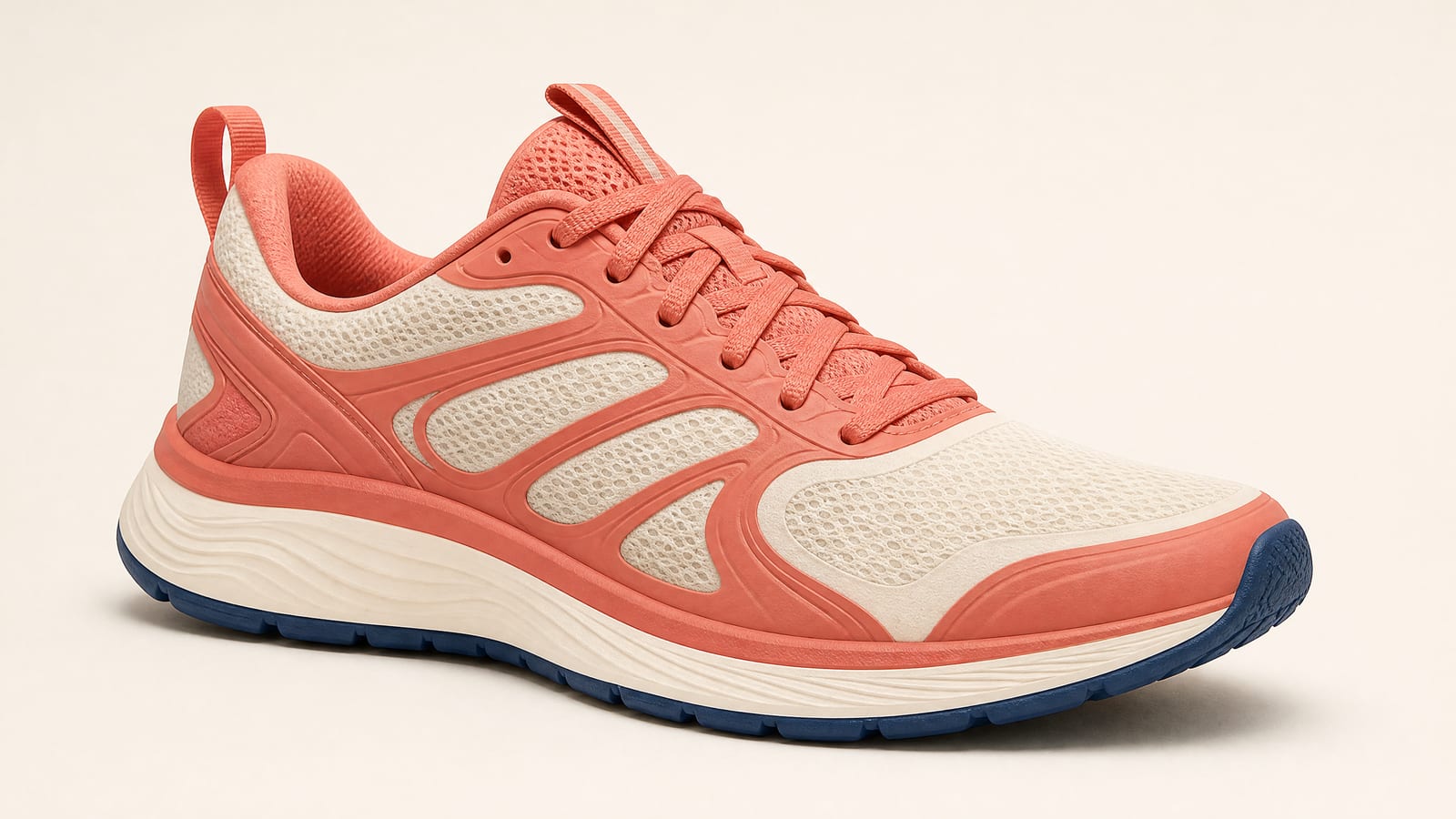
The kind of clean reference image Higgsfield recommends for a product swap, with one object, plain background and a clear angle. Made by us with Higgsfield GPT Image 2, 26 Oct 2026, one attempt, no edits. We did not run it through Genjutsu. · Generated with Higgsfield
Higgsfield's tips for better results are short. Use a source clip with "clear, readable motion". Match the references to what you change, with several angles for a full rebuild. Keep references "close to the framing of the source shot." When a preset gets you most of the way, add a short description before writing a full prompt.
What is the Motion Library?
The Motion Library is a built-in set of trending dances, transitions, memes and viral formats you can reuse without finding the source clip yourself. It has three feeds: Higgsfield picks, Community trending and Community new. You pick a motion, add photos of yourself, your character or your product, and Genjutsu rebuilds the trend around them.
How many credits does Higgsfield Genjutsu cost?
Genjutsu runs on normal Higgsfield credits, priced by clip length and resolution. On 26 October 2026, Higgsfield's cost check quoted 98 credits for a 14-second motion transfer at 720p, 105 for an objects swap, and 30 on Genjutsu Lite. The product page says: "Each run shows its credit cost before you generate."
Higgsfield doesn't publish a Genjutsu rate card on its pricing page. So we asked its cost check directly. We used Higgsfield's MCP connector with one 14.3-second sample clip from Higgsfield's own Genjutsu page and one reference image; the check returns a price without submitting a job.
Genjutsu by the numbers, 26 Oct 2026
30 s
Longest source clip
Minimum 4 s, per the help center
30
Reference images
Up to 10 on Genjutsu Lite
98
Credits, 14 s at 720p
Motion transfer, Higgsfield's cost check
30
Credits on Lite, 720p
Same 14 s clip
Motion transfer
480p
42 credits
720p
98 credits
1080p
280 credits
Objects swap
480p
45 credits
720p
105 credits
1080p
300 credits
Genjutsu Lite
480p
not offered on the web
720p
30 credits
1080p
60 credits
480p
720p
1080p
Motion transfer
42 credits
98 credits
280 credits
Objects swap
45 credits
105 credits
300 credits
Genjutsu Lite
not offered on the web
30 credits
60 credits
Higgsfield's numbers have moved since launch. Its September blog table priced a 15-second clip at 40 credits (480p), 104 (720p) and 144 (1080p), and noted "Credit costs may vary by generation settings." Our 480p and 720p quotes are close to that. Our 1080p quotes, 280 and 300 credits, are about double the blog's figure. We can't tell from Higgsfield's pages whether 1080p was repriced or the blog figure was wrong. The Generate button has the final word.
The blog's own update says Lite costs "approximately one-third as much as standard Genjutsu" on higgsfield.ai. Our quotes agree: 30 credits against 98 to 105 at 720p.
What does that buy on each plan?
This is our arithmetic from the 26 October pricing page: plan credits divided by the quoted cost of one 14-second clip at 720p, plus the free Genjutsu runs in each plan's modal.
Plus monthly ($59, 1,200)
720p motion transfers
12
720p objects swaps
11
Lite clips at 720p
40
Free Genjutsu runs
2 (720p)
Plus annual ($47 a month, 1,200)
720p motion transfers
12
720p objects swaps
11
Lite clips at 720p
40
Free Genjutsu runs
3 (720p)
Ultra monthly ($129, 3,000)
720p motion transfers
30
720p objects swaps
28
Lite clips at 720p
100
Free Genjutsu runs
2
Ultra annual ($99 a month, 3,000)
720p motion transfers
30
720p objects swaps
28
Lite clips at 720p
100
Free Genjutsu runs
3
720p motion transfers
720p objects swaps
Lite clips at 720p
Free Genjutsu runs
Plus monthly ($59, 1,200)
12
11
40
2 (720p)
Plus annual ($47 a month, 1,200)
12
11
40
3 (720p)
Ultra monthly ($129, 3,000)
30
28
100
2
Ultra annual ($99 a month, 3,000)
30
28
100
3
That assumes every credit goes to Genjutsu and every clip is about 14 seconds. Shorter clips cost less: the price is set by length. On Plus monthly, $59 for 1,200 credits works out to about $0.049 a credit, so one 720p motion transfer is roughly $4.82. On Ultra billed yearly, about $0.033 a credit, it is about $3.23. Our Higgsfield credits guide explains how credits reset and expire.
What about the API?
Genjutsu is also sold through the Higgsfield API, priced in dollars per second instead of credits. The API's pricing data showed "from" $0.159 a second at 480p, $0.3405 at 720p and $0.816 at 1080p for Genjutsu, and $0.025 to $0.10 a second for Genjutsu Lite, all marked 50% off list on 26 October. The API is a separate prepaid product, so these rates don't touch your plan credits. The API catalog also describes the Lite version as using "the first 15 seconds of the source video".
Which Higgsfield plans include Genjutsu, and does Unlimited cover it?
Plus and Ultra include a few free Genjutsu runs, and every other run costs credits. On 26 October 2026, Genjutsu was not in the Unlimited list of any individual plan, so no plan gave unlimited Genjutsu.
The pricing page modals list "free generations" per plan. Genjutsu shows 2 on Plus monthly and 3 on Plus annual (both at 720p), 2 on Ultra monthly and 3 on Ultra annual. Starter lists none. The pricing page also says Plus and Ultra get "Access to all models & features", while Starter gets "Access to selected models & features" and doesn't say whether Genjutsu is one of them.
The help article states the Unlimited rule: "If Higgsfield Genjutsu is in your plan's Unlimited list on the Pricing page, generations on higgsfield.ai don't deduct credits." Everything outside the website, "including through API, MCP, CLI, plugins, and Supercomputer, always deduct credits." The plan-wide fine print agrees that free generations and Unlimited models work only on higgsfield.ai. Our Higgsfield MCP guide covers the connector side.
The free plan has no credits, so in practice Genjutsu needs a paid plan. Free-plan files also carry a visible watermark; our watermark guide explains why.
Can I put my own face, or someone else's, into a Genjutsu video?
Your own face, yes. Anyone else's needs their consent. Higgsfield's help article answers the first question plainly: "Yes. Pick the trend in the Motion Library and add your photos as references: the motion stays, the person changes." The Terms of Use set the rules for everyone else.
Section 4.2: if your content contains "the name, likeness, voice, or other identifiable attributes of any individual (including yourself)", you confirm you have "all necessary rights, releases, and consents" from that person.
Section 5.3: when you upload photos or videos with a person's face, you warrant you have "obtained all consents, releases, and permissions required under applicable law from each individual".
Section 5.1: you may not post content that "depicts them without permission or legal justification", and you may not "impersonate any person or entity".
The source clip counts too. Section 4.2 also says your uploads must not infringe "copyright, trademark, publicity rights" or other rights. A trend from Higgsfield's own Motion Library is the route Higgsfield offers for reusing viral formats. For a clip you downloaded from someone else's account, you need the rights to it. We're not lawyers, and this isn't legal advice.
Commercial use is allowed. The Genjutsu page says what you generate "is yours to publish across organic and paid channels, subject to Higgsfield's Terms of Use", and section 4.4 says Higgsfield doesn't "restrict your commercial use of Outputs." Our page on selling Higgsfield AI images covers ownership in more depth.
What we couldn't verify
Output quality. We didn't run a Genjutsu generation, so we can't say how well it holds faces, hands or text.
Whether Starter can use Genjutsu with credits. Starter's card says "selected models & features" and lists no free Genjutsu runs. No page we read says yes or no.
Genjutsu Lite's clip limit. The changelog says 4 to 15 seconds; the help article and the Genjutsu page say up to 30 seconds; the API catalog says Lite uses the first 15 seconds. We report all three.
Why 1080p costs more than the blog said. Our 1080p quotes (280 to 300 credits) are about double the blog's 144 for 15 seconds. Higgsfield doesn't explain the gap.
What powers Genjutsu Lite. Higgsfield's MCP model catalog describes Lite as built on Kling 4.0. We didn't find that on a public page, so treat it as unconfirmed.
Free-run resolution on Ultra. The Plus modals say 720p; the Ultra modals don't name a resolution.
US prices. Our pricing data came back with a Danish country code. A US visitor may see different prices or promos.
Our verdict
Genjutsu is worth it if you already have footage you want to reuse: one dance, one product demo or one ad turned into several versions without a reshoot. Start on Genjutsu Lite at 720p, which cost about a third as much in our quotes, and step up to the full version when you need more references, a mode choice or the Style block.
Skip it if you need a brand-new scene from nothing; a text-to-video model fits that better. Skip it too if you were hoping Unlimited would cover heavy use, because Genjutsu wasn't on any Unlimited list on 26 October. And don't put other people's faces into clips without their consent. Higgsfield's terms make that your responsibility.
To sign up safely, use higgsfield.ai itself; Higgsfield has no mobile app and doesn't sell lifetime or reseller accounts. Plus is the cheapest plan whose card promises "all models & features", at $59 a month or $47 billed yearly on 26 October. The refund rule covers the first purchase only, within 7 days and with zero credits used, so try Genjutsu on a free run before you spend credits if you might want your money back. Our cancel and refund guide has the details, and is Higgsfield legit covers the company itself.
Quick answers
What is Higgsfield Genjutsu?
A video-editing tool on higgsfield.ai that changes part of an existing clip while the motion, timing and camera stay as filmed. Motion transfer rebuilds the scene around the movement; Objects swap changes one person, product, outfit or bit of text.
How long can a Genjutsu video be?
The source clip can be 4 to 30 seconds, with up to 30 reference images, per Higgsfield's help article of 26 October 2026. Genjutsu Lite takes up to 10 references.
How much does Genjutsu cost?
It uses normal credits, priced by length and resolution. Higgsfield's cost check quoted 98 credits for a 14-second motion transfer at 720p and 30 credits on Genjutsu Lite on 26 October 2026. The Generate button shows the exact cost.
Is Genjutsu free or Unlimited on Higgsfield?
Not Unlimited on any individual plan as of 26 October 2026. Plus and Ultra include 2 or 3 free Genjutsu runs on the website; everything else costs credits, and API, MCP and plugin runs always do.
Do I need to write a prompt?
No. Higgsfield says a preset or your reference images can drive the whole change. A short prompt is optional for more specific direction.
Can I use someone else's face in Genjutsu?
Only with their consent. Higgsfield's Terms of Use (s.4.2 and s.5.3) require all necessary consents from anyone whose face or likeness you upload.