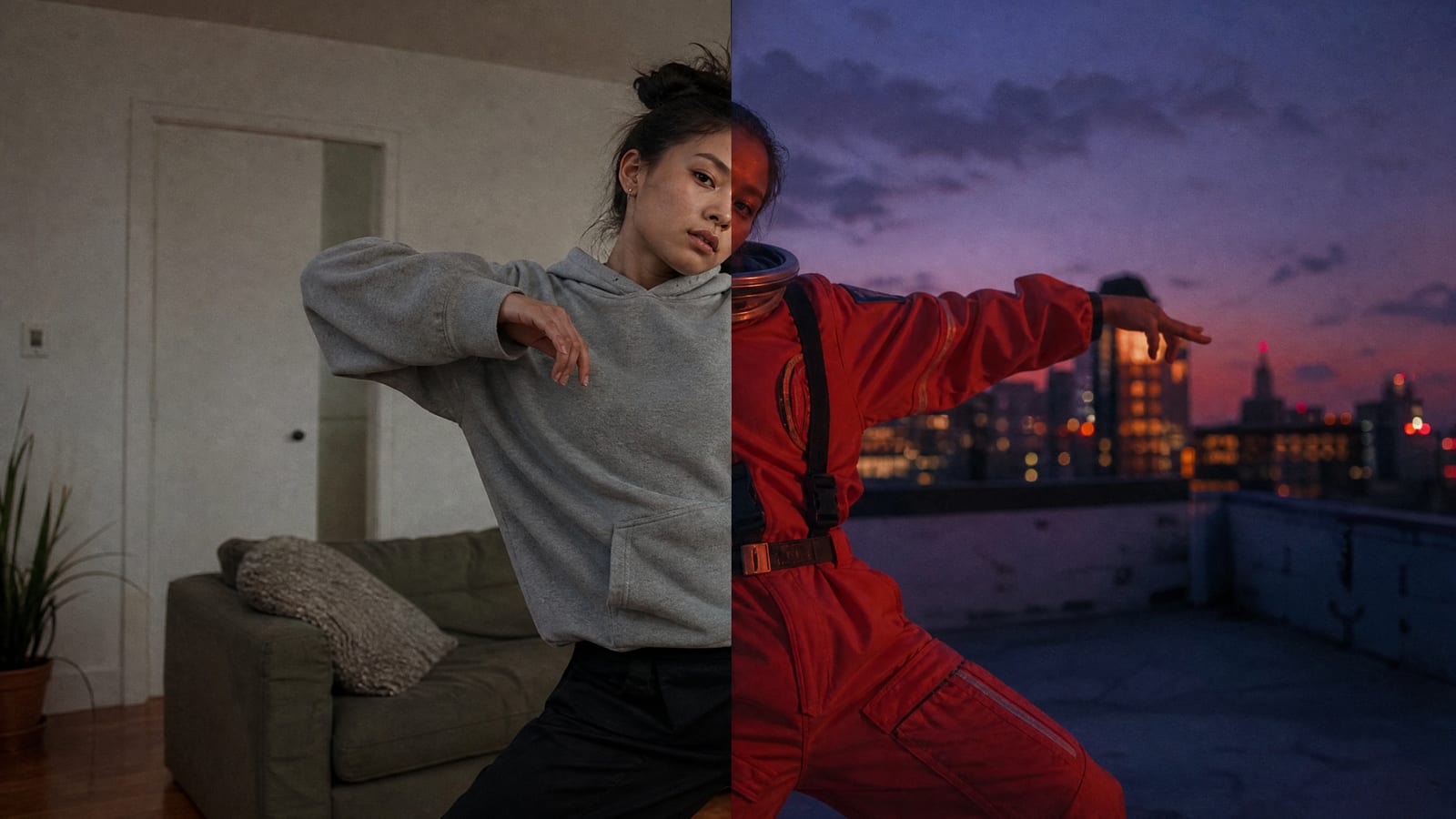
Katana is Higgsfield's video-edit remixer that runs inside Claude. You give it a reference edit (your own video or a preset) and up to five photos of a person, product or outfit, and it rebuilds the edit with them in it. It needs a paid Higgsfield plan, it always spends credits, and Unlimited doesn't cover it. Here is what Higgsfield documents, and what it doesn't.
This post contains affiliate links. If you buy through them, Aliteq may earn a commission — at no extra cost to you. Prices verified at publish time.
Share
What is Higgsfield Katana?
Katana is a tool for copying the structure of a video edit and filling it with your own subject. Higgsfield's blog post defines it as "a Higgsfield skill for Claude that rebuilds video edits with your own characters, products, or clothing through the Higgsfield MCP connector." It "runs on Higgsfield models, on the same account and the same credits as higgsfield.ai."
The idea is simple. You have seen an edit that works: a product reveal, a fashion clip cut to a beat, an "aura farming" clip. Rebuilding it by hand means matching every shot, cut and bit of timing. Katana reads the reference and redoes that work with your photos. In Higgsfield's words, "The reference guides the shot structure, pacing, and overall edit: the order of shots, their length, and the placement of cuts on the music. The photos define who and what appears."
The Katana page's own description calls it an "Aura-farming machine by Higgsfield & Claude Opus 5.5." Higgsfield's changelog entry of 8 October says it makes "video edits in Aura Farming, Motion, or Clipping styles."
Katana, by date
Oct 8, 2026
Higgsfield announces Katana on X and in its changelog, as a Higgsfield skill for Claude with a preset library in three categories.
Oct 9, 2026
Higgsfield posts on X about Community Presets for Katana, presets that users publish themselves.
Oct 12, 2026
Higgsfield's blog publishes its Katana explainer, with the workflow, connector setup and cost rules.
How does Katana work: what do you give it, and what do you get back?
You give Katana one reference edit and up to five photos; it gives back one MP4 that copies the reference's structure with your subject in it. Optional instructions tell it what matters most or what must stay unchanged.
A reference edit: your own video or a preset from the library
Katana returns
A new video that follows the reference's shot structure, pacing and overall edit
Up to 5 photos of characters, products or clothing
Katana returns
Your characters, products or clothing placed in those shots
Optional instructions on what to keep or change
Katana returns
A video in the reference's format, in the chat and in Assets
Katana returns
A reference edit: your own video or a preset from the library
A new video that follows the reference's shot structure, pacing and overall edit
Up to 5 photos of characters, products or clothing
Your characters, products or clothing placed in those shots
Optional instructions on what to keep or change
A video in the reference's format, in the chat and in Assets
That table is Higgsfield's own, from its blog. Three details matter in practice:
The output copies the reference's format. Higgsfield says that in its test "the output was an MP4 with the duration, aspect ratio, and frame rate of the reference; these parameters are not set separately in Claude." If you want a 9:16 Reel, start from a 9:16 reference.
Uploads go through Higgsfield, not the Claude chat. "Images attached directly in the Claude chat are not passed to Higgsfield MCP as Katana reference files," so Katana opens a Higgsfield upload window in the conversation. A direct link to a media file also works, but "Links to Instagram or TikTok profiles are not accepted."
Fixes are chat messages. You ask Claude to change a shot, swap a photo or adjust a detail. Higgsfield says that in its test "only the affected shots were regenerated," and that "If a change requires new generations, additional credits may apply."
How a Katana edit works
Pick a reference
Your own video file or a preset from the Katana library
Add your photos
Up to 5 of the person, product or outfit
Optional instructions
The shot that matters most, what must stay
Check the cost
Claude shows a card with the exact credits first
Get the edit
An MP4 in the chat and in your Higgsfield Assets
Refine in chat
Changes that need new generations cost more credits
Pick a reference
Your own video file or a preset from the Katana library
Add your photos
Up to 5 of the person, product or outfit
Optional instructions
The shot that matters most, what must stay
Check the cost
Claude shows a card with the exact credits first
Get the edit
An MP4 in the chat and in your Higgsfield Assets
Refine in chat
Changes that need new generations cost more credits
From Higgsfield's Katana blog post and changelog, read 27 October 2026.
One page disagrees on the photo count. The 8 October changelog says Katana works "from one reference photo" in its first line, then lists "up to 5 images of characters, products, or clothing per edit." The blog and its FAQ say up to five. One photo is the minimum; five is the stated maximum.
How do you start Katana: from the website or from Claude?
There are two doors, and both end in a Claude chat. Higgsfield's MCP Katana page also has a "Try in ChatGPT" button, but the blog only documents Claude.
From the Katana page. The form on higgsfield.ai/katana has three fields: "Add a reference video", "Add your characters" and "Instructions (optional)". Send & Generate in Claude passes the brief to a Claude chat. The page also holds the preset library and an install button for first-time setup.
From Claude directly. With the Higgsfield connector active, /katana opens the preset catalog, /katana/<preset-name> runs one preset, and a plain request such as "make me an edit of this product using Higgsfield" starts Katana without a command.
How do you connect Higgsfield to Claude?
Higgsfield's blog gives the steps. You need an active Higgsfield subscription and no API key.
In claude.ai or Claude Desktop, open Settings → Connectors.
Click Add custom connector, name it Higgsfield and paste the server URL https://mcp.higgsfield.ai/mcp.
Click Connect, sign in to Higgsfield and authorize.
Back in Claude, the Higgsfield connector shows in your active connectors.
Our Higgsfield MCP guide covers the connector in more depth, including what it can do besides Katana.
What are Katana presets, and can you add your own?
A preset is a reference edit Higgsfield or another user has already prepared: "its motion, its style, and a prompt that describes how to place new assets into it." The library sits on the Katana page and inside Claude, and it is sorted two ways.
By category: Personalized edits (your subject placed into a finished edit), Style transfer (the reference's look carried onto your material) and Motion transfer (its movement carried over).
By source: Higgsfield's own presets and Community presets.
Anyone can publish a community preset from the Katana page. Higgsfield's rules: "a 3 to 30 second video for the motion, up to 40 images, and a prompt that mentions them with @." Shared presets "go live right away and can be taken down after reports." Higgsfield adds that "the categories and counts on the page may differ from this article," so we don't quote a preset count.
How much does Higgsfield Katana cost?
Katana has no price of its own. It spends the credits of your Higgsfield plan, and Higgsfield publishes no per-edit rate. The blog's cost section says: "Katana uses the credits of your existing Higgsfield plan. There is no separate billing for MCP and no markup for running Katana inside Claude. Before each generation, Claude shows a card with the exact credit cost, so the price is visible before confirmation."
What we can say for certain:
It always costs credits. Katana runs through Higgsfield MCP, and Higgsfield's MCP help article says "MCP always uses credits. Unlimited access and free generations apply only on higgsfield.ai." So a model that is Unlimited on your plan is not free when Katana calls it. Our Unlimited guide explains where Unlimited does apply.
Corrections can add to the bill. "Additional generations or alternatives, including corrections that require new generations, may increase the cost."
Prices vary by region. "Plan tiers and credit allowances differ by region; check the pricing page for your country."
No line on the pricing page. The pricing page as Higgsfield's server sent it on 27 October had no Katana entry. The plan cards load in the browser, so check them there.
We didn't get a credit quote. Higgsfield's connector can price a Katana run, but only after you start a Katana session with a chosen preset, and we stopped short of that. A Katana edit generates several shots, so expect it to cost more than a single clip; the card in Claude has the real number. Our credits guide covers how credits are spent and when they reset.
Which plans can use Katana?
Any paid plan, as far as Higgsfield's pages say. The blog says Katana "requires an active Higgsfield subscription", and its FAQ repeats it. No page limits it to a tier. The free plan has no subscription and no credits, so in practice it can't run Katana. Our plan comparison lists what each tier includes.
Who is Higgsfield Katana for?
Katana is for people who already have an edit that works and need many versions of it. Higgsfield says it is "built for creators who already know what the edit should look like because they have seen it work," and that "If you do not yet have a reference or know what the edit should look like, another Higgsfield tool is a better starting point."
Concretely, the buyers who get the most out of it:
Small product brands with one proven ad format. A Shopify or Amazon seller with a product video that converts can feed it in with photos of the next product and get the same edit for each item, without re-editing.
Clothing and fashion sellers. Higgsfield names "a fashion edit with a specific rhythm" as a fit; you swap the outfit photos and keep the cut.
Short-form edit creators. Aura-farming clips and motion-graphics intros are the formats Higgsfield itself promotes. The rule is that you must own or have permission for the reference, including its music.
Agencies and freelancers making variants. One client edit, re-made for several faces or products, each as a chat message.
It is a poor fit for someone starting from a blank page, for anyone who wants control over aspect ratio or length independent of the reference, and for heavy users counting on Unlimited.
What are the rules on references and faces?
Higgsfield's blog says to "Use a reference edit that you own or have permission to use, including any music, footage, characters, logos, or other protected material in it." Its FAQ adds that "Some generations may be declined by moderation." Photos of real people fall under Higgsfield's Terms of Use, which require consent from anyone whose likeness you upload; our Genjutsu guide quotes those clauses. Genjutsu also sits in the same Claude chat, and Higgsfield says a Genjutsu clip can become a Katana reference.
What we couldn't verify
Credit cost per edit. No published rate, and we didn't start a priced Katana session. The cost card in Claude is the only source.
Output quality. We made no edit, so we can't say how well Katana matches a reference or keeps a face or product consistent. The test results in Higgsfield's blog are Higgsfield's own.
Which Claude model. The Katana page says "Claude Opus 5.5". The launch post on X was truncated where we read it, so we couldn't confirm its exact model name.
ChatGPT support. The MCP Katana page has a "Try in ChatGPT" button, but every documented step is for Claude.
One photo or five. The changelog's first line says "from one reference photo"; its list and the blog say up to five.
Plan limits. No page says whether lower tiers get fewer Katana runs or slower queues beyond the credits they hold.
Our verdict
Katana is worth trying if you sell products or make short-form content and already have an edit that performs. Turning one winning video into versions for every product, colour or outfit is exactly the boring work it was built to remove, and you see the credit cost before each generation.
Skip it if you don't have a reference yet; start with a normal video model instead (our model guide helps you pick). Skip it too if you were counting on Unlimited, because every Katana run spends credits, and if you need a set length or format the reference doesn't have.
A Higgsfield skill for Claude that remakes a reference video edit with your own characters, products or clothing. It runs through the Higgsfield MCP connector and launched on 8 October 2026.
What do I upload to Katana?
One reference edit, either a video file or a preset from the Katana library, and up to five photos of the person, product or clothing. Instagram and TikTok profile links aren't accepted.
Does Katana cost extra?
No separate fee. It uses your Higgsfield plan credits, and Claude shows the exact credit cost before each generation. Corrections that need new generations cost more.
Is Katana covered by Higgsfield Unlimited?
No. Katana runs through MCP, and Higgsfield says MCP always deducts credits; Unlimited and free generations apply only on higgsfield.ai.
Do I need an API key for Katana?
No. Add the Higgsfield connector in Claude with the URL https://mcp.higgsfield.ai/mcp and sign in. An active Higgsfield subscription is required.
Can I share my own Katana preset?
Yes, from the Katana page: a 3 to 30 second video for the motion, up to 40 images and a prompt that mentions them with @. It goes live right away and can be taken down after reports.