Direct from Google is cheaper per Veo clip: an 8-second Veo 3.1 clip is 100 Flow credits (about $2.00 on Google AI Pro) against 80 Higgsfield credits (about $3.44 on Ultra monthly). Higgsfield wins only if you also need Kling or Seedance, shared team seats or client-transfer terms. Both checked Nov 3, 2026.
Use Veo 3.1 directly from Google if Veo is the only model you need; it's cheaper per clip. An 8-second Veo 3.1 clip costs 100 credits in Google Flow, about $2.00 on Google AI Pro, and 80 credits on Higgsfield, about $3.44 on Higgsfield Ultra billed monthly (our arithmetic from each vendor's prices). Go through Higgsfield when the same plan also has to cover Kling, Seedance or other models, when several people need one shared credit pool, or when you want client transfer of output rights spelled out in the terms. Sora isn't part of the choice any more: OpenAI closed the Sora app on April 26, 2026 and the Sora API on September 24, 2026. Checked November 3, 2026 on each vendor's own pages.
Should I use Veo 3.1 directly or through Higgsfield?
Directly, unless you need more than Veo. It's the same Google model either way; what changes is the price per clip and what else comes with the plan.
Go direct (Google Flow) if Veo 3.1 is the only model in your workflow, you're already paying for Google AI Pro or Ultra, or you want the lowest price per Veo clip. On every plan pairing we priced, the same 8-second clip costs less on Google's credits, from about three quarters of Higgsfield's price down to about a tenth, by our arithmetic below.
Go through Higgsfield if a brief needs different models for different shots (Kling for cheap drafts, Seedance for longer takes, Veo for native audio), if you'd otherwise pay for two or three separate subscriptions, or if a team needs one pooled credit balance with shared assets.
Either way, budget for retries. A commenter on r/Seedance_AI put it plainly: "For product clips, the thing that eats a budget is rerolls, so count cost per usable shot instead of the monthly price" (r/Seedance_AI).
Veo 3.1 direct (Google Flow) vs Veo 3.1 on Higgsfield (vendors' own pages, Nov 3, 2026)
Google Flow
Veo 3.1, direct from Google
vs
Higgsfield
Veo 3.1 and many other models
100 credits, about $2.00 on Pro or $1.00 on Ultra
8 s Veo 3.1 (full quality)
80 credits, about $3.44 on Ultra monthly
20 credits (10 on Ultra), about $0.40 on Pro
8 s Veo 3.1 Fast
32 credits, about $1.38 on Ultra monthly
Veo 3.1 (Lite, Fast, Quality) and Gemini Omni Flash
Models
Veo 3.1, Fast, Lite, Omni Flash 1.1, Kling, Seedance, Wan, MiniMax and more
Google AI Plus $4.99 a month (200 Flow credits)
Entry price for Veo
Plus $59 a month (1,200 credits), the cheapest plan listing all models
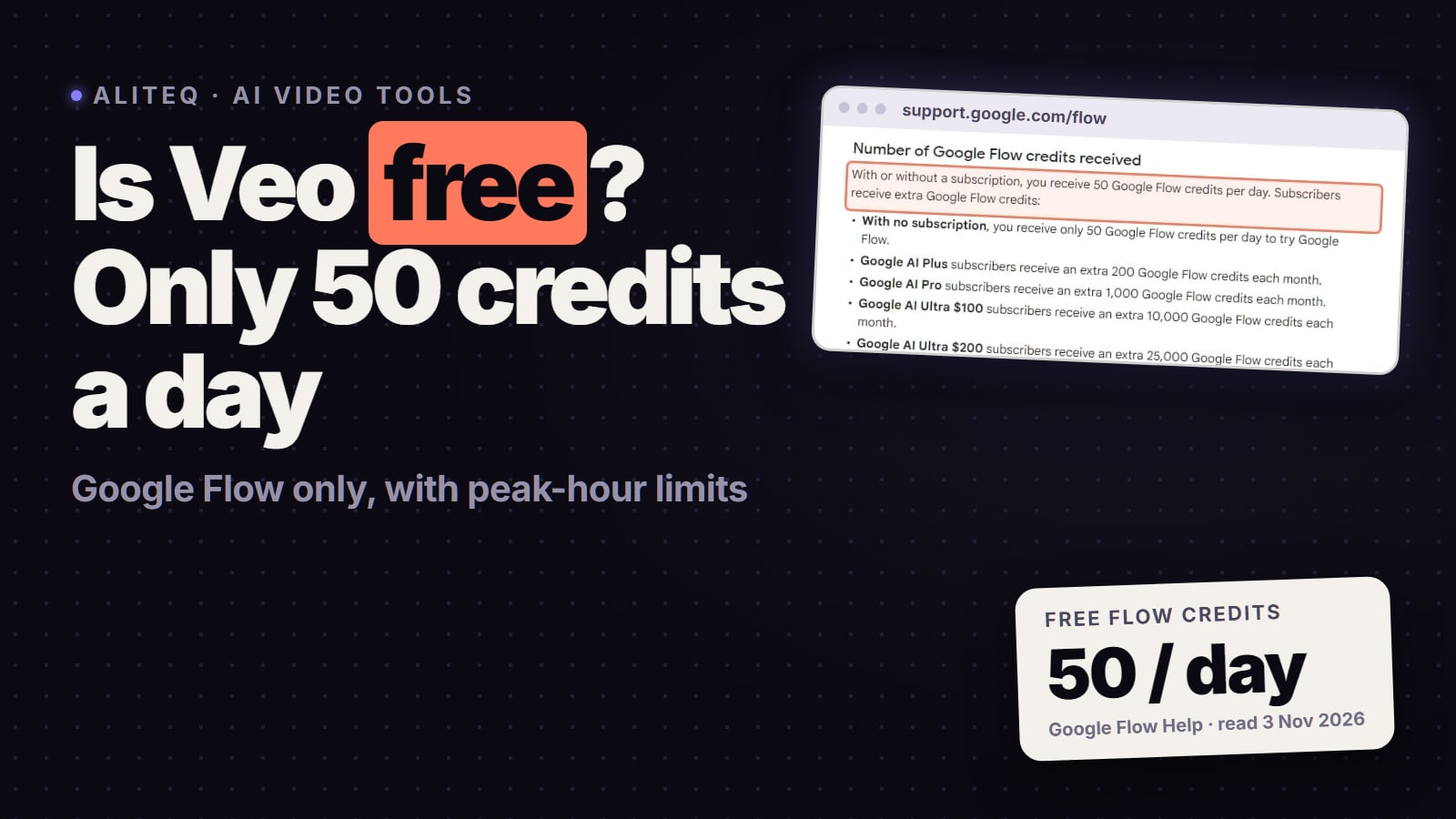
50 Flow credits a day, for everyone (videos may be unavailable at peak hours without a plan)
Free allowance
Free plan listed as "Limited use", with no Veo allowance stated
Flow for qualifying Workspace plans (50 daily credits)
Team workspace
Team and Scale, per seat, pooled credits and shared assets
Google won't claim ownership; read Google's terms
Client transfer in the terms
Written into Terms s.4.4
Flow wins 4wins 3 Higgsfield
Can you still use Sora 2 for client work?
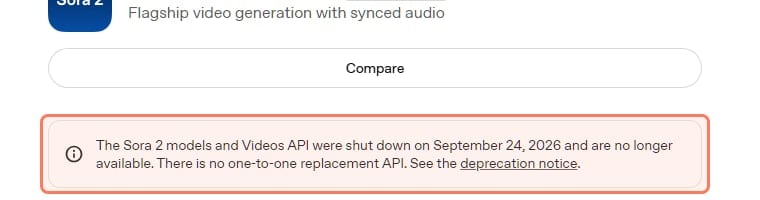
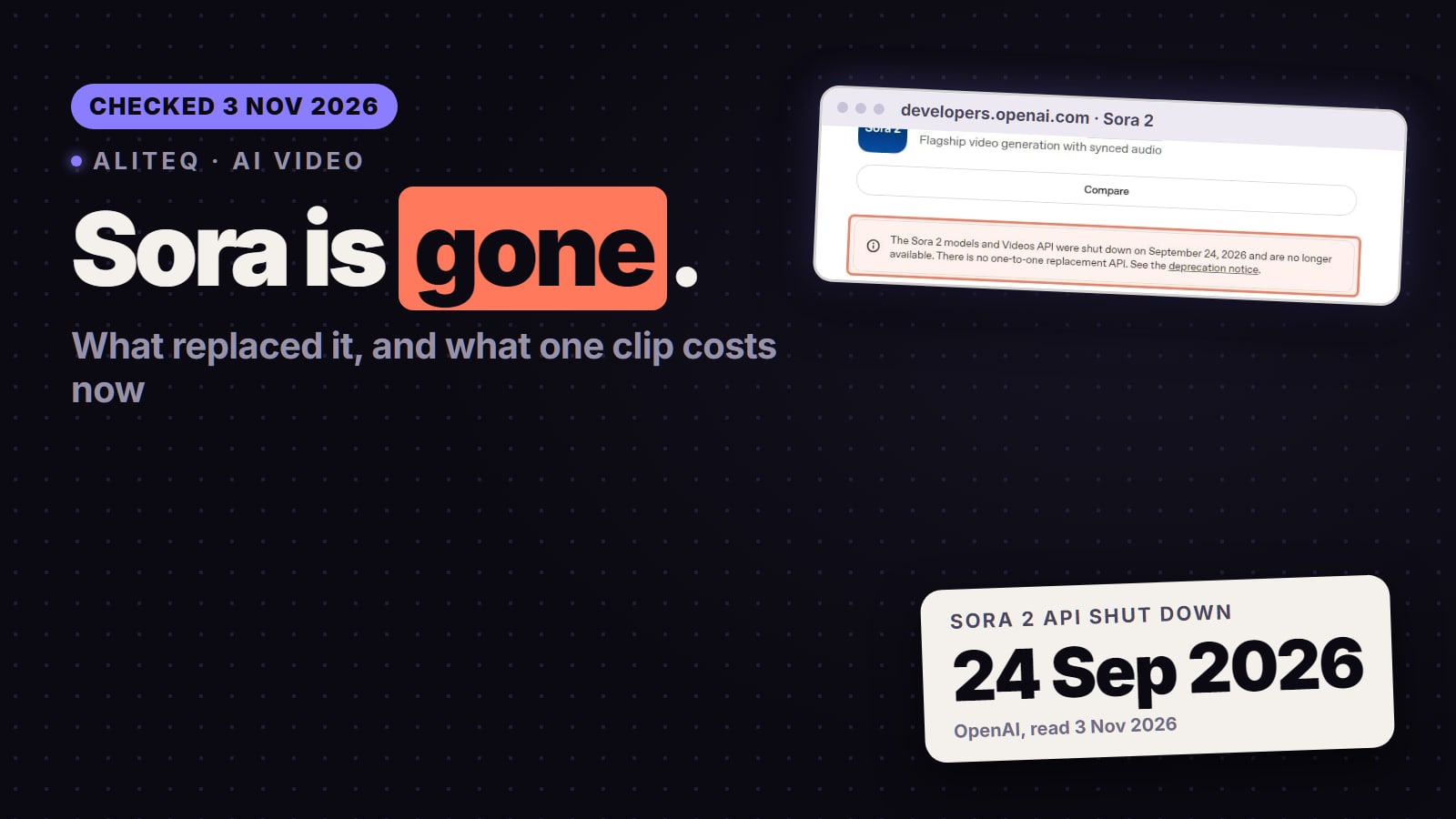
No. OpenAI shut down both routes, so any project that still depends on Sora needs a new model. OpenAI's help center says the Sora web and app experiences were discontinued on April 26, 2026 and the Sora API on September 24, 2026. Its Sora 2 model page for developers, which we re-read on November 3, says: "The Sora 2 models and Videos API were shut down on September 24, 2026 and are no longer available. There is no one-to-one replacement API."
OpenAI's own Sora 2 model page (developers.openai.com), read November 3, 2026. · Screenshot of developers.openai.com by aliteq
If you made client work in Sora, export it now: OpenAI says you can do that at sora.chatgpt.com/sunset, and that it will permanently delete Sora data after any final export window. Our is Sora 2 free page covers the export and the look-alike "Sora" sites that aren't OpenAI.
For most Sora users, Veo 3.1 is the natural replacement: Google DeepMind calls it "Our leading video generation model, designed to empower filmmakers and storytellers", and Google says Veo can "add sound effects, ambient noise, and even dialogue to your creations – generating all audio natively." Higgsfield is a platform that rents you many models, Veo 3.1 among them, so "Higgsfield vs Veo" is a choice of where you run Veo and what sits next to it, not a quality contest between two models.
Developers: Google's video docs say "The Veo 3.1 Preview in the Gemini API has been shut down", on October 22, 2026, and point to Gemini Omni Flash or the GA Veo models on Google's Gemini Enterprise Agent Platform. If you built an app on the Veo preview, that's the migration you need.
What does one Veo 3.1 clip cost on each?
On Google's own plans an 8-second Veo 3.1 clip is roughly $0.05 to $2.00 depending on quality and plan; on Higgsfield the same lengths run about $0.40 to $3.44 depending on quality and plan. The credit figures are the vendors' own, and the dollar figures are our arithmetic, assuming you use every credit in the month.
Veo 3.1 in Google Flow
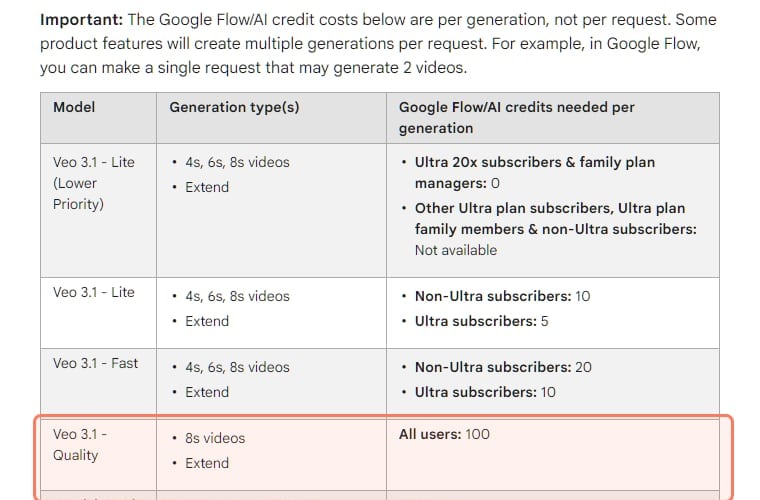
Google's Flow credits page prices each generation, not each request: "you can make a single request that may generate 2 videos," and each one costs.
The per-generation cost table on Google's Flow credits page, read November 3, 2026. · Screenshot of support.google.com by aliteq
Lite, 4 to 8 s
Flow credits
10 (5 on Ultra)
On Google AI Pro ($19.99, 1,000 credits)
about $0.20
On Google AI Ultra ($99.99, 10,000 credits)
about $0.05
Fast, 4 to 8 s
Flow credits
20 (10 on Ultra)
On Google AI Pro ($19.99, 1,000 credits)
about $0.40
On Google AI Ultra ($99.99, 10,000 credits)
about $0.10
Quality, 8 s
Flow credits
100
On Google AI Pro ($19.99, 1,000 credits)
about $2.00
On Google AI Ultra ($99.99, 10,000 credits)
about $1.00
Flow credits
On Google AI Pro ($19.99, 1,000 credits)
On Google AI Ultra ($99.99, 10,000 credits)
Lite, 4 to 8 s
10 (5 on Ultra)
about $0.20
about $0.05
Fast, 4 to 8 s
20 (10 on Ultra)
about $0.40
about $0.10
Quality, 8 s
100
about $2.00
about $1.00
US prices from Google's plans page and credit costs from its Flow credits page, both read November 3, 2026. Google's plans page lists Ultra "Starting at: $99.99/ month" with "10,000 or 25,000 Google Flow Credits" depending on the tier; the Ultra column assumes the $99.99 tier with 10,000. Monthly plan credits "do not roll over to the next month", per Google. The same page says "With or without a subscription, you receive 50 Google Flow credits per day", on top of the plan's monthly credits, so if you use those too, Google's real cost per clip is lower still than the table shows.
Veo 3.1 on Higgsfield
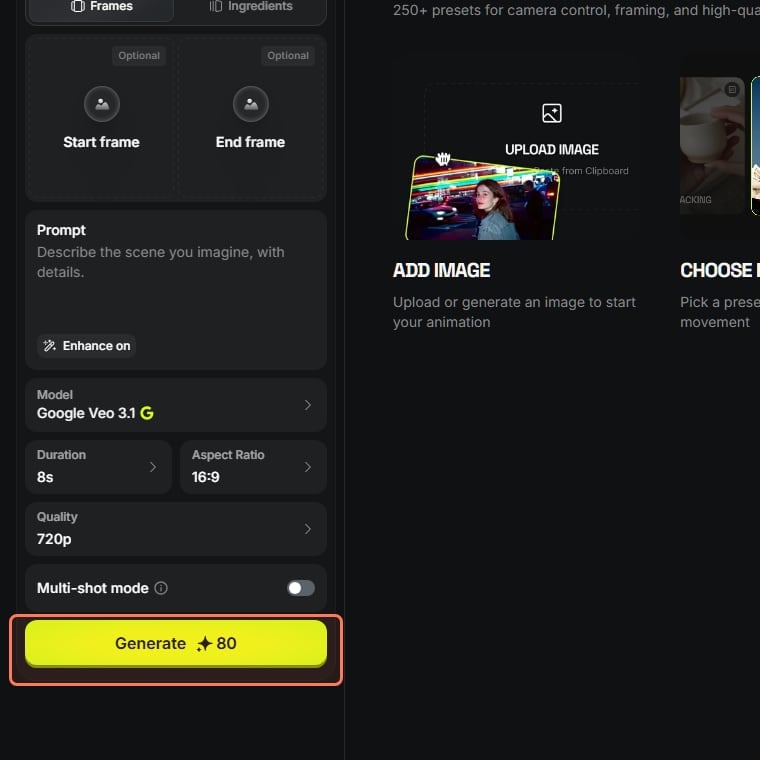
Higgsfield charges credits per generation, and the Generate button shows the exact figure for your settings before you spend anything. With each Veo model selected on November 3, 2026 (logged out, 8 seconds, 16:9), the button showed the figures below. We compare Higgsfield's plain "Google Veo 3.1" option with Flow's Quality tier, since Fast and Lite are listed separately on both.
Higgsfield's video page with Google Veo 3.1 selected, 8 seconds at 720p (higgsfield.ai, read November 3, 2026, logged out). The outline is ours. · Screenshot of higgsfield.ai by aliteq
Veo 3.1 Lite, 720p
Higgsfield credits
12 (16 at 1080p)
On Ultra monthly ($129)
about $0.52
On Ultra yearly ($99 a month)
about $0.40
Veo 3.1 Fast, 720p or 1080p
Higgsfield credits
32
On Ultra monthly ($129)
about $1.38
On Ultra yearly ($99 a month)
about $1.06
Veo 3.1, 720p or 1080p
Higgsfield credits
80
On Ultra monthly ($129)
about $3.44
On Ultra yearly ($99 a month)
about $2.64
Higgsfield credits
On Ultra monthly ($129)
On Ultra yearly ($99 a month)
Veo 3.1 Lite, 720p
12 (16 at 1080p)
about $0.52
about $0.40
Veo 3.1 Fast, 720p or 1080p
32
about $1.38
about $1.06
Veo 3.1, 720p or 1080p
80
about $3.44
about $2.64
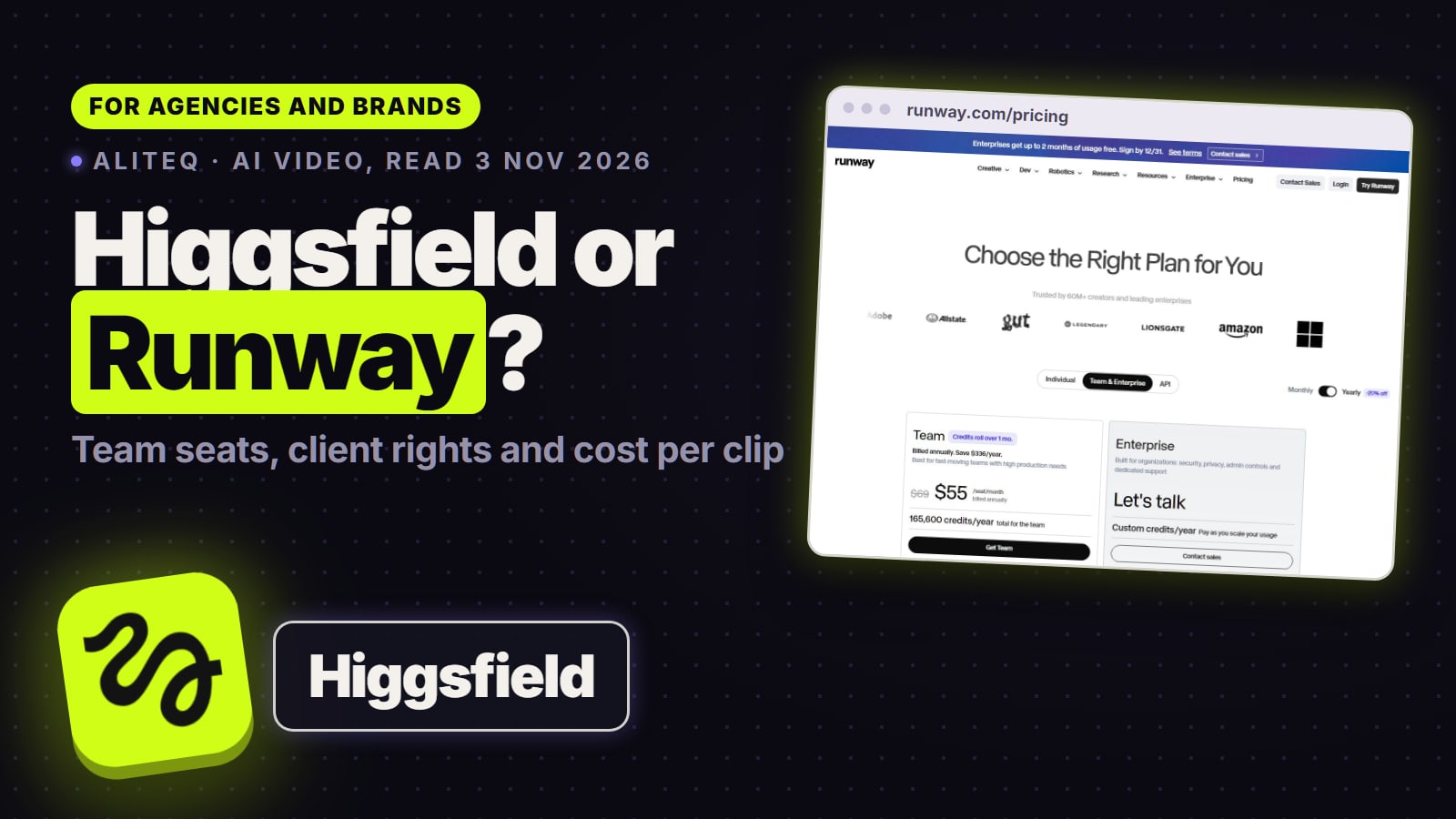
Dollar columns: our arithmetic from 3,000 Ultra credits, about 4.3 cents a credit monthly and 3.3 cents billed yearly. A 4-second Veo 3.1 clip showed 40 credits and a 4-second Fast clip 16. Two catches: Higgsfield's model list marks Veo 3.1 and Veo 3.1 Fast "PREMIUM", and its pricing page lists Starter ($19) with "Access to selected models only" while Plus and Ultra say "Access to all models & features". So budget for Plus ($59 a month for 1,200 credits, about $3.93 per 8-second Veo 3.1 clip) or Ultra if Veo is why you're there.
The same 8-second clip, side by side
Veo 3.1 (full quality)
Google AI Pro
about $2.00
Google AI Ultra
about $1.00
Higgsfield Ultra monthly
about $3.44
Higgsfield Ultra yearly
about $2.64
Veo 3.1 Fast
Google AI Pro
about $0.40
Google AI Ultra
about $0.10
Higgsfield Ultra monthly
about $1.38
Higgsfield Ultra yearly
about $1.06
Veo 3.1 Lite
Google AI Pro
about $0.20
Google AI Ultra
about $0.05
Higgsfield Ultra monthly
about $0.52
Higgsfield Ultra yearly
about $0.40
Google AI Pro
Google AI Ultra
Higgsfield Ultra monthly
Higgsfield Ultra yearly
Veo 3.1 (full quality)
about $2.00
about $1.00
about $3.44
about $2.64
Veo 3.1 Fast
about $0.40
about $0.10
about $1.38
about $1.06
Veo 3.1 Lite
about $0.20
about $0.05
about $0.52
about $0.40
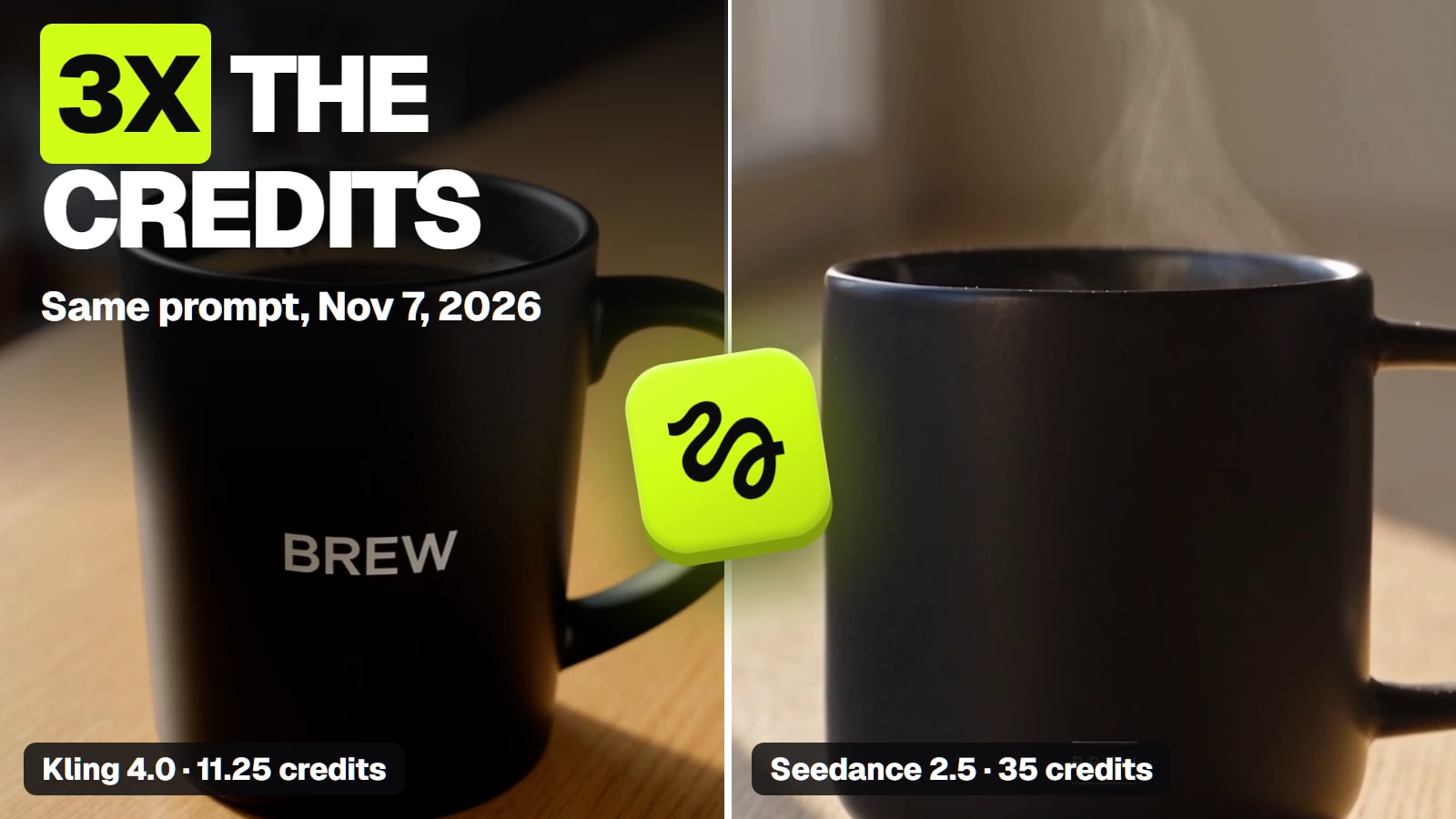
Our arithmetic from each vendor's prices and credit costs, read November 3, 2026, assuming every credit in the month gets used. So, per Veo clip, Google direct is hard to beat. Higgsfield earns its place when the brief needs a different model too, like Kling 3.0 at 7.5 credits for a 5-second 720p draft or Seedance 2.5 at 35 credits for 5 seconds at 720p, without a second subscription.
Whichever you pick, the first take is rarely the one the client signs off. Price a test batch on the exact settings you'll deliver at, count how many you keep, and quote from that.
Which is safer for client and brand work?
Both let you use the output commercially; the differences are in training, exclusivity and who carries the legal risk. Read the terms of the plan you're actually on, and keep a copy with the project.
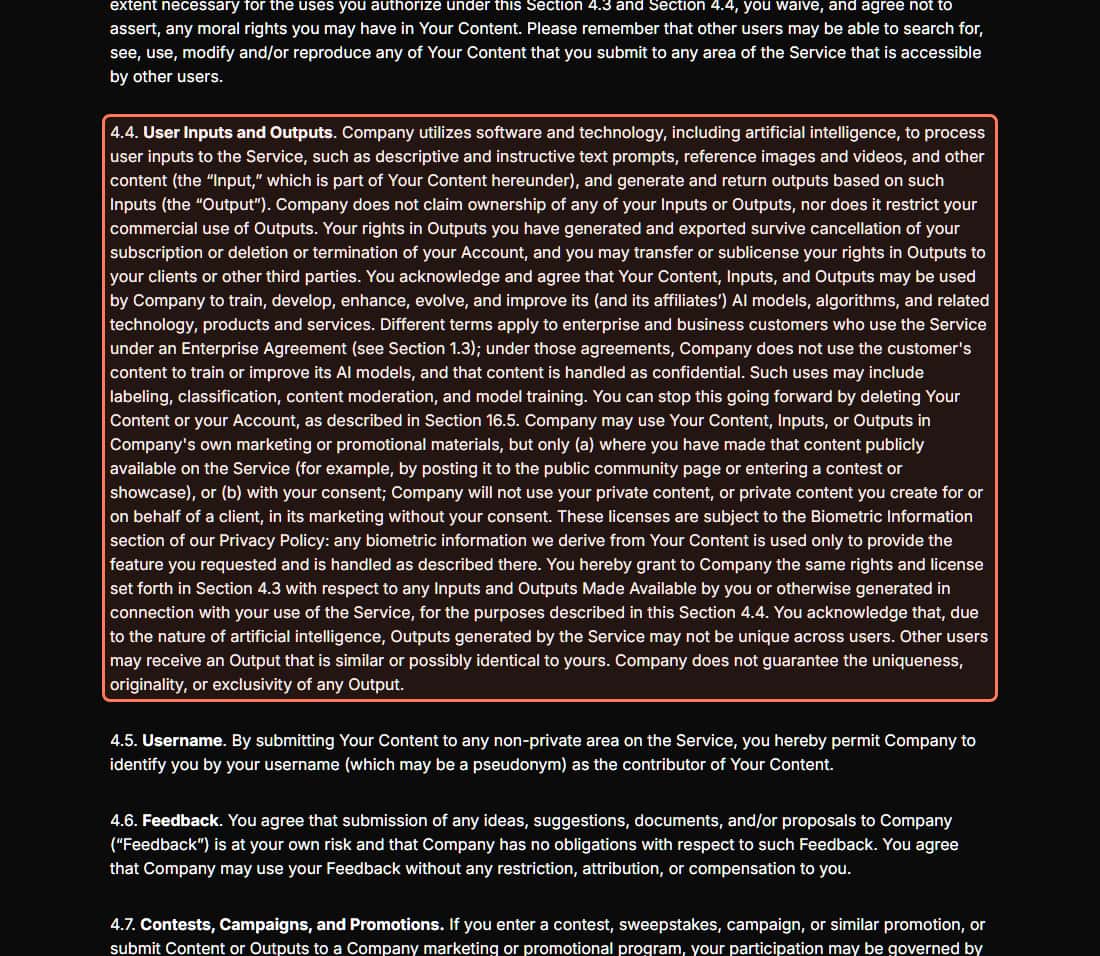
Higgsfield. Its Terms of Use (last updated October 23, 2026), section 4.4, say the company "does not claim ownership of any of your Inputs or Outputs, nor does it restrict your commercial use of Outputs." Rights in outputs "you have generated and exported survive cancellation of your subscription", and "you may transfer or sublicense your rights in Outputs to your clients or other third parties." The catches for an agency:
Training. Your content, inputs and outputs "may be used by Company to train" its models; under an Enterprise Agreement, "Company does not use the customer's content to train or improve its AI models."
Client privacy in marketing. Higgsfield "will not use your private content, or private content you create for or on behalf of a client, in its marketing without your consent."
Exclusivity. "Outputs generated by the Service may not be unique across users." A client who wants an exclusive asset should know that.
Legal risk. Section 12 makes you indemnify Higgsfield. The help center lists SOC 2 and legal indemnification as Enterprise-only.
Labelling. Section 5.5 says you'll disclose AI output "Where required by applicable law", and section 6.4 says Higgsfield may embed C2PA-style provenance markings.
Section 4.4 of Higgsfield's Terms of Use (last updated October 23, 2026), read November 3, 2026. The outline is ours. · Screenshot of higgsfield.ai by aliteq
Google (Veo in Flow). Flow's help page answers "Can I use outputs of these tools for commercial purposes?" by pointing to Google's Terms of Service, quoting: "Google won't claim ownership over that content". It doesn't summarise training or indemnity for Flow users there, so check Google's terms, or your Workspace agreement if you use Flow through work. On marking: "All outputs generated in Google Flow using Veo, Omni, or Nano Banana include invisible SynthID watermarks", and a visible watermark is applied automatically for users in India, South Korea and Vietnam who aren't on Google's top Ultra plan.
Higgsfield sells per-seat team workspaces; Google gives Flow to qualifying Workspace accounts but with the same 50 daily credits as everyone else.
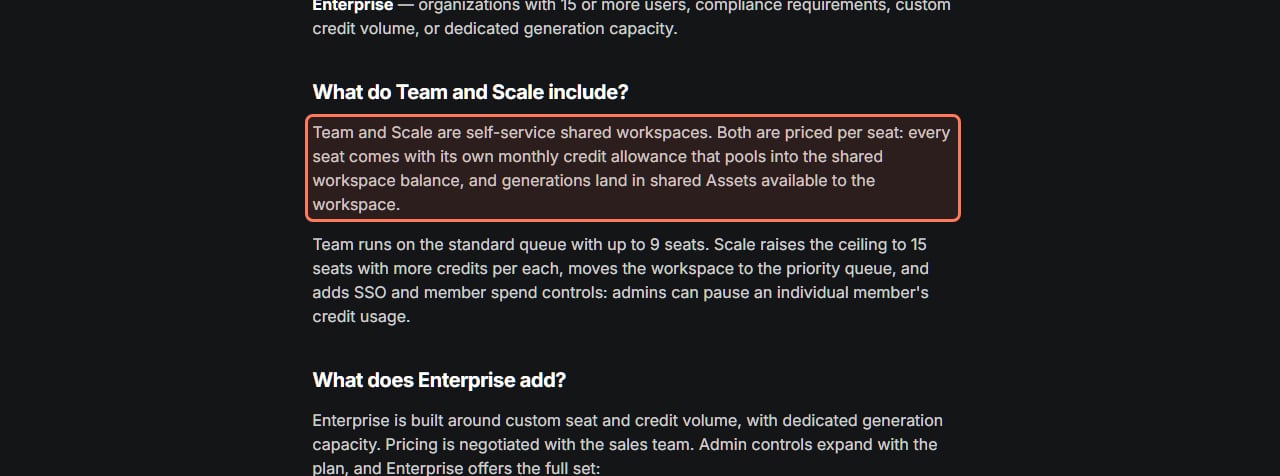
Higgsfield Team and Scale. The help center describes them as shared workspaces where each seat's credits pool into one balance:
Higgsfield Help Center, What team and business plans does Higgsfield offer?, read November 3, 2026. · Screenshot of higgsfield.ai by aliteq
Team
Price per seat
$65 a month yearly, $79 monthly
Credits per seat
1,000
Seats
2 to 9
Scale
Price per seat
$150 a month yearly, $169 monthly
Credits per seat
2,500
Seats
5 to 15
Enterprise
Price per seat
Custom, via sales
Credits per seat
Custom
Seats
Custom
Price per seat
Credits per seat
Seats
Team
$65 a month yearly, $79 monthly
1,000
2 to 9
Scale
$150 a month yearly, $169 monthly
2,500
5 to 15
Enterprise
Custom, via sales
Custom
Custom
Scale adds a priority queue, SSO and per-member spend controls, and the help center says VAT or Tax IDs can go on invoices for Team, Scale and Enterprise. Only Enterprise adds no-training, SOC 2 and legal indemnification. One honest note: a Team seat costs more per credit than a solo Ultra plan (about 7.9 cents against 4.3 cents at monthly prices, our arithmetic). You pay the difference for the shared workspace, pooled credits and invoices. Our Higgsfield team plan page goes through it seat by seat.
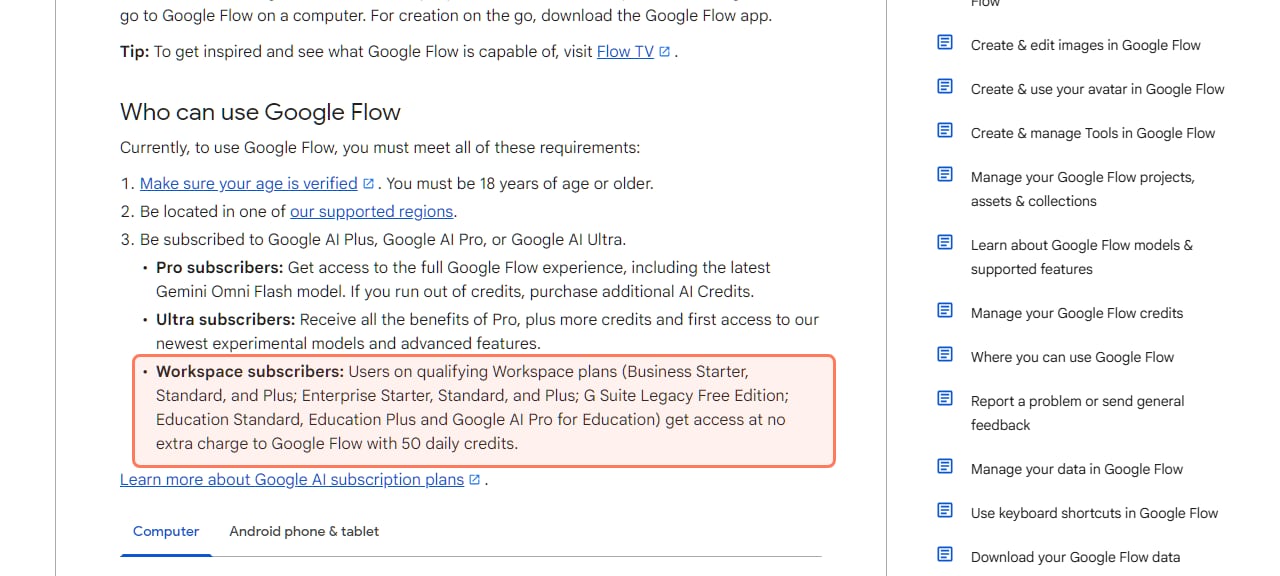
Google Flow for Workspace. Google's Flow getting-started page lists Workspace access:
Google Flow Help, Get started with Google Flow, read November 3, 2026. The Workspace line is outlined. · Screenshot of support.google.com by aliteq
Fifty daily credits buys at most two Veo 3.1 Fast clips at Google's subscriber price, and no Quality clip, so a production team on Workspace still needs Google AI plans for real volume. We didn't find a pooled Flow team plan on the Google pages we read.
So which should you use?
Use Veo 3.1 directly in Google Flow if Veo is the only model you need, you're already on Google AI Pro or Ultra, and you want the cheapest Veo clip: about $2.00 for 8 seconds at full quality on Pro against about $3.44 on Higgsfield Ultra monthly.
Use Higgsfield if a brief needs different models for different shots (Kling for drafts, Seedance for longer takes, Veo for audio), if several people share a credit pool, or if you want client transfer spelled out in the terms you hand to a client.
Keep confidential client footage off Higgsfield unless you're on Enterprise: its standard terms allow training on what you upload. For Google, check its terms or your Workspace agreement before uploading client material, since Flow's help page doesn't say. Compare the whole field in the best AI video generators for brands and agencies.
7/ 10
Verdict
Veo only? Go direct. Many models? Higgsfield
Sora is gone, so the choice is where you run Veo 3.1 and what sits beside it. Going direct to Google is cheaper per Veo clip on every plan we priced, and Workspace teams get a small daily taste. Higgsfield costs more per Veo clip but puts Veo, Kling and Seedance on one plan with shared team seats and client-transfer rights in its terms. At Higgsfield, training on your content is off only under Enterprise; for Google, check its terms or your Workspace agreement.
Best for: Brands, agencies and video teams replacing Sora in a client workflow
If realism is what you're judging, the best realistic AI video generator checks which models render real 4K and which upscale, and what a top-resolution clip costs.
Frequently asked
Should I use Veo 3.1 directly or through Higgsfield?
Directly from Google if Veo is the only model you need: an 8-second Veo 3.1 clip is 100 Flow credits, about $2.00 on Google AI Pro, against 80 Higgsfield credits, about $3.44 on Higgsfield Ultra billed monthly (our arithmetic from both vendors' prices, Nov 3, 2026). Use Higgsfield if the same plan must also run Kling, Seedance or other models, or if a team needs pooled credits.
How many credits is Veo 3.1 on Higgsfield?
On November 3, 2026 Higgsfield's Generate button showed 80 credits for an 8-second Veo 3.1 clip (720p or 1080p), 32 for Veo 3.1 Fast and 12 for Veo 3.1 Lite at 720p (16 at 1080p). Higgsfield marks Veo 3.1 and Fast as premium models, and its Starter plan lists access to selected models only.
Is Sora 2 still available?
No. OpenAI's help center says the Sora web and app experiences were discontinued on April 26, 2026 and the Sora API on September 24, 2026, and its model page says there is no one-to-one replacement API. You can still export old Sora videos at sora.chatgpt.com/sunset.
Is Higgsfield better than Veo 3.1?
They aren't the same kind of thing. Veo 3.1 is Google's video model; Higgsfield is a platform that runs Veo 3.1 alongside Kling, Seedance, Wan and others on one credit plan. Use Google Flow if Veo is all you need; use Higgsfield if you want several models and shared team seats in one place.
Does Higgsfield have Veo 3.1?
Yes. On November 3, 2026 Higgsfield's video model list included Google Veo 3.1, Veo 3.1 Fast and Veo 3.1 Lite, plus Gemini Omni Flash 1.1. The credit cost for your settings shows on the Generate button before you spend.
How much does a Veo 3.1 clip cost?
In Google Flow, Veo 3.1 Lite costs 10 credits, Fast 20 and an 8-second Quality clip 100 (Lite and Fast are half that on Ultra). On Google AI Pro ($19.99 for 1,000 credits) that's about $0.20, $0.40 and $2.00 a clip, by our arithmetic from Google's pages on Nov 3, 2026.
Can I use Higgsfield or Veo videos for client work?
Higgsfield's Terms (s.4.4, updated Oct 23, 2026) don't restrict commercial use and let you transfer output rights to clients, but your content can train its models unless you're on Enterprise, and you indemnify Higgsfield. Google's Flow help says Google won't claim ownership of what you generate; check Google's terms or your Workspace agreement for the rest.
Can my team share one Veo or Higgsfield account?
Higgsfield sells Team (2 to 9 seats) and Scale (5 to 15 seats) workspaces with pooled credits and shared assets. Google gives Flow with 50 daily credits to qualifying Workspace plans; for more Veo volume each user needs a Google AI plan.
The short version: Sora is history, Veo 3.1 is the model to replace it with, and Google's own plans are the cheaper place to run it unless you also need the other models and team tools a platform like Higgsfield adds. For the other side of the money question, see Higgsfield credits explained and is Veo 3 free.