Kling 4.0 for most videos with sound. Every clip comes with stereo audio and speech in nine languages, at 11.25 Higgsfield credits for 5 seconds. Veo 3.1 for dialogue and sound effects, Grok Imagine 1.5 Lite for the cheapest lip-synced speech. Sound on vs off on Kling 3.0 is 7.5 vs 10 credits.
Some links on this page are referral links: we may earn a commission, at no cost to you.
Share
The best AI video generator with audio for most people is Kling 4.0, because every clip comes with stereo sound and speech in nine languages, at 11.25 Higgsfield credits for 5 seconds at 720p. Pick Veo 3.1 when the clip needs dialogue plus sound effects and ambience, and Grok Imagine 1.5 Lite when you want the cheapest clip with lip-synced speech (5 credits on Higgsfield). Audio specs come from each maker's docs, read November 3 to 8, 2026, and both clips from our November 7 test came back with stereo sound.
AI video generators with audio: what each one makes (makers' docs and Higgsfield, Nov 3 to 8, 2026)
Kling 4.0 (Kuaishou)
Audio
Two-channel stereo with the video
Speech
Speech in 9 languages; voice references on kling.ai
Sound switch and price
No switch; may add music and subtitles by default
One clip on Higgsfield
11.25 credits, 5 s 720p
Veo 3.1 (Google)
Audio
Sound effects, ambient noise
Speech
Dialogue
Sound switch and price
Lite has sound off by default on Higgsfield
One clip on Higgsfield
80 credits, 8 s; Lite 12 (Nov 3)
Grok Imagine 1.5 and 1.5 Lite (xAI)
Audio
Native audio
Speech
Lip-synced speech
Sound switch and price
Not documented
One clip on Higgsfield
22.5 credits, 5 s 720p; Lite 5
Kling 3.0 (Kuaishou)
Audio
Audio sync
Speech
Not documented
Sound switch and price
Switch; on costs more
One clip on Higgsfield
7.5 off, 10 on, 5 s 720p
Seedance 2.5 (ByteDance)
Audio
Audio and video generated together
Speech
Up to 10 audio clips as references
Sound switch and price
Switch; same price either way
One clip on Higgsfield
35 credits, 5 s 720p
MiniMax H3
Audio
Native stereo
Speech
Not documented
Sound switch and price
Not documented
One clip on Higgsfield
10 credits, 5 s at 2K (Nov 3)
Wan 3.0 (Alibaba)
Audio
Yes, plus reference audio
Speech
Not documented
Sound switch and price
Switch, on by default on Higgsfield
One clip on Higgsfield
9 credits, 5 s 720p (Nov 3)
Gemini Omni Flash (Google)
Audio
Native audio
Speech
Not documented
Sound switch and price
Not documented
One clip on Higgsfield
Credit price not recorded
Runway Gen-4.5 (not on Higgsfield)
Audio
Native audio generation and editing
Speech
Not documented
Sound switch and price
Not documented
One clip on Higgsfield
60 Runway credits, 5 s
Pika 2.5 / Luma Ray3.2 (not on Higgsfield)
Audio
None, silent
Speech
None
Sound switch and price
-
One clip on Higgsfield
20 Pika / 100 Luma credits, 5 s 720p
Audio
Speech
Sound switch and price
One clip on Higgsfield
Kling 4.0 (Kuaishou)
Two-channel stereo with the video
Speech in 9 languages; voice references on kling.ai
No switch; may add music and subtitles by default
11.25 credits, 5 s 720p
Veo 3.1 (Google)
Sound effects, ambient noise
Dialogue
Lite has sound off by default on Higgsfield
80 credits, 8 s; Lite 12 (Nov 3)
Grok Imagine 1.5 and 1.5 Lite (xAI)
Native audio
Lip-synced speech
Not documented
22.5 credits, 5 s 720p; Lite 5
Kling 3.0 (Kuaishou)
Audio sync
Not documented
Switch; on costs more
7.5 off, 10 on, 5 s 720p
Seedance 2.5 (ByteDance)
Audio and video generated together
Up to 10 audio clips as references
Switch; same price either way
35 credits, 5 s 720p
MiniMax H3
Native stereo
Not documented
Not documented
10 credits, 5 s at 2K (Nov 3)
Wan 3.0 (Alibaba)
Yes, plus reference audio
Not documented
Switch, on by default on Higgsfield
9 credits, 5 s 720p (Nov 3)
Gemini Omni Flash (Google)
Native audio
Not documented
Not documented
Credit price not recorded
Runway Gen-4.5 (not on Higgsfield)
Native audio generation and editing
Not documented
Not documented
60 Runway credits, 5 s
Pika 2.5 / Luma Ray3.2 (not on Higgsfield)
None, silent
None
-
20 Pika / 100 Luma credits, 5 s 720p
Credits are what each platform showed on the date in brackets (Nov 7 or 8 where none is given). Hailuo 2.3 is left out: neither MiniMax nor Higgsfield documents audio for it on the pages we read. For the same models compared on other jobs, see the best AI video generator guide.
Native audio, lip-sync and a dubbed track are three different things
When people search for an AI video generator "with sound", they usually want one of three things, and the right tool differs:
Native audio: the model invents a soundtrack that fits the picture (footsteps, rain, a café, music). Most models in the table above do this now.
Dialogue from the prompt: the characters speak words you wrote, with mouths that move to them. Kling 4.0 (speech in nine languages), Veo 3.1 (dialogue) and Grok Imagine 1.5 (lip-synced speech) document this.
Lip-sync to your own audio: you bring the voice or script, and the tool makes a face say it. That's a separate tool category, covered further down.
If you only need the first, almost any current model will do and the cheapest wins. The second is where the models differ most, and the third usually isn't a text-to-video job at all.
What our own clips sounded like
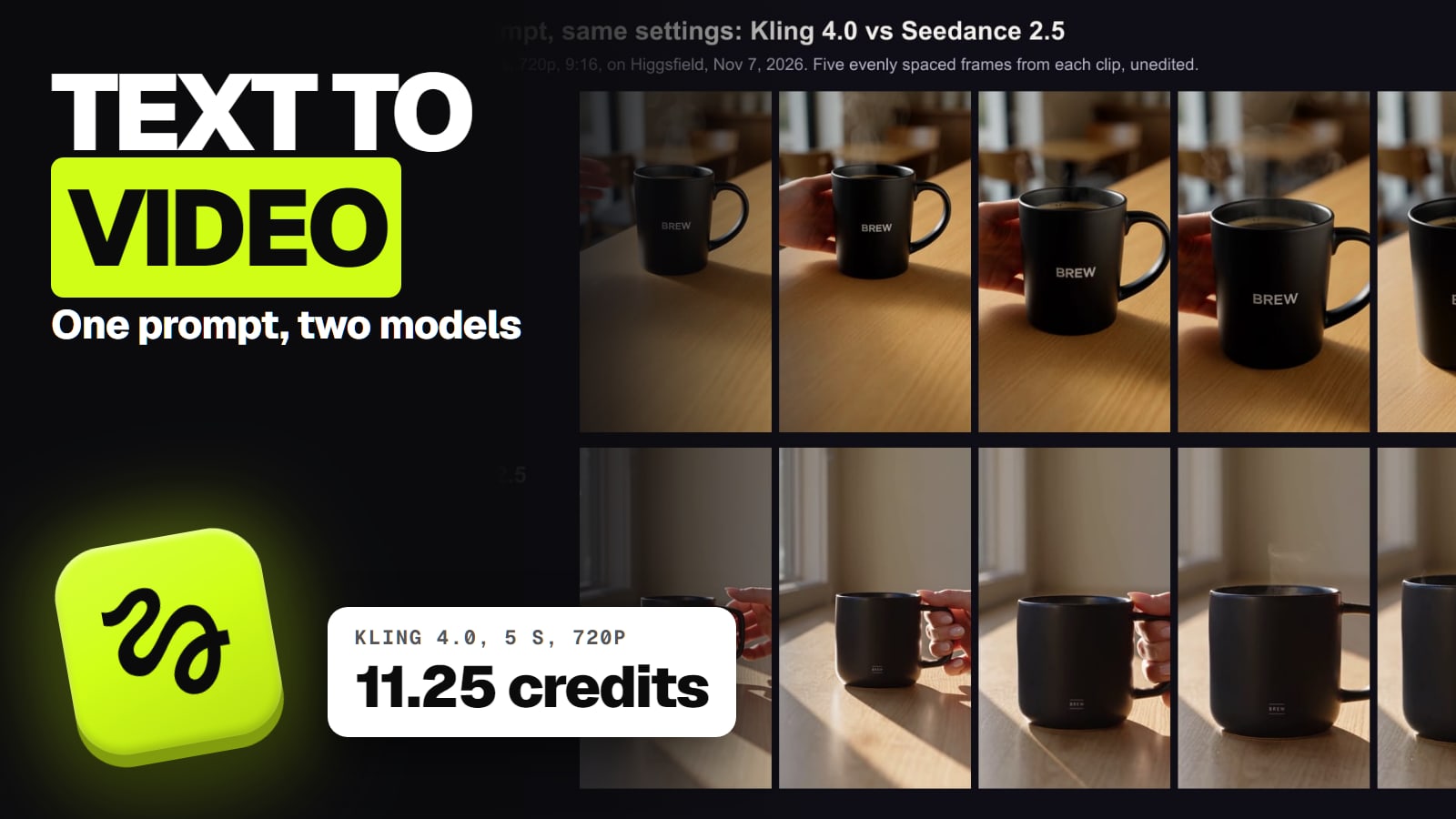
We haven't benchmarked audio quality, so we don't rank the models by how good their sound is. What we can say from our November 7 test: we gave Kling 4.0 and Seedance 2.5 one text prompt for a 5-second product ad that said nothing about sound, and both files came back with a stereo soundtrack anyway (the clips and frames). That's the practical point: with native-audio models, sound is the default, so put what you want to hear (or "no music") into the prompt, or plan to replace it in your editor.
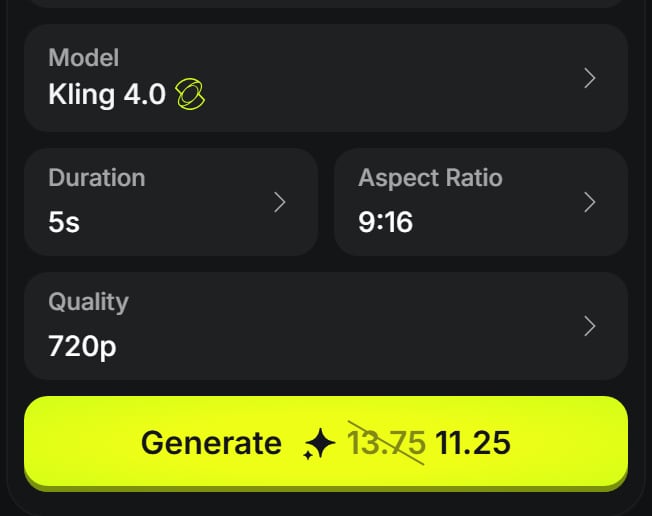
Kling 4.0 on Higgsfield, 5 s, 9:16, 720p: 11.25 credits, discounted from 13.75. There is no sound switch; every clip comes with audio (signed out, Nov 7, 2026). · Screenshot of higgsfield.ai by aliteq
Kling's guide adds a warning worth knowing: Kling 4.0 may add subtitles and background music by default. If you'll mix your own track or captions, write "no subtitles, no background music" into the prompt.
Does sound cost extra?
On some models, yes. On Higgsfield it depends on how the model is priced:
Higgsfield credits for one clip with sound (Generate button, Nov 3 to 8, 2026)
Grok Imagine 1.5 Lite, 5 s, 720p5
Lip-synced speech, per xAI
Kling 3.0, 5 s, 720p, sound off7.5
For comparison, no audio
Wan 3.0, 5 s, 720p9
Audio on by default (Nov 3)
Kling 3.0, 5 s, 720p, sound on10
MiniMax H3, 5 s, 2K10
Native stereo (Nov 3)
Kling 4.0, 5 s, 720p11.25
Stereo, no switch
Veo 3.1 Lite, 8 s, 720p12
Sound off by default on Higgsfield (Nov 3)
Grok Imagine 1.5, 5 s, 720p22.5
Seedance 2.5, 5 s, 720p35
Same price with sound off
Kling 3.0 charges for sound: 7.5 credits without it, 10 with it, a third more. In dollars that's 2.5 credits, about $0.08 on Ultra billed yearly to about $0.18 on Starter per 5-second clip (our arithmetic from Higgsfield's plans: Ultra $99 a month for 3,000 credits, Starter $19 for 270). If you'll replace the audio anyway, switch it off.
Seedance doesn't: on Higgsfield, Seedance 2.0 and 2.5 come with sound on by default, and the switch doesn't change the price.
Kling 4.0 has no choice: sound is always generated, and the price includes it.
Veo 3.1 Lite starts silent on Higgsfield; turn sound on in the panel if you want it. We haven't recorded whether that changes its price.
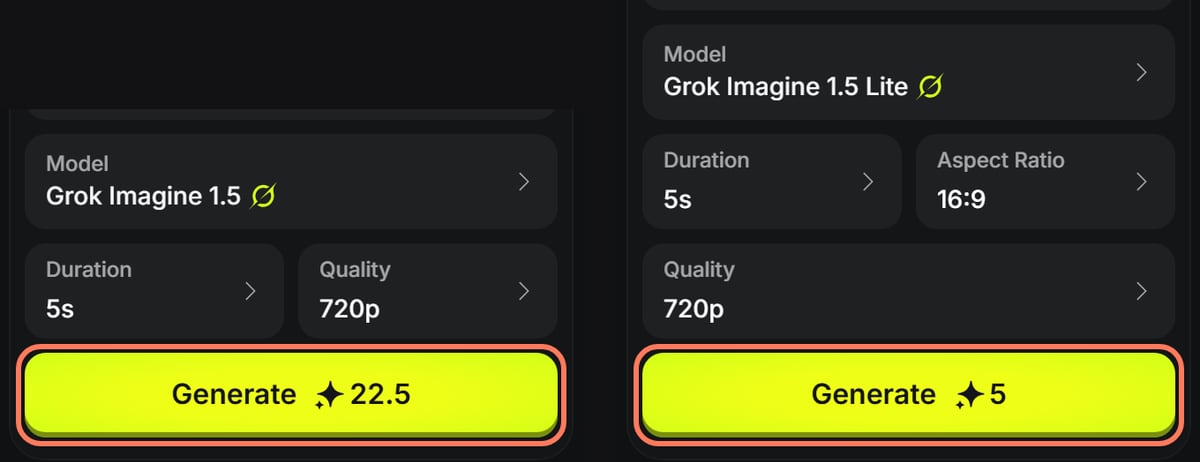
Grok Imagine 1.5 and 1.5 Lite on Higgsfield at 5 seconds and 720p: 22.5 and 5 credits (signed out, nothing generated, Nov 8, 2026). Outlines ours. · Screenshot of higgsfield.ai by aliteq
Grok has one catch on Higgsfield: Grok generations are charged the moment they start, so a failed one isn't refunded (is Grok Imagine free has the details).
Which AI video generator does dialogue in other languages?
Kling 4.0 is the only model here whose maker publishes a language count for generated speech: nine, per Kling's guide. Kling's guide also lists voice references among Kling 4.0's inputs on kling.ai, though Higgsfield's version takes no voice input. Google, xAI, ByteDance, MiniMax and Alibaba describe dialogue or speech without listing languages on the pages we read, so test a short line in your language before committing to a long project.
For more control over the voice, use the audio as an input instead of hoping the model invents the right one. Seedance 2.5 accepts up to 10 audio clips as references in one pass, per ByteDance, and Seedance 2.0 up to 3 audio files, per Higgsfield's help center; Wan 3.0 takes reference audio too, per Alibaba. Wan 2.7, a hosted Alibaba model, generates matching background music or sound effects when you don't give it audio.
When you need lip-sync to your own voice, use a lip-sync or avatar tool
If the voice is yours, a cloned voice, or a recorded script, a general video model is the wrong tool. Two better routes:
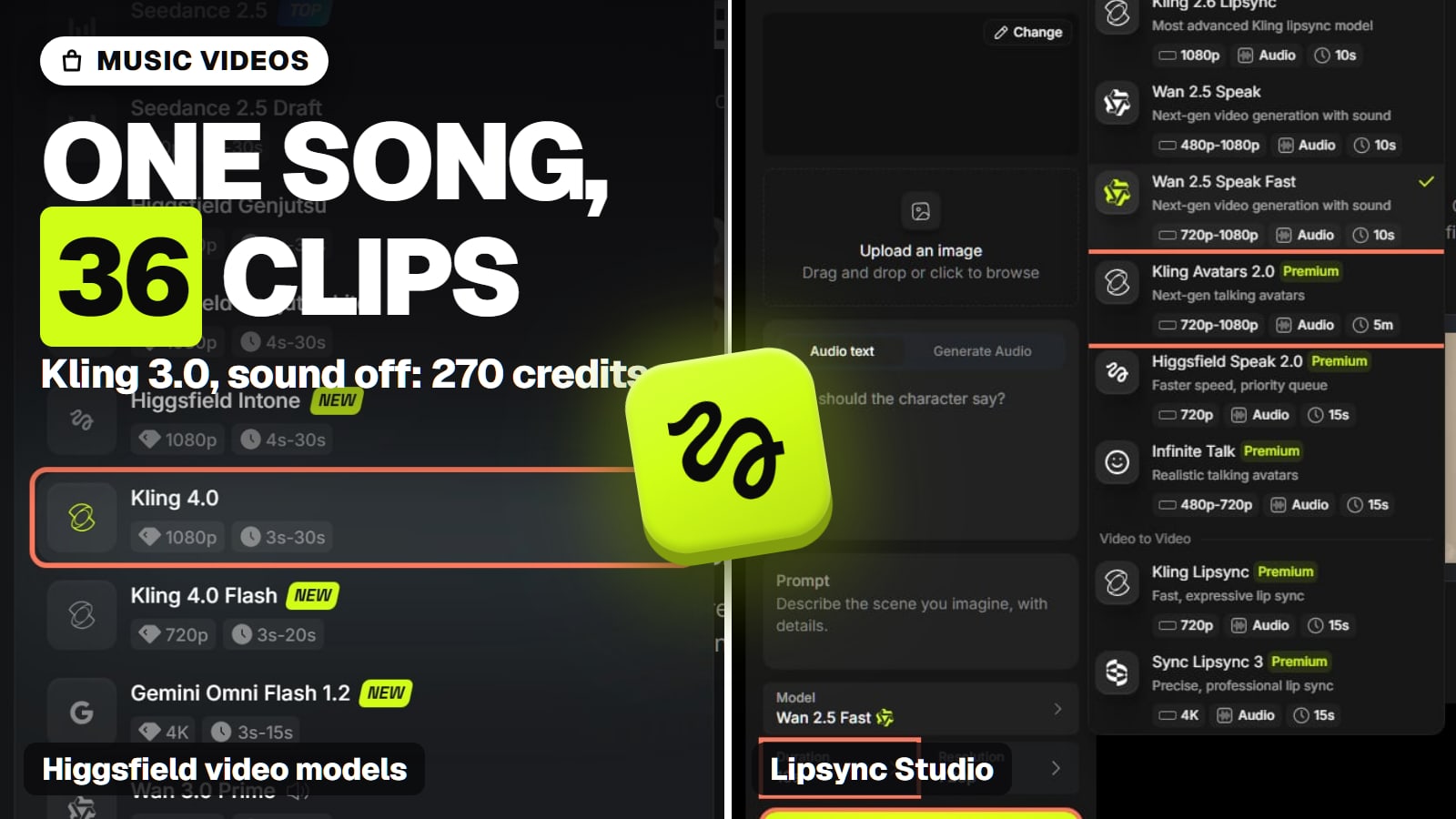
Lip-sync on a video platform. Higgsfield's Lipsync Studio priced Wan 2.5 Speak Fast at 9 credits per 5 seconds at 720p (18 per 10) and Higgsfield Speak 2.0 at about 14 per 5 seconds on Nov 3, and its catalogue also hosts Sync Lipsync 3. Our guide to a talking avatar with Higgsfield walks through it. If you run models yourself, Alibaba's open Wan 2.2 S2V-14B animates a picture from an input speech track.
A dedicated avatar tool for long talking-head videos. HeyGen's free plan gives 3 watermarked videos a month, up to a minute each; its paid plans make videos of up to 30 minutes. For a minutes-long presenter video, that's the honest pick over any 5-to-30-second video model.
Whichever you use, realistic voices come with rules: Meta says people must use its disclosure tool for photorealistic video or realistic audio that was digitally created or altered, and may apply penalties if they don't. Higgsfield commercial use covers who owns the output.
Where does Higgsfield fit?
Higgsfield runs most of the sound-making models above (Kling 3.0 and 4.0, Veo 3.1, Grok Imagine 1.5, Seedance, MiniMax H3, Wan 3.0, Gemini Omni Flash) plus lip-sync tools on one credit balance, and its Generate button shows the cost with sound on or off before you run anything. It doesn't host Runway, Pika or Luma, or Sora, which OpenAI discontinued in 2026. Plus, at $59 a month for 1,200 credits, is the cheapest plan whose card lists all models (Higgsfield plans compared). Prices change often, so check the price shown to you before paying. For each model's own app and plans, see the Kling hub and Kling AI alternatives.
The best AI video generator for other jobs
Each page below answers one job from the same checked facts. All of them, grouped by job, are in our best AI video generator guide.
Best AI music video generator: Kling 3.0 with sound off for the footage, plus Sync Lipsync 3 for sung shots: about 270 credits per 3-minute song.
Best AI avatar video generator: HeyGen: about $1.50 a finished minute on Creator, 175+ languages, and a consent video before any custom avatar.
Audio quality. We've heard two clips (Kling 4.0 and Seedance 2.5, one each). We don't rank voices, music or sound effects across models.
Languages beyond Kling 4.0. No other maker we read lists the languages its generated speech supports.
Hailuo 2.3 audio. Not documented by MiniMax or in Higgsfield's catalogue.
Whether sound changes the price on Veo 3.1 Lite, Wan 3.0 or MiniMax H3 on Higgsfield. We recorded one price each, not both settings.
Stereo on models that don't say. Kling 4.0 and MiniMax H3 document stereo; the others don't on the pages we read (our Seedance 2.5 clip was stereo).
Verdict
Kling 4.0 for sound, Veo for dialogue
Kling 4.0 is the best AI video generator with audio for most people: stereo sound and speech in nine languages come with every clip, at 11.25 Higgsfield credits for 5 seconds. Use Veo 3.1 when dialogue and sound effects carry the scene, Grok Imagine 1.5 Lite for the cheapest lip-synced line, and switch Kling 3.0's sound off when you'll add your own. For your own voice or long talking videos, use a lip-sync or avatar tool instead.
Best for: Creators who need clips that come with sound, speech or dialogue, not a silent picture
Frequently asked
Which AI video generator has the best audio?
For most clips, Kling 4.0: Kling's guide says it generates two-channel stereo with every clip and speech in nine languages. Google says Veo 3.1 generates sound effects, ambient noise and dialogue natively. We haven't compared audio quality across models, so we pick on documented features and price.
Which AI video generator can make people talk?
Kling 4.0 (speech in nine languages), Veo 3.1 (dialogue) and Grok Imagine 1.5 and 1.5 Lite (lip-synced speech, per xAI). For your own voice or script, a lip-sync tool such as Higgsfield's Lipsync Studio or an avatar tool such as HeyGen is the better fit.
Does AI video with sound cost more?
On Kling 3.0, yes: 10 Higgsfield credits for 5 seconds at 720p with sound, 7.5 without (Nov 3, 2026). On Seedance 2.0 and 2.5 the sound switch doesn't change the price, and Kling 4.0 always includes sound at 11.25 credits.
What is the cheapest AI video generator with sound?
On Higgsfield, Grok Imagine 1.5 Lite at 5 credits for 5 seconds at 720p (Nov 8, 2026), with lip-synced speech per xAI. Higgsfield charges Grok generations when they start, so a failed one isn't refunded.
Which AI video generators make silent videos?
Pika 2.5 (its page says renders come back silent) and Luma Ray3.2 (no natively generated audio). Pika's H3 Flex model does make synchronized audio.
Can I turn off the sound in AI video?
On Kling 3.0, Seedance and Wan 3.0, yes, with a switch on Higgsfield. Kling 4.0 has no switch, so write "no background music" into the prompt or mute it in your editor.
If sound matters, make one 5-second clip with your exact line on two models, listen on headphones, and only then pay for the long version.