Kling 4.0 is our text to video pick. One prompt runs up to 30 seconds, cuts between shots and comes with stereo sound, and in our test it kept the scene and a readable logo for 11.25 Higgsfield credits. Seedance 2.5 for 30-second stories, Veo 3.1 in Google Flow for free tries, and the catch in each.
Some links on this page are referral links: we may earn a commission, at no cost to you.
Share
The best text to video AI right now is Kling 4.0, because one prompt can carry the most: 3 to 30 seconds, cuts between shots, and stereo sound with speech, and in our own test it followed a detailed ad prompt better than Seedance 2.5 for about a third of the credits. Seedance 2.5 is the pick when the prompt is a 30-second story, and Google's Veo 3.1 in Flow is where to try text to video for free, with caveats. We read each maker's docs and Higgsfield's catalogue on November 3 to 8, 2026, and ran one prompt through Kling 4.0 and Seedance 2.5 on November 7.
What one text prompt gets you, by model (makers' docs and Higgsfield, Nov 3 to 8, 2026)
Kling 4.0 (Kuaishou)
Length per prompt
3 to 30 s
Sound from the prompt
Stereo, speech in 9 languages, no off switch
Shot control in words
Multi-shot on by default
One clip on Higgsfield
11.25 credits, 5 s 720p
Seedance 2.5 (ByteDance)
Length per prompt
Up to 30 s, extend twice
Sound from the prompt
Audio generated with the video
Shot control in words
Built for 30-second storytelling
One clip on Higgsfield
35 credits, 5 s 720p
Veo 3.1 (Google)
Length per prompt
4, 6 or 8 s, extendable
Sound from the prompt
Sound effects, ambient sound, dialogue
Shot control in words
Extend a take into the next
One clip on Higgsfield
80 credits, 8 s; Fast 32; Lite 12 (Nov 3)
Gemini Omni Flash 1.2 (Google)
Length per prompt
3 to 15 s (API), 10 s in the Gemini app
Sound from the prompt
Native audio
Shot control in words
Edit and extend by conversation
One clip on Higgsfield
Credit price not recorded
Grok Imagine 1.5 (xAI)
Length per prompt
1 to 15 s
Sound from the prompt
Native audio with lip-synced speech
Shot control in words
Not documented
One clip on Higgsfield
22.5 credits, 5 s 720p; Lite 5
Wan 3.0 (Alibaba)
Length per prompt
2 to 30 s
Sound from the prompt
Audio switch, reference audio
Shot control in words
Optional thinking step on Higgsfield
One clip on Higgsfield
9 credits, 5 s 720p (Nov 3)
Higgsfield Cinema Studio 4.0
Length per prompt
4 to 30 s
Sound from the prompt
Audio on by default
Shot control in words
Camera, lens, era and light controls
One clip on Higgsfield
Credit price not recorded
Pika 2.5 (not on Higgsfield)
Length per prompt
5 s from a prompt alone
Sound from the prompt
None, silent
Shot control in words
Multi-shot up to 30 s in Video Studio
One clip on Higgsfield
20 Pika credits, 5 s 720p
Luma Ray3.2 (not on Higgsfield)
Length per prompt
5 or 10 s
Sound from the prompt
None
Shot control in words
Up to 16 keyframes
One clip on Higgsfield
100 Luma credits, 5 s 720p
Length per prompt
Sound from the prompt
Shot control in words
One clip on Higgsfield
Kling 4.0 (Kuaishou)
3 to 30 s
Stereo, speech in 9 languages, no off switch
Multi-shot on by default
11.25 credits, 5 s 720p
Seedance 2.5 (ByteDance)
Up to 30 s, extend twice
Audio generated with the video
Built for 30-second storytelling
35 credits, 5 s 720p
Veo 3.1 (Google)
4, 6 or 8 s, extendable
Sound effects, ambient sound, dialogue
Extend a take into the next
80 credits, 8 s; Fast 32; Lite 12 (Nov 3)
Gemini Omni Flash 1.2 (Google)
3 to 15 s (API), 10 s in the Gemini app
Native audio
Edit and extend by conversation
Credit price not recorded
Grok Imagine 1.5 (xAI)
1 to 15 s
Native audio with lip-synced speech
Not documented
22.5 credits, 5 s 720p; Lite 5
Wan 3.0 (Alibaba)
2 to 30 s
Audio switch, reference audio
Optional thinking step on Higgsfield
9 credits, 5 s 720p (Nov 3)
Higgsfield Cinema Studio 4.0
4 to 30 s
Audio on by default
Camera, lens, era and light controls
Credit price not recorded
Pika 2.5 (not on Higgsfield)
5 s from a prompt alone
None, silent
Multi-shot up to 30 s in Video Studio
20 Pika credits, 5 s 720p
Luma Ray3.2 (not on Higgsfield)
5 or 10 s
None
Up to 16 keyframes
100 Luma credits, 5 s 720p
Credits are what each platform showed on the date in brackets (Nov 7 or 8 where none is given). For the same models compared on other jobs, such as YouTube, ads or animation, start from the best AI video generator guide.
Why the prompt is the whole job in text to video
With no photo to start from, every detail you leave out of the prompt is a detail the model invents: the room, the light, which hand moves, what the music sounds like. So the useful question isn't which model makes the prettiest demo, but which one gives you the most levers you can pull with words. Four matter:
Length per prompt. One generation of 30 seconds (Kling 4.0, Seedance 2.5, Wan 3.0) tells a story in one go; 8 seconds (Veo 3.1) means writing a sequence of takes and extending.
Shots. Kling 4.0 cuts between shots by default, which is great for a mini-story and wrong for one unbroken product shot.
Sound. If the model generates audio, your prompt writes the soundtrack too, whether you meant to or not.
Camera. Most models take camera moves as words ("slow push-in"); Higgsfield's Cinema Studio 4.0 also has camera, lens, era and light settings in the panel.
What happened when we gave Kling 4.0 and Seedance 2.5 the same prompt
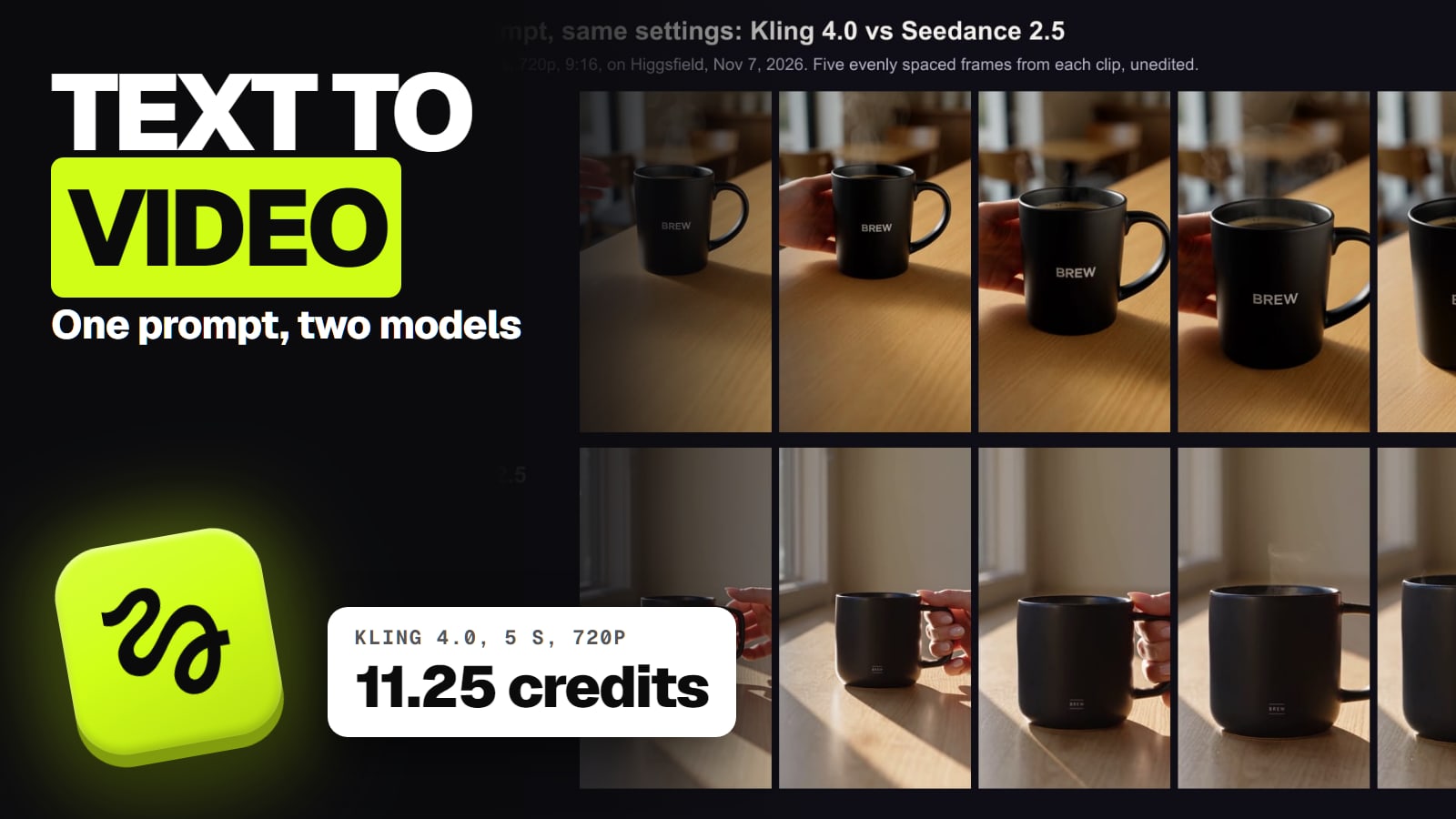
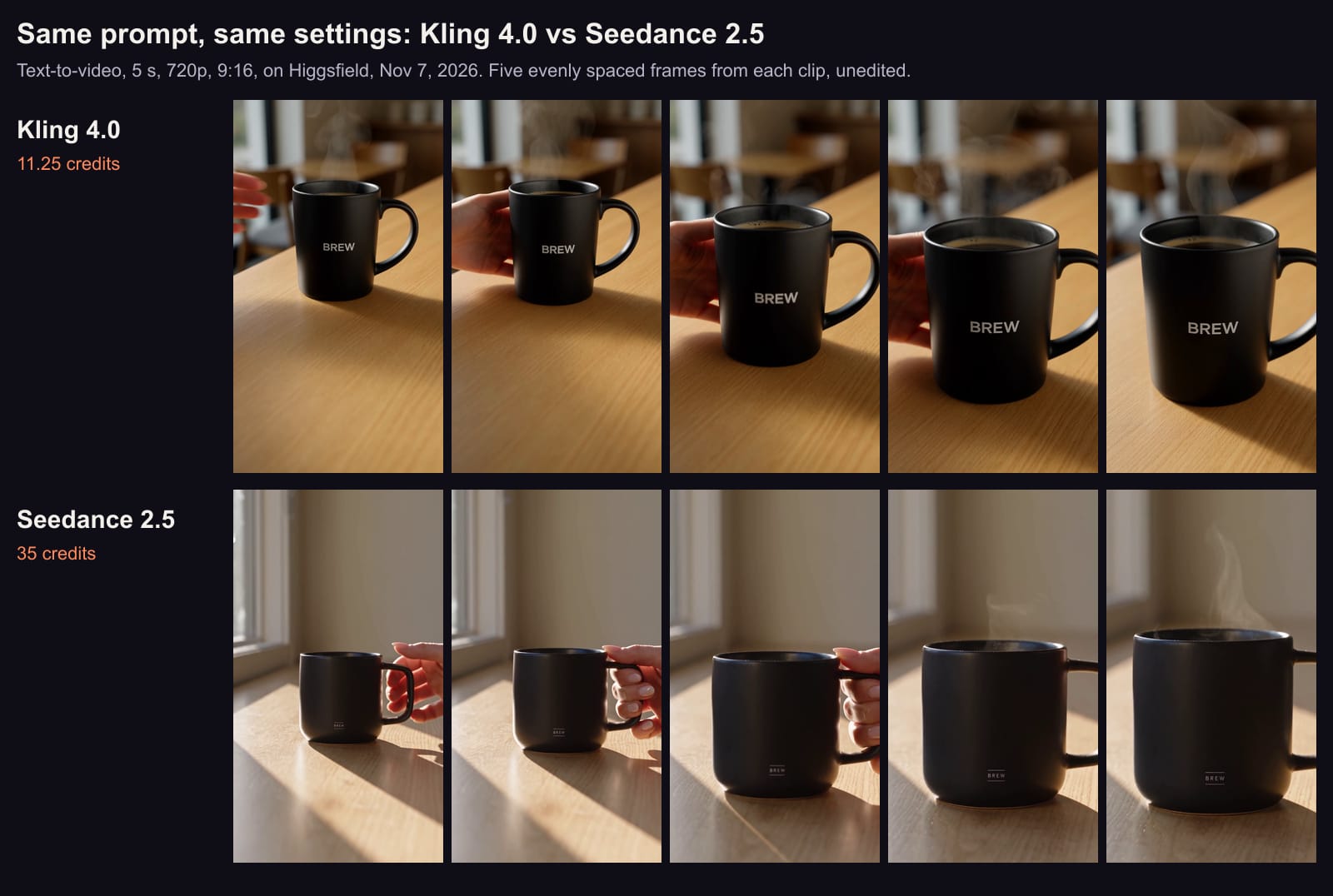
On November 7, 2026 we gave both models one detailed ad prompt on Higgsfield, text only: a matte black mug with a small white BREW logo on a light oak café counter, a hand sliding it toward the camera, steam, soft morning light from the left, a slow push-in. Same settings for both: 5 seconds, 720p, 9:16, one try each, nothing edited (the full comparison).
Kling 4.0 (top, 11.25 credits) and Seedance 2.5 (bottom, 35 credits): one text prompt, one try each, 5 s, 720p, 9:16, Nov 7, 2026. Five evenly spaced frames, unedited. · Aliteq test, made with Kling 4.0 and Seedance 2.5 on Higgsfield
Kling 4.0 put the mug in a café with tables behind, in soft window light, with the logo clear in every frame (though larger than the "small" logo we asked for). It charged 11.25 credits.
Seedance 2.5 kept the logo small, as asked, but barely readable at 720p, and swapped the café for a plain room in hard sun stripes. It did render the steam more clearly. It charged 35 credits.
Both came back at 720x1280 and 24 frames a second, with a stereo soundtrack the prompt never asked for.
One try each is an anecdote, not a benchmark. But it matches what Kling's guide claims for Kling 4.0, clear text and logos in several languages, and the price gap holds either way.
Prompt tips the makers actually document
These come from the vendors' own pages, not from guesswork:
Kling 4.0 adds things by default. Its guide says Kling 4.0 may add subtitles and background music, and multi-shot is on unless you say otherwise. If you'll caption and score the video yourself, write "no subtitles, no background music"; for one continuous shot, say "one continuous shot, no cuts".
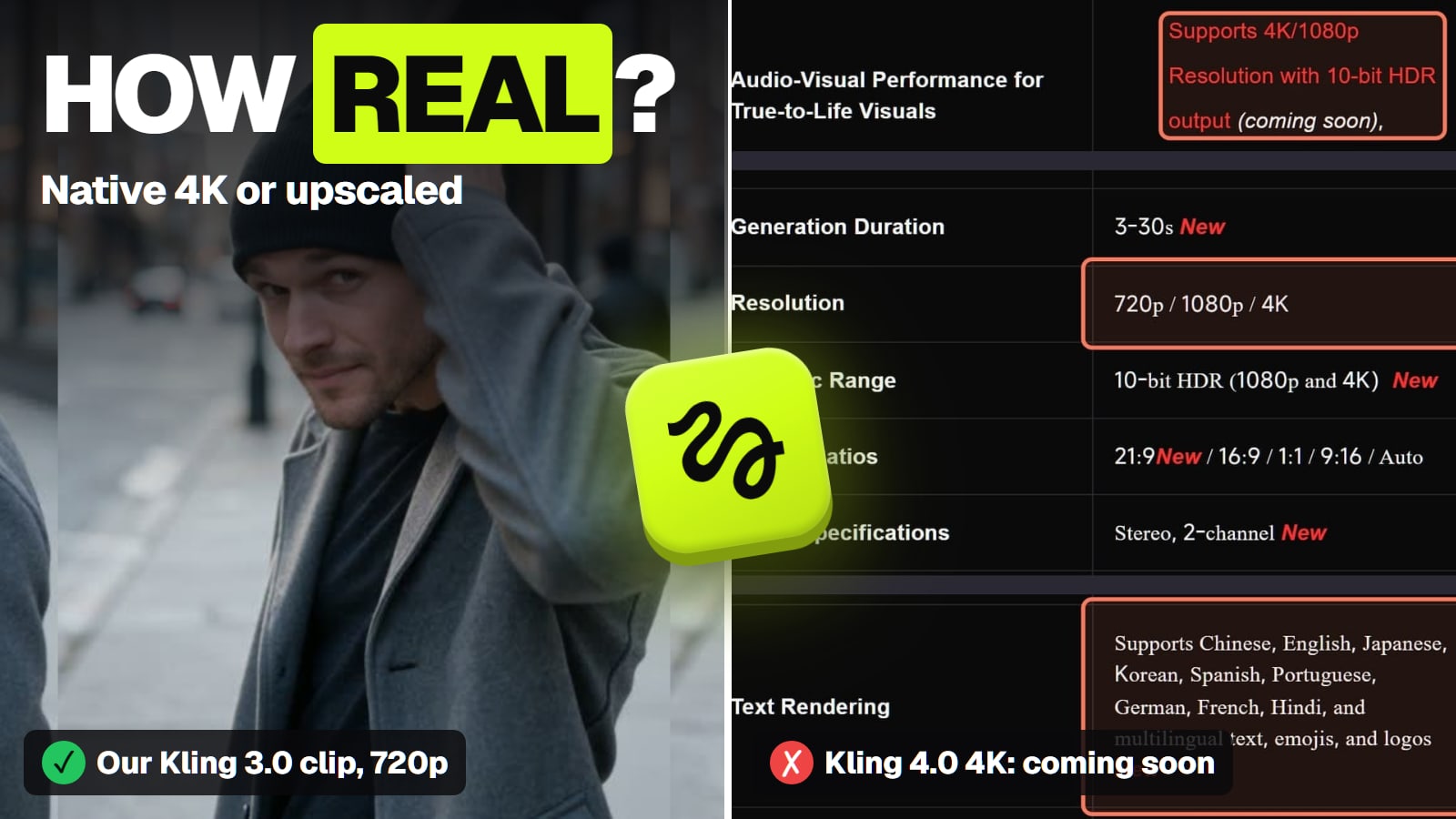
Kling 4.0 takes long prompts. Its input table allows up to 8,000 tokens of text, so a shot-by-shot script fits in one prompt.
Veo 3.1 writes the soundtrack from the prompt. DeepMind's Veo page says it adds "sound effects, ambient noise, and even dialogue", generating the audio natively, so put the line of dialogue or the sound you want into the prompt.
Vertical needs saying. Veo 3.1 supports 9:16 and 16:9 per Google's Vertex docs; Kling 4.0 on Higgsfield offers 21:9 to 9:16. Set the ratio in the panel, and name it in the prompt too.
ByteDance Seed's Seedance 2.5 page (seed.bytedance.com), read Nov 3, 2026. · Screenshot of seed.bytedance.com by aliteq
When Seedance 2.5 or Veo 3.1 is the better text to video pick
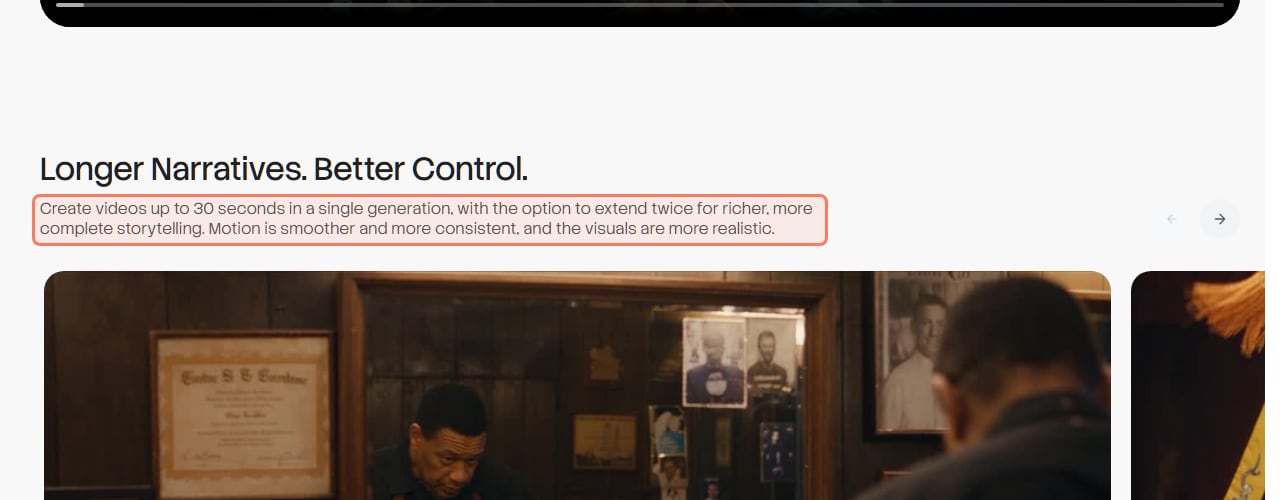
Seedance 2.5 for a story in one generation. ByteDance calls it an audio-video joint generation model "built for 30-second storytelling", with up to 30 seconds per generation and the option to extend twice. If your prompt is a short scene with a beginning, middle and end and its own sound, that's the job it was made for. At 35 credits per 5 seconds it costs about three times Kling 4.0 per second on Higgsfield.
Veo 3.1 for short takes with dialogue. Each take is 4, 6 or 8 seconds, and Google lists video extension on all three versions, so you write the scene as a chain of takes. It's also the model behind the best-known free route (Google Flow, below).
Grok Imagine 1.5 for cheap talking drafts. xAI's docs list native audio with lip-synced speech on 1.5 and 1.5 Lite; Lite was 5 credits for 5 seconds at 720p on Higgsfield, among the cheapest clips with sound we priced.
Is there a free text to video AI?
Yes, a few, and every one is small. "Free AI video generator from text" is one of the most searched versions of this question, so here's what each maker actually gives a $0 account, from its own pages:
Free text to video, by maker (vendors' own pages, Nov 3 to 8, 2026)
Google Flow (Veo 3.1, Gemini Omni Flash)
What $0 gets you
50 Flow credits a day, no rollover
The catch
Another Google page asks for a Google AI plan; may not generate at peak hours without one
Dreamina (Seedance)
What $0 gets you
120 credits a day for US free accounts
The catch
Free credits cover Seedance 2.0 per its free-credits page; Dreamina watermark
Google Vids (Gemini Omni)
What $0 gets you
60 seconds of AI video clips a month on personal accounts
The catch
Inside Google's video editor
Runway
What $0 gets you
125 one-time credits
The catch
About 10 seconds of Gen-4.5 at 12 credits a second (our arithmetic)
Kling
What $0 gets you
Sign-up and monthly login credits, amounts not published
The catch
Watermark; not for commercial use
Wan
What $0 gets you
Daily check-in credits, amount not published
The catch
Watermark; 1080p and 10 to 30 s clips are paid
Grok Imagine
What $0 gets you
No video on the Free or Plus plans
The catch
Video starts on Premium, $30 a month
Pika
What $0 gets you
No credits on the free plan
The catch
Credit packs only; no commercial license
What $0 gets you
The catch
Google Flow (Veo 3.1, Gemini Omni Flash)
50 Flow credits a day, no rollover
Another Google page asks for a Google AI plan; may not generate at peak hours without one
Dreamina (Seedance)
120 credits a day for US free accounts
Free credits cover Seedance 2.0 per its free-credits page; Dreamina watermark
Google Vids (Gemini Omni)
60 seconds of AI video clips a month on personal accounts
Inside Google's video editor
Runway
125 one-time credits
About 10 seconds of Gen-4.5 at 12 credits a second (our arithmetic)
Kling
Sign-up and monthly login credits, amounts not published
Watermark; not for commercial use
Wan
Daily check-in credits, amount not published
Watermark; 1080p and 10 to 30 s clips are paid
Grok Imagine
No video on the Free or Plus plans
Video starts on Premium, $30 a month
Pika
No credits on the free plan
Credit packs only; no commercial license
On Flow, Google's subscriber price for a Veo 3.1 Lite clip is 10 credits and a Fast clip 20, so 50 daily credits would be a handful of short clips at most if your account gets them; is Veo 3 free goes through Google's conflicting pages. Dreamina's 120 credits come to about 3 seconds a day of Seedance 2.5 at 37 credits a second (is Seedance free). Kling's free plan is covered in is Kling AI free, and Wan's in is Wan 3 free. If a site promises "free unlimited Sora", walk away: Sora 2 was discontinued.
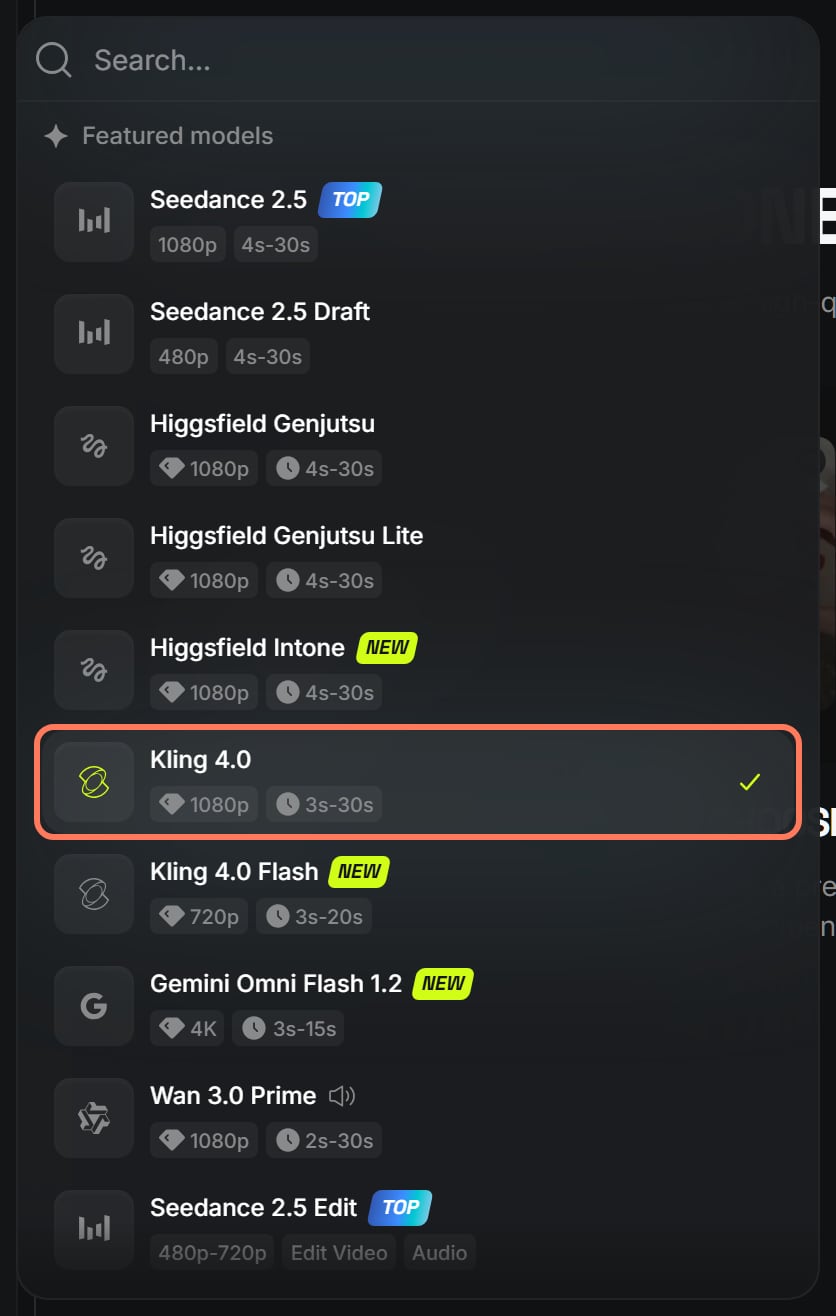
Higgsfield's video model menu, signed out, Nov 7, 2026: Kling 4.0, Seedance 2.5, Gemini Omni Flash 1.2 and Wan 3.0 Prime in one list. Outline ours. · Screenshot of higgsfield.ai by aliteq
Where does Higgsfield fit for text to video?
Higgsfield doesn't make the models above (apart from its own Cinema Studio); it runs Kling, Seedance, Veo, Gemini Omni Flash, Wan, MiniMax and Grok Imagine on one credit balance, so you can test the same prompt across them. It doesn't host Sora, Runway, Pika or Luma. Its paid plans start at Starter, $19 for 270 credits a month, but the Starter card says "selected models only"; Plus, $59 for 1,200, is the cheapest plan whose card lists all models (Higgsfield plans compared). At Plus's monthly rate, our Kling 4.0 clip came to about $0.55 and the Seedance 2.5 clip about $1.72 (our arithmetic). Prices change often, so check the price shown to you before paying.
The best AI video generator for other jobs
Each page below answers one job from the same checked facts. All of them, grouped by job, are in our best AI video generator guide.
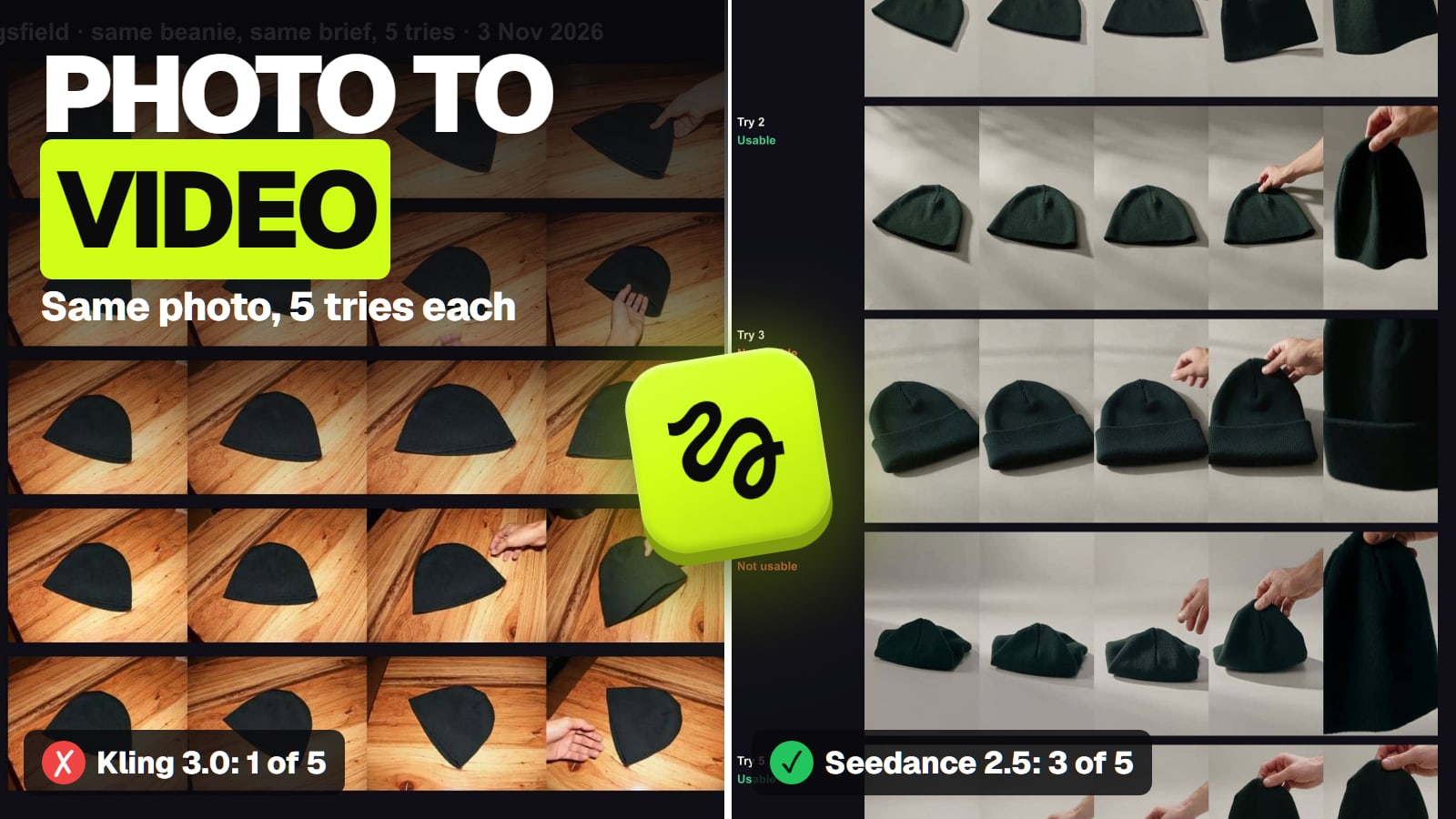
Best image to video AI: Seedance 2.5 to put your photo's subject in a new scene; Kling 3.0 when the photo is already the first frame.
How well the models we didn't run follow a prompt. We've run one prompt on Kling 4.0 and Seedance 2.5. Everything said about Veo, Gemini Omni, Wan, Grok, Pika and Luma is their makers' description.
Runway Gen-4.5's clip length and resolution. Runway's help center didn't load for us, so the row is empty there, and we don't know whether its free credits come with a watermark.
Higgsfield's credit price for Cinema Studio 4.0 and Gemini Omni Flash. Not recorded on the dates we checked.
Kling 4.0 on a free kling.ai account. Kling doesn't say whether free accounts can use it, and it publishes no credit price for 4.0 on its own site.
Verdict
Kling 4.0 for most prompts
Kling 4.0 is the best text to video AI for most people in November 2026: up to 30 seconds and several shots from one prompt, stereo sound with speech, and in our one-prompt test it kept the setting and a readable logo for 11.25 Higgsfield credits. Use Seedance 2.5 for a 30-second story with its own sound, Veo 3.1 for short takes with dialogue, and Google Flow or Dreamina to try text to video for free before you pay.
Best for: Anyone making video from a written prompt, from short ads to story clips, with no photo to start from
Frequently asked
What is the best text to video AI?
Kling 4.0 for most prompts in November 2026. Kling's guide lists 3 to 30 seconds per generation, multi-shot by default and stereo sound with speech in nine languages, and in our Nov 7 test it followed a detailed ad prompt better than Seedance 2.5 for 11.25 Higgsfield credits against 35.
Is there a free AI video generator from text?
Yes, with limits and watermarks. Google Flow lists 50 credits a day (another Google page asks for a plan), Dreamina gives US free accounts 120 credits a day, Google Vids gives personal accounts 60 seconds of AI clips a month, and Runway gives 125 one-time credits.
How long can a text to video clip be?
Up to 30 seconds in one generation on Kling 4.0, Seedance 2.5 and Wan 3.0. Grok Imagine and Gemini Omni Flash go to 15 seconds, and Veo 3.1 makes 4 to 8-second takes you can extend.
Which text to video AI makes sound?
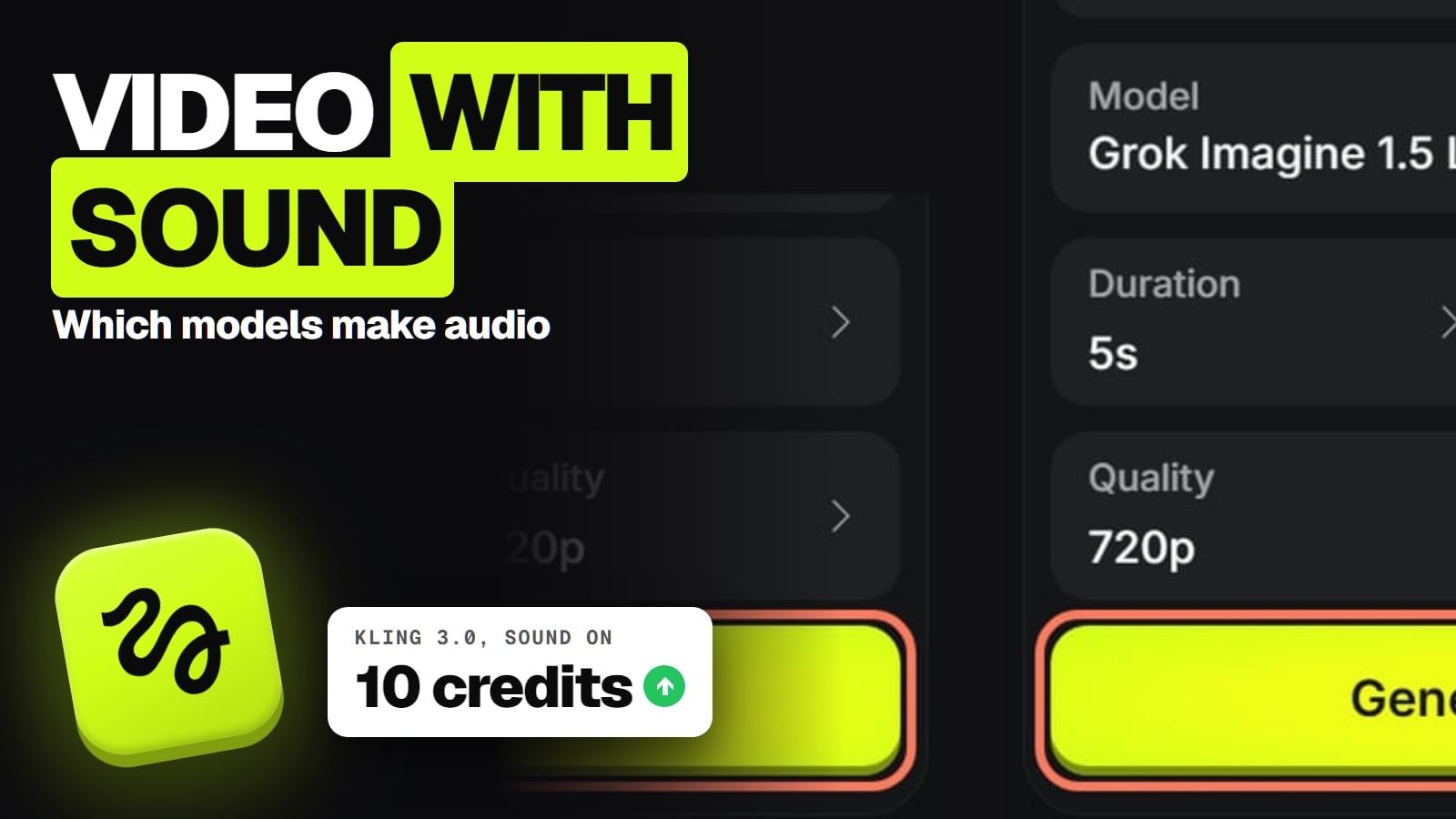
Kling 4.0 (stereo, speech), Seedance 2.5, Veo 3.1 (sound effects, ambient noise, dialogue), Grok Imagine 1.5 (lip-synced speech), Gemini Omni Flash and Wan 3.0 generate audio with the video. Pika 2.5 and Luma Ray3.2 return silent clips.
Why did my AI video add subtitles and music I didn't ask for?
Kling 4.0 does that by default, per Kling's own guide. Write "no subtitles, no background music" into the prompt, and "one continuous shot, no cuts" if you don't want it to cut between shots.
Can I still use Sora for text to video?
No. OpenAI discontinued the Sora app and website on April 26, 2026 and the Sora API on September 24, 2026. Sites still offering Sora are not OpenAI.
Write your prompt once, run it on the cheapest model first, and pay for the expensive one only when the cheap one can't do the shot.