invideo's agent spends credits on its own work, not only on finished clips, and its default is to generate without asking. Here's what each credit buys by model, where credits leak, the one setting that puts you back in control, and the rules on rollover, extra credits and cancelling.
Some links on this page are referral links: we may earn a commission, at no cost to you.
Share
invideo credits run out fast for two reasons: AI video models are expensive per second, and invideo's agent spends credits on its own work, by default without asking you first. A 5-second Seedance 2.5 clip at 720p costs about 56 credits, so Plus's 2,000 credits buy about 35 of them. invideo's help center says Agent Two's default is "Always allow"; switch it to "Ask before generating videos" and you approve every clip before it's made. All of this is from invideo's own pages, read November 13, 2026.
What does an invideo credit pay for?
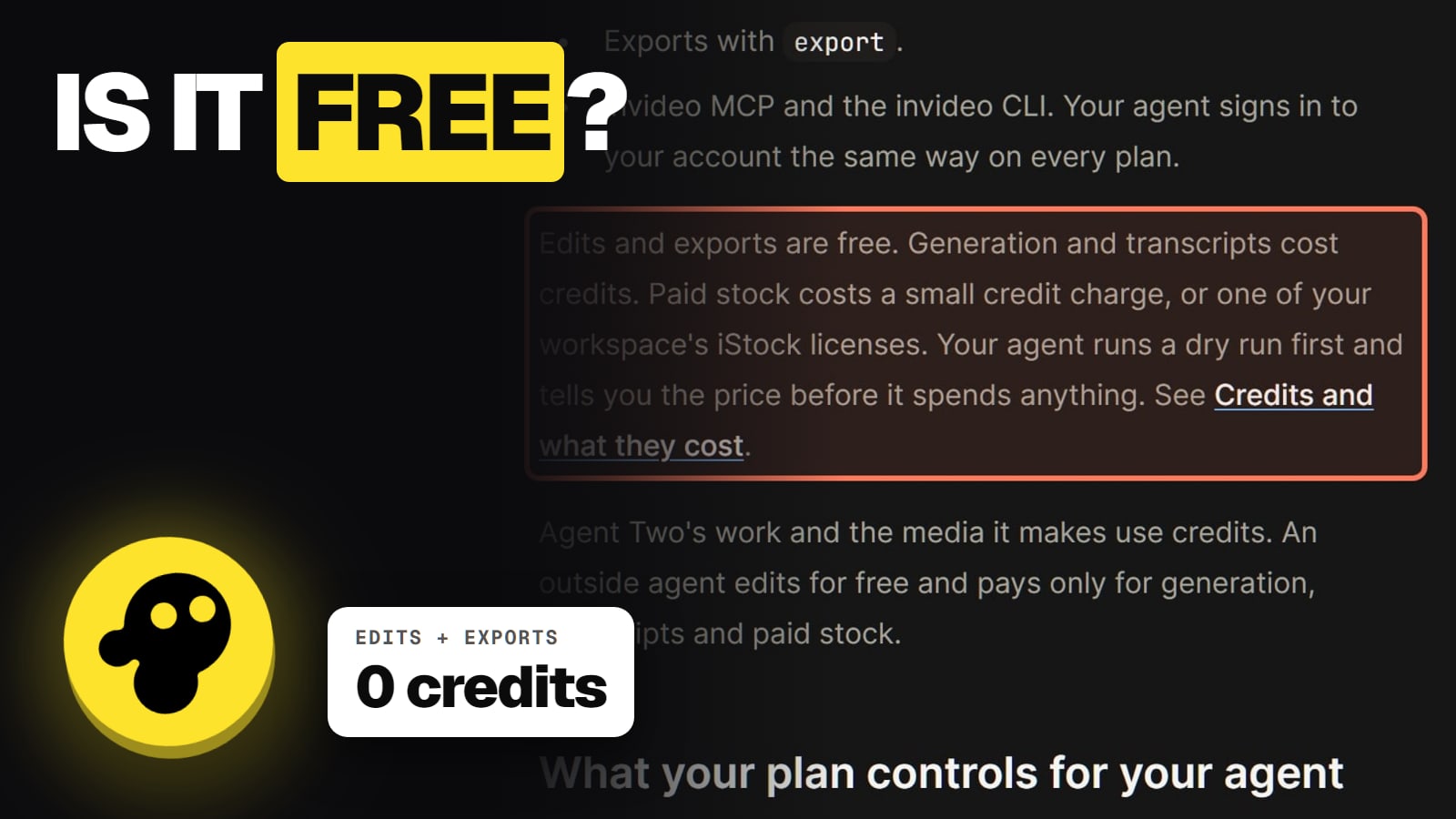
AI work. invideo's credits help page splits every action in two. Free: timeline edits, exports and downloads, searching stock and bringing your own files. Paid in credits: generating video, images and audio, transcripts, paid stock and Agent Two work.
That last one is the surprise. invideo's help center says Agent Two's own work, not just the finished clips, uses credits. So the agent's work on your video draws on the same balance as the clips you keep. The invideo hub explains how Agent Two fits with the Editor.
How many credits does each model cost?
Video models are priced per second. Resolution, video input and generated audio change the rate, and invideo shows the exact cost before you confirm. Here are the per-clip prices from invideo's pricing page:
Credits per clip on invideo AI (invideo.io/pricing, Nov 13, 2026)
Seedance 2.0 Mini, 5 s, 720p~20 credits
Kling 3.0, 5 s, 1080p~22.4 credits
Seedance 2.0 Fast, 5 s, 720p~30 credits
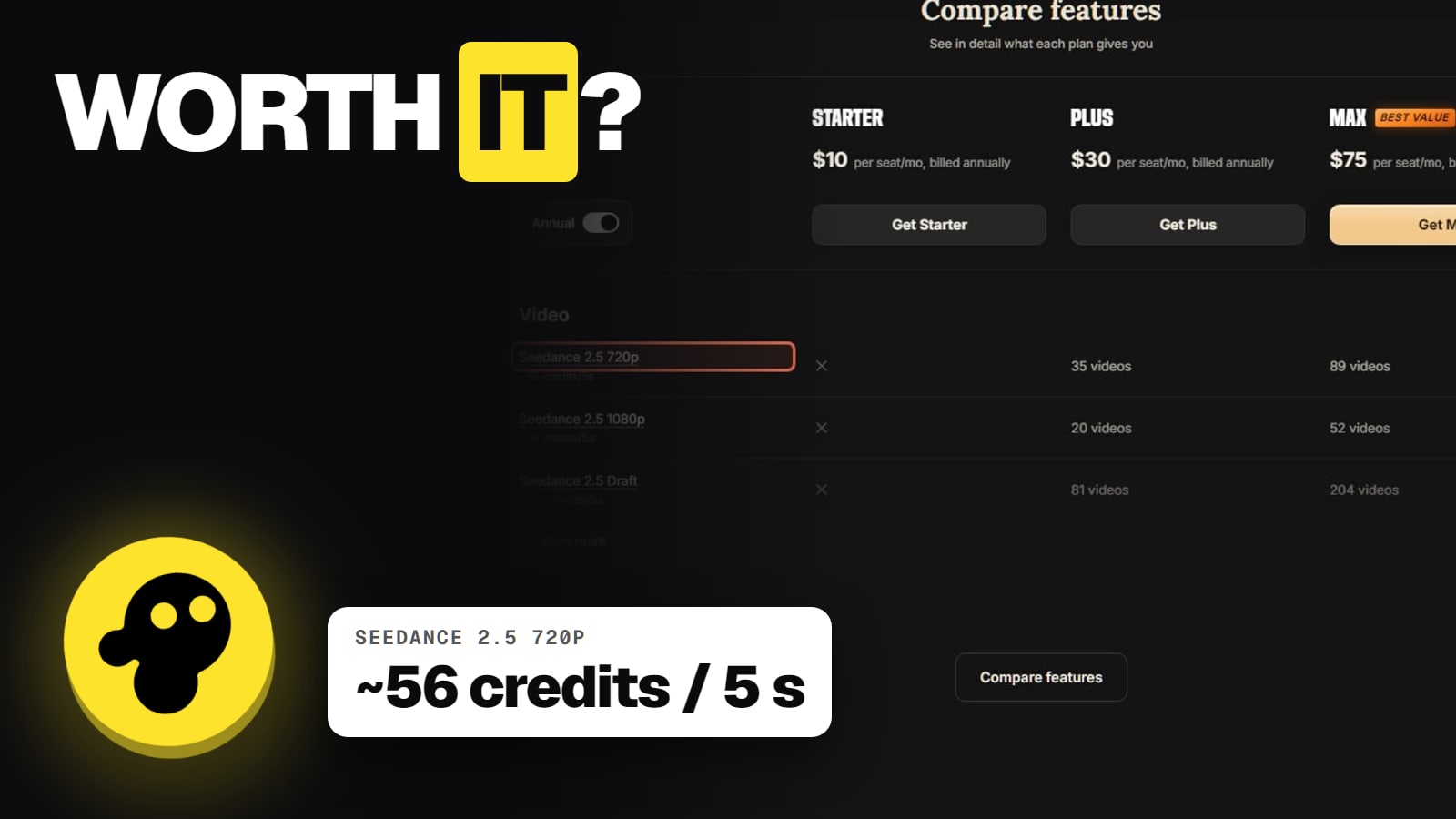
Seedance 2.5, 5 s, 720p~56 credits
Veo 3.1, 4 s, 1080p~64 credits
4-second clip
Seedance 2.5, 5 s, 1080p~96 credits
Seedance 2.0, 5 s, 4K~176 credits
Ranges are wide. invideo's video pricing page lists Kling 4.0 from 22.61 to 406.08 credits a generation (720p to 1080p, 3 to 30 seconds) and Seedance 2.5 from 6.10 to 1,626 depending on tier and length. Images are cheap next to video: Nano Banana Pro is about 2.5 credits an image. A voiceover with ElevenLabs costs 3.2 credits per 1,000 characters. Our invideo AI models guide lists every model.
How far does a plan go?
invideo's own table, assuming every generation is a keeper:
What a month of credits buys (invideo.io/pricing, Nov 13, 2026)
Credits a month
Starter ($20)
400
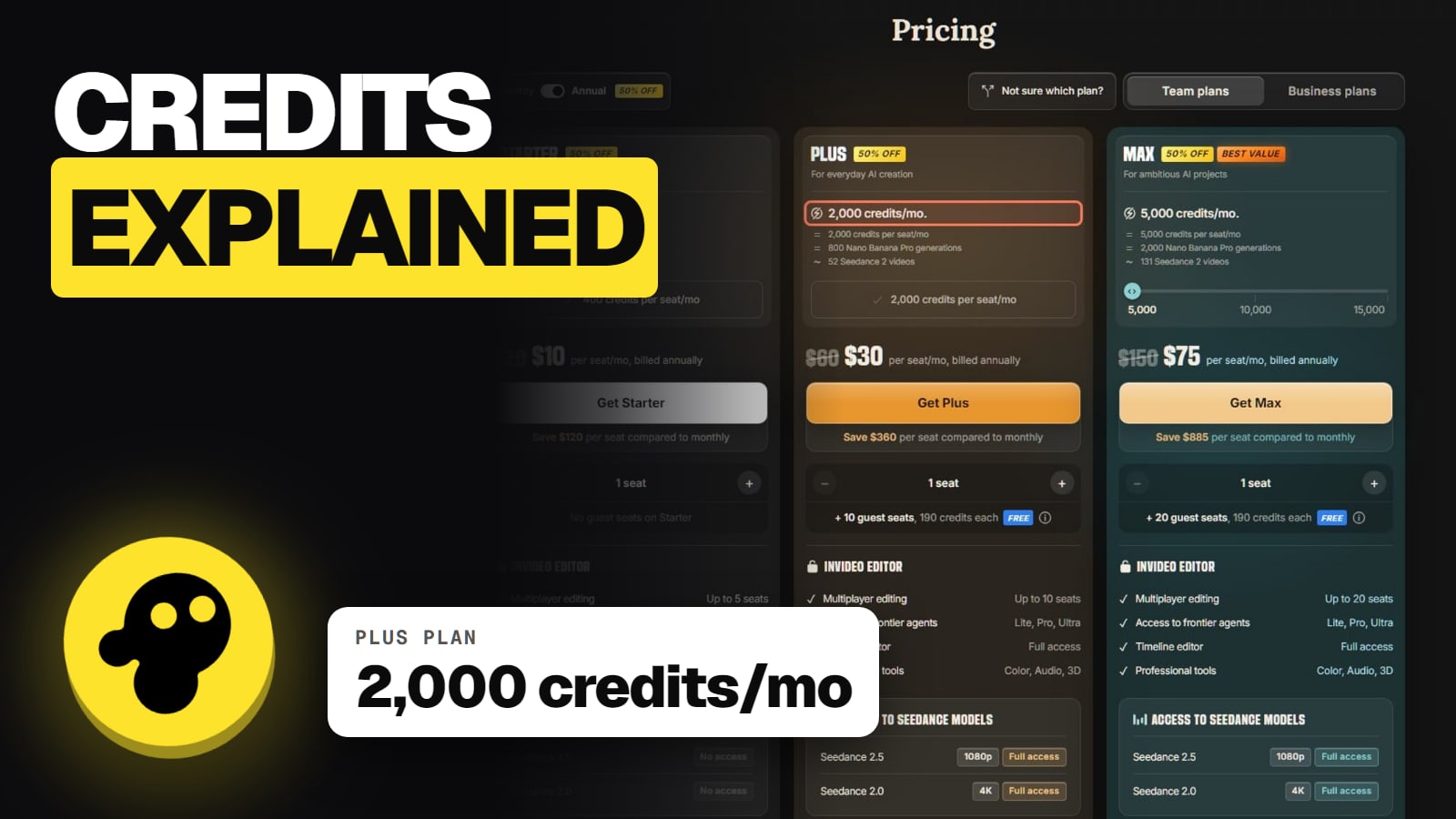
Plus ($60)
2,000
Max ($150)
5,000
Seedance 2.5, 5 s, 720p
Starter ($20)
0 (not on Starter)
Plus ($60)
35
Max ($150)
89
Seedance 2.5, 5 s, 1080p
Starter ($20)
0 (not on Starter)
Plus ($60)
20
Max ($150)
52
Kling 3.0, 5 s, 1080p
Starter ($20)
17
Plus ($60)
89
Max ($150)
223
Starter ($20)
Plus ($60)
Max ($150)
Credits a month
400
2,000
5,000
Seedance 2.5, 5 s, 720p
0 (not on Starter)
35
89
Seedance 2.5, 5 s, 1080p
0 (not on Starter)
20
52
Kling 3.0, 5 s, 1080p
17
89
223
Thirty-five clips at 5 seconds is under three minutes of Seedance 2.5 footage a month on Plus, before retries. In dollars, by our math, one such clip costs about $1.68 on Plus monthly and $0.84 billed yearly. Our invideo pricing guide compares the plans.
Why do invideo credits disappear so fast?
Five reasons, all from invideo's own help pages:
The agent generates without asking. Agent Two defaults to "Always allow", so it generates as it builds your video without stopping to check the cost with you.
The agent's thinking costs credits. Agent Two's own work counts, not only the clips you keep.
Settings raise the price. invideo's "Why did a generation cost more credits than expected?" answer lists the agent, the model, resolution, duration, video input, audio and voice control.
Retries and fixes cost the same. invideo's terms say credits are non-refundable, and no invideo page says credits come back for a failed or unusable generation.
Prices can move. invideo's plan-limits page says it can change credit costs without notice.
Users feel this. The Invideo Studio profile on Trustpilot (invideo.io) scored 1.8 out of 5 from 1,030 reviews on November 13, 2026, and credit drain is the top theme. One US reviewer wrote on October 30, 2026 that a one-minute video used about a quarter of their credits. Another, on October 26, said the agent told them chatting wouldn't spend credits, yet the balance kept falling. A separate Trustpilot profile for ai.invideo.io scored 2.9. Our invideo not working guide covers what to do when a job fails.
The setting that stops surprise spending
Turn off "Always allow". invideo's help article on how credits are charged with AI agents describes it:
Make Agent Two ask before it spends
Open Agent Two's generation setting
The default is Always allow
Pick Ask before generating videos
Or Always ask before generating, for every model call
Read the Approve popup
It shows prompt, model, duration and aspect ratio
Approve only the clips you want
Change the model or length first if the cost is high
Open Agent Two's generation setting
The default is Always allow
Pick Ask before generating videos
Or Always ask before generating, for every model call
Read the Approve popup
It shows prompt, model, duration and aspect ratio
Approve only the clips you want
Change the model or length first if the cost is high
From invideo's help article on how credits are charged when using AI agents, read Nov 13, 2026.
Three more habits help. Draft cheaply first: Seedance 2.5 Draft is about 24.5 credits per 5 seconds against 56 at 720p. Keep 1080p for the final cut. And if you run a team, workspace owners can set a credit limit per member under Members, then Set limit.
Do invideo credits roll over or expire?
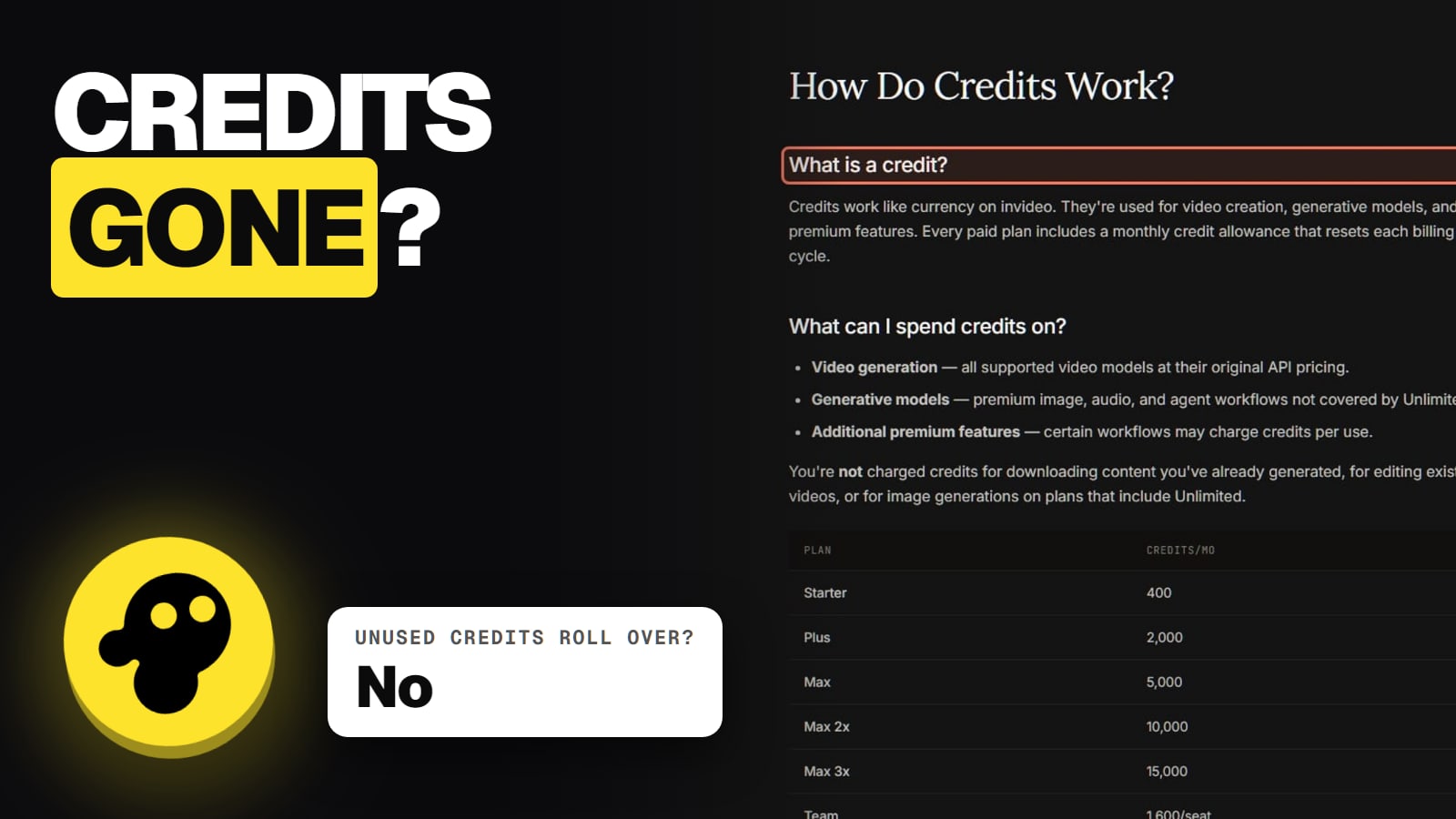
Plan credits: no rollover. They reset monthly on your subscription day, in UTC, annual plans included.
Extra credits: you can buy them from $5, with volume discounts and optional auto-reload. They're used only after plan credits run out and are non-refundable. invideo's pages disagree on how long they last: one help page says 12 months on a paid plan, another says they expire after a set period or when your plan ends, whichever comes first. Read it as 12 months or the end of your paid plan.
On cancel or downgrade: the plan runs to the end of the period, then unused paid credits, bought extras included, expire.
On upgrade: another conflict. The pricing FAQ says unused credits roll into the new plan; a help page says credits you've used count against the new limit.
Turning on extra credits is permanent for a workspace, though members can pause their own spending. Before cancelling, read how to cancel invideo.
How does this compare with Higgsfield credits?
Both sell credits and price per model, so the same habits apply: read the cost before you generate, and draft cheap. The difference is the job. invideo's agent builds a whole video and spends as it goes; Higgsfield shows a credit cost on the Generate button for each shot you direct. See invideo vs Higgsfield for the cost per Seedance clip on each.
Quick answers
How many credits does an invideo video cost?
It depends on the model and length. On invideo's pricing page (Nov 13, 2026), a 5-second Seedance 2.5 clip is about 56 credits at 720p and 96 at 1080p, and Kling 3.0 at 1080p about 22.4.
Does chatting with invideo's agent use credits?
Yes. invideo's help center says Agent Two's own work, not just finished clips, uses credits.
How do I stop invideo using my credits without asking?
Change Agent Two from Always allow to Ask before generating videos, or Always ask before generating. An Approve popup then shows the prompt, model, duration and aspect ratio before anything is made.
Do invideo credits roll over?
No. Plan credits reset monthly on your subscription day and unused ones are lost.
Do I get credits back for a failed generation?
invideo doesn't say. Its terms say credits are non-refundable, and no help page promises credits back for a failed or unusable result. A job held for safety review doesn't charge again while it waits.
Do exports cost credits?
No. Timeline edits, exports and downloads are free in invideo.