Pick the card by the VRAM your fine-tune needs, not by the biggest name. On Nov 3, 2026 a 24GB RTX 4090 rented for a $0.47/hr median on Vast.ai ($0.89 on Runpod), enough for QLoRA up to about 14B; a 70B QLoRA needs an 80GB A100 from about $0.95/hr. Here is the card for each job and the math for a run.
Some links on this page are referral links: we may earn a commission, at no cost to you.
Share
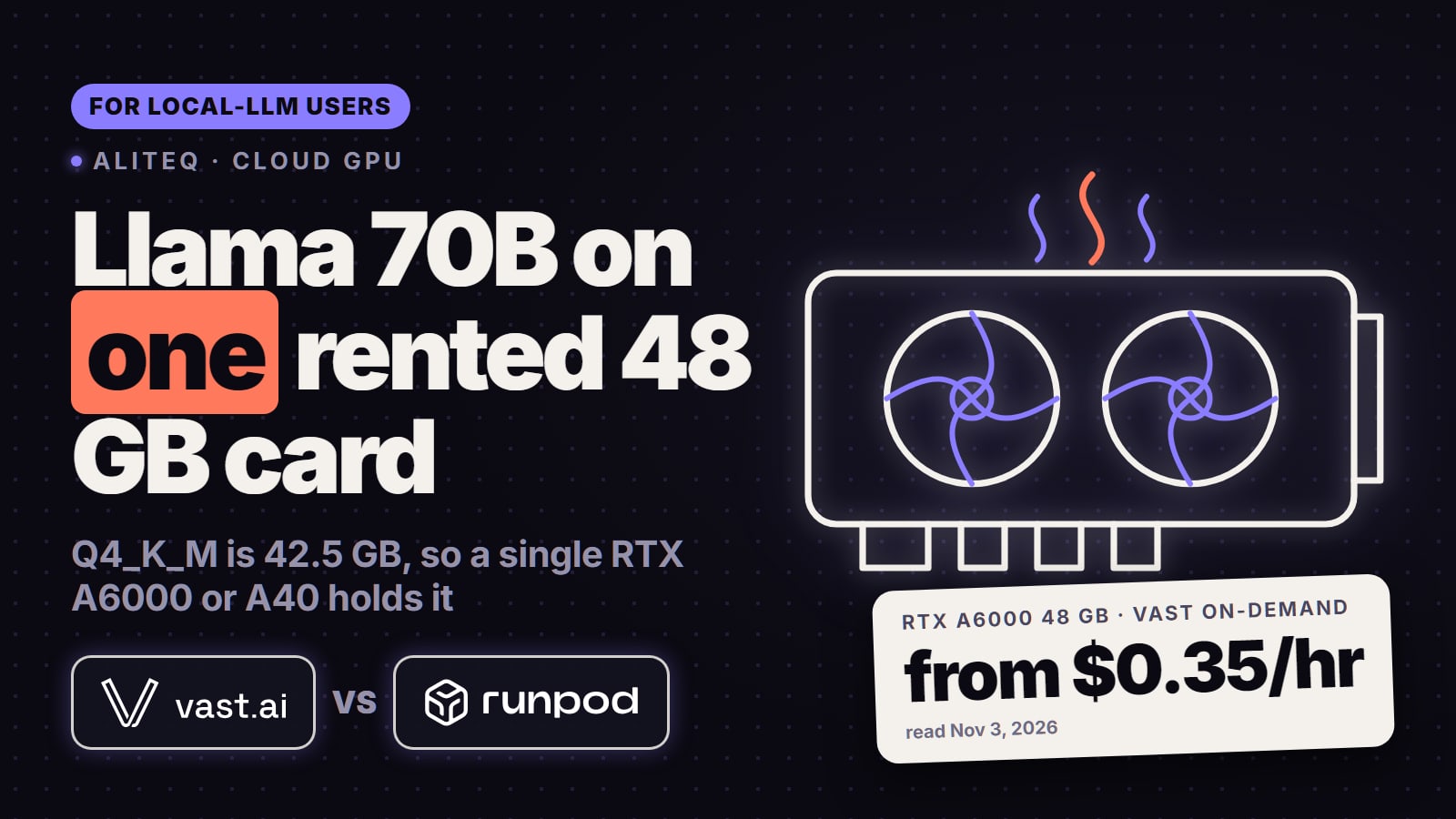
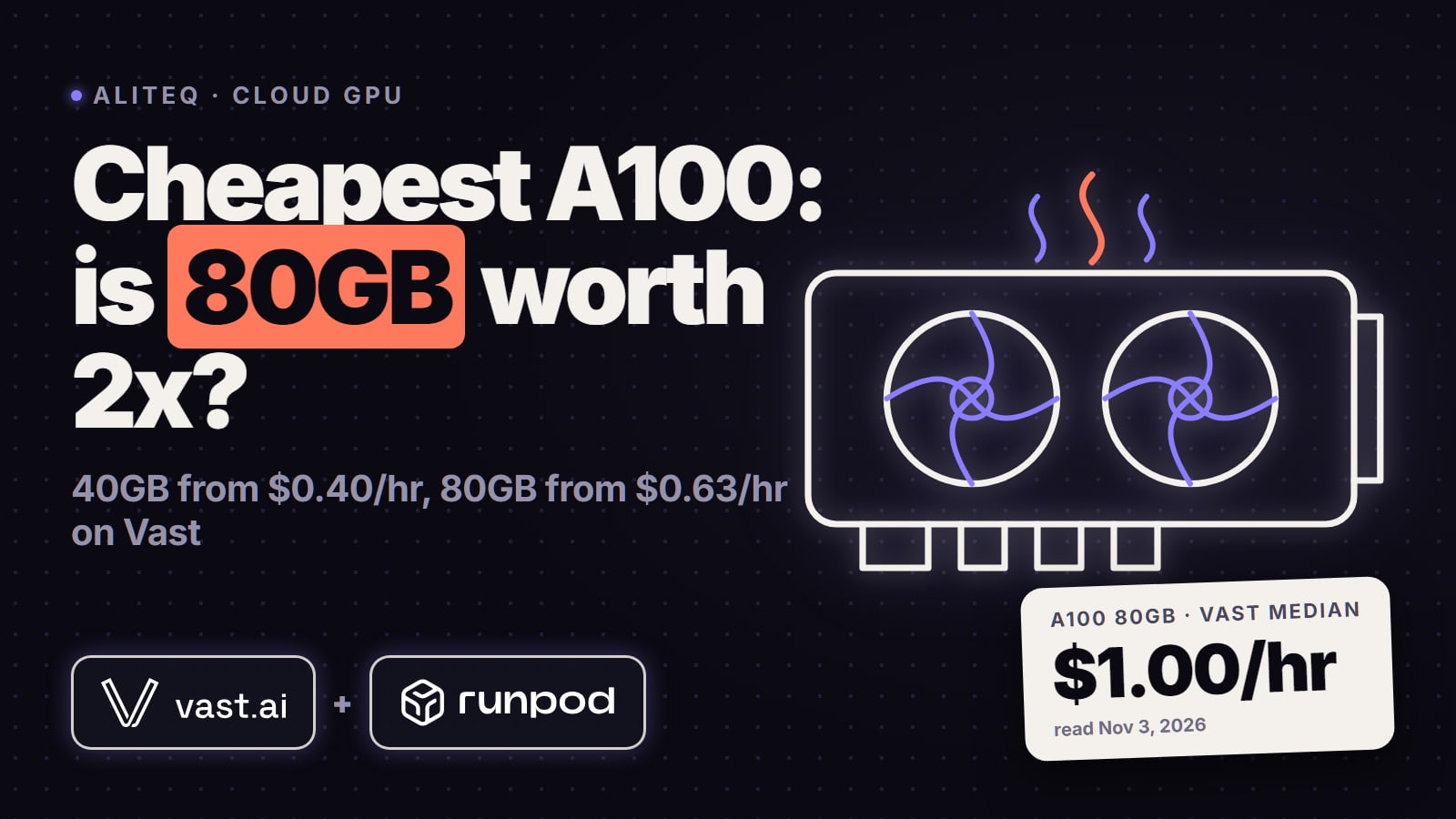
Rent the smallest GPU that holds your fine-tune, and pay for the hours it runs. For a QLoRA fine-tune of a model up to about 14B, that's a 24GB RTX 4090: on Nov 3, 2026 it rented for a $0.47/hour median on Vast.ai (51 offers, from $0.27) and $0.89/hour on Runpod Secure Cloud. A 3-hour run on the Vast median costs about $1.41. A 32B QLoRA fits a 48GB RTX A6000 ($0.46/hr median on Vast), and a 70B QLoRA or a 16-bit LoRA of a 32B model needs an 80GB A100, from about $0.95/hour on a verified Vast host or $1.79 on Runpod. The VRAM numbers below are Unsloth's own minimums; the prices move every hour, so check today's live prices before you rent.
Which GPU do I need for my fine-tune?
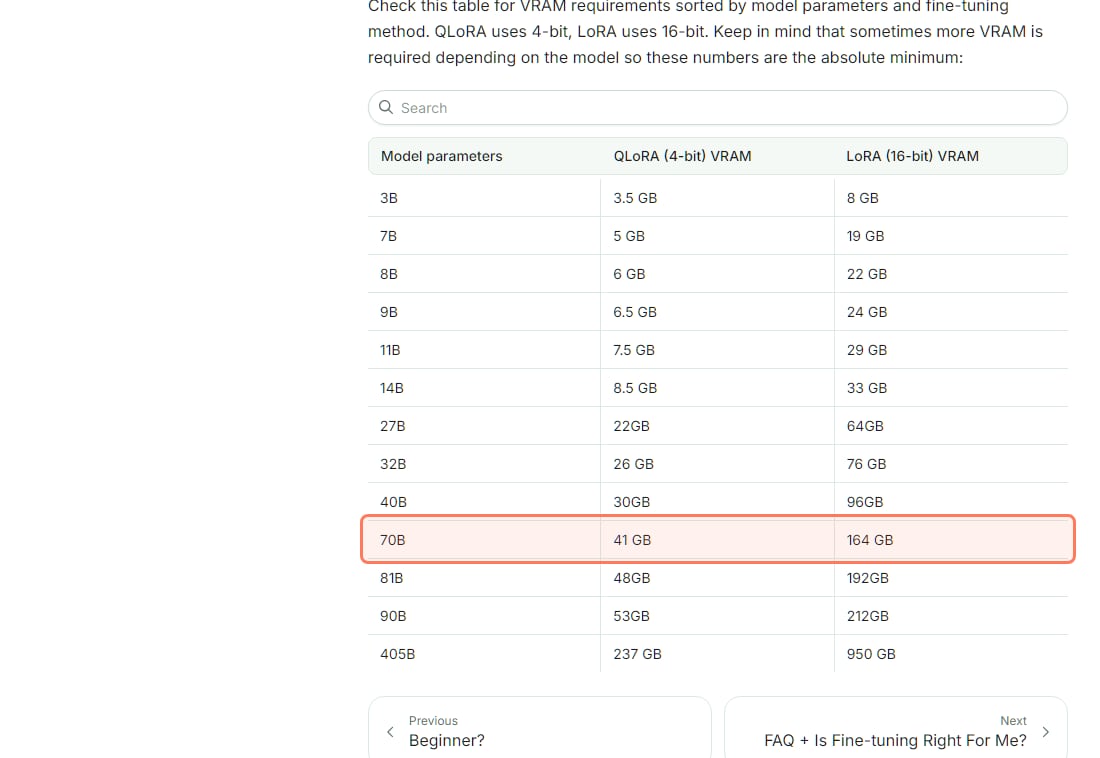
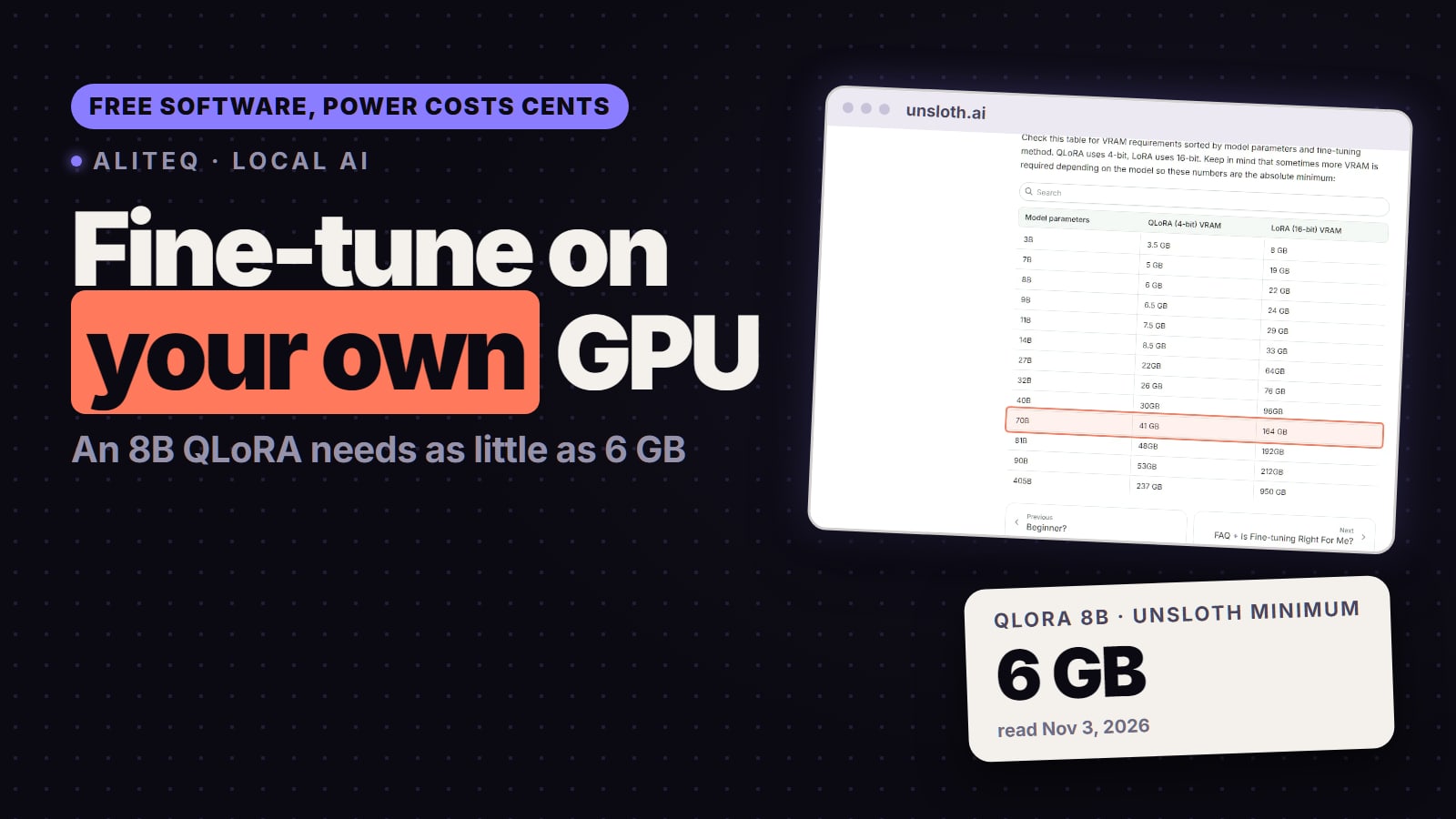
The answer is a memory question. Unsloth, an open-source fine-tuning library, publishes the minimum VRAM for each model size and method. QLoRA loads the model in 4-bit and trains small adapter layers; 16-bit LoRA keeps the model at full precision, which needs about three to four times the memory. Unsloth's guide says "We recommend starting with QLoRA, as it is one of the most accessible and effective methods for training models."
Unsloth's fine-tuning VRAM table, read Nov 3, 2026. Its own warning: "these numbers are the absolute minimum". · Screenshot of unsloth.ai by aliteq
Here is that table matched to the card you'd rent. "Fits" means the minimum fits with some room; the room is what you spend on longer training examples and a bigger batch.
Fine-tuning VRAM minimum (Unsloth) and the card to rent
8B (Llama 3.1 8B, Qwen3 8B)
QLoRA (4-bit)
6 GB
LoRA (16-bit)
22 GB
Card to rent
RTX 4090 24GB for QLoRA; RTX 5090 32GB for 16-bit LoRA
14B
QLoRA (4-bit)
8.5 GB
LoRA (16-bit)
33 GB
Card to rent
RTX 4090 for QLoRA; 48GB card for LoRA
27B
QLoRA (4-bit)
22 GB
LoRA (16-bit)
64 GB
Card to rent
RTX 5090 32GB or 48GB card for QLoRA; 80GB for LoRA
32B
QLoRA (4-bit)
26 GB
LoRA (16-bit)
76 GB
Card to rent
48GB card for QLoRA; 80GB A100 or H100 for LoRA
70B
QLoRA (4-bit)
41 GB
LoRA (16-bit)
164 GB
Card to rent
80GB A100 for QLoRA; LoRA needs several GPUs
QLoRA (4-bit)
LoRA (16-bit)
Card to rent
8B (Llama 3.1 8B, Qwen3 8B)
6 GB
22 GB
RTX 4090 24GB for QLoRA; RTX 5090 32GB for 16-bit LoRA
14B
8.5 GB
33 GB
RTX 4090 for QLoRA; 48GB card for LoRA
27B
22 GB
64 GB
RTX 5090 32GB or 48GB card for QLoRA; 80GB for LoRA
32B
26 GB
76 GB
48GB card for QLoRA; 80GB A100 or H100 for LoRA
70B
41 GB
164 GB
80GB A100 for QLoRA; LoRA needs several GPUs
Two limits the table doesn't show. First, the memory left over sets how long your training examples can be. Unsloth's benchmarks put the maximum context for an 8B QLoRA at 78,475 tokens on a 24GB card, so a 4090 is plenty for most datasets. For a 70B QLoRA, the same page lists 12,106 tokens on a 48GB card and 89,389 on an 80GB A100, so a 48GB card technically fits a 70B QLoRA but only with short examples. Second, a bigger batch needs more memory: Unsloth's own note is that "A common issue when you OOM or run out of memory is because you set your batch size too high." For a quick fit check on inference sizes, use our VRAM calculator.
What does each card cost to rent today?
One GPU, priced per hour, read on Nov 3, 2026. The Vast.ai columns are our own pull of Vast's offer API at 15:33 UTC (single-GPU, on-demand, rentable offers, split by GPU memory); the Runpod column is the Secure Cloud price on Runpod's pricing page the same day.
Fine-tuning GPUs, $ per hour, read Nov 3, 2026
RTX 3090 · 24GB
Vast.ai from
$0.11
Vast.ai median
$0.19
Runpod Secure Cloud
$0.50
RTX 4090 · 24GB
Vast.ai from
$0.27
Vast.ai median
$0.47
Runpod Secure Cloud
$0.89
RTX 5090 · 32GB
Vast.ai from
$0.40
Vast.ai median
$0.65
Runpod Secure Cloud
$1.19
RTX A6000 · 48GB
Vast.ai from
$0.35
Vast.ai median
$0.46
Runpod Secure Cloud
$0.59
L40S · 48GB
Vast.ai from
$0.44
Vast.ai median
$0.80
Runpod Secure Cloud
$1.09
A100 · 80GB
Vast.ai from
$0.63
Vast.ai median
$1.09
Runpod Secure Cloud
$1.79
H100 SXM · 80GB
Vast.ai from
$2.20
Vast.ai median
$2.40
Runpod Secure Cloud
$3.99
Vast.ai from
Vast.ai median
Runpod Secure Cloud
RTX 3090 · 24GB
$0.11
$0.19
$0.50
RTX 4090 · 24GB
$0.27
$0.47
$0.89
RTX 5090 · 32GB
$0.40
$0.65
$1.19
RTX A6000 · 48GB
$0.35
$0.46
$0.59
L40S · 48GB
$0.44
$0.80
$1.09
A100 · 80GB
$0.63
$1.09
$1.79
H100 SXM · 80GB
$2.20
$2.40
$3.99
What the "from" price hides: on Vast every offer is a different host with its own reliability score, and the cheapest one is often not marked verified by Vast. For the RTX 4090 the cheapest verified host was $0.37 (25 of 51 offers were verified); for the 80GB A100 it was $0.95. For a multi-hour training run, the verified price is the honest one to plan with. The A100 median is for the SXM4 version (8 of the 10 80GB offers). On Vast, 40GB and 80GB A100s share a name, so filter by GPU memory; our cheapest A100 rental page explains that trap.
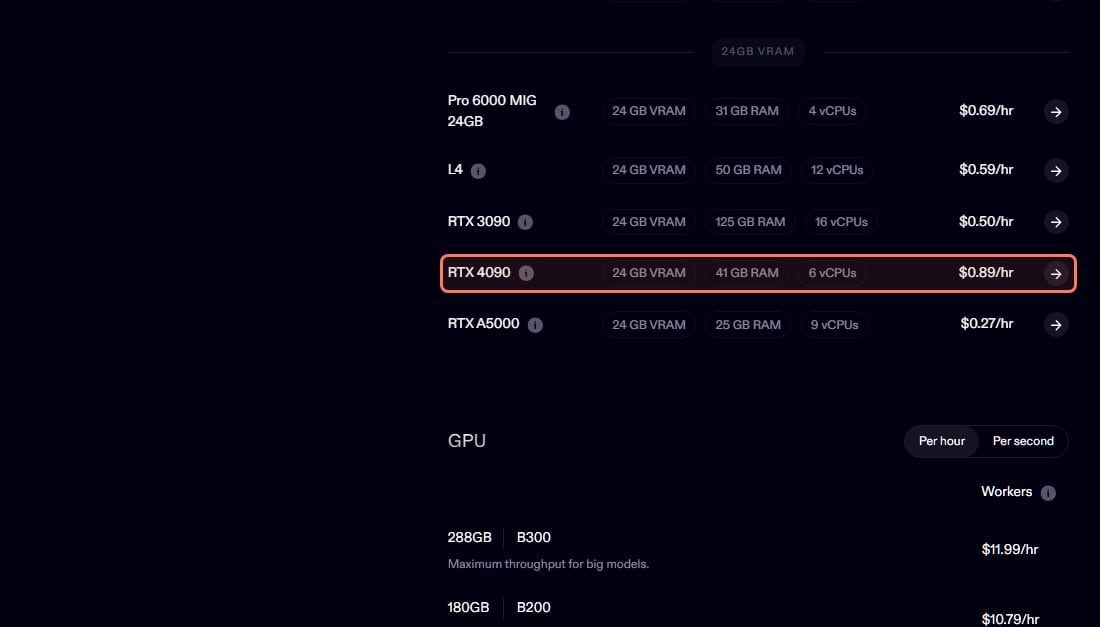
Runpod's own price list, read Nov 3, 2026: the RTX 4090 at $0.89/hr in Secure Cloud. · Screenshot of runpod.io by aliteq
Runpod's pricing page also carries lower Community Cloud prices in its data (RTX 4090 $0.34, A100 PCIe $1.19), but Runpod's docs say "Runpod is no longer accepting new hosts for Community Cloud", so don't count on finding one. Older pages that quote a $0.34 Runpod 4090, including an earlier version of this one, were quoting that tier.
What does one fine-tuning run cost?
The hourly price times the hours the GPU is on. Training time depends on your dataset size, sequence length, number of epochs and the card, so no page can give you one number for your run, and we haven't timed these runs ourselves. Here is the math at the Nov 3 prices for runs of a typical length:
8B QLoRA, 3 hours
Card
RTX 4090 24GB
Vast.ai
$1.41 (median)
Runpod Secure Cloud
$2.67
8B 16-bit LoRA, 3 hours
Card
RTX 5090 32GB
Vast.ai
$1.95 (median)
Runpod Secure Cloud
$3.57
32B QLoRA, 6 hours
Card
RTX A6000 48GB
Vast.ai
$2.76 (median)
Runpod Secure Cloud
$3.54
70B QLoRA, 10 hours
Card
A100 80GB
Vast.ai
$9.50 (verified host)
Runpod Secure Cloud
$17.90
32B 16-bit LoRA, 10 hours
Card
A100 80GB
Vast.ai
$9.50 (verified host)
Runpod Secure Cloud
$17.90
Card
Vast.ai
Runpod Secure Cloud
8B QLoRA, 3 hours
RTX 4090 24GB
$1.41 (median)
$2.67
8B 16-bit LoRA, 3 hours
RTX 5090 32GB
$1.95 (median)
$3.57
32B QLoRA, 6 hours
RTX A6000 48GB
$2.76 (median)
$3.54
70B QLoRA, 10 hours
A100 80GB
$9.50 (verified host)
$17.90
32B 16-bit LoRA, 10 hours
A100 80GB
$9.50 (verified host)
$17.90
To get your own hours before you pay for the full run:
Count the steps. Steps per epoch = training examples ÷ (batch size × gradient accumulation). Unsloth's hyperparameter guide says "Recommended: 1-3 epochs".
Time a short test. Rent the card, run about 50 steps, and read the seconds per step in the trainer's log.
Multiply. Seconds per step × total steps ÷ 3,600 = hours. Add some time for downloading the model and saving the adapter, then multiply by the hourly price.
Vast's docs say GPU compute is "Charged per second while your instance is running", so a short test costs cents. The money that leaks is idle time: an instance left running after training finishes bills the same as one that's training.
On-demand or interruptible for a training run?
Vast's docs describe on-demand as "Fixed pricing, guaranteed resources (high priority)" and interruptible as "Lowest cost, may be paused (low priority)". Interruptible RTX 4090s started at $0.20/hour in our 15:20 UTC feed on Nov 3. That's worth it only if your training script saves a checkpoint every few hundred steps and you know how to resume from it; otherwise a pause can cost you the hours you already paid for. For a first run, or anything over a few hours without checkpoints, rent on-demand.
Which hidden costs come on top?
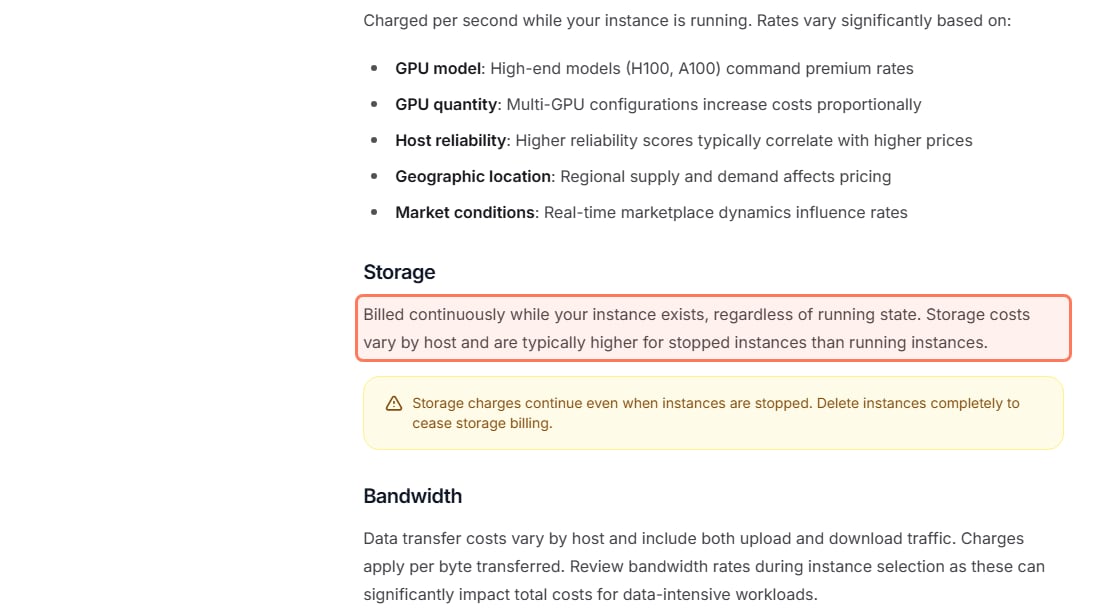
Storage while stopped. Vast's docs: storage is "Billed continuously while your instance exists, regardless of running state." The same page says storage costs "are typically higher for stopped instances than running instances", and its warning box adds: "Delete instances completely to cease storage billing." Copy your adapter off the machine, then delete the instance.
Bandwidth. On Vast, each host sets its own upload and download price, shown on the offer. Downloading a 70B base model is tens of gigabytes, so check that line before you rent.
Disk size. Pick enough disk for the base model, the dataset and your checkpoints at the start; the whole disk is billed for as long as the instance exists.
Vast's own billing docs, read Nov 3, 2026: stopping an instance doesn't stop the storage bill. · Screenshot of docs.vast.ai by aliteq
Should I rent an A100 or an H100 for a big fine-tune?
Both have 80GB, so they fit the same jobs. The H100 is the newer, faster chip, and it costs about twice as much per hour: on Nov 3 the H100 SXM median on Vast was $2.40 against $1.09 for the A100, and Runpod listed $3.99 against $1.79. The H100 is cheaper per run only if it finishes the job in less than about half the time, which you can check with the same 50-step test on both cards. For one-off fine-tunes, start with the A100. Price details: cheapest H100 rental and cheapest A100 rental.
Is renting cheaper than fine-tuning on my own GPU?
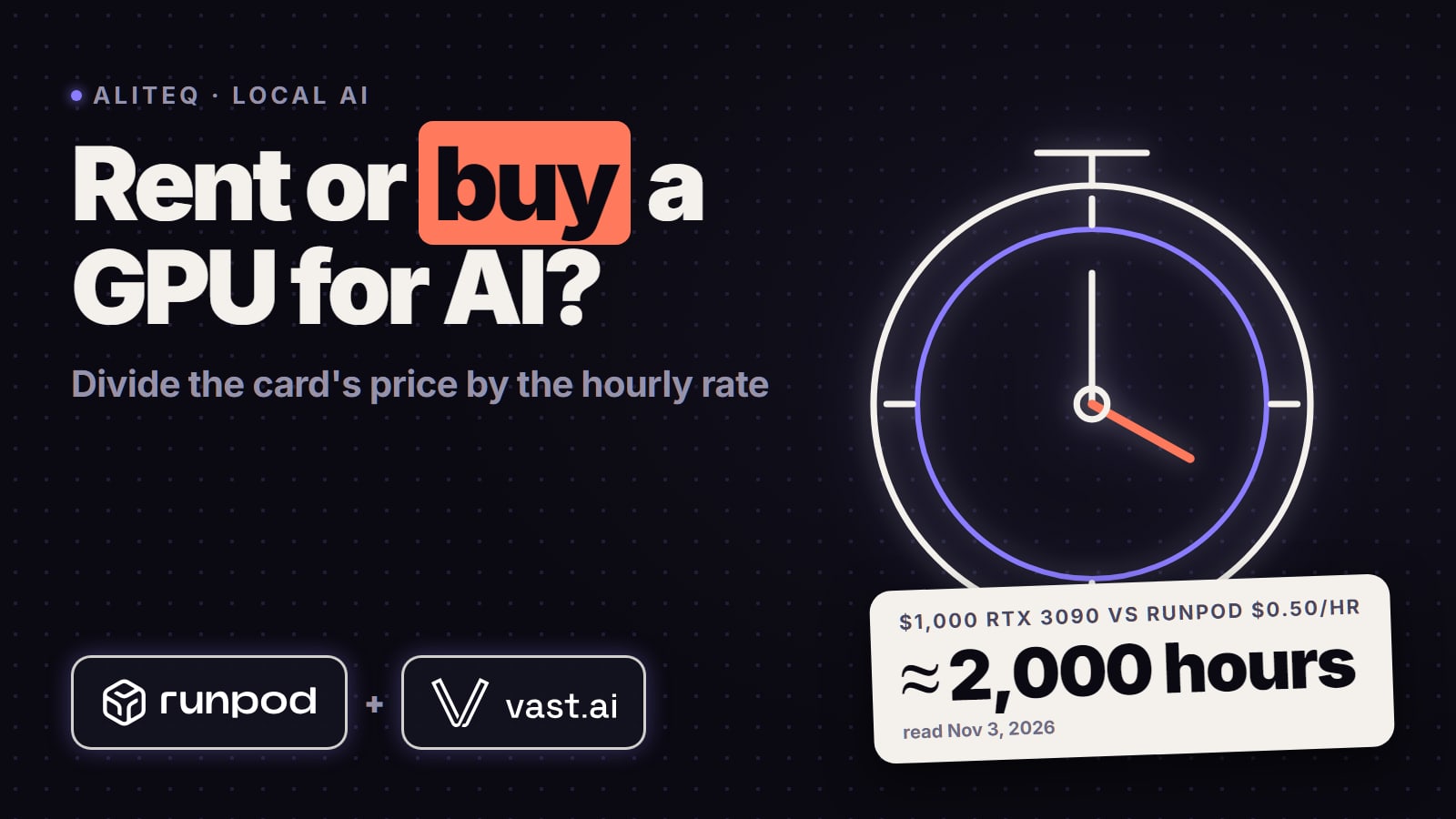
For occasional runs, yes. At the Nov 3 Vast median, 100 hours on a rented RTX 4090 costs about $47, and if you already own a 24GB card you can fine-tune up to 14B with QLoRA on it at home; our guide to fine-tuning an LLM locally with LoRA covers that route. Rent when you need more memory than you own (a 70B QLoRA, a 16-bit LoRA) or when you don't want to tie up your machine. Our rent-vs-buy math runs the break-even for a full card. And try free first: Unsloth's guide says "you can fine-tune or do RL for free on Colab, Kaggle, or locally with just 3GB VRAM" using its notebooks, which is enough to learn the process on a small model before you pay for a big one.
What this page doesn't tell you
Unsloth's numbers are minimums. Its page warns that "sometimes more VRAM is required depending on the model". Other tools (plain Hugging Face training without Unsloth's optimizations) need more.
We haven't timed these runs. The run costs are arithmetic on example lengths; your own 50-step test is the real number.
Full fine-tuning is a different job. Updating every weight of even an 8B model needs far more memory than LoRA and usually several GPUs; this page covers LoRA and QLoRA, which is what most people mean.
Prices move every hour. Every price here was read on Nov 3, 2026. The cloud-GPU compare page shows today's.
Quick answers
What is the best cloud GPU for fine-tuning an LLM?
The smallest one that fits your job. For QLoRA on models up to about 14B, a 24GB RTX 4090 (Vast.ai median $0.47/hr, Runpod $0.89/hr on November 3, 2026). For 32B QLoRA, a 48GB RTX A6000 ($0.46/hr Vast median, $0.59 Runpod). For 70B QLoRA or 16-bit LoRA of a 32B model, an 80GB A100 (verified Vast hosts from $0.95/hr, Runpod $1.79/hr).
How much does it cost to fine-tune an LLM in the cloud?
The hourly price times the training hours. At November 3, 2026 prices, a 3-hour 8B QLoRA run is about $1.41 on a median Vast.ai RTX 4090 or $2.67 on Runpod; a 10-hour 70B QLoRA run on an 80GB A100 is about $9.50 on a verified Vast host or $17.90 on Runpod. Storage and bandwidth are extra.
How much VRAM do I need to fine-tune an 8B model?
Unsloth's minimum is 6 GB for QLoRA (4-bit) and 22 GB for 16-bit LoRA. A 24GB card covers QLoRA comfortably; 16-bit LoRA is tight on 24GB, so a 32GB RTX 5090 is the safer rental.
Can I fine-tune a 70B model on one GPU?
With QLoRA, yes: Unsloth lists 41 GB minimum, so it fits an 80GB A100 or H100, and a 48GB card only with short training examples (12,106 tokens max per Unsloth's benchmark). 16-bit LoRA of a 70B model needs 164 GB, which means several GPUs.
Is QLoRA good enough, or do I need LoRA?
Unsloth recommends starting with QLoRA and says the accuracy loss against 16-bit LoRA is now largely recovered with its dynamic 4-bit quants. Try QLoRA first; move to 16-bit LoRA only if your results need it.
Should I use interruptible (spot) GPUs for training?
Only if your script saves checkpoints often and can resume. Vast says interruptible instances "may be paused". On November 3, 2026 an interruptible RTX 4090 started at $0.20/hr against a $0.47 on-demand median.
Do I pay for a stopped instance?
On Vast.ai, not for the GPU, but yes for storage: its docs say storage is billed while the instance exists, regardless of running state. Delete the instance once your adapter is saved elsewhere.
The short version: QLoRA on a rented RTX 4090 for anything up to 14B, a 48GB card for 32B, an 80GB A100 for 70B, and time a 50-step test before the full run. Compare every card on our cloud-GPU compare page, and see Runpod vs Vast vs Lambda and the cloud-GPU pricing pillar for the other providers.