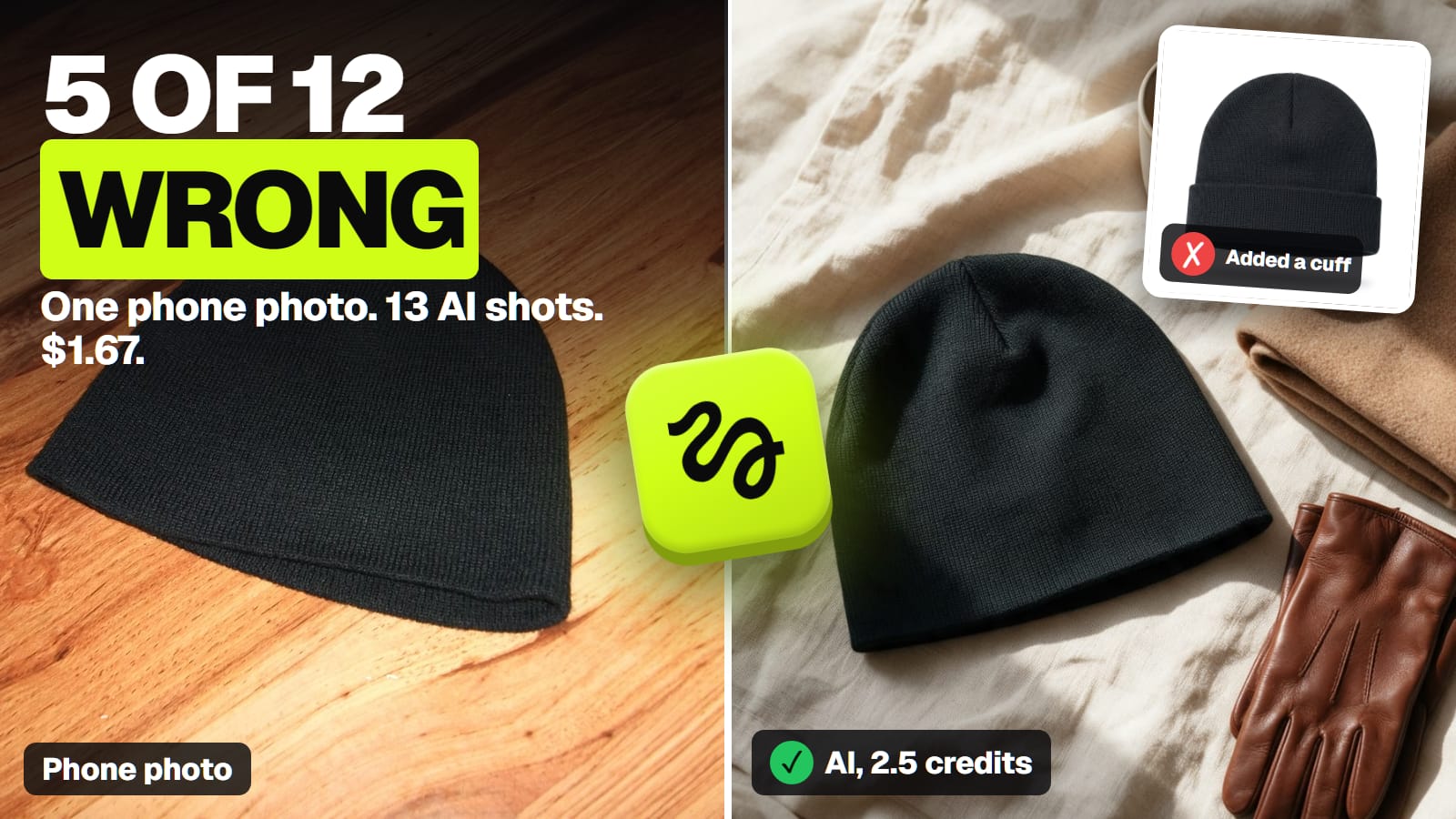
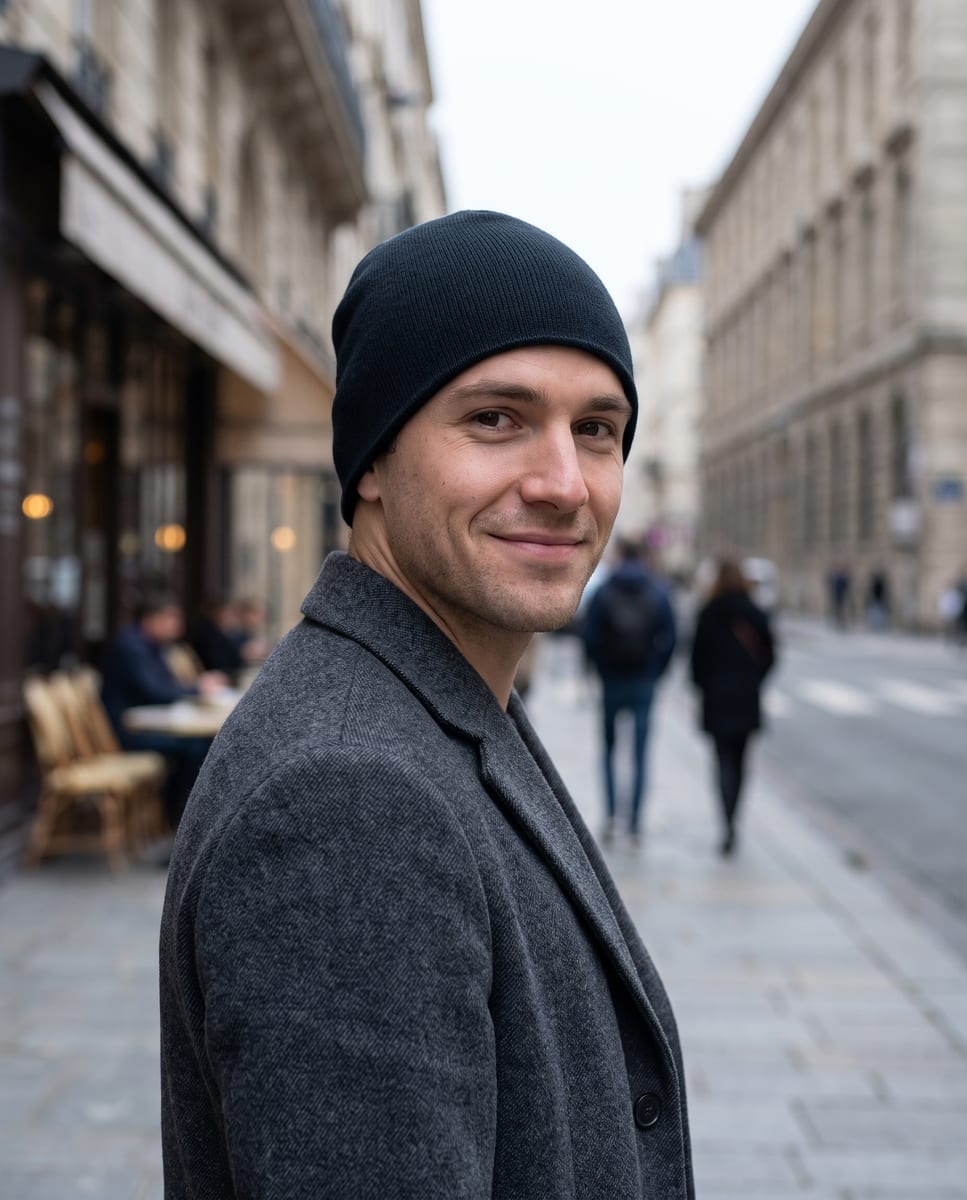
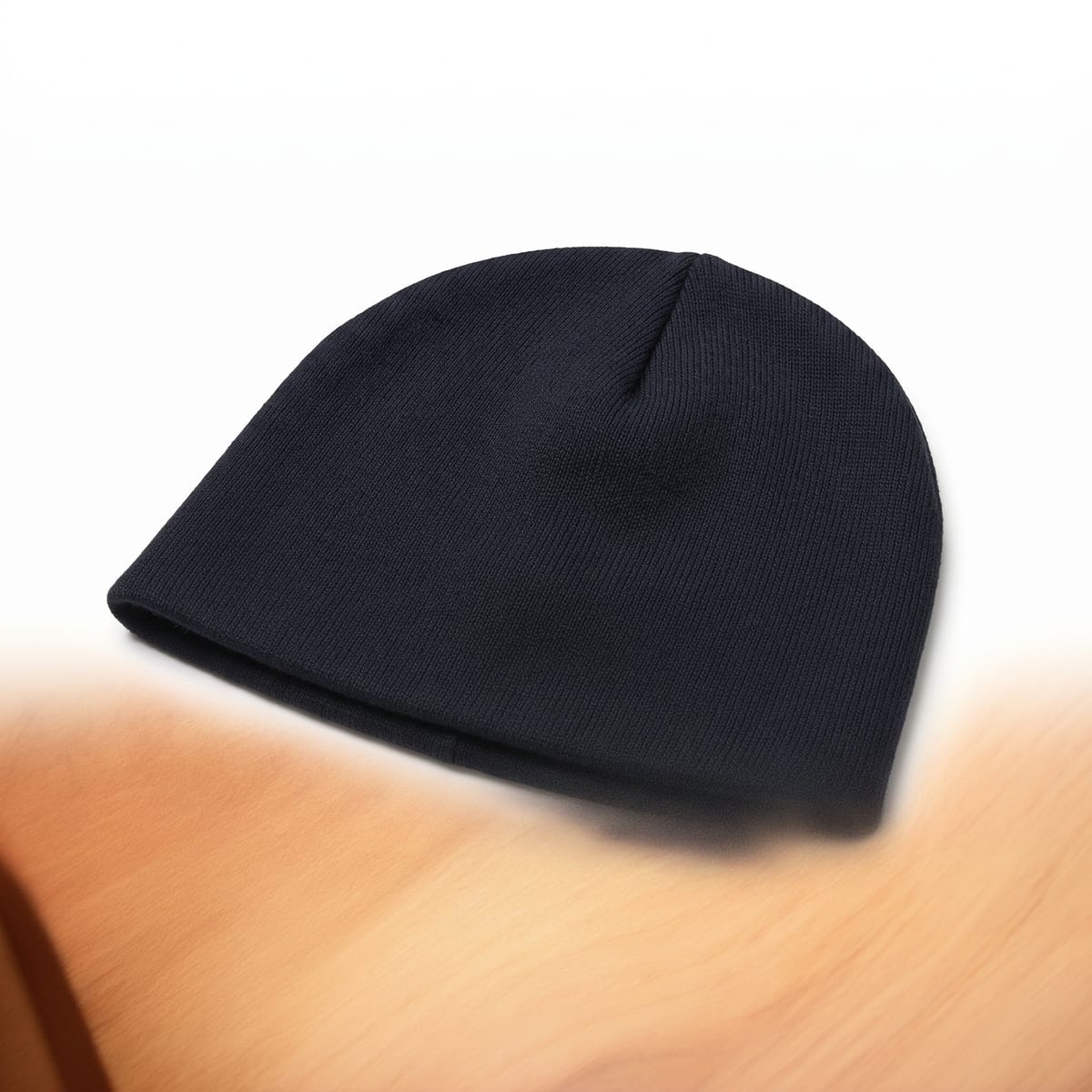
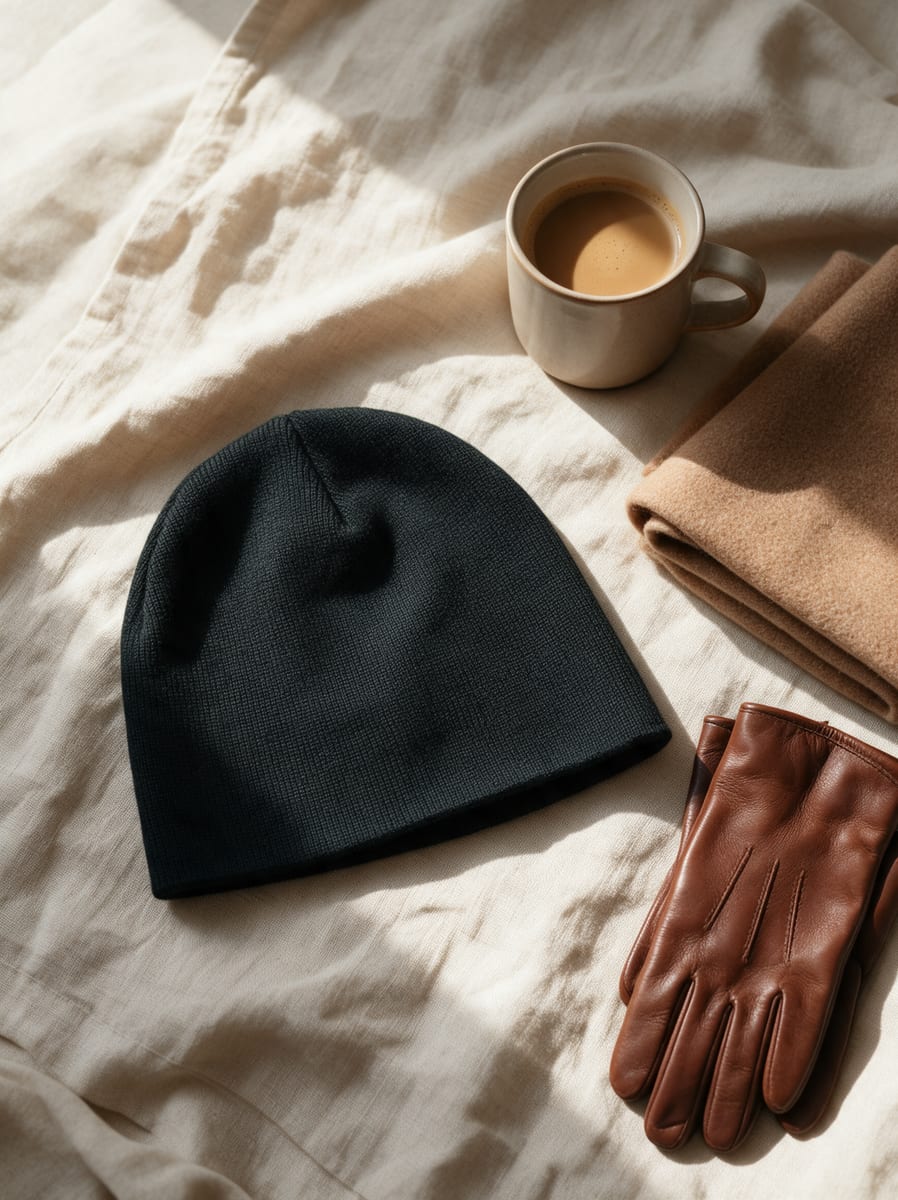
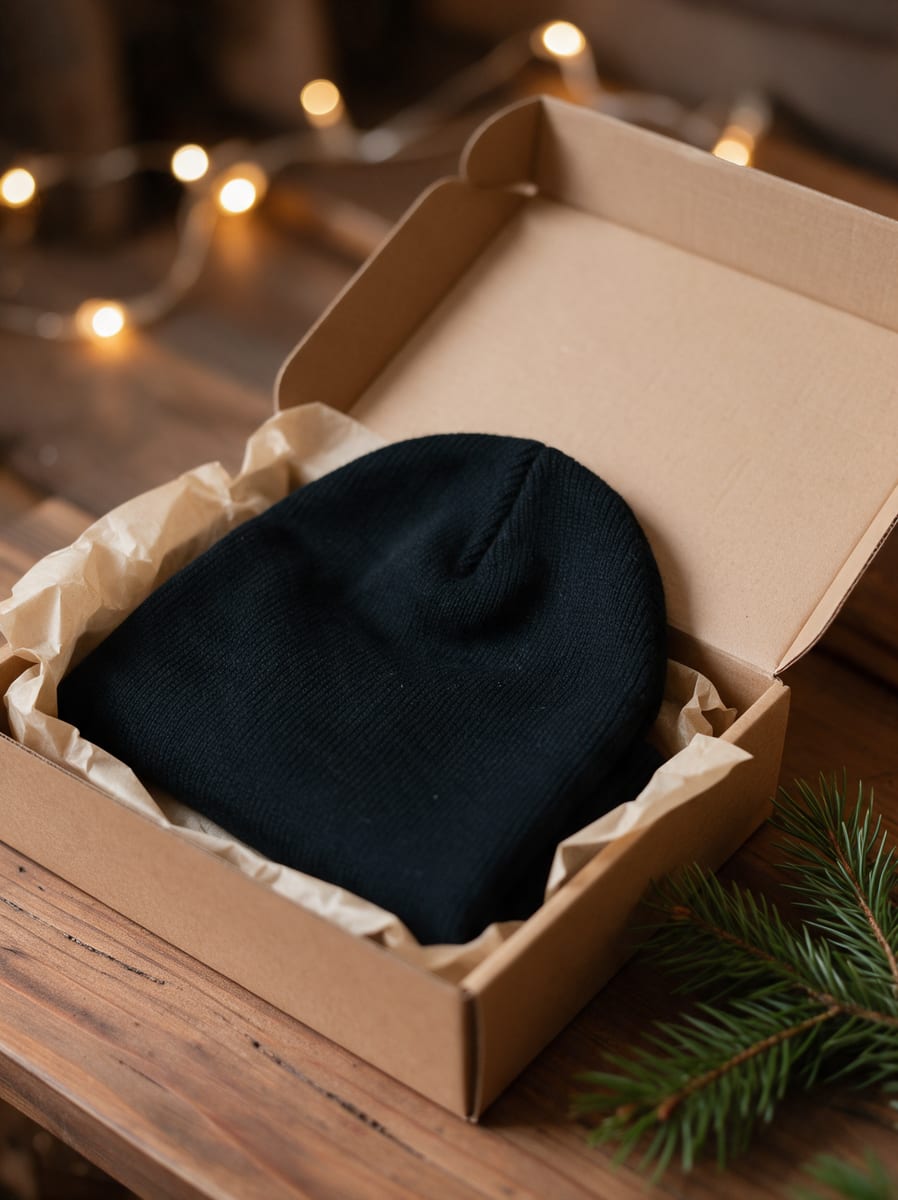
We gave Higgsfield one flash-lit phone photo of a plain beanie and asked for a store's worth of product shots. 5 of 12 images were usable as-is, 5 quietly turned it into a different hat, and the whole run cost 34 credits. Here is every output, what each one cost, and what studios charge for the same shots.
This post contains affiliate links. If you buy through them, Aliteq may earn a commission — at no extra cost to you. Prices verified at publish time.
Share
What did we start with?
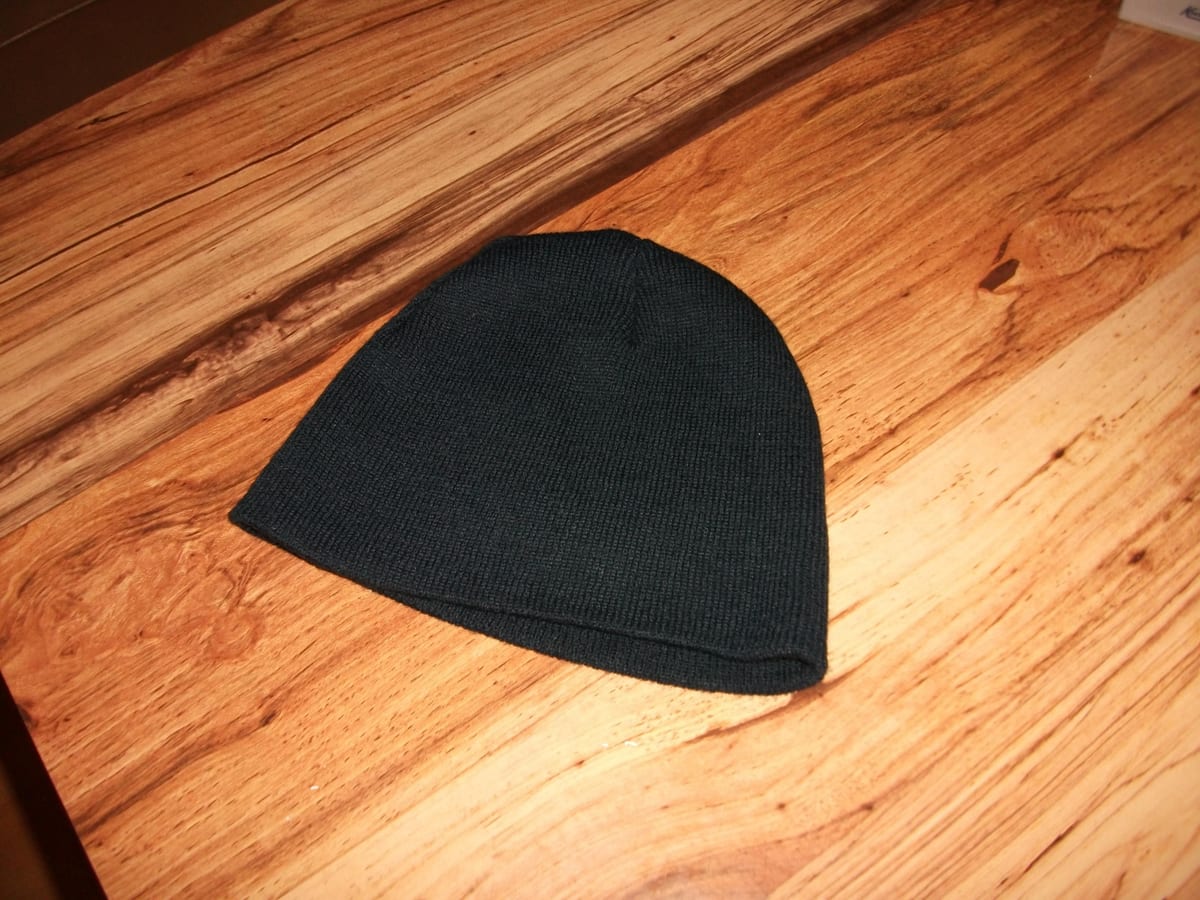
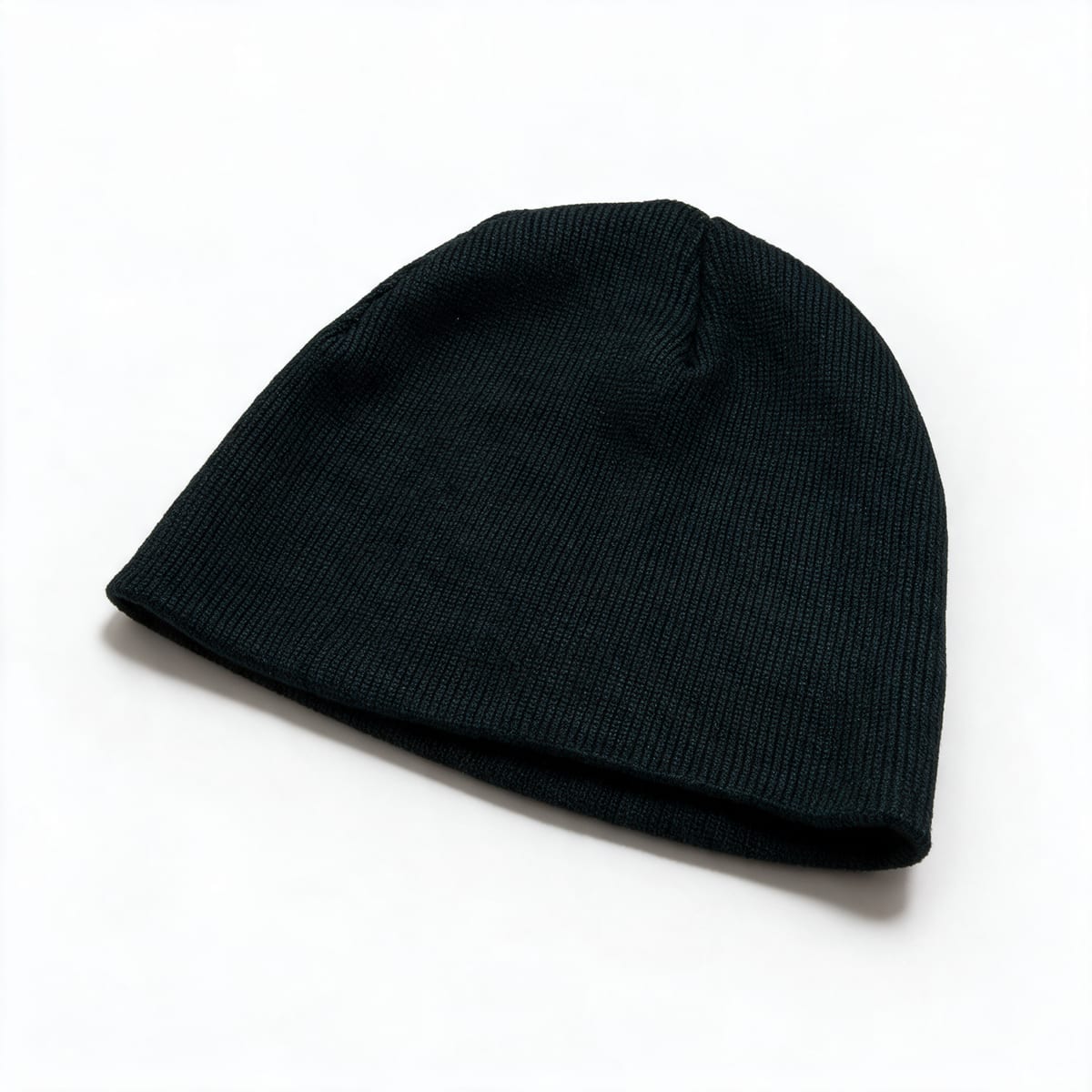
The kind of photo most new store owners actually have. One dark beanie on a wooden table, shot from above with the flash on, warm wood grain everywhere, a hard shadow and no styling at all.
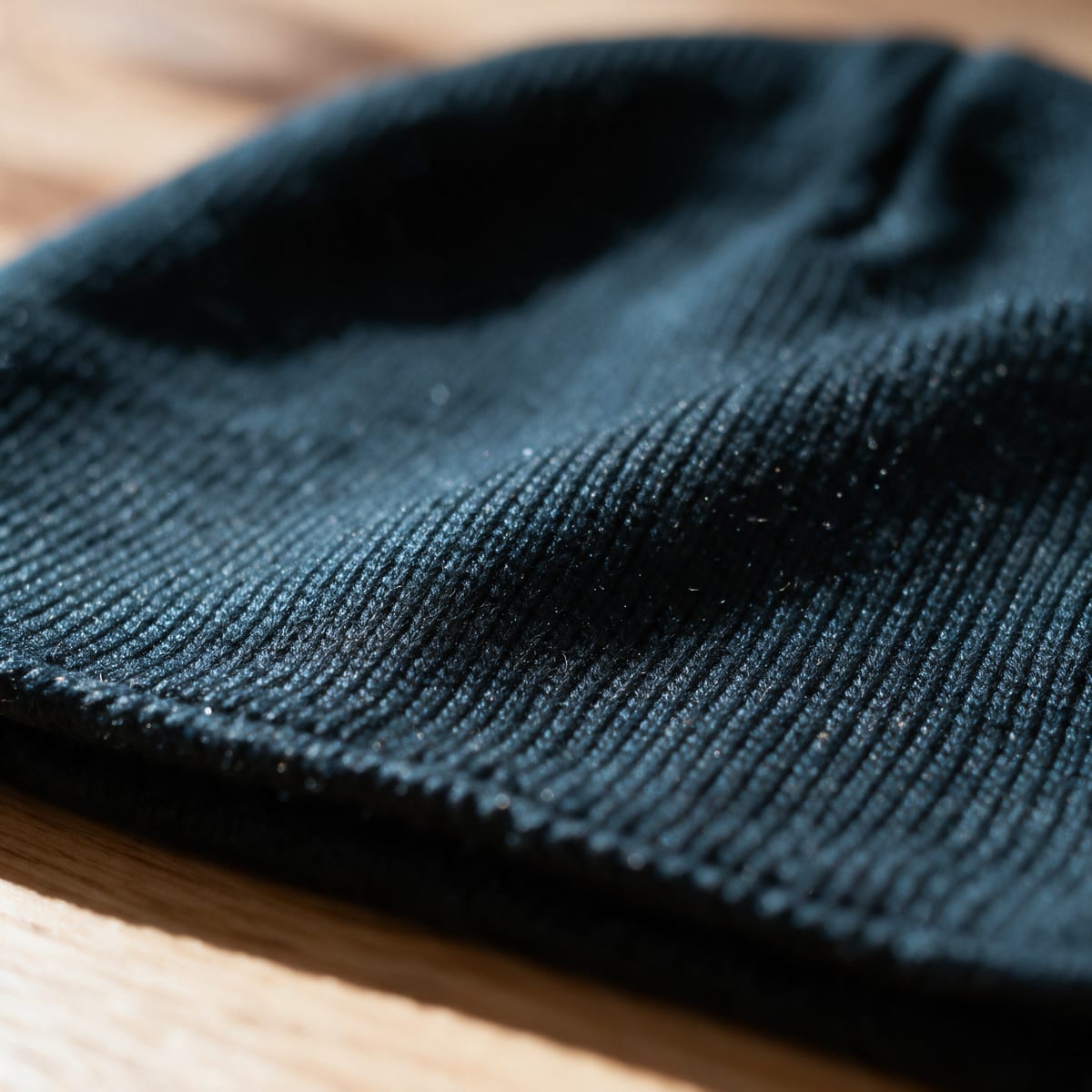
The only input. A plain, uncuffed skull-cap beanie in fine jersey knit, flash on, on a wooden table. Remember the shape: no cuff, just a thin rolled hem. · Photo: John Harvey, public domain, via Wikimedia Commons
Two details matter for everything that follows. The hat has no cuff: the edge is a thin rolled hem, not a folded-up band. And the knit is fine and smooth, not the chunky ribbing most beanies have. Those are exactly the details a buyer notices when the box arrives.
a white-background hero for the product page and marketplaces
a lifestyle flat lay
an on-model shot
a seasonal gift shot
a close-up of the knit
We ran all five on Nano Banana 2 at 2K, and the white-background and on-model shots on Seedream 5.0 Pro at 2K, with the same prompts. Each prompt asked for "this exact" hat from the reference, "same color, same knit, same shape", with no logo, tag or text.
The whole run, from the transaction log
13
Outputs (12 images, 1 video)
One attempt each, 27 Oct 2026
34
Credits spent
Higgsfield transaction history
$1.67
At the Plus plan's monthly rate
$59 for 1,200 credits, about $0.049 a credit
5
Images that changed the product
All from the first Nano Banana 2 round
Round 1: what came back?
Nano Banana 2 made five clean, attractive, store-ready images in under a minute. Every one of them shows the wrong hat.
Round 1, Nano Banana 2: polished, and all five changed the product
Swipe →
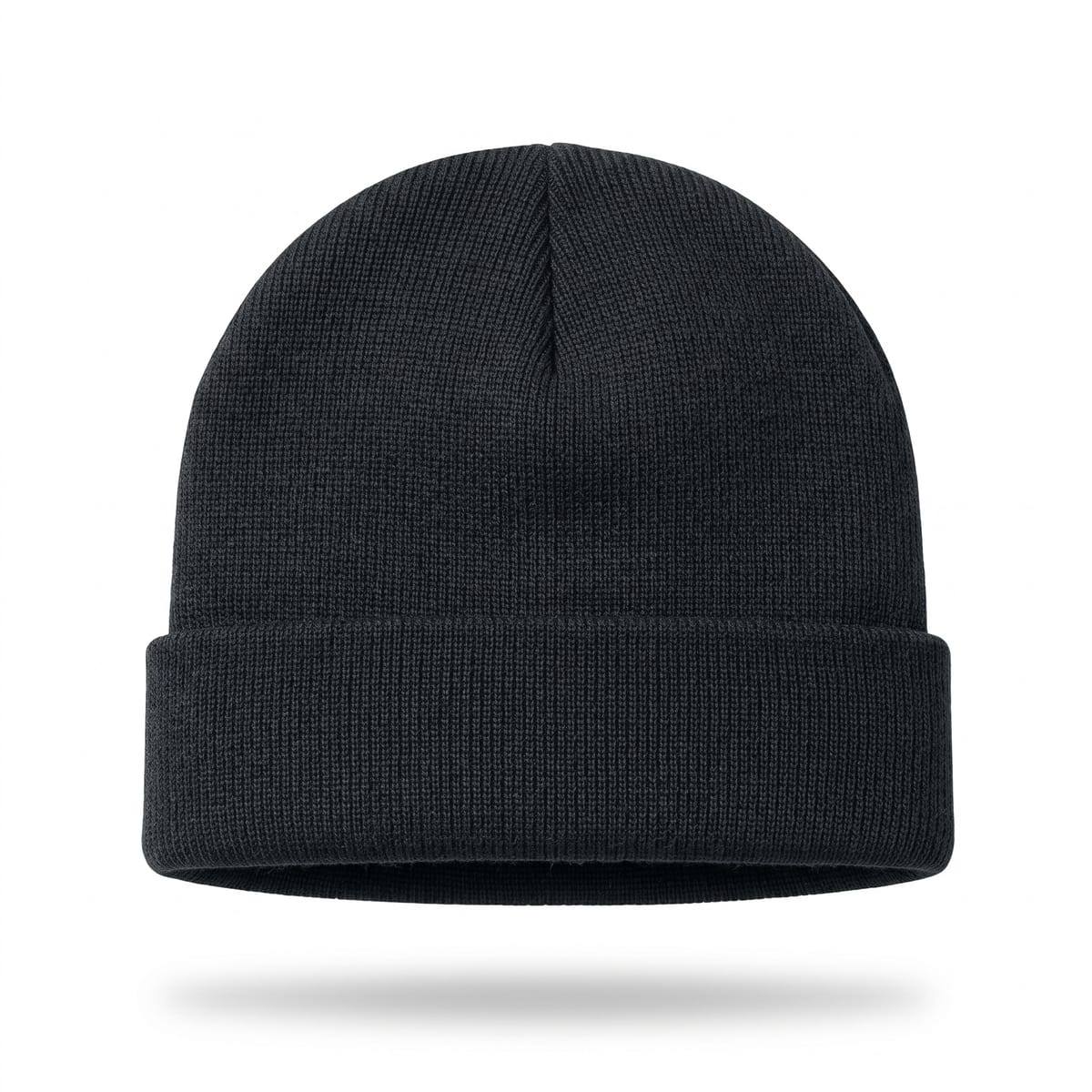
White background, 2 credits. Clean, but it added a fold-over cuff the real hat doesn't have. · Generated with Higgsfield (Nano Banana 2)
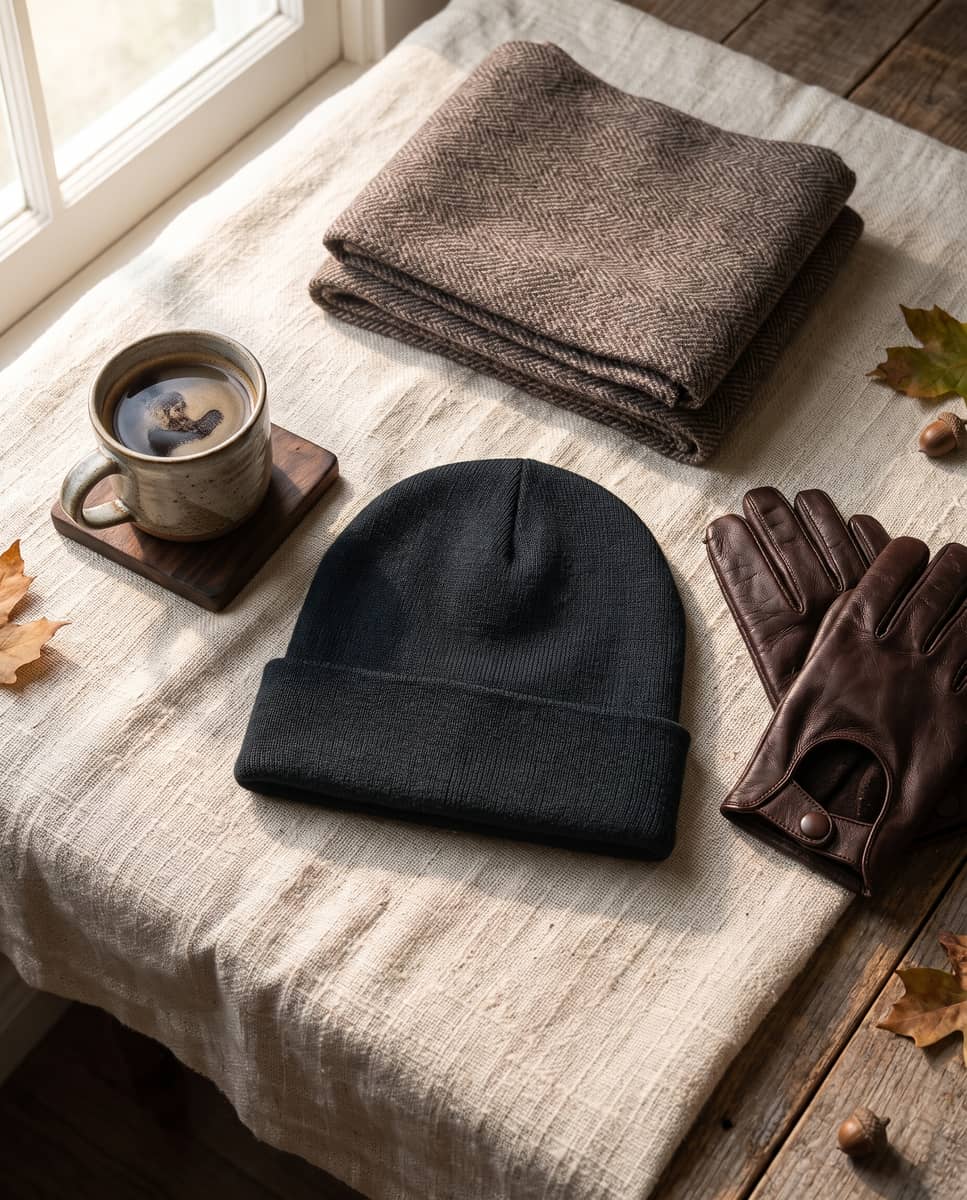
Flat lay, 2 credits. Beautiful styling, cuffed hat. · Generated with Higgsfield (Nano Banana 2)
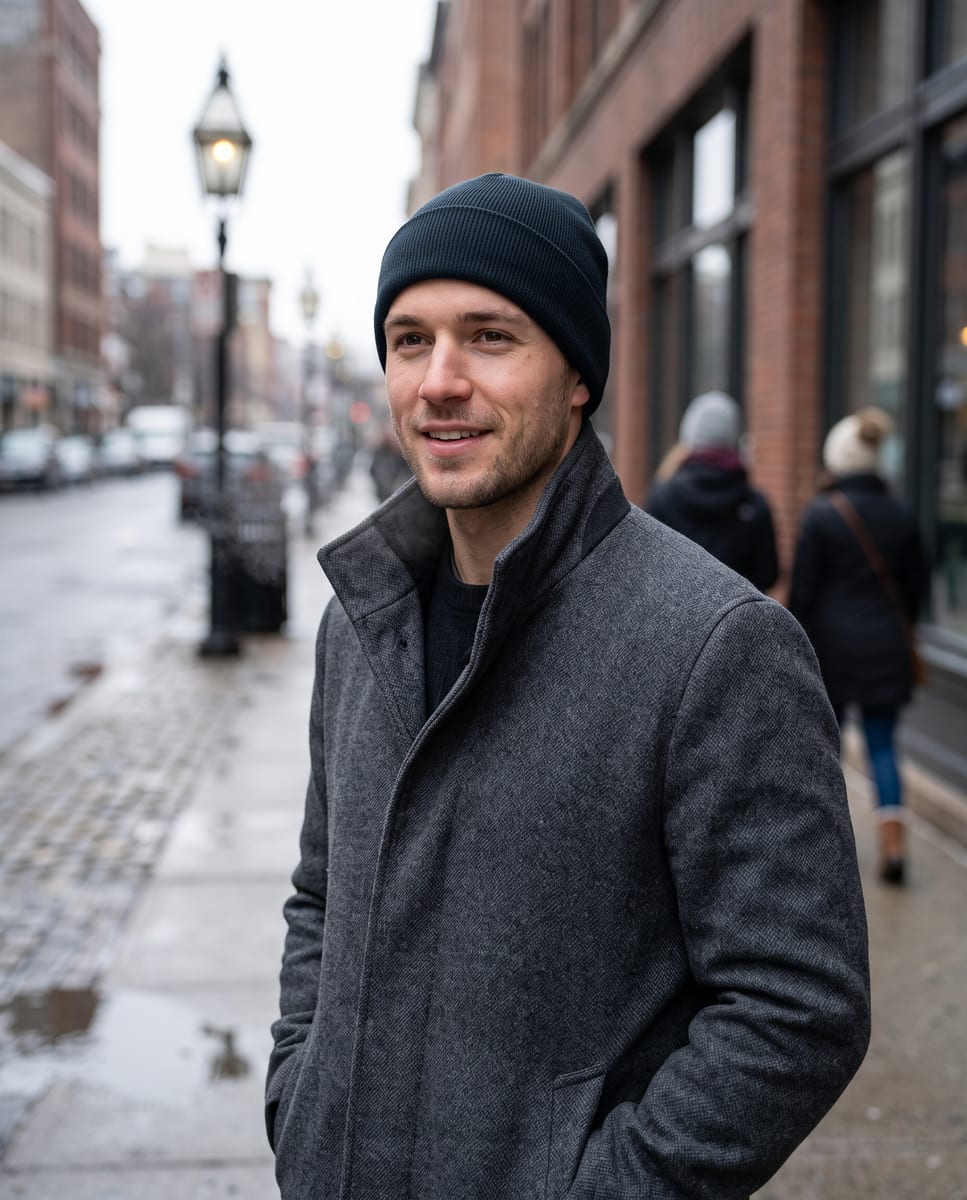
On-model, 2 credits. The most convincing photo of the set, and the wrong product. · Generated with Higgsfield (Nano Banana 2)
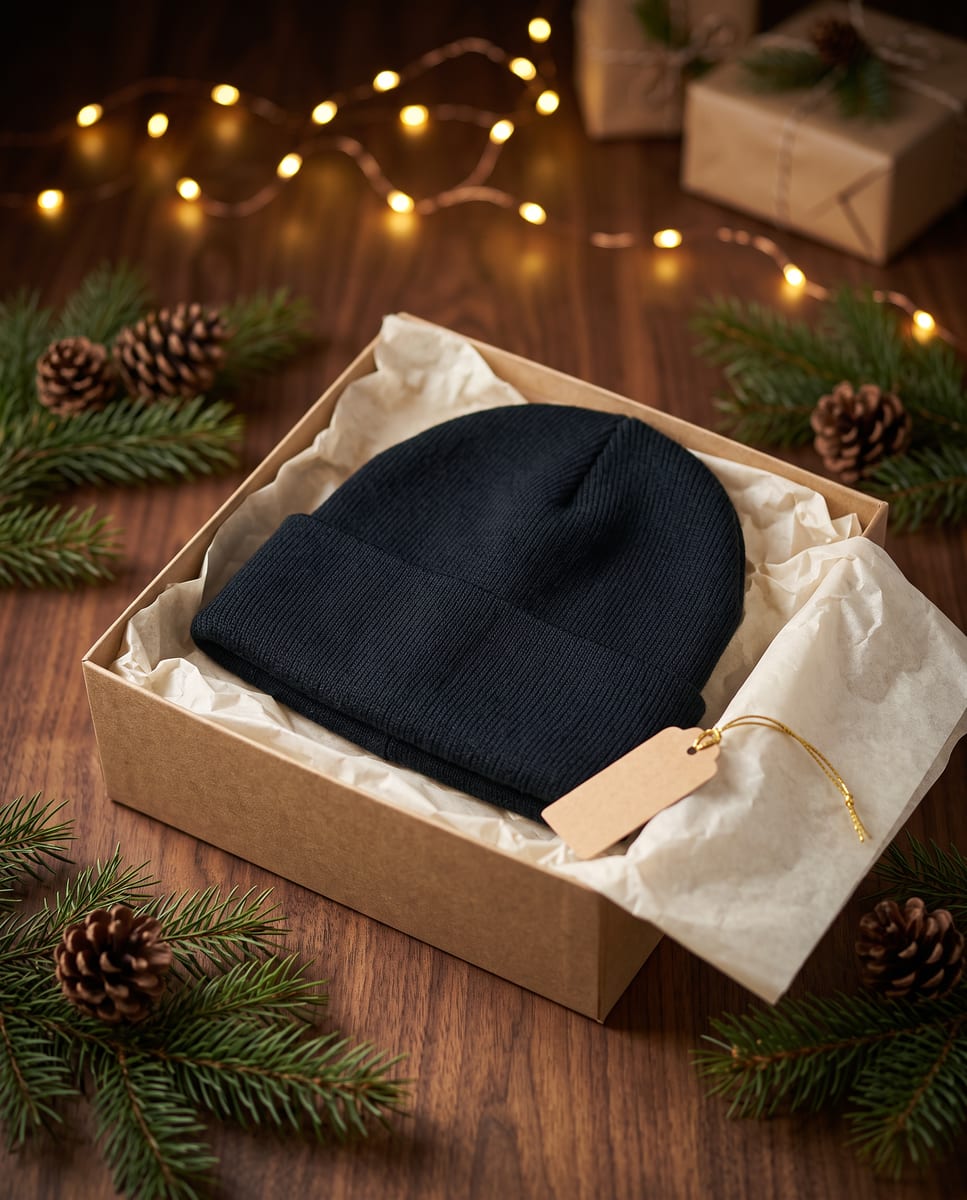
Gift box, 2 credits. Cuff added, and a gift tag we asked it not to add. · Generated with Higgsfield (Nano Banana 2)
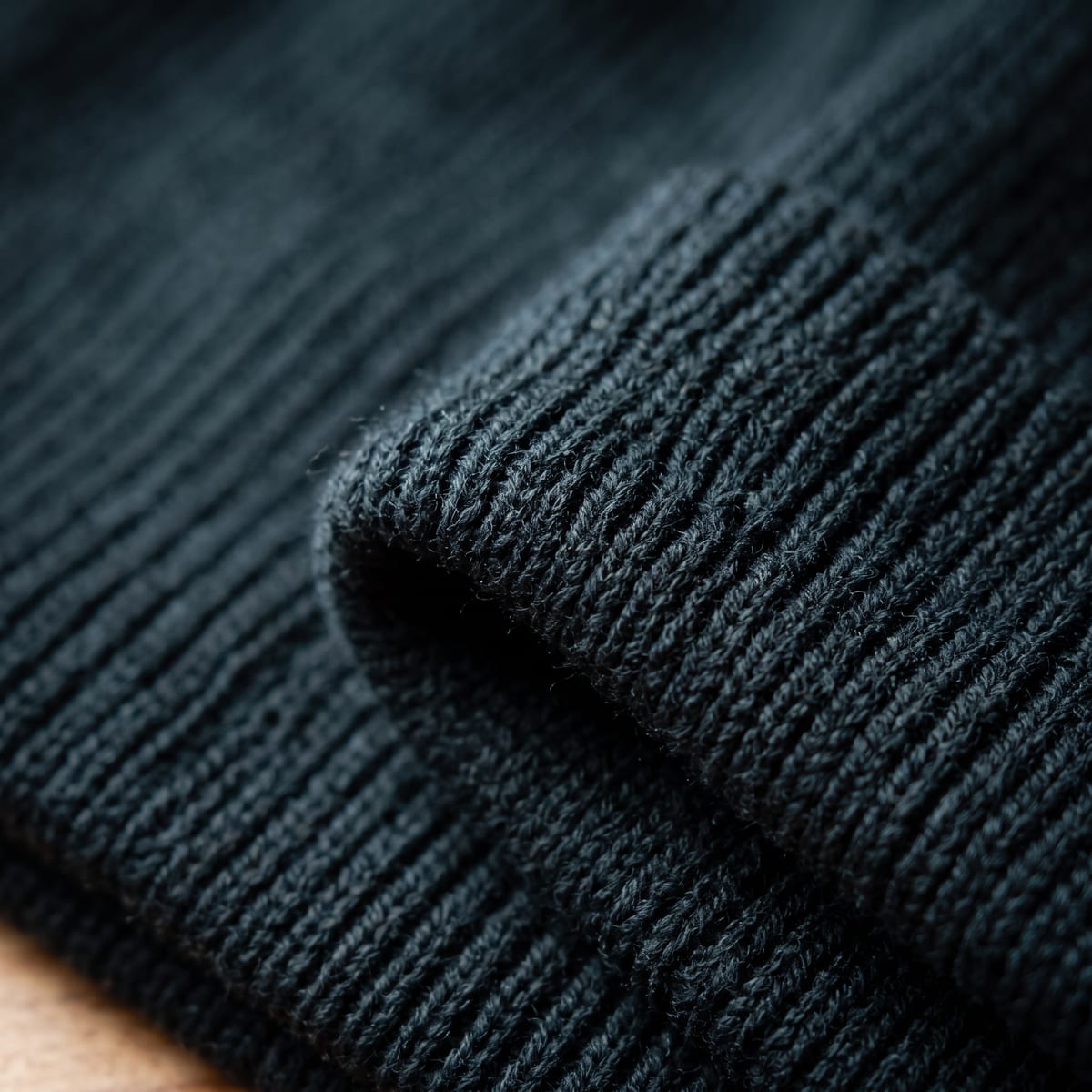
Close-up, 2 credits. Chunky ribbing and a cuff. Neither exists on the real hat. · Generated with Higgsfield (Nano Banana 2)
The model didn't ignore the reference: colour, size and general shape are right. It drifted toward the most common version of the product. Most beanies sold online have a cuff and ribbed knit, so that's what it drew. A buyer who orders from these photos gets a different-looking hat, and on a real store that means returns and "not as pictured" reviews.
Seedream 5.0 Pro, given the identical prompts, kept the real hat.
Round 1, Seedream 5.0 Pro: same prompts, the right hat
Swipe →
White background, 2.5 credits. No cuff, rolled hem, right shape. Usable. · Generated with Higgsfield (Seedream 5.0 Pro)
On-model, 2.5 credits. Uncuffed, as it should be. Usable. · Generated with Higgsfield (Seedream 5.0 Pro)
Round 2: can the prompt fix it?
Partly. We told Nano Banana 2 what the product is not: "a plain uncuffed skull-cap beanie with no fold-over cuff and no turned-up brim, just a thin rolled hem, smooth fine jersey knit, not ribbed". We also ran Seedream on the flat lay, gift and close-up.
Round 2: the explicit prompt fixed the shape, two new problems appeared
Nano Banana 2, white background, 2 credits. Right hat, but the wooden table from the phone photo leaked into the bottom half. Not usable. · Generated with Higgsfield (Nano Banana 2)
Seedream 5.0 Pro, gift box, 2.5 credits. Usable. · Generated with Higgsfield (Seedream 5.0 Pro)
Seedream 5.0 Pro, close-up, 2.5 credits. Shape right, but the knit texture is invented. Don't use an AI close-up as proof of quality. · Generated with Higgsfield (Seedream 5.0 Pro)
Can it make the video ad too?
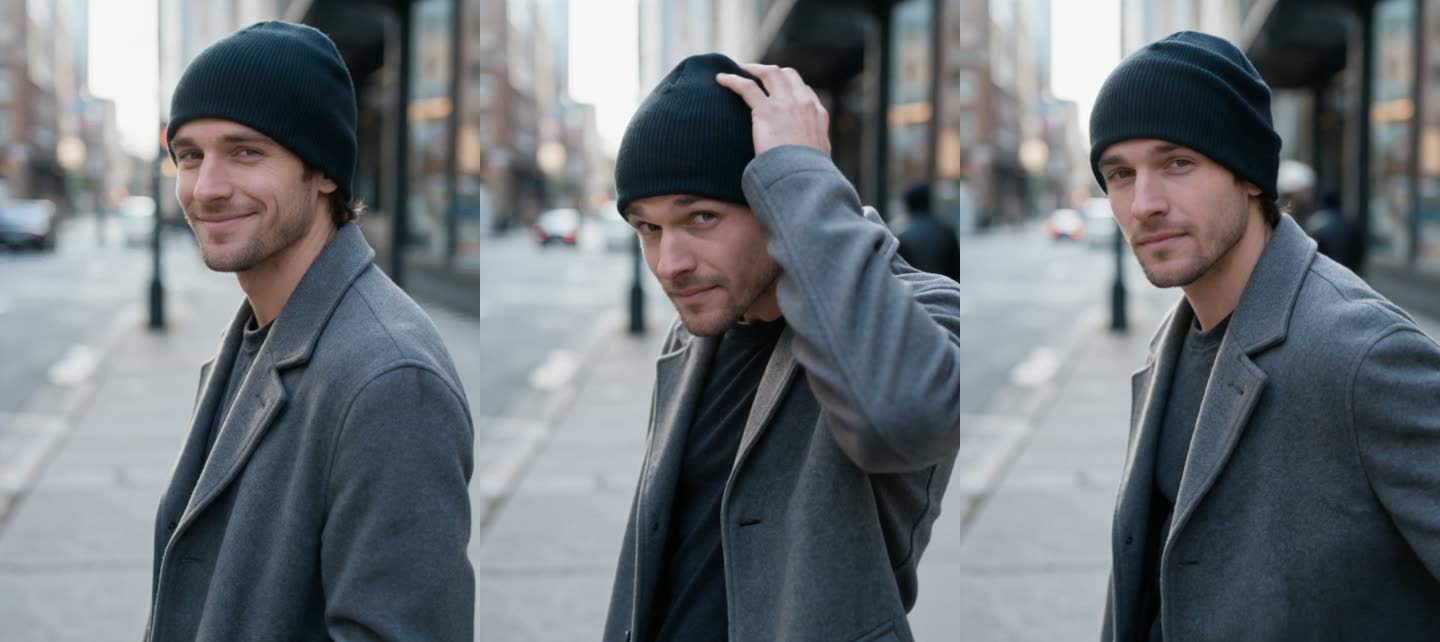
Yes, and this was the cheapest part per second. We fed the usable Seedream on-model photo into Kling 3.0 as the first frame and asked for a 5-second vertical clip with a handheld phone feel: he smiles, adjusts the hat, looks at the camera. Sound off. It cost 7.5 credits, about $0.37 at the Plus rate, and the hat stayed uncuffed in every frame.
Three frames from the 5-second clip (Kling 3.0, standard, no sound, 7.5 credits). One attempt, no edits. · Generated with Higgsfield (Kling 3.0)
It reads as a believable phone clip. It is also an AI-generated person wearing an AI-rendered version of your product, so it needs the AI label on ad platforms (more on that below).
What did it cost, next to a studio?
Here is the honest comparison. On the AI side are the credits we actually spent. On the other side are the lowest published list prices we could find on 27 October 2026 for each kind of shot. These are starting prices, before minimums, studio fees, shipping your product and waiting days for delivery.
Lowest published price per output vs what our test cost
White-background photo, studio (ProductPhotography.com, 'as low as')$33
soona lists $39, Squareshot from $50
Model or lifestyle photo, studio (Squareshot model shoots, 'from')$95
ProductPhotography.com lifestyle from $195
UGC video, platform (soona, 'from')$89
Billo from $99; Collabstr's average UGC payout $154
AI image in our test (Seedream 5.0 Pro, Plus-plan rate)$0.12
2.5 credits; Nano Banana 2 was 2 credits, about $0.10
AI 5-second video in our test (Kling 3.0, Plus-plan rate)$0.37
7.5 credits
Our five usable images plus the clip map to one white-background shot, four lifestyle or model shots and one UGC-style video. At the lowest list prices above, that's about $33 + 4 × $95 + $89 = $502 from studios and platforms. We spent $1.67 on everything, including the seven images we'd throw away.
Two caveats keep this honest. A studio photographs your real product, and its texture and stitching are true. Ours is a confident drawing of your product that you have to check. And our dollar figure assumes the Plus plan's monthly rate and that you use your credits. On Starter ($19 for 270 credits) the same run is about $2.39; the credits guide and the plan picker do that math for every plan.
Every output, scored against the real hat
Nano Banana 2, round 1 (5 images)
Credits
10 credits
Usable as-is
0 of 5
What happened
Added a cuff every time; ribbing on the close-up; a tag on the gift box
Seedream 5.0 Pro, round 1 (2 images)
Credits
5 credits
Usable as-is
2 of 2
What happened
Kept the uncuffed shape
Nano Banana 2, round 2 (2 images)
Credits
4 credits
Usable as-is
1 of 2
What happened
Shape fixed by the explicit prompt; the white background leaked the original table
Seedream 5.0 Pro, round 2 (3 images)
Credits
7.5 credits
Usable as-is
2 of 3
What happened
Flat lay and gift usable; the close-up invented the knit
Kling 3.0 video (5 s)
Credits
7.5 credits
Usable as-is
1 of 1
What happened
Hat stayed uncuffed in every frame
Credits
Usable as-is
What happened
Nano Banana 2, round 1 (5 images)
10 credits
0 of 5
Added a cuff every time; ribbing on the close-up; a tag on the gift box
Seedream 5.0 Pro, round 1 (2 images)
5 credits
2 of 2
Kept the uncuffed shape
Nano Banana 2, round 2 (2 images)
4 credits
1 of 2
Shape fixed by the explicit prompt; the white background leaked the original table
Seedream 5.0 Pro, round 2 (3 images)
7.5 credits
2 of 3
Flat lay and gift usable; the close-up invented the knit
Kling 3.0 video (5 s)
7.5 credits
1 of 1
Hat stayed uncuffed in every frame
What should you do with this?
If you sell physical products, AI product shots are worth it, with three rules from this test.
Shoot one clean reference, and describe what it is not. Our phone photo was bad on purpose, and the models still got colour and size right. What they got wrong was the detail that makes your product yours. Write the negative into the prompt: "no cuff", "no logo", "matte, not glossy", "round bottle, not square".
Check every image against the real item before it goes live. Five of our twelve images would have sold a different hat. Put the real product next to the screen and compare the shape, the edges, the closures and the label. If you sell on a marketplace, keep your main white-background image a real photo; our guide to what AI product photos can't do covers labels and fine print, which models still garble.
Never use AI for proof shots. Close-ups of stitching, texture, ingredients or size show what the model imagined. Use your phone for those. Use AI for the context shots that make people want the product: the flat lay, the gift box, the person wearing it.
For video ads, label them. TikTok's ad rules say ads whose content "is either completely AI-generated or significantly modified by AI" must use its AI-generated content disclaimer, per its ads help page. Meta says that when an ad includes an AI-generated photorealistic person, its "AI info" label appears next to the Sponsored label, per its newsroom post. Our UGC video ad guide covers how to test many angles once the label is on.
On Shopify itself, the image specs are generous: the Shopify Help Center says images can be up to 5000 x 5000 px and that "For square product images, a size of 2048 x 2048 px usually displays best". The 2K output from both image models in this test fits that.
Our verdict
For the price of one cup of coffee we got five product images we'd put in a store and a short vertical ad, from a photo nobody would put in a store. That part is real, and it's why small shops are switching.
The part nobody shows you is the other half: five images that looked just as good and sold the wrong hat. The cheapest model run isn't the one that costs 2 credits. It's the one you don't have to refund. In this test that was Seedream 5.0 Pro for the product shots, Nano Banana 2 only with an explicit "what it is not" prompt, and your own phone for anything that proves quality.
Quick answers
How much does it cost to make AI product photos on Higgsfield?
In our test on 27 October 2026, Nano Banana 2 at 2K cost 2 credits per image and Seedream 5.0 Pro at 2K cost 2.5 credits, about $0.10 and $0.12 at the Plus plan's monthly rate. A 5-second Kling 3.0 clip with sound off cost 7.5 credits, about $0.37.
Do AI product photos look like the real product?
Not always. In our test 5 of 12 images changed the product: Nano Banana 2 added a fold-over cuff to an uncuffed beanie until the prompt said "no cuff". Check every image against the real item before it goes live.
Which model kept the product most accurate?
In this test, Seedream 5.0 Pro kept the real shape on all five shots we gave it, though its close-up invented the knit texture. Nano Banana 2 matched only after an explicit prompt describing what the product is not.
Can I use AI product photos as my main Shopify or marketplace image?
You can use them on Shopify, but the safest main image is a real photo of the product, because buyers judge the details there. Use AI for lifestyle, gift and on-model shots, and keep your real photo for close-ups and labels.
Is it cheaper than a product photographer?
Per image, by a wide margin. The lowest published prices we found were about $33 for a white-background studio photo, $95 for a model shot and $89 for a UGC video. A studio photographs your real product, though, while AI images have to be checked for accuracy.
Do I need to label AI product videos in ads?
Yes on TikTok, whose ad rules require its AI-generated content disclaimer for ads that are completely AI-generated or significantly modified by AI. Meta adds an "AI info" label next to Sponsored when an ad includes an AI-generated photorealistic person.