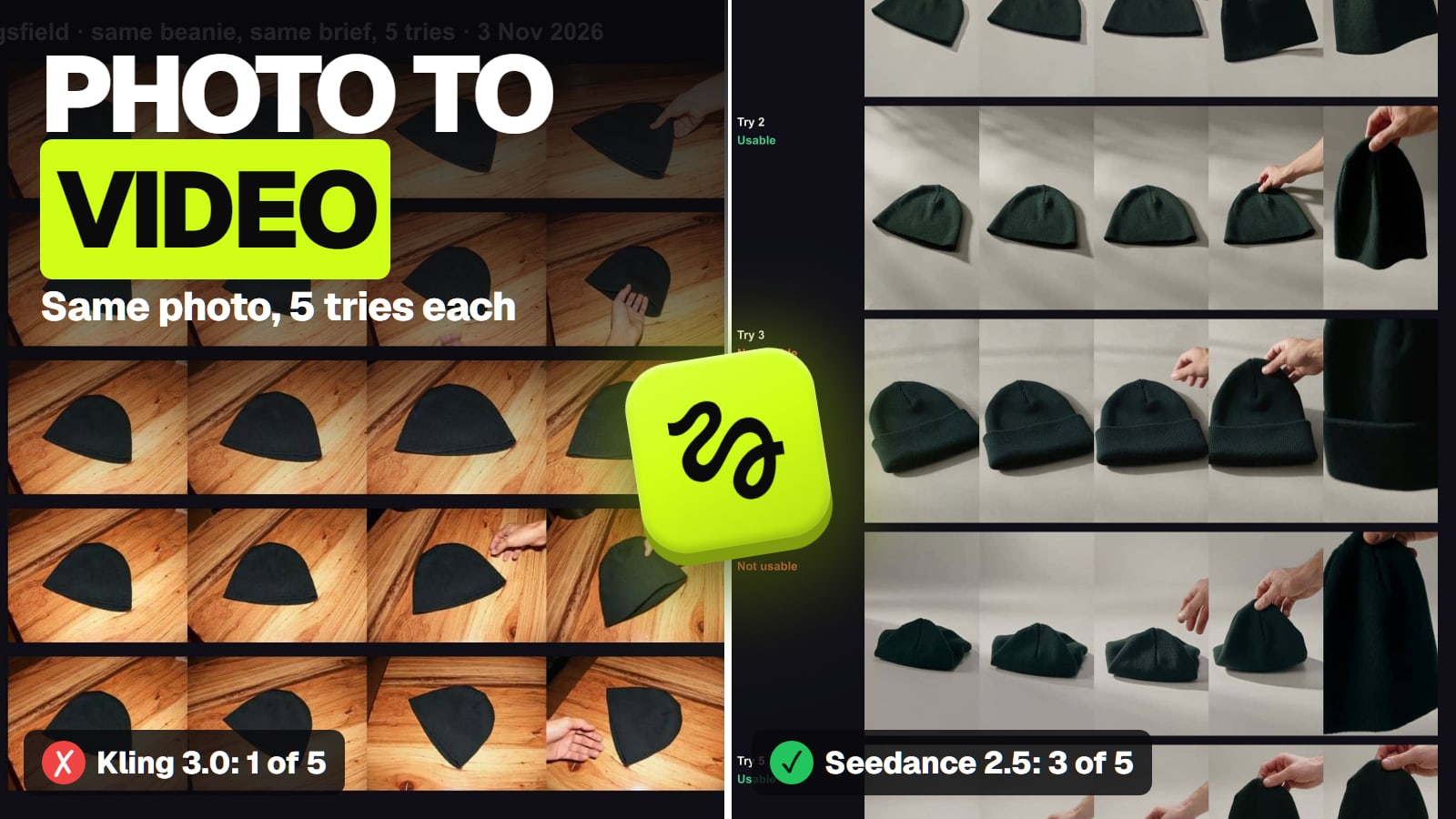
Seedance 2.5 if your photo's subject has to move into a new scene, Kling 3.0 if the photo already is the opening shot. We gave both the same product photo five times each. Seedance kept the product in 3 tries, Kling in 1. Start and end frames, reference limits, free routes and the cost per usable clip.
Some links on this page are referral links: we may earn a commission, at no cost to you.
Share
The best image to video AI is Seedance 2.5 when your photo's subject has to move into a new scene, and Kling 3.0 when the photo already is the first frame you want. That split comes from how each model uses your photo, and it showed up in our own test: given the same product photo five times each on November 3, 2026, Seedance 2.5 (photo as a reference) kept the product right 3 times, and Kling 3.0 (photo as the start frame) kept it once while copying the photo's table and landscape shape. Specs and prices below were checked on the makers' pages and Higgsfield on November 3 to 8, 2026.
How each image to video model uses your photo (makers' pages and Higgsfield, Nov 3 to 8, 2026)
Seedance 2.5 (ByteDance)
Photo as
Start/end frame or reference
Reference limit
30 images, 10 videos, 10 audio clips
Our test
3 of 5 kept the product (reference)
Higgsfield credits, one clip
35 for 5 s at 720p
Kling 3.0 (Kuaishou)
Photo as
Start and end frame
Reference limit
Up to 7 images through Kling 3.0 Omni
Our test
1 of 5 kept the product (start frame)
Higgsfield credits, one clip
7.5 for 5 s at 720p, sound off
Kling 4.0 (Kuaishou)
Photo as
Keyframes or reference
Reference limit
Up to 10 images and 10 keyframes on kling.ai
Our test
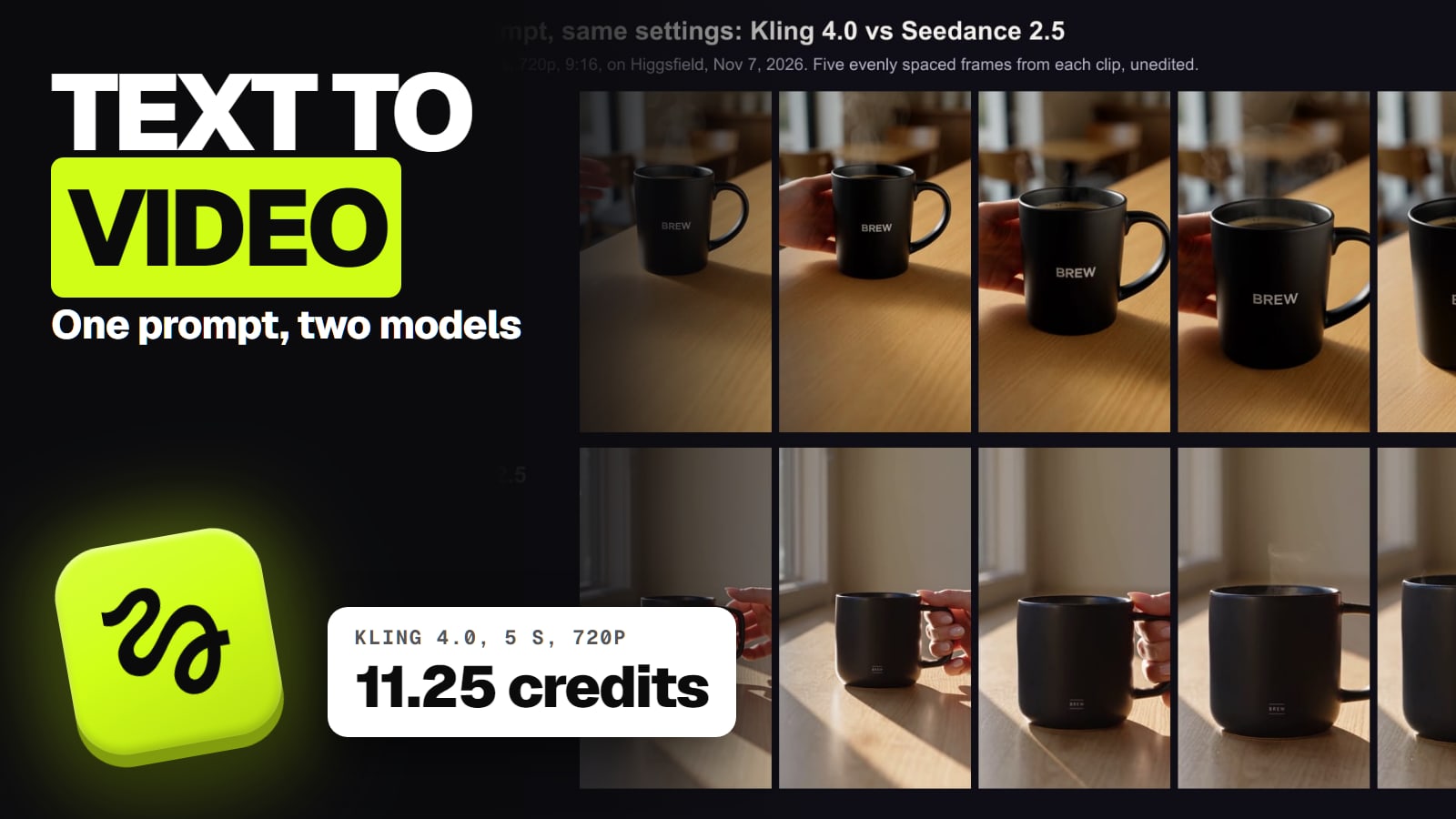
Text-to-video only (Nov 7)
Higgsfield credits, one clip
11.25 for 5 s at 720p
Veo 3.1 (Google)
Photo as
First and last frame, or reference
Reference limit
Reference images on Veo 3.1 and Fast, not Lite
Our test
Not tested
Higgsfield credits, one clip
80 for 8 s; Lite 12 at 720p (Nov 3)
Grok Imagine 1.5 (xAI)
Photo as
First frame or reference
Reference limit
14 images; 1.5 Lite takes none
Our test
Not tested
Higgsfield credits, one clip
22.5 for 5 s at 720p; Lite 5
Wan 3.0 (Alibaba)
Photo as
First and last frame, or reference
Reference limit
Image, video and audio references
Our test
Not tested
Higgsfield credits, one clip
9 for 5 s at 720p (Nov 3)
MiniMax H3
Photo as
First frame, last frame or both
Reference limit
Up to 9 images
Our test
Not tested
Higgsfield credits, one clip
10 for 5 s at 2K (Nov 3)
Hailuo 2.3 (MiniMax)
Photo as
Start and end frame
Reference limit
Not documented
Our test
Not tested
Higgsfield credits, one clip
6 for 6 s at 768p (Nov 3)
Photo as
Reference limit
Our test
Higgsfield credits, one clip
Seedance 2.5 (ByteDance)
Start/end frame or reference
30 images, 10 videos, 10 audio clips
3 of 5 kept the product (reference)
35 for 5 s at 720p
Kling 3.0 (Kuaishou)
Start and end frame
Up to 7 images through Kling 3.0 Omni
1 of 5 kept the product (start frame)
7.5 for 5 s at 720p, sound off
Kling 4.0 (Kuaishou)
Keyframes or reference
Up to 10 images and 10 keyframes on kling.ai
Text-to-video only (Nov 7)
11.25 for 5 s at 720p
Veo 3.1 (Google)
First and last frame, or reference
Reference images on Veo 3.1 and Fast, not Lite
Not tested
80 for 8 s; Lite 12 at 720p (Nov 3)
Grok Imagine 1.5 (xAI)
First frame or reference
14 images; 1.5 Lite takes none
Not tested
22.5 for 5 s at 720p; Lite 5
Wan 3.0 (Alibaba)
First and last frame, or reference
Image, video and audio references
Not tested
9 for 5 s at 720p (Nov 3)
MiniMax H3
First frame, last frame or both
Up to 9 images
Not tested
10 for 5 s at 2K (Nov 3)
Hailuo 2.3 (MiniMax)
Start and end frame
Not documented
Not tested
6 for 6 s at 768p (Nov 3)
Credits are what Higgsfield's Generate button showed on the date in brackets (Nov 7 or 8 where none is given), and several were discounted that day. Every model in the table has its own app too; the best AI video generator guide compares them for other jobs.
Start frame or reference: the choice that decides your clip
A start frame means your photo is literally the first frame of the video, and the model animates forward from it. A reference means the model studies your photo and builds a new shot that contains its subject. That one difference decides what comes out.
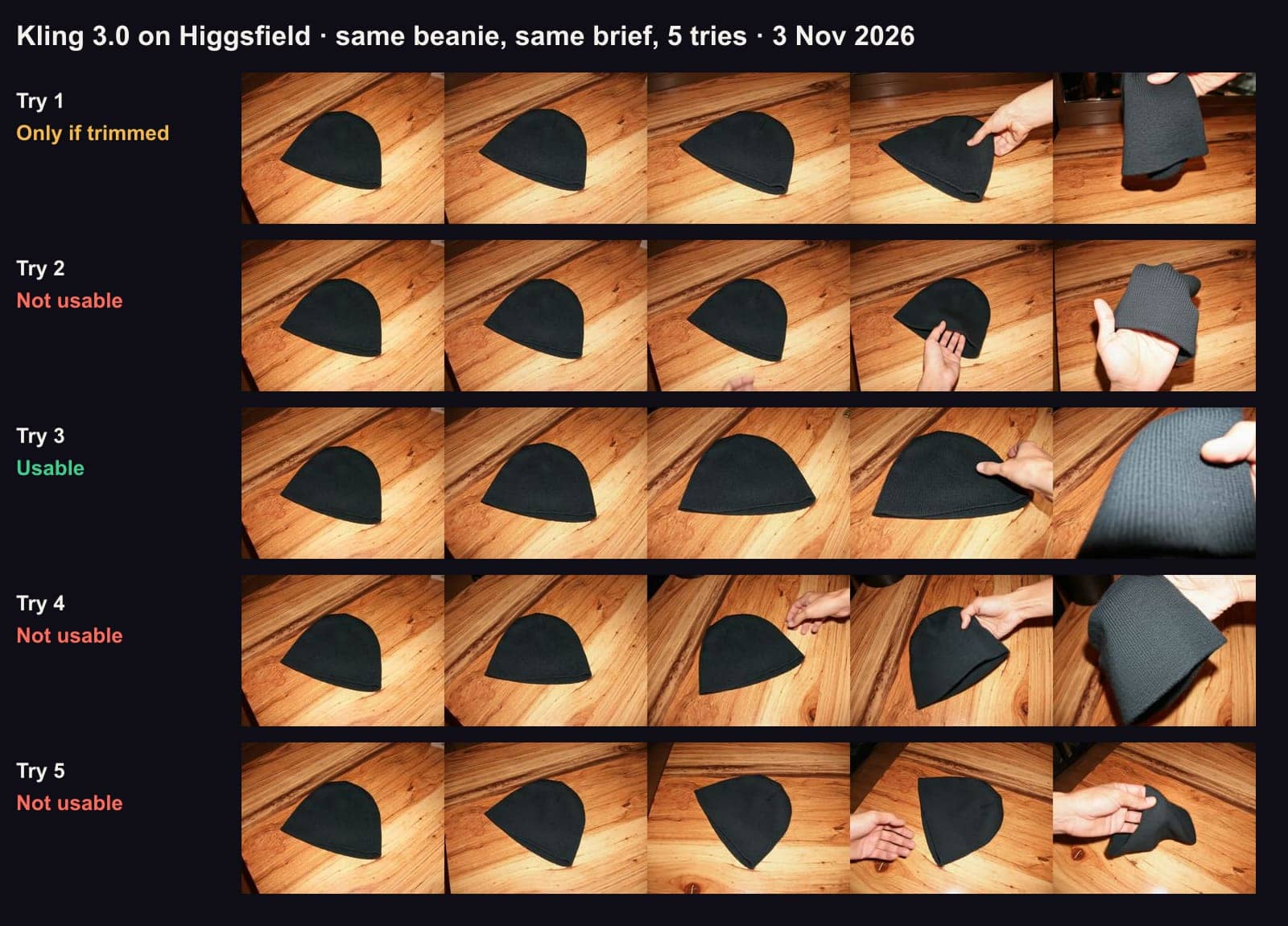
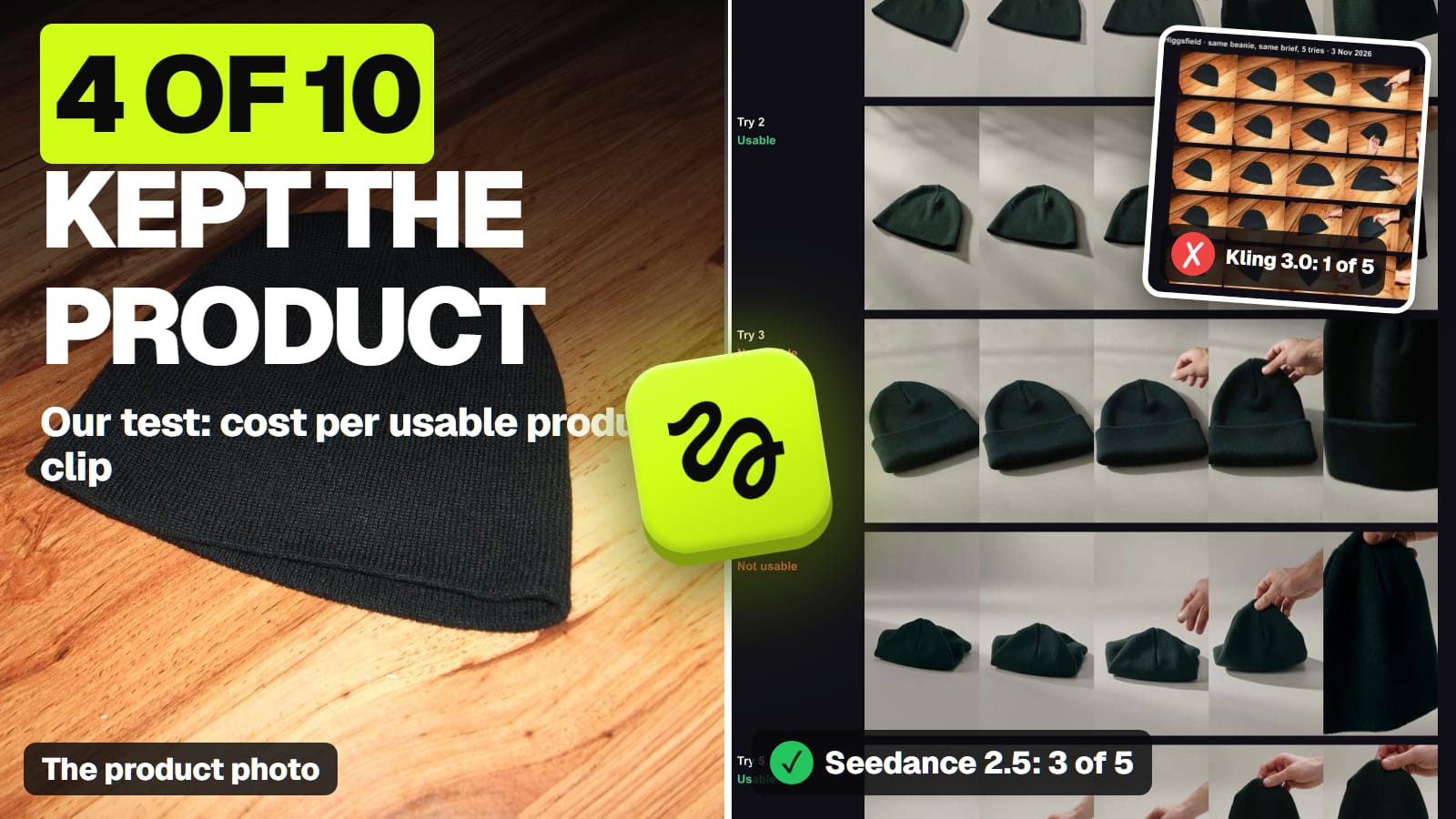
We saw it on November 3, 2026. The brief asked for a vertical clip of a plain knit beanie on a light-grey studio surface, the camera circling it, then a hand lifting it. The photo was a flash-lit phone shot of the hat on a wooden table. Kling 3.0 got the photo as its start frame; Seedance 2.5 got it as a reference. Five tries each, 720p, 5 seconds, no sound (the full 10-clip test).
Kling 3.0 with our photo as the start frame, five tries, Nov 3, 2026. Every try kept the photo's wooden table and landscape shape. · Aliteq test, made with Kling 3.0 on Higgsfield
Kling never left the wooden table, and every clip stayed landscape, although the brief asked for vertical. That's not a bug: with a start frame, the first frame is your photo, shape and all. xAI's video docs say the same thing about Grok Imagine in plain terms: in image-to-video, the still becomes the first frame and the output always matches its aspect ratio.
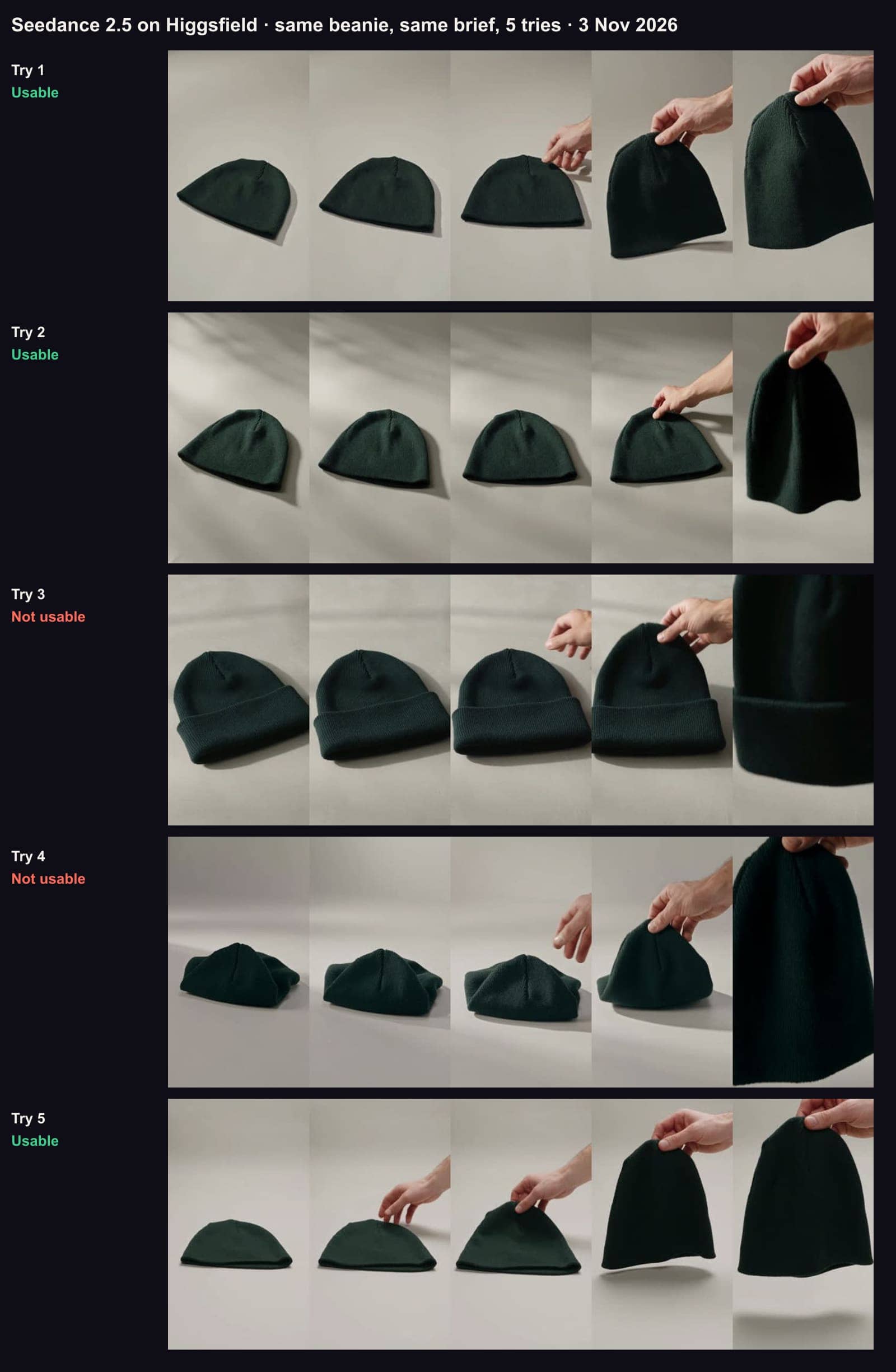
Seedance 2.5 with the same photo as a reference, five tries, Nov 3, 2026. It built the grey studio and the vertical frame; tries 1, 2 and 5 kept the product. · Aliteq test, made with Seedance 2.5 on Higgsfield
Seedance built the grey studio and the vertical frame in every try, because a reference isn't a frame to continue from. The cost of that freedom: the model redraws your product rather than moving the pixels you gave it, so it can redraw it wrong.
The practical rule that follows from those ten clips:
Your photo is already the shot (right background, right shape): use a start frame. Crop it to 9:16 first if you want a vertical clip.
You need the subject somewhere new: use a reference model, or first make a still of the product in the new scene and use that as the start frame.
How faithfully does it keep the product or the face?
Not every time, and the failures are quiet. In our 10 clips, the product rarely glitched in an obvious way; it turned into a slightly different product.
Added details. Seedance try 3 gave our plain beanie a folded cuff it doesn't have.
Shape collapse. Seedance try 4 started with the hat crumpled into a pinched mound.
The last second. Three Kling tries looked fine for about 3.5 seconds, then the hat stretched, turned grey or twisted as the hand lifted it.
Stray objects. One Kling try grew a dark object at the edge of the frame.
So scrub every clip to its last frame before you use it, and ask for less contact: most failures came when a hand touched the product.
Faces drift the same way, and the fix starts before the video. In our same-face test (image models, not video: Nano Banana 2 and Seedream 5.0 Pro on Higgsfield, Oct 27), one AI face placed in 8 new scenes kept every checked detail in 6 of 8 shots on Seedream and 4 of 8 on Nano Banana 2; freckles faded and jewellery changed. If you animate a face, check the still first, because a start-frame model carries whatever is in it.
When the photo already is the shot, a start frame is the cheap route
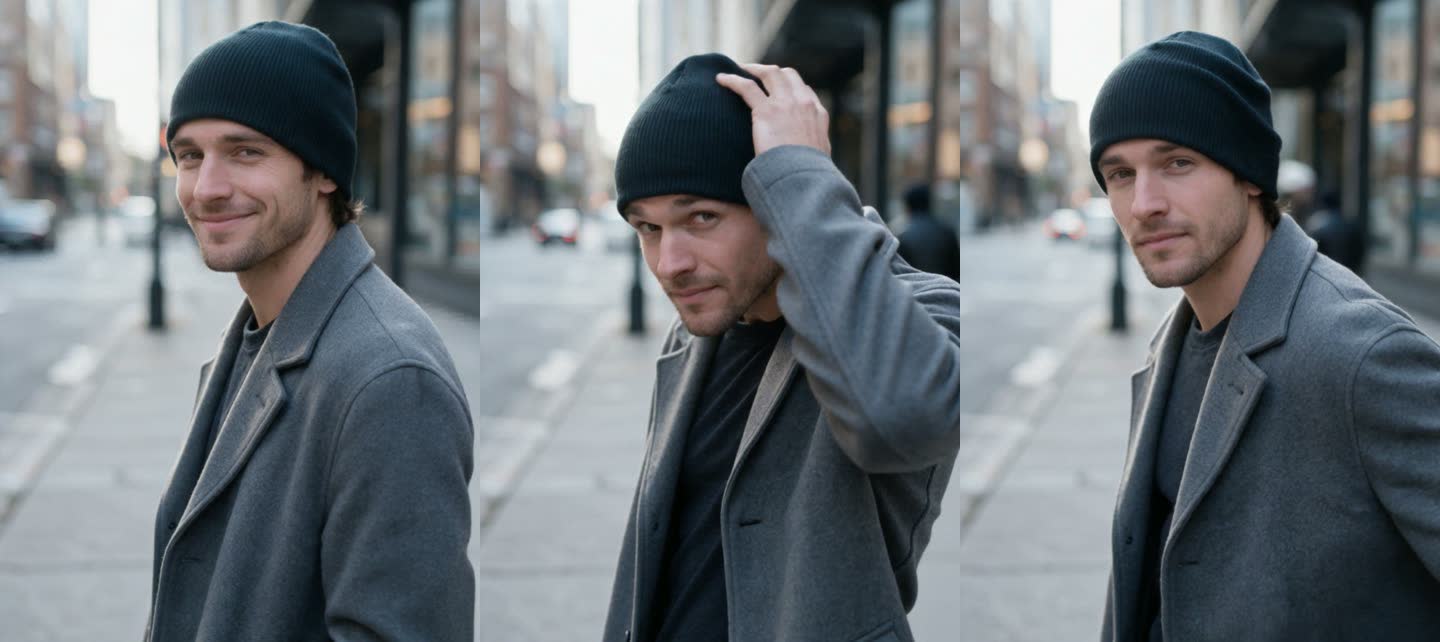
Our one-phone-photo test on October 27 shows the other side. We fed a usable on-model product image into Kling 3.0 as the first frame and asked for a 5-second handheld clip: he smiles, adjusts the hat, looks at the camera. One attempt, sound off, 7.5 credits, and the hat stayed uncuffed in every frame.
Three frames from our 5-second Kling 3.0 clip, made from a still as the start frame (Oct 27, 2026). One attempt, no edits, 7.5 credits. · Generated with Higgsfield (Kling 3.0)
The difference from the November 3 failures: the start image was already the scene we wanted, and the motion asked of it was small. That's the start-frame sweet spot. At 7.5 credits a try, Kling 3.0 is the cheapest flagship model on Higgsfield to animate a photo; sound on raises it to 10.
Which models take a first and a last frame?
When you need the clip to land on an exact image, such as a product closing shot or a before-and-after, a first-and-last-frame model fills in the motion between two stills.
Veo 3.1 (Google): image-to-video plus first and last frame on all three versions on Vertex AI, in 4, 6 or 8 seconds; reference images work on Veo 3.1 and Fast, not Lite, and reference-image clips are 8 seconds only.
Kling 3.0: start and end frame on Higgsfield; reference images (up to seven) and multi-shot need Kling 3.0 Omni.
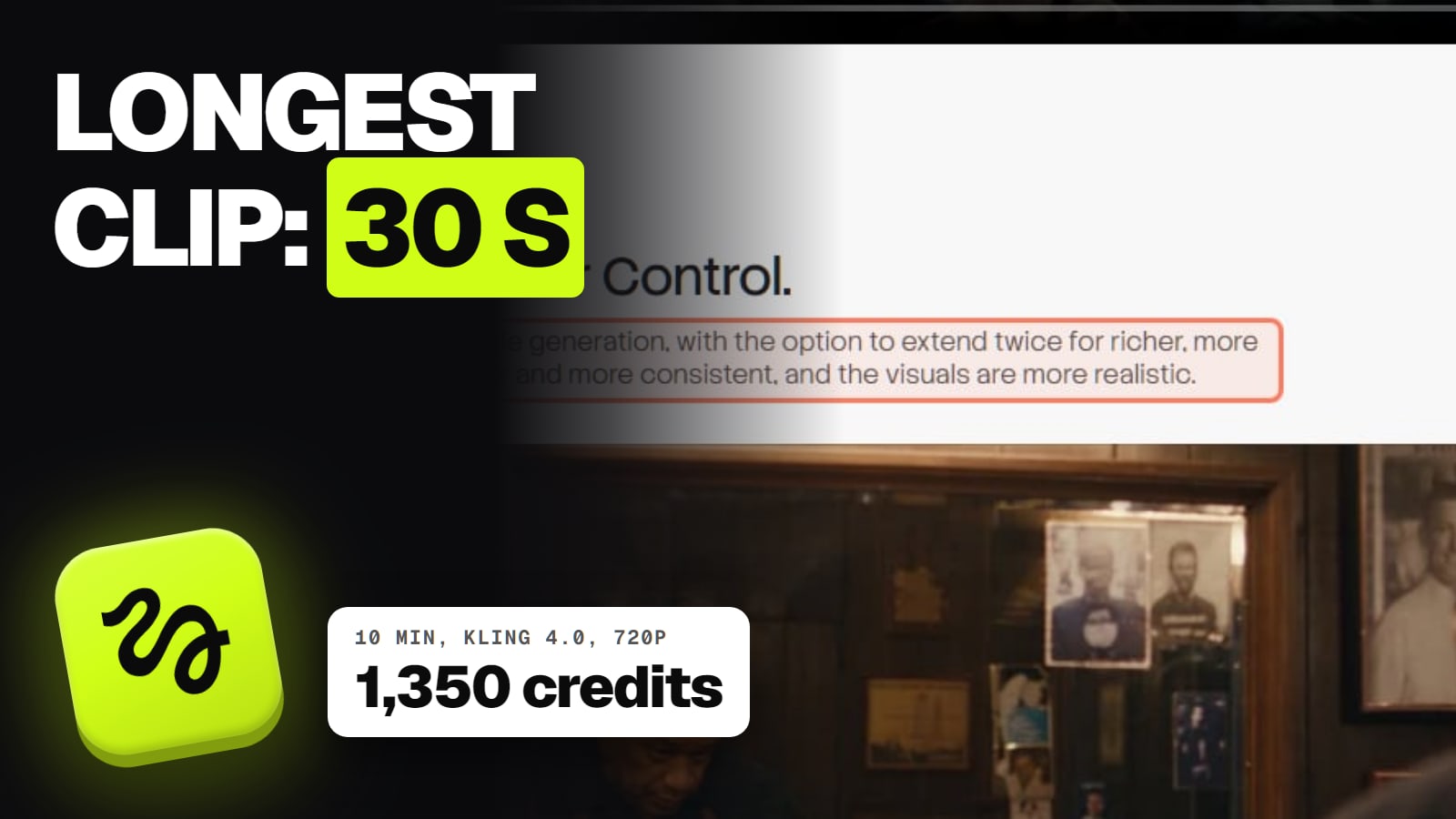
Kling 4.0: on kling.ai, up to 10 keyframes and up to 15 reference assets, up to 10 of them images. On Higgsfield it takes images, videos and up to 7 Kling elements.
Wan 3.0 (Alibaba): first and last frame plus image, video and audio references, 2 to 30 seconds per Alibaba's docs.
MiniMax H3: first frame, last frame or both, and up to 9 reference images, 4 to 15 seconds per MiniMax's docs.
Seedance 2.5 and Hailuo 2.3: start and end frame are among their inputs on Higgsfield.
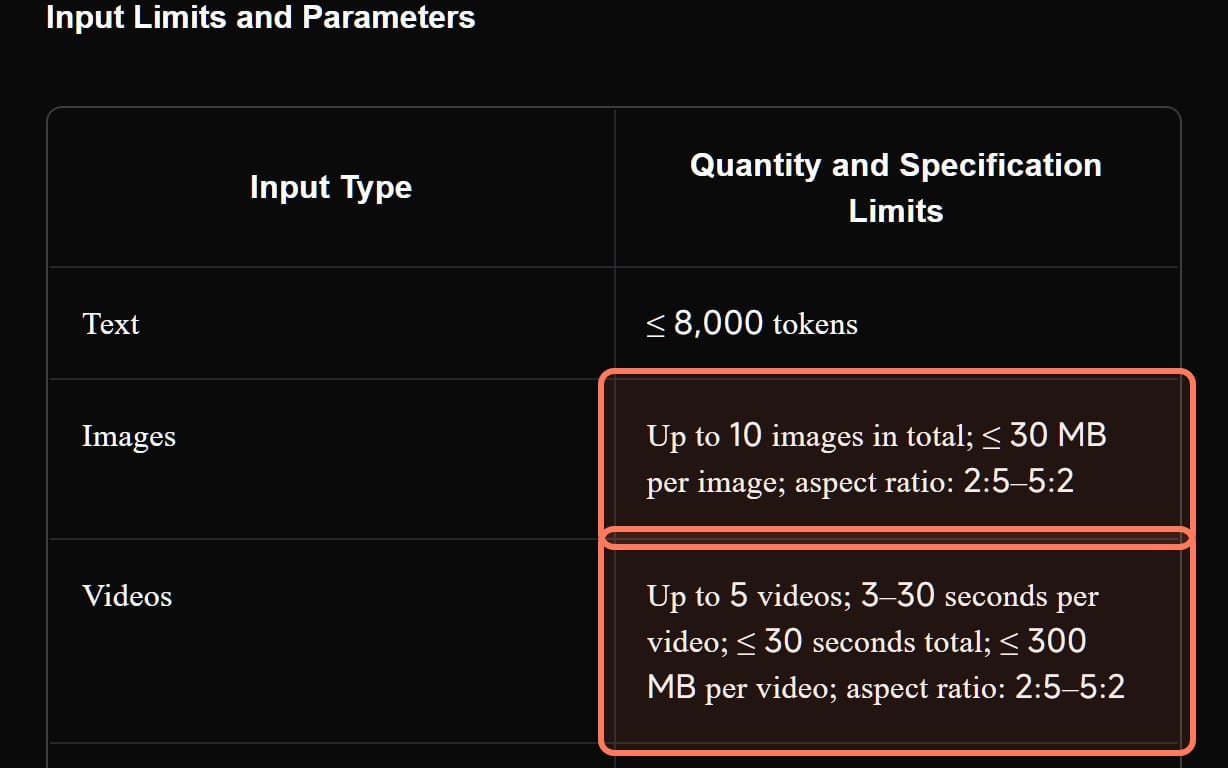
Kling 4.0's reference input limits in Kling's own user guide (kling.ai, read Nov 7, 2026). Outlines ours. · Screenshot of kling.ai by aliteq
Kling's guide also caps each image at 30 MB and an aspect ratio between 2:5 and 5:2, so a very tall phone screenshot or a wide banner needs cropping first.
What does one usable photo-to-video clip cost?
More than the price of one try, because some tries fail. In our test, Kling 3.0 cost 37.5 credits per usable clip (1 of 5 at 7.5 each) and Seedance 2.5 about 58.3 (3 of 5 at 35 each). Five tries per model is a small sample, so treat it as a planning number. Here's what one try costs on Higgsfield before any failures:
Higgsfield credits for one image to video clip, per try (Generate button, Nov 3 to 8, 2026)
Grok Imagine 1.5 Lite, 5 s, 720p5
Takes a first frame, no reference images
Hailuo 2.3, 6 s, 768p6
Nov 3
Kling 3.0, 5 s, 720p, sound off7.5
Wan 3.0, 5 s, 720p9
Nov 3, 13 listed
MiniMax H3, 5 s, 2K10
Nov 3, 20 listed
Kling 4.0, 5 s, 720p11.25
Launch discount
Veo 3.1 Lite, 8 s, 720p12
Nov 3
Seedance 2.5, 5 s, 720p35
In dollars, a credit costs between about $0.033 (Ultra billed yearly) and $0.070 (Starter), our arithmetic from Higgsfield's plans on November 7: Starter $19 for 270 credits, Plus $59 for 1,200, Ultra $99 a month billed yearly for 3,000. That puts our usable Kling clip at about $1.24 to $2.64 and our usable Seedance clip at about $1.93 to $4.10, depending on the plan. The Starter card names Seedance 2.0 Fast and 2.0 Mini, not 2.5, so check that your plan includes the model before you count on it; Higgsfield credits explained has the details. Prices change often, so check the price shown to you before paying.
Can you turn a photo into a video for free?
A little, with a watermark, on the makers' own apps. None of these is a free plan you can run a business on:
Dreamina (Seedance): 120 credits a day for US free accounts, and its free-credits page says they cover Seedance 2.0; at 37 credits a second, that's about 3 seconds of Seedance 2.5 a day. Free downloads carry a Dreamina watermark (is Seedance free).
Google Flow (Veo): Google's credits page says 50 Flow credits a day "with or without a subscription", while its getting-started page asks for a Google AI plan, so it may not work for you without one (is Veo 3 free).
Kling: the Basic plan is $0 with no monthly credits; free credits come from sign-up, a monthly login allowance and promotions, in amounts Kling doesn't publish, and free output is watermarked and not for commercial use (is Kling AI free).
Hailuo: one-time trial credits that expire three days after you get them, Hailuo models only, watermarked.
Higgsfield: its help center says the free tier includes no credits, though our test accounts made on Oct 31 did get some; free output carries a Higgsfield watermark.
Where does Higgsfield fit?
Higgsfield is a platform, not a model: it runs Seedance, Kling, Veo, Wan, MiniMax and Grok Imagine on one credit balance, which is the easy way to try your photo as a start frame on one model and a reference on another without three subscriptions. It doesn't host Sora (OpenAI shut Sora down: the app on April 26 and the API on September 24, 2026), Runway, Pika or Luma, and it shows Seedance 2.0 Mini as not available in the US. If you only ever use one model, the maker's own plan can cost less per clip; Kling vs Seedance prices both routes, and the Seedance hub and Kling hub cover each model's own plans.
The best AI video generator for other jobs
Each page below answers one job from the same checked facts. All of them, grouped by job, are in our best AI video generator guide.
Best free AI video generator: Google Flow's 50 daily credits are the biggest free allowance; Dreamina's 120 a day is the US runner-up.
What we couldn't verify
Image-to-video results for models we didn't run. We've only run Kling 3.0 and Seedance 2.5 from a photo (and Kling 4.0 from text). Veo, Wan, MiniMax, Hailuo and Grok rows show what their makers document, not how well they keep a product.
Hailuo 2.3's reference inputs and aspect ratios. Neither MiniMax nor Higgsfield documents them on the pages we read.
How long Higgsfield's discounts last. Kling 4.0, Wan 3.0 and MiniMax H3 were below their listed prices; no end date is published.
Free allowances in exact numbers. Kling and Higgsfield don't publish how many free credits a new account gets, and Google's two Flow pages disagree.
Verdict
Pick by what the photo has to do
For a photo that must become a new shot (new background, vertical frame, a product in a scene), Seedance 2.5 used as a reference did best in our test: 3 of 5 usable clips, about 58 Higgsfield credits each. For a photo that already is the opening frame, Kling 3.0 is the cheap start-frame route at 7.5 credits a try, and it kept our product in its one on-model try. For an exact start and end, use a first-and-last-frame model such as Veo 3.1, Kling 3.0 or Wan 3.0. Whatever you pick, check every clip to the last frame.
Best for: Store owners, creators and marketers turning a product photo, a portrait or a still into a short video
Frequently asked
What is the best image to video AI?
It depends on what your photo has to do. Seedance 2.5 used as a reference is best when the subject must appear in a new scene; in our Nov 3, 2026 test it kept the product in 3 of 5 clips. Kling 3.0 is the cheaper choice when the photo already is the first frame, at 7.5 Higgsfield credits for 5 seconds at 720p.
Why does my image to video clip keep my photo's background?
Because the photo was used as a start frame. A start-frame model animates forward from your exact image, so it keeps the background and the shape of the photo. Use a reference mode (Seedance 2.5, Kling 3.0 Omni, Veo 3.1 with reference images) or make a still in the new scene first.
Which AI can animate a photo with a first and last frame?
Veo 3.1, Kling 3.0, Wan 3.0, MiniMax H3, Seedance 2.5 and Hailuo 2.3 all take a start and an end frame, per their makers' docs or Higgsfield's catalogue (read Nov 8, 2026). Kling 4.0 takes up to 10 keyframes on kling.ai.
How do I turn a photo into a vertical video?
With a start-frame model, crop the photo to 9:16 first, because the clip keeps the photo's shape; xAI says Grok Imagine's output always matches the still's aspect ratio. A reference model such as Seedance 2.5 can build a vertical frame from a landscape photo, as it did in our test.
Is there a free photo to video AI?
Small free allowances exist, all watermarked: Dreamina gives US free accounts 120 credits a day (about 3 seconds of Seedance 2.5), Google Flow lists 50 credits a day, though another Google page asks for a plan, and Kling and Hailuo give unpublished or one-time sign-up credits.
How much does it cost to turn a photo into a video?
One try on Higgsfield ranged from 5 credits (Grok Imagine 1.5 Lite) to 35 (Seedance 2.5) for about 5 seconds on Nov 3 to 8, 2026. Counting failed tries, our test came to 37.5 credits per usable Kling 3.0 clip and about 58 per usable Seedance 2.5 clip, roughly $1.24 to $4.10 depending on the plan.
Before you buy a plan, run your own photo both ways on a cheap setting: a few credits will tell you whether your picture wants a start frame or a reference.